
AOK motors AM25
AM25 RF Solar Powered Motorized Blinds/Shades Instruction Manual
Brand: AOK motors | Model: AM25
1. Introduction
This manual provides comprehensive instructions for the installation, operation, and maintenance of your AM25 RF Solar Powered Rechargeable Battery Motor for DIY Motorized Blinds/Shades. This motor is designed for 1.5-inch roller shades and offers wireless remote control functionality with a built-in lithium-ion battery.
Key features include:
- Battery/Solar Powered Wireless Remote Control Motor.
- Compatible with roller shades on a 1.5" Rollease Tube.
- Built-in lithium battery providing approximately 365 cycles of operation before needing a charge.
- RF Control Technology with multi-position programming (up to 6 stopping positions).
2. Setup and Installation
The AM25 motor is ideal for retrofit installations where wiring to a power source is not feasible. It is designed to fit 1.5-inch Rollease tubes. This package includes the bare motor only; remote control, plug charger, and mounting hardware are sold separately.
2.1. Product Dimensions and Components
Familiarize yourself with the motor's dimensions and key components before installation.

Figure 2.1: AM25 Motor Dimensions and Connector Details. The motor measures 17.7 inches (450mm) in length and 1 inch (25mm) in diameter. It features a DC 5.5*2.1mm female connector for power input.
2.2. Motor Installation Steps
Follow these steps to install the motor into your roller shade tube:

Figure 2.2: Motor Installation Diagram. This diagram shows four steps: 1. Cut drive tube to required length. 2. Ensure tube edge is clean and burr-free. 3. Mount correct crown & drive adapter on the motor, ensuring firm fit and free rotation. 4. Align notches on crown and drive adapter with drive tube, slide motor into tube, and mount idler and bracket on both ends.
- Cut Drive Tube: Cut your roller shade drive tube to the required length.
- Clean Tube Edge: Ensure the tube edge is clean and free of burrs.
- Mount Crown & Drive Adapter: Mount the correct crown and drive adapter onto the motor. Ensure the drive adapter fits firmly and the crown rotates freely.
- Insert Motor: Align the notches on the crown and drive adapter with the drive tube. Slide the motor into the drive tube.
- Mount Idler & Bracket: Mount the idler and bracket on both ends of the shade assembly.
2.3. Compatibility and Adapters
The motor is designed for 1.5-inch (38mm) shade tubes. The motor end drive and rubber crown are included to facilitate this setup.

Figure 2.3: Setup with 1.5" Roller Shades. This image illustrates how the motor fits into a 1.5-inch shade tube, highlighting the motor end drive and rubber crown.

Figure 2.4: Motor Drive and Rubber Crown. A detailed view of the motor's drive mechanism and the rubber crown, essential for proper fit within the shade tube.
Two sides of the mounting bracket are included for flexible installation options (inside or outside mount).
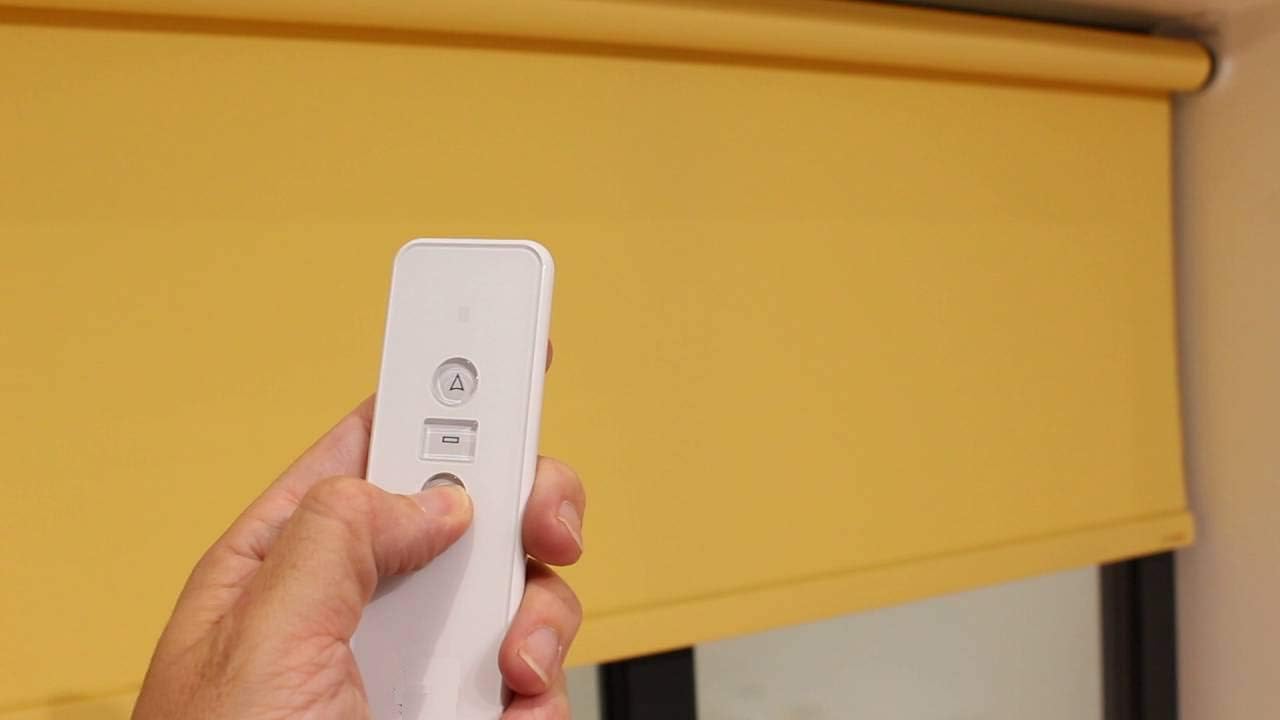
Figure 2.5: Included Mounting Brackets. This image displays the two mounting bracket components provided for installation.
3. Operating Instructions
The AM25 motor utilizes RF control technology, allowing for precise control of your motorized blinds.
3.1. Remote Control Operation
The shade motor stores limits set by the remote controls. With a momentary press of a button, you can command the shade to go to the full up or full down position. The motor can also be programmed for up to 6 stopping positions (4 intermediate positions), allowing you to raise, lower, and pre-programme specific heights for the blind.
Compatible RF433 hand-held and wall-mounted remotes are available separately. Ensure the remote matches the surface and pairing code if purchasing from different suppliers.

Figure 3.1: Compatible Remote Controls. This image displays different models of RF433 remote controls that can be paired with the AM25 motor, including 1-channel, 6-channel, and 16-channel options.
3.2. Voice Control Integration
The roller motor, built with RF433, can be integrated with third-party hubs (not sold by AOK motors) to learn the signal, enabling voice control via platforms like Alexa or Google Home.

Figure 3.2: Voice Control Setup. This diagram shows how the motor can be controlled via voice commands using smart home devices like Amazon Alexa and Google Home, connected through a compatible RF hub.

Figure 3.3: Multiple Control Modes. This image highlights the various ways to control your motorized blinds: Voice Control (Alexa/Google Home), Time Control, APP Control, and Remote Control.
4. Maintenance and Charging
The built-in lithium battery is designed for long-lasting performance. It is expected to provide approximately 365 cycles of operation (depending on shade size) before requiring a recharge. This typically means charging only twice a year.
4.1. Charging Options
You can charge the motor using an optional external battery charger or a solar charger for motorized blinds. These accessories are sold separately.
- AM25 Charger Options: B07J4CLKZ7
- Solar charger for motorized blinds: B07J5B7RFS

Figure 4.1: Solar Charging Setup. This image demonstrates how a solar panel can be connected to the motorized blind for continuous charging.
4.2. Solar Panel Performance Evaluation
The following video demonstrates the performance of the solar panel, showing its voltage and current output under sunlight. This helps understand the charging capabilities.
Video 4.1: Evaluation of 8.4V Solar Panel. This video shows a test of the solar panel's output, demonstrating its ability to provide power for charging the motor. It illustrates the connection of the solar panel to a multimeter to measure current and voltage, confirming its charging capacity.
5. Troubleshooting
If you encounter any issues with your AM25 motor, please refer to the common problems and solutions below. For further assistance, contact customer service.
| Problem | Possible Cause | Solution |
|---|---|---|
| Motor not responding to remote. | Remote battery low or motor not paired. | Replace remote battery. Re-pair the remote with the motor according to remote's instructions. |
| Shade moves slowly or stops intermittently. | Low battery charge. | Charge the motor's battery using the appropriate charger or solar panel. |
| Motor makes unusual noise. | Motor not properly seated in tube or obstruction. | Check motor seating and ensure no obstructions in the shade's path. |
| Motor not charging. | Charger issue, solar panel not receiving enough light, or battery fault. | Verify charger connection and functionality. Ensure solar panel is in direct sunlight. If issues persist, contact support. |
6. Specifications
| Feature | Detail |
|---|---|
| Brand | AOK motors |
| Model | AM25 |
| Material | Metal, Plastic |
| Product Dimensions | 17.24"L x 1"W |
| Color | Yellow |
| Operation Mode | Automatic |
| Control Type | Remote |
| Battery Type | 1 Lithium Ion battery (included) |
| Compatibility | Fits 1.5" Tube Roller Shades |
| Mounting Type | Inside or Outside Mount |
| Item Weight | 1 Pounds |
| UPC | 612289935883 |
7. Warranty and Support
AOK motors is committed to providing high-quality products and excellent customer service. For any issues, including wrong size, broken items, stopped working, or missing parts, please contact our customer service team.
We offer 24-hour service to assist you with any inquiries or support needs regarding your motorized blinds. You can also visit the official AOK motors store for more information and products: AOK motors Store.
Related documentsAM25


Ask a question about this manual
Ask about setup, troubleshooting, compatibility, parts, safety, or missing instructions. Manuals+ will review the question and use this page’s manual context to help answer it.