
Introduction
The Razer Sila is a high-performance gaming-grade WiFi mesh router designed to provide an optimized and lag-free network experience. This manual provides essential information for setting up, operating, and maintaining your Razer Sila router, ensuring you can fully utilize its advanced features for superior gaming and streaming.
Setup
Initial Connection
- Unpack the Router: Carefully remove the Razer Sila router and its accessories from the packaging.
- Connect Power: Plug the power adapter into the router's DC IN port and then into a power outlet.
- Connect to Modem: Connect one end of the provided Ethernet cable to the WAN port on the Razer Sila and the other end to your internet modem.
- Power On: Wait for the router to power on and the indicator lights to stabilize.
Mobile App Setup
The Razer Sila is primarily configured and managed using its dedicated mobile application, available for iOS and Android devices. This app simplifies the setup process and provides access to all router features.
- Download the App: Search for "Razer Sila" in your device's app store and download the official application.
- Launch and Follow Prompts: Open the app and follow the on-screen instructions to connect to your new Razer Sila network and complete the initial setup. This includes setting up your WiFi name (SSID) and password.
- Guest Network and Security: The app allows you to easily configure a guest network for visitors and manage security settings, including parental controls.

Image: Razer Sila mobile app interface on a smartphone, showing network management options. This image displays a smartphone screen showing the Razer Sila mobile application interface. The app provides smart software support, allowing users to manage their network, view connected devices, and configure settings such as guest networks and security controls. The intuitive interface simplifies network management and optimization.
Operating Features
Razer FasTrack
Razer FasTrack technology allows you to prioritize specific applications and devices on your network. This ensures that critical activities like gaming and streaming receive the necessary bandwidth for optimal performance, even when other devices are active.
- Application Priority: Assign 'Very High', 'High', 'Medium', or 'Low' priority to different applications (e.g., games, video streaming, general browsing).
- Device Priority: Prioritize specific devices (e.g., your gaming PC or console) to ensure they always have the best connection.
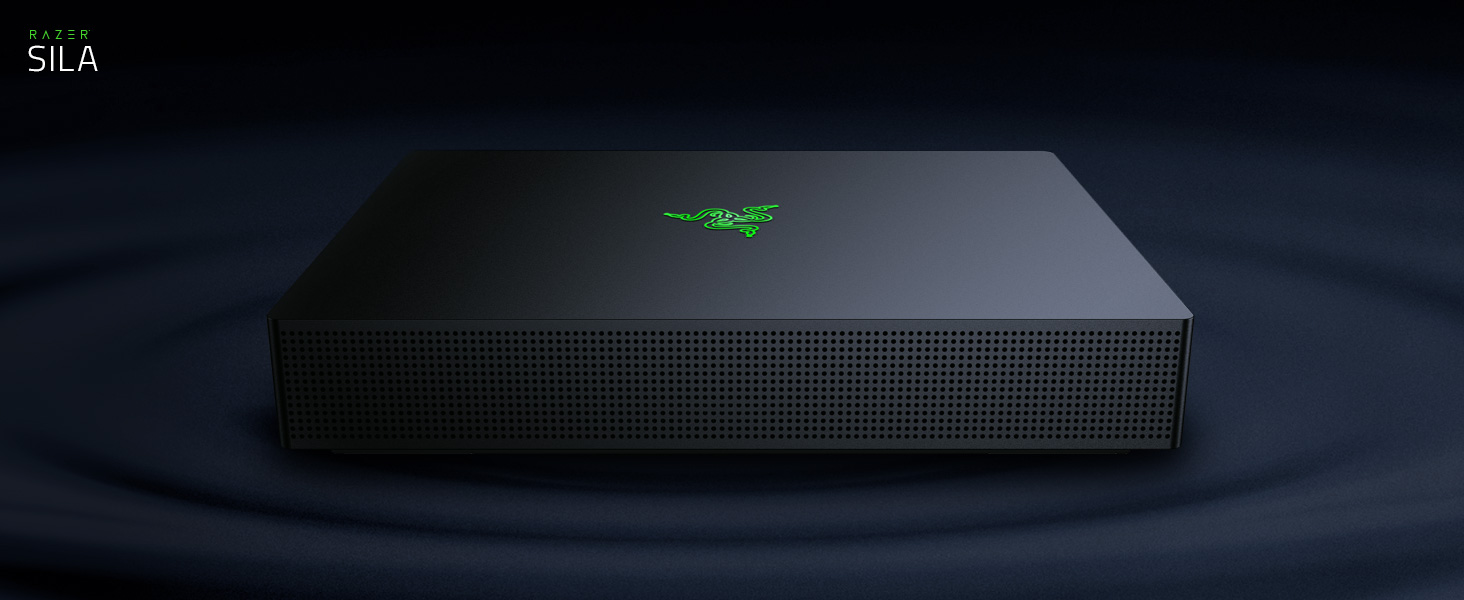
Image: Razer FasTrack feature prioritizing applications and devices for high-speed gaming and streaming. This image illustrates the Razer FasTrack feature, which allows users to prioritize specific applications and devices. By assigning 'Very High' priority to gaming applications like Fortnite, and 'High' to streaming services like YouTube, the router ensures optimal bandwidth allocation for critical tasks. Other applications can be set to 'Medium' or 'Low' priority, ensuring a smooth and lag-free experience for gaming and streaming.
Multi-Channel ZeroWait DFS Technology
This technology provides access to exclusive 5GHz channels typically reserved for radar, which are often less congested. The Razer Sila intelligently switches between these channels seamlessly, preventing drops in connection and ensuring a stable, lag-free experience for all connected devices.

Image: Multi-Channel ZeroWait DFS Technology for reliable, lag-free performance. The diagram shows the Multi-Channel ZeroWait DFS Technology, highlighting the use of 5GHz band channels. It depicts public channels (36-48, 149-165) and DFS (Dynamic Frequency Selection) restricted channels (52-144). The Razer Sila WiFi utilizes these channels to avoid interference and provide reliable, lag-free performance by dynamically switching to the clearest available channels, including those typically reserved for radar.
Hybrid Wireless Mesh & Dedicated Backhaul
The Razer Sila supports a robust mesh network, allowing you to expand your WiFi coverage by adding multiple Sila units. This eliminates dead spots and ensures consistent, high-speed WiFi throughout your home without compromising throughput. A single unit provides coverage, and adding more units extends it significantly (e.g., two units for up to 6000 sq ft, three units for up to 9000 sq ft).

Image: Hybrid Wireless Mesh and Dedicated Backhaul Channel for widespread coverage. This image demonstrates the Hybrid Wireless Mesh system, showing how multiple Razer Sila units can be deployed to extend WiFi coverage. The green circles represent the WiFi signal coverage from each unit, overlapping to create a seamless mesh network across a larger area, such as a multi-story home. This ensures widespread coverage and maximum performance without dead zones.
Self-Optimizing Network & Swarm Intelligence
The router's self-optimizing network constantly scans traffic across multiple channels to identify and utilize congestion-free paths. Swarm Intelligence further enhances this by intelligently managing network resources, ensuring a stable and efficient connection for all devices.

Image: Razer Sila router with glowing green logo, representing Self-Optimizing Network and Swarm Intelligence. A sleek, black Razer Sila router with its signature glowing green logo is shown. This image represents the router's Self-Optimizing Network and Swarm Intelligence features, which constantly scan for and adapt to network conditions to provide a congestion-free connection. The intelligent system ensures that your devices are always connected to the optimal band and channel for the best performance.
Intelligent Active Steering
Intelligent Active Steering automatically and seamlessly switches your devices between the best available channels, bands, and mesh nodes. This dynamic optimization ensures you maintain a consistently fast and reliable network connection without manual intervention.
Parental Control
Manage internet access for specific devices or users with built-in parental control features, configurable through the Razer Sila mobile app.
Video: Command Your WiFi with Razer Sila. This video demonstrates the key features of the Razer Sila router, including Razer FasTrack for prioritizing applications and devices, Multi-Channel ZeroWait DFS for lag-free connections, and the Hybrid Wireless Mesh for extended WiFi coverage. It highlights how the Sila router provides users with total control over their network for an optimized gaming and streaming experience.
Maintenance
- Firmware Updates: Regularly check for and install firmware updates through the Razer Sila app to ensure optimal performance, security, and access to new features.
- Cleaning: Keep the router free from dust by gently wiping it with a dry, soft cloth. Ensure ventilation ports are clear to prevent overheating.
- Restarting: Periodically restarting your router (unplugging for 30 seconds and plugging back in) can help resolve minor network issues and improve performance.
Troubleshooting
- No Internet Connection:
- Check if your modem is working correctly.
- Ensure all Ethernet cables are securely connected.
- Restart both your modem and the Razer Sila router.
- Slow WiFi Speed:
- Use the Razer Sila app to check for network congestion and adjust device/application priorities.
- Ensure your router is placed in a central location, away from obstructions and interference sources.
- If using a mesh system, ensure units are within optimal range of each other.
- WiFi Dead Zones:
- Consider adding an additional Razer Sila unit to extend your mesh network coverage.
- Reposition existing units to improve signal distribution.
- App Connectivity Issues:
- Ensure your smartphone is connected to the Razer Sila WiFi network.
- Restart the app or reinstall it if issues persist.
Specifications
| Feature | Detail |
|---|---|
| Brand | Razer |
| Model Name | Sila |
| Model Number | RZ37-02510100-R3U1 |
| Frequency Band Class | Tri-Band |
| Wireless Communication Standard | 802.11ac |
| Data Transfer Rate | 3000 Megabits Per Second |
| Number of Ports | 4 (LAN) |
| Antenna Type | Internal (3 Antennas) |
| Security Protocol | WPA-PSK |
| Control Method | App |
| Compatible Devices | Personal Computer |
| Operating System Compatibility | Android, iOS |
| Item Weight | 1.98 Pounds |
| Included Components | Router |
Warranty
The Razer Sila Gaming Grade WiFi Mesh Router comes with a 1-Year Limited Warranty from the date of purchase. Please retain your proof of purchase for warranty claims. For detailed warranty terms and conditions, refer to the official Razer website or contact customer support.
Support
For further assistance, technical support, or to access the latest FAQs and troubleshooting guides, please utilize the following resources:
- Razer Sila Mobile App: The app provides built-in support features and direct access to network diagnostics.
- Razer Support Website: Visit the official Razer support website for comprehensive product information, drivers, and customer service contact options.


