
1. Safety Information
Read all instructions carefully before using this product. Failure to follow these instructions may result in electric shock, fire, or serious injury.
- Electrical Rating: This cord reel is rated for 13 amps, 125 volts, 1625 watts. Do not exceed these ratings.
- Overload Protection: The integrated safety overload circuit breaker will cut power in the event of an overload. If this occurs, unplug devices, reduce the load, and press the reset button.
- Indoor/Outdoor Use: This product is suitable for both indoor and outdoor use. Ensure all connections are secure and protected from moisture when used outdoors.
- Grounding: Always plug the cord reel into a properly grounded 3-prong outlet.
- Cord Condition: Inspect the cord for damage before each use. Do not use if the cord is frayed, cut, or damaged.
- Children and Pets: Keep the cord reel and all connected devices out of reach of children and pets.
- Water Exposure: Do not immerse the cord reel in water or use it in standing water.
2. Product Overview
The Masterplug 75ft Cord Reel provides convenient power distribution with multiple outlets and USB charging capabilities, designed for durability and ease of use.
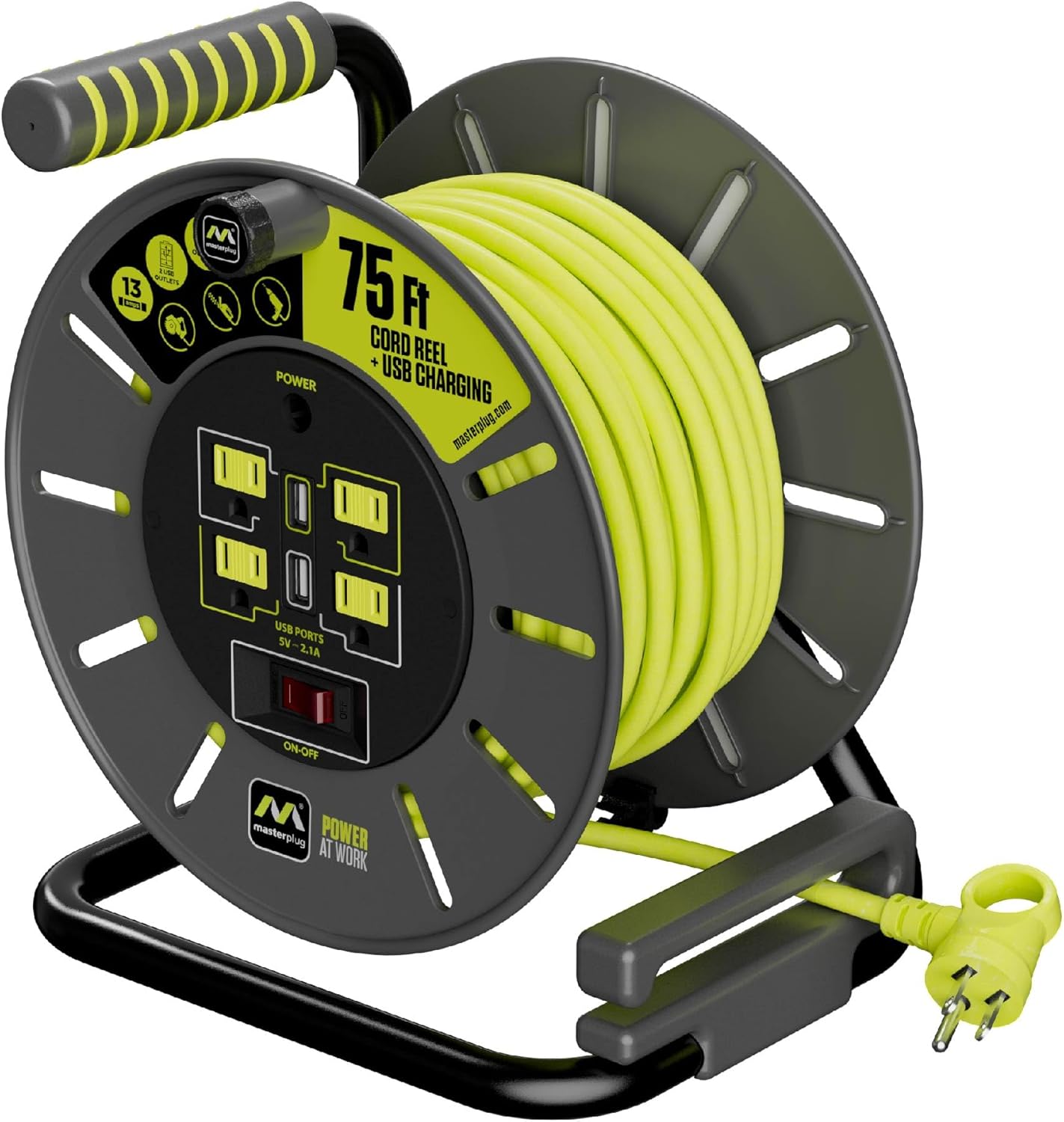
Image 2.1: Masterplug 75ft Cord Reel showing the main unit with outlets, USB ports, and winding handle.
Key Features:
- 75ft 14AWG Cable: Provides extended reach for various applications.
- 4 Grounded Outlets: Equipped with safety shutters for secure connections.
- 2 USB Charging Ports: (5V - 2.1A shared) for charging mobile devices.
- Safety Overload Circuit Breaker: Protects against power surges and overloads.
- Localized On/Off Switch: Allows power control at the reel.
- Winding Handle & Cord Guide: Facilitates easy, tangle-free cord management.
- Heavy Duty Steel Stand: Ensures stability and durability.
- High Visibility Cable: Enhances safety in various environments.
Product Video:
Video 2.2: An official Masterplug video showcasing the features and applications of the cord reel, highlighting its robust design and functionality.
3. Setup
- Unpack: Carefully remove the cord reel from its packaging. Inspect for any shipping damage.
- Positioning: Place the cord reel on a stable, flat surface. Ensure the area is clear of obstructions and potential hazards.
- Initial Cord Extension: Unwind the necessary length of cord from the reel. For optimal performance and to prevent overheating, it is recommended to fully unwind the cord when using high-power appliances.
- Connect to Power: Plug the cord reel's main plug into a suitable 3-prong grounded electrical outlet.
4. Operating Instructions
4.1 Extending the Cord
- Grasp the cord by the plug end and pull it away from the reel. The integrated cord guide will assist in smooth unwinding.
- Extend only the length of cord required for your task.
4.2 Using Outlets and USB Ports

Image 4.1: Detailed view of the four grounded outlets, two USB ports, and the on/off power switch on the cord reel.
- Ensure the cord reel is plugged into a power source.
- Press the red ON/OFF switch to the 'ON' position. The power indicator light will illuminate.
- Plug your appliances into the 4 grounded outlets.
- Connect your mobile devices to the 2 USB charging ports for charging.
4.3 Retracting the Cord
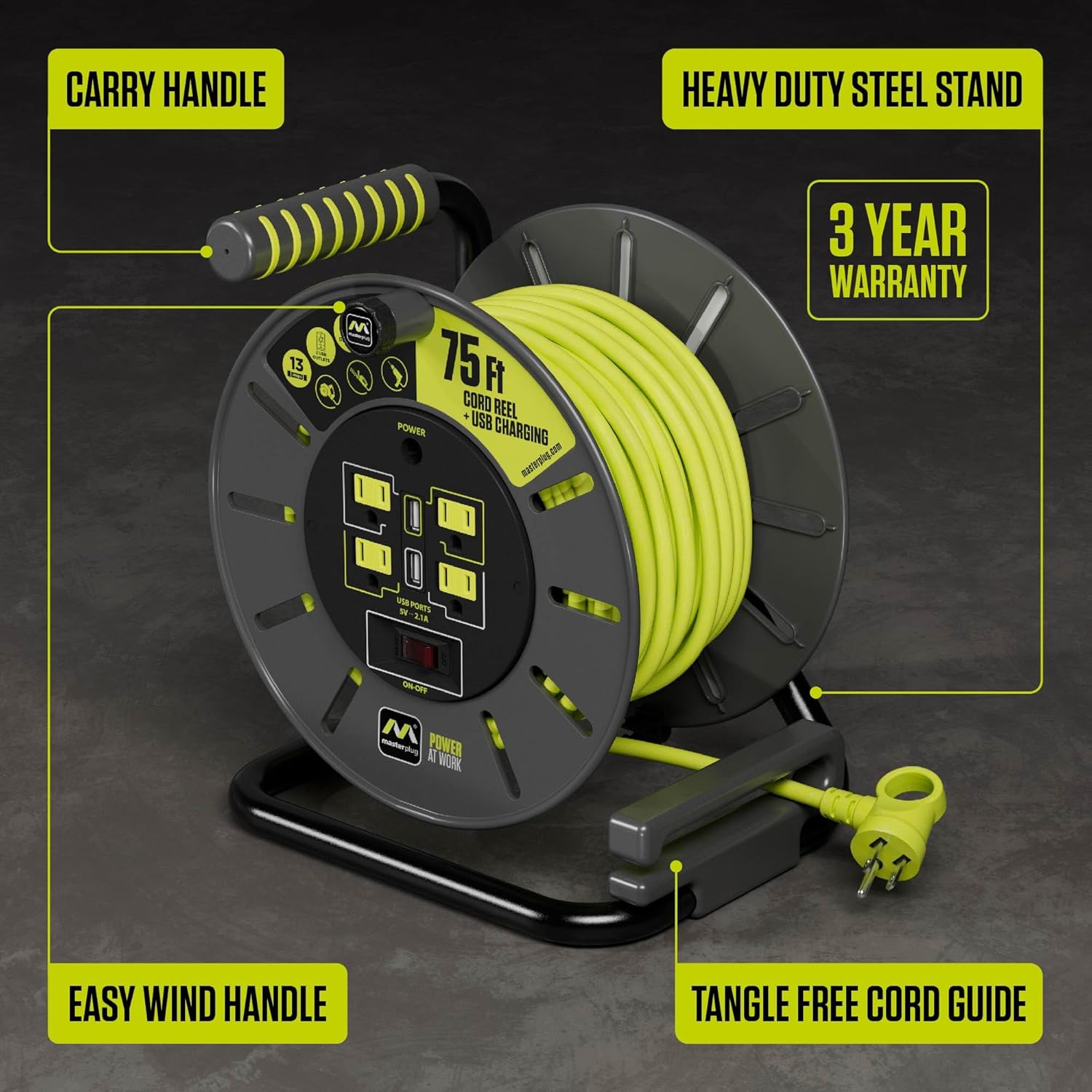
Image 4.2: The cord reel shown with its pull-out drum handle extended for manual winding.
- Unplug all devices from the cord reel.
- Pull out the drum handle located on the side of the reel.
- Rotate the handle clockwise to smoothly wind the cord back onto the reel. Ensure the cord feeds evenly through the guide to prevent tangles.
- Once fully retracted, push the drum handle back into its stored position.
5. Maintenance
- Cleaning: Disconnect the cord reel from the power source before cleaning. Wipe the exterior with a dry or slightly damp cloth. Do not use harsh chemicals or abrasive cleaners.
- Storage: Store the cord reel in a dry, cool place away from direct sunlight and extreme temperatures. Ensure the cord is fully retracted before storage.
- Cord Inspection: Regularly inspect the entire length of the cord for any signs of wear, cuts, or damage. If damage is found, discontinue use immediately and replace the unit.
6. Troubleshooting
6.1 No Power to Outlets/USB Ports
- Check Main Power: Ensure the cord reel's main plug is securely inserted into a working wall outlet.
- Power Switch: Verify that the ON/OFF switch on the cord reel is in the 'ON' position.
- Overload Breaker: If the red 'SAFETY OVERLOAD' button is popped out, the circuit breaker has tripped. Unplug all devices, reduce the total load, and press the button to reset.
6.2 Cord Does Not Retract Smoothly
- Cord Guide: Ensure the cord is properly aligned with the integrated cord guide during winding.
- Obstructions: Check for any debris or obstructions preventing smooth retraction.
7. Specifications

Image 7.1: Diagram illustrating the compact dimensions of the Masterplug cord reel.
| Feature | Detail |
|---|---|
| Model Number | OLA751314G4SLU-US |
| Cord Length | 75 feet |
| Wire Gauge | 14 AWG |
| Amperage | 13 Amps |
| Voltage | 127 Volts |
| Outlets | 4 Grounded Outlets |
| USB Ports | 2 (5V - 2.1A shared) |
| Overload Protection | Integrated Circuit Breaker |
| Product Dimensions | 8.15 x 9.57 x 10.87 inches |
| Item Weight | 10.38 pounds |
| Plug Format | Type B |
8. Warranty & Support
8.1 Warranty Information
This Masterplug Cord Reel is covered by a 3-year warranty from the date of purchase. This warranty covers defects in materials and workmanship under normal use. It does not cover damage resulting from misuse, abuse, unauthorized modification, or improper installation.
8.2 Customer Support
For technical assistance, warranty claims, or general inquiries, please contact Masterplug customer support. Refer to the product packaging or the official Masterplug website for the most current contact information.
You can also visit the Masterplug Store for additional product information and resources.


