
SUNITEC BC920
SUNITEC BC920 Bluetooth Car Speaker User Manual
Hands-Free Bluetooth Car Speaker for Cell Phone
1. Product Overview
The SUNITEC BC920 is a versatile Bluetooth car speaker designed to provide clear, hands-free communication and audio streaming in your vehicle. It features advanced DSP noise-cancellation technology for crystal-clear calls and supports voice assistants like Siri and Google Assistant for safe driving.

Image: Front view of the SUNITEC BC920 Bluetooth Car Speaker, showing its compact design and control buttons.
2. Package Contents
Please check the box for the following items:
- SUNITEC BC920SA Bluetooth Car Kit
- Car charger
- USB charging cable
- Quick user guide / User Manual

Image: Back of the SUNITEC BC920 product box, detailing key features and package contents.
3. Device Layout
Familiarize yourself with the buttons and ports on your SUNITEC BC920 speakerphone.
- Call Button: Answer/End calls, Redial.
- Volume Up (+): Increase volume.
- Volume Down (-): Decrease volume.
- Mute Button: Mute/unmute microphone.
- Power Switch: On/Off.
- Micro USB Port: For charging.
- Visor Clip: For attaching to car visor.

Image: Close-up view of the SUNITEC BC920, highlighting the call button, volume controls, and mute button.
4. Setup and Charging
4.1 Initial Charging
Before first use, fully charge the SUNITEC BC920. Connect the provided USB charging cable to the Micro USB port on the device and the other end to the car charger or a standard USB power adapter (not included). The LED indicator will show charging status.
The device features a long-lasting battery, providing up to 22 hours of talk time and 1000 hours of standby time on a full charge.

Image: Illustration showing the SUNITEC BC920 and its impressive battery life, with icons for 22 hours talk time and 1000 hours standby time.
4.2 Powering On/Off
- To Power On: Slide the power switch to the "ON" position. You will hear a voice prompt "Power On".
- To Power Off: Slide the power switch to the "OFF" position. You will hear a voice prompt "Power Off".
The device also features an auto power on/off function. A built-in vibration sensor automatically turns on the car kit when it detects car door opening, allowing it to reconnect with your phone. When the device is not in use for a period, it will turn off automatically to save battery.

Image: Visual representation of the SUNITEC BC920's auto power-on feature, showing the device activating when a car door is opened.
4.3 Bluetooth Pairing
To connect the SUNITEC BC920 to your mobile phone:
- Ensure the speakerphone is powered on.
- On your phone, go to Bluetooth settings and enable Bluetooth.
- Search for available devices. The speakerphone will appear as "BC920".
- Select "BC920" to pair. You will hear a voice prompt "Pairing" and then "Connected" upon successful connection.
The SUNITEC BC920 supports connecting two Bluetooth cell phones simultaneously, allowing for easy switching between music and calls from different devices.

Image: Diagram illustrating the dual connection capability of the SUNITEC BC920, showing two smartphones connected simultaneously.
5. Operating Instructions
5.1 Making and Receiving Calls
- Answering a Call: Press the Call Button once.
- Ending a Call: Press the Call Button once during a call.
- Rejecting a Call: Press and hold the Call Button for 2 seconds.
- Redialing Last Number: Double-press the Call Button.
- Adjusting Volume: Use the Volume Up (+) and Volume Down (-) buttons.
- Muting Microphone: Press the Mute Button during a call. Press again to unmute.
The built-in 2W powerful speaker and DSP noise-cancellation technology ensure clear calls and high-quality audio even in noisy environments.

Image: Graphic highlighting the clear speech and high-quality audio features of the SUNITEC BC920, with sound waves emanating from the speaker.
5.2 Voice Assistant (Siri/Google Assistant)
The SUNITEC BC920 supports voice assistants, allowing you to make calls, send texts, or get driving directions hands-free, enhancing driving safety.
- Activating Voice Assistant: Press and hold the Call Button for 2 seconds to activate Siri (iOS) or Google Assistant (Android).
- Once activated, you can issue commands such as:
- "Call [Contact Name]"
- "Text [Contact Name] [Message]"
- "Show me directions to [Destination]"
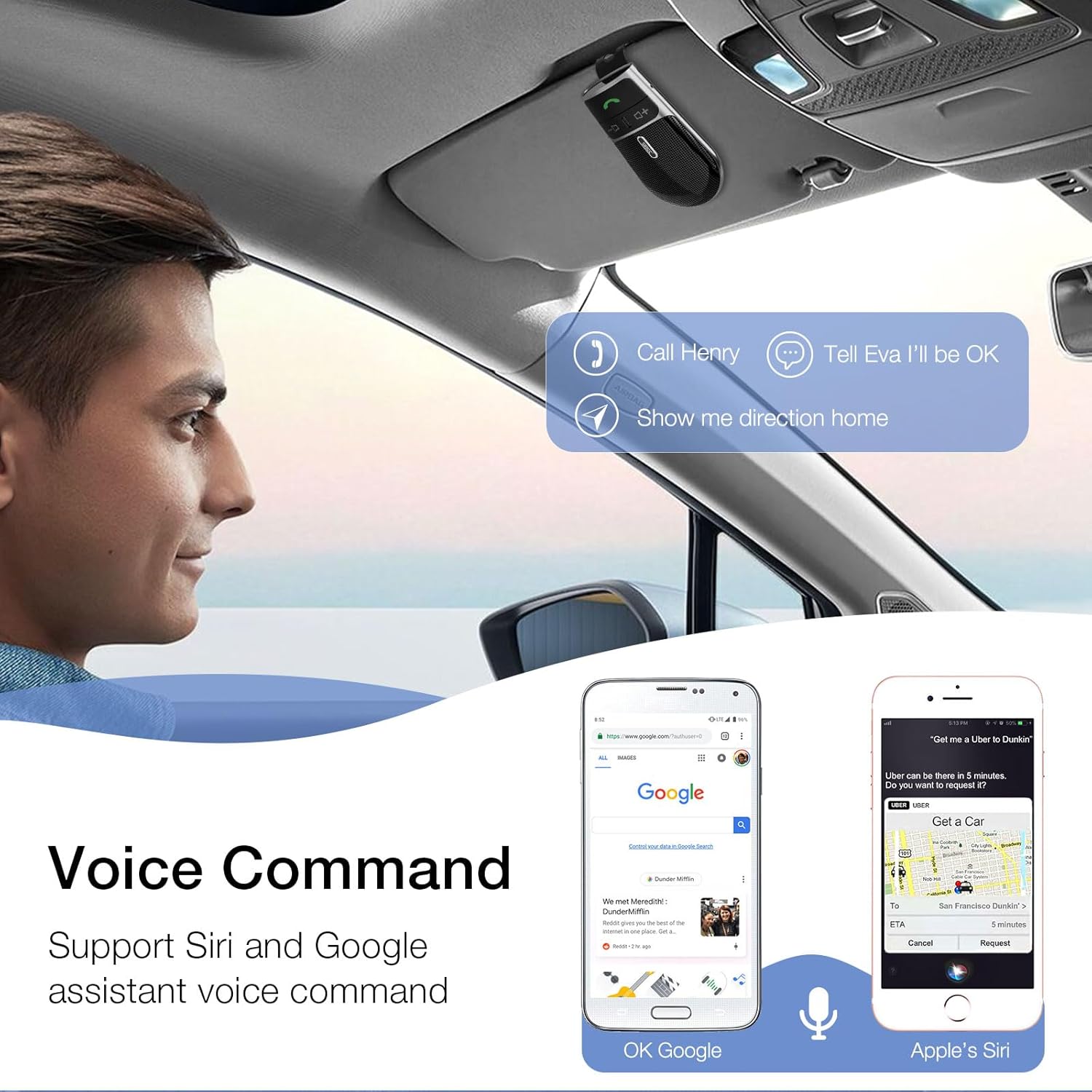
Image: A user in a car interacting with the SUNITEC BC920 to use voice commands for calling, texting, and navigation via Siri or Google Assistant.
5.3 Voice Guidance
The device provides clear voice prompts for various operational statuses, making it easy to use without visual confirmation.
- "Power On"
- "Power Off"
- "Pairing"
- "Connected"
- "Disconnected"
- "Battery Low"
Image: Depiction of the SUNITEC BC920 providing voice guidance, with a list of common voice prompts.
6. Maintenance
- Clean the device with a soft, dry cloth. Do not use abrasive cleaners or solvents.
- Keep the device away from extreme temperatures, humidity, and direct sunlight.
- Do not disassemble the device. This will void the warranty and may cause damage.
- Store in a cool, dry place when not in use for extended periods.
7. Troubleshooting
| Problem | Possible Cause | Solution |
|---|---|---|
| Device does not power on. | Battery is depleted. | Charge the device fully. |
| Cannot pair with phone. | Bluetooth is off on phone; device not in pairing mode; too many paired devices. | Ensure phone Bluetooth is on. Restart both devices. Clear previous Bluetooth connections on your phone. |
| Poor audio quality during calls. | Low battery; interference; device too far from phone. | Charge the device. Move closer to your phone. Avoid sources of strong electromagnetic interference. |
| Voice assistant not responding. | Not activated correctly; phone settings. | Ensure you press and hold the Call Button for 2 seconds. Check voice assistant settings on your phone. |
8. Specifications
| Feature | Detail |
|---|---|
| Model Number | BC920 |
| Product Dimensions | 4.5 x 2.6 x 1 inches |
| Item Weight | 2.2 ounces |
| Batteries | 1 Lithium Polymer battery (included) |
| Connectivity Technology | Bluetooth |
| Power Source | Battery Powered |
| Material | Plastic |
| Special Feature | DSP Noise Cancellation, Microphone |
| Talk Time | Up to 22 Hours |
| Standby Time | Up to 1000 Hours |
9. Safety Information
Proper usage while driving and battery handling precautions are essential. Always refer to the full user manual for comprehensive safety warnings.
- Do not operate the device in a manner that distracts you from driving. Always prioritize road safety.
- Do not expose the device to water or excessive moisture.
- Avoid extreme temperatures.
- Dispose of batteries according to local regulations. Do not incinerate.
10. Warranty and Support
SUNITEC offers a customer-friendly policy for its products:
- Warranty: 365 Days free return for any problems.
- Customer Service: Expect a quick response within 24 hours for inquiries.
For further assistance, please contact SUNITEC support:
- Phone: 0755-36863386 / 26863387 / 36863389
- Email: support@sunitec.net
- Website: www.sunitec.net/en/

Image: Information regarding SUNITEC's customer service, including contact details and warranty period.
Related documentsBC920

Ask a question about this manual
Ask about setup, troubleshooting, compatibility, parts, safety, or missing instructions. Manuals+ will review the question and use this page’s manual context to help answer it.