
Anderic RRU401.5
Anderic RRU401 4-in-1 Universal Remote Control
Model: RRU401.5
Product Overview
The Anderic RRU401.5 is a versatile 4-device universal remote control designed to consolidate up to four remotes into one for your home entertainment system. It is compatible with a wide range of devices including TVs, DVD/Blu-ray players, cable boxes, satellite boxes, set-top boxes, audio equipment, Roku, and more. This remote simplifies your control experience by offering advanced features and an intuitive layout.

Figure 1: Front view of the Anderic RRU401.5 Universal Remote Control.
Key Features
- Universal Compatibility: Effortlessly program the RRU401.5 to control TVs, DVD Players, Cable Boxes, Sat Boxes, Set-top-boxes, Audio equipment, Roku, and more.
- Smart Functionality: Includes dedicated keys for HOME, NETFLIX, and APPS for quick access to streaming content.
- Learning and Macro Capabilities: Customize the remote by programming it to recognize and replicate functions from other remotes, and create multi-command macros.
- Full Backlighting: Navigate in low-light conditions with fully backlit keys, ensuring visibility and ease of use.
- Multi-Device Power Control: Configure the POWER key to simultaneously turn on or off multiple programmed devices with a single press.
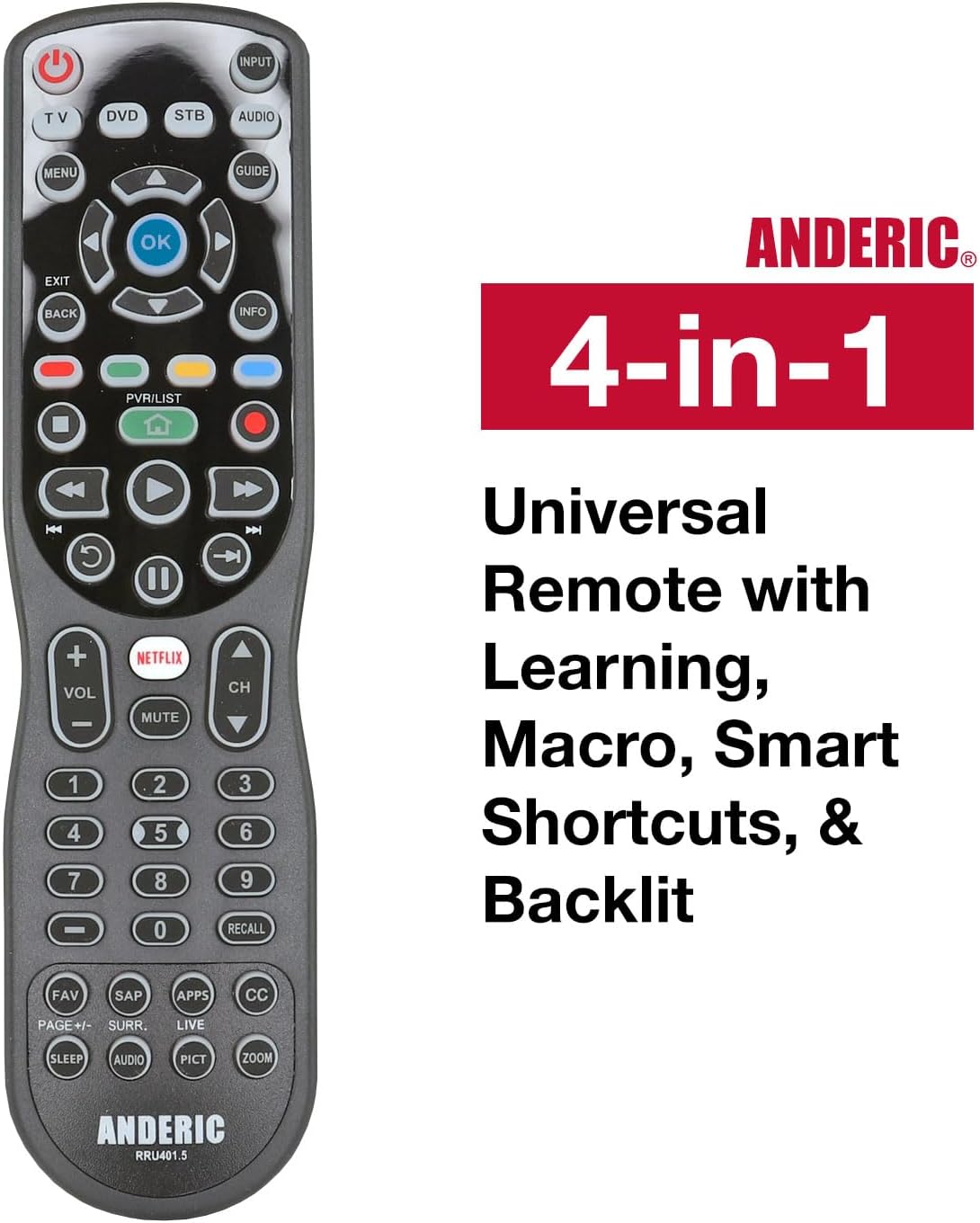
Figure 2: The Anderic RRU401.5 remote showcasing its 4-in-1 universal capabilities, including learning, macro, smart shortcuts, and backlighting.
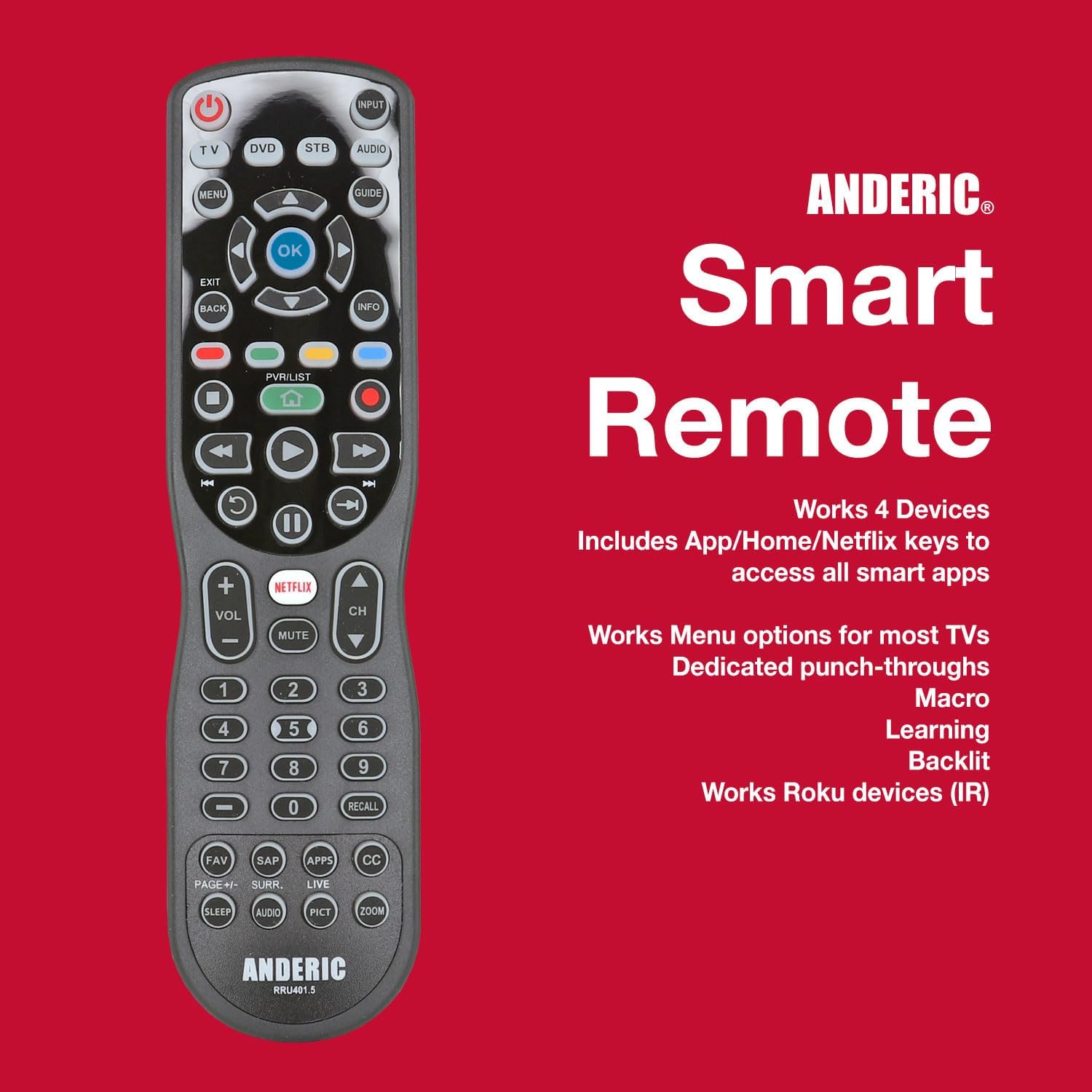
Figure 3: The Anderic RRU401.5 remote emphasizing its smart features, 4-device compatibility, and support for Roku devices.
Setup Guide
1. Battery Installation
The Anderic RRU401.5 remote requires two (2) AAA batteries for operation. To install the batteries:
- Locate the battery compartment cover on the back of the remote control.
- Slide the cover downwards to open the compartment.
- Insert two AAA batteries, ensuring the positive (+) and negative (-) terminals align with the indicators inside the compartment.
- Slide the cover back into place until it clicks securely.
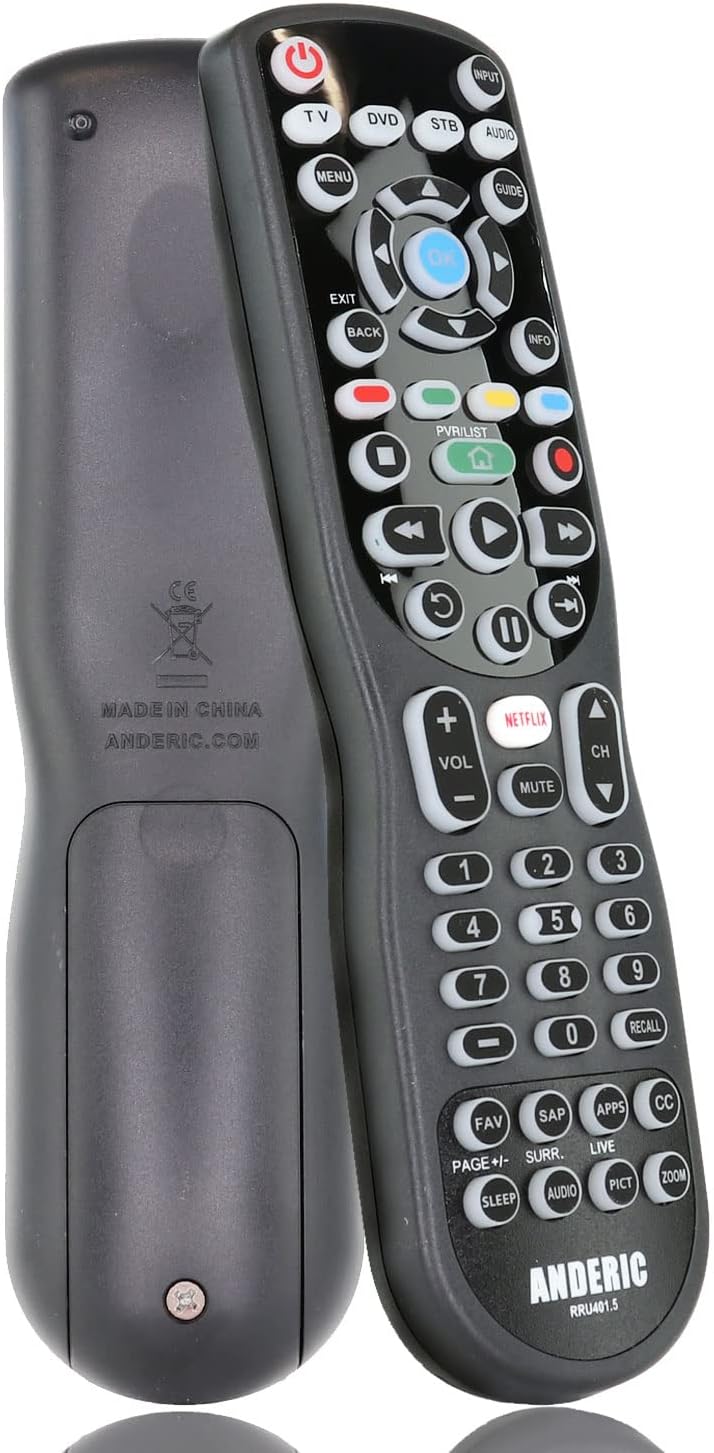
Figure 4: Back view of the remote, illustrating the battery compartment.
2. Programming the Remote
The RRU401.5 can be programmed to control up to four devices using various methods, including direct code entry, auto code search, and one-button search. Refer to the detailed instructions provided in the remote's packaging for specific programming codes and steps for your devices.
For an easy code lookup, you can use the manufacturer's online tool or the provided code list.

Figure 5: Example of an easy code lookup tool for programming the remote.
The remote also supports learning functions, allowing it to replicate commands from your original remote controls. This is particularly useful for unique functions not covered by pre-programmed codes.
Operating Instructions
Once programmed, the Anderic RRU401.5 remote provides intuitive control over your entertainment devices.
Device Mode Selection
Use the dedicated device mode buttons (TV, DVD, STB, AUDIO) located at the top of the remote to select the device you wish to control. The selected mode will typically illuminate or be indicated by a light.
Basic Functions
- POWER: Turns the selected device on or off. Can be programmed for multi-device power control.
- VOLUME +/-: Adjusts the volume of the audio device.
- CHANNEL +/-: Changes channels on the TV or set-top box.
- NUMBER PAD (0-9): Direct channel entry or input selection.
- NAVIGATION (Up, Down, Left, Right, OK): Used for menu navigation and selection.
Smart and Special Keys
- NETFLIX: Direct access to the Netflix application (if supported by your device).
- APPS: Direct access to the applications menu (if supported by your device).
- HOME: Returns to the home screen of your streaming device or smart TV.
- CC (Closed Captioning): Toggles closed captions on/off.
- SLEEP: Activates the sleep timer function on your TV.
- MENU: Accesses the menu of the selected device.
Backlighting
The remote features full key backlighting for improved visibility in dark environments. The backlight activates automatically when a button is pressed and remains on for a short period.
Learning and Macro Functions
The learning feature allows you to transfer specific commands from your original remote to the RRU401.5. Macros enable you to program a sequence of commands to be executed with a single button press. Consult the full instruction manual for detailed steps on utilizing these advanced features.
Maintenance
- Cleaning: Wipe the remote with a soft, dry cloth. Do not use liquid cleaners or abrasive materials.
- Battery Replacement: Replace batteries when the remote's performance degrades or the backlight dims significantly. Always replace both batteries at the same time with new AAA alkaline batteries.
- Storage: Store the remote in a cool, dry place away from direct sunlight and extreme temperatures.
Troubleshooting
| Problem | Possible Cause | Solution |
|---|---|---|
| Remote not responding. | Dead or incorrectly installed batteries. | Replace batteries, ensuring correct polarity. |
| Remote not controlling a device. | Incorrect device mode selected or remote not programmed correctly. | Ensure correct device mode is selected. Reprogram the remote for the specific device. |
| Some buttons not working. | Button not programmed or not supported by the device. | Use the learning feature to program the specific button. Verify device compatibility. |
| Backlight not working. | Low batteries. | Replace batteries. |
Specifications
- Product Dimensions: 7.75 x 2 x 1 inches
- Item Weight: 4.2 ounces
- Batteries: 2 AAA batteries required (not included)
- Max Number of Supported Devices: 4
- Compatible Devices: DVD/Blu-ray Player, Home Theater, Projector, Stereo System, Television
- Connectivity Technology: Infrared (IR)
- Manufacturer: Dan's Electronics Etc., Inc.
Official Product Video
Video: Anderic RRU401 4-Device Universal Remote with Backlighting. This video provides a visual overview of the remote's features and functionality.
Warranty and Support
Anderic products are manufactured by Dan's Electronics Etc., Inc. For support, programming assistance, or warranty inquiries, please refer to the contact information provided in your product packaging or visit the official Anderic website. While specific warranty details are not provided here, a limited 1-year warranty is typically offered.
Anderic is a registered trademark of Dan's Electronics Etc., Inc. Anderic and Dan's Electronics Etc., Inc. are not affiliated with any other brands. All rights reserved.
Related documentsRRU401.5


Ask a question about this manual
Ask about setup, troubleshooting, compatibility, parts, safety, or missing instructions. Manuals+ will review the question and use this page’s manual context to help answer it.