
1. Introduction
The Azpen Dockall D101 is a versatile device combining a Qi wireless charging dock station, a Bluetooth speaker, and a phone stand. It is designed to enhance your audio experience while conveniently charging your compatible smartphones and tablets.
2. What's in the Box
- 1 x DockAll Slim D101
- 1 x DC Power Adapter
- 1 x User Manual

Image: Box contents including the DockAll D101 unit, DC power adapter, and user manual.
3. Product Overview
The Dockall D101 features an innovative design that integrates multiple functionalities into one device for home and office use. Key components include:
- Qi Wireless Charging Pad: For compatible devices.
- Bluetooth Speaker: For audio streaming.
- Adjustable Phone Stand: Provides an upright viewing angle.
- Control Buttons: For power, volume, and playback.
- MicroSD Slot: Supports cards up to 64 GB.

Image: Front view of the Azpen Dockall D101 with a smartphone placed on the charging pad, illustrating wireless charging capability.
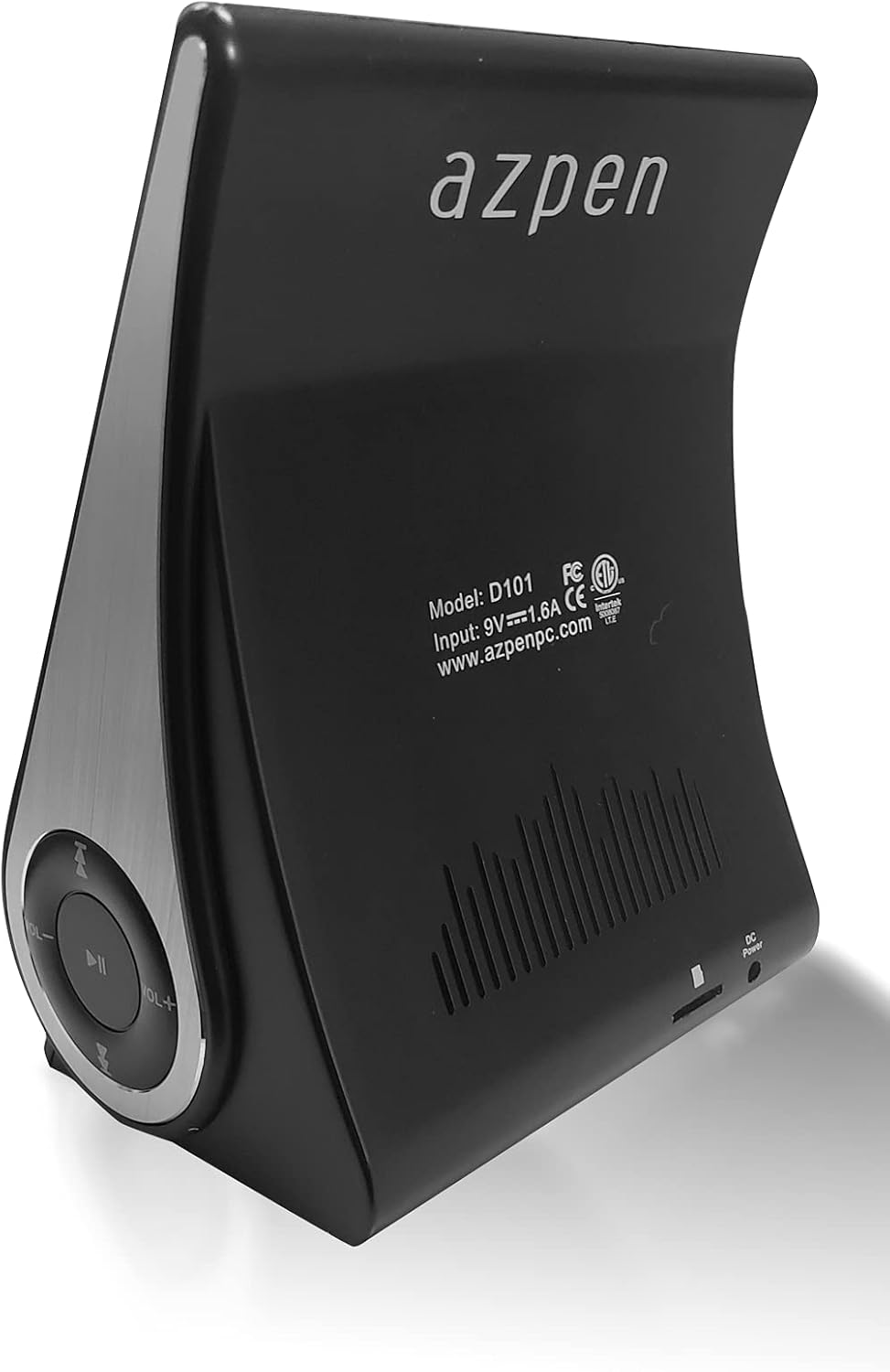
Image: Rear view of the Azpen Dockall D101, displaying the model number (D101), input specifications, and regulatory certifications.

Image: Side profile of the Azpen Dockall D101, highlighting the circular control panel with volume, playback, and phone call buttons.
4. Setup
- Power Connection: Connect the provided DC Power Adapter to the "DC Power" port on the back of the Dockall D101. Plug the adapter into a standard wall outlet.
- Positioning: Place the Dockall D101 on a stable, flat surface.
- Adjust Phone Stand: Gently pull up the phone stand to your desired viewing angle. Ensure the stand is securely locked in place.
5. Operating Instructions
5.1 Power On/Off
- To power on, press and hold the Power button (usually indicated by a circle with a vertical line) on the control panel until the device activates.
- To power off, press and hold the Power button again until the device shuts down.
5.2 Qi Wireless Charging
- Ensure the Dockall D101 is powered on.
- Place your Qi-compatible smartphone or tablet onto the charging pad on the adjustable stand.
- Adjust the position of your device until the solid blue light appears, indicating that wireless charging has begun.
- The Dockall D101 supports fast Qi wireless charging (10W).
- Note: Charging may not work through metal cases or excessively thick phone cases (e.g., OtterBox Defender).
5.3 Bluetooth Speaker Functionality
- Pairing:
- Power on the Dockall D101.
- Activate Bluetooth on your smartphone or audio device.
- Search for "Dockall D101" (or similar name) in your device's Bluetooth settings and select it to pair.
- A confirmation sound will indicate successful pairing.
- Audio Playback:
- Use the control buttons on the Dockall D101 to play/pause, skip tracks (forward/backward), and adjust volume.
- You can also control playback directly from your paired device.
- Hands-Free Calling:
- When a call comes in, press the Phone button (usually indicated by a phone icon) to answer.
- Speak into the built-in microphone on the Dockall D101.
- Press the Phone button again to end the call.

Image: A smartphone positioned on the Dockall D101 stand, displaying a music player interface, highlighting the device's audio capabilities.
Video: An overview of the Azpen DockAll Mini, demonstrating its features and functionality. While the video showcases a "Mini" model, the core operations for charging and Bluetooth are similar to the D101.
6. Maintenance
- Cleaning: Use a soft, dry cloth to clean the surface of the Dockall D101. Do not use liquid cleaners or aerosols.
- Storage: When not in use for extended periods, store the device in a cool, dry place away from direct sunlight.
- Handling: Avoid dropping the device or exposing it to extreme temperatures or moisture.
7. Troubleshooting
| Problem | Possible Solution |
|---|---|
| Device not powering on. | Ensure the DC Power Adapter is securely connected to both the device and a working power outlet. |
| Wireless charging not working. |
|
| Bluetooth not connecting. |
|
| Poor sound quality. |
|
8. Specifications
- Model Name: D101
- Speaker Type: Bluetooth Speaker
- Special Features: Wireless Charger, Upright View Angle, Bluetooth Speaker, 3-in-1 Hub
- Recommended Uses: For Smartphones or Tablets
- Compatible Devices: For iPhone 15/14/13/12/11, for Samsung Galaxy S24/S23/S22/S21/S20/S10
- Color: Black
- Item Weight: 11.2 ounces
- Is Waterproof: FALSE
- Warranty Type: Limited
- Number of Items: 1
- Control Method: Touch
- Wireless Communication Technology: Bluetooth
- Speaker Size: 5 Centimeters
- Power Source: Battery Powered
- Audio Driver Type: Dynamic Driver
- UPC: 859592006828
- Manufacturer: Azpen
- Product Dimensions: 5.9 x 4.3 x 3.75 inches
- Speaker Maximum Output Power: 5 Watts
- Connectivity Technology: Bluetooth
- Audio Output Mode: Mono
- Mounting Type: Dock

Image: Diagram showing the dimensions of the Azpen Dockall D101, with measurements in centimeters.
9. Warranty and Support
The Azpen Dockall D101 comes with a Limited Warranty. For specific details regarding warranty coverage and to access customer support, please refer to the warranty information provided in the original packaging or visit the official Azpen website.
For further assistance, you may also contact Azpen customer service directly.