
Introduction
The PAWISE Automatic Pet Feeder is designed to provide scheduled meals for your dogs and cats, ensuring they are fed even when you are away. This feeder features a 48-hour timer, allowing for precise meal scheduling. It is constructed from BPA-free plastic, and its trays are dishwasher-safe for easy cleaning.
This automatic feeder is ideal for managing portion control, especially for pets prone to overeating, and helps maintain a consistent feeding routine.

Image: The PAWISE Automatic Pet Feeder, showing its components and a cat nearby.
Product Overview and Components
The PAWISE Automatic Pet Feeder consists of several key components designed for ease of use and pet feeding.
- Feeder Cover: Protects the food and timer mechanism.
- Timer: An analog dial for setting the feeding time up to 48 hours in advance.
- Food Plate: The removable tray where pet food is placed.
- Ice Pack Compartment: Located beneath the food plate, designed to hold a reusable ice pack to keep wet food fresh.
- Battery Compartment: Located on the underside, for installing the required AA battery.

Image: Labeled components of the PAWISE Automatic Pet Feeder, including the feeder cover, timer, food plate, and ice pack.

Image: A close-up of the reusable ice pack, which helps keep food fresh.
Setup Instructions
Follow these steps to set up your PAWISE Automatic Pet Feeder:
- Install Battery: Locate the battery compartment on the underside of the feeder. Insert one AA battery (not included) as indicated by the polarity markings.
- Manually Open Feeder: Before adding food, manually open the feeder lid to access the food plate.
- Place Ice Pack (Optional): If using wet food or in warm conditions, place the reusable ice pack (chilled) into the designated compartment beneath the food plate.
- Add Food: Fill the food plate with up to 1.5 cups of dry or wet pet food. Ensure the food is evenly distributed.
- Set Timer: Close the feeder lid. Rotate the timer dial to set the desired number of hours until the feeder opens. The timer can be set up to 48 hours in advance.
- For pets fed once a day: Set the timer for 24 hours.
- For pets fed twice a day: Set the timer for 12 hours for the first meal.
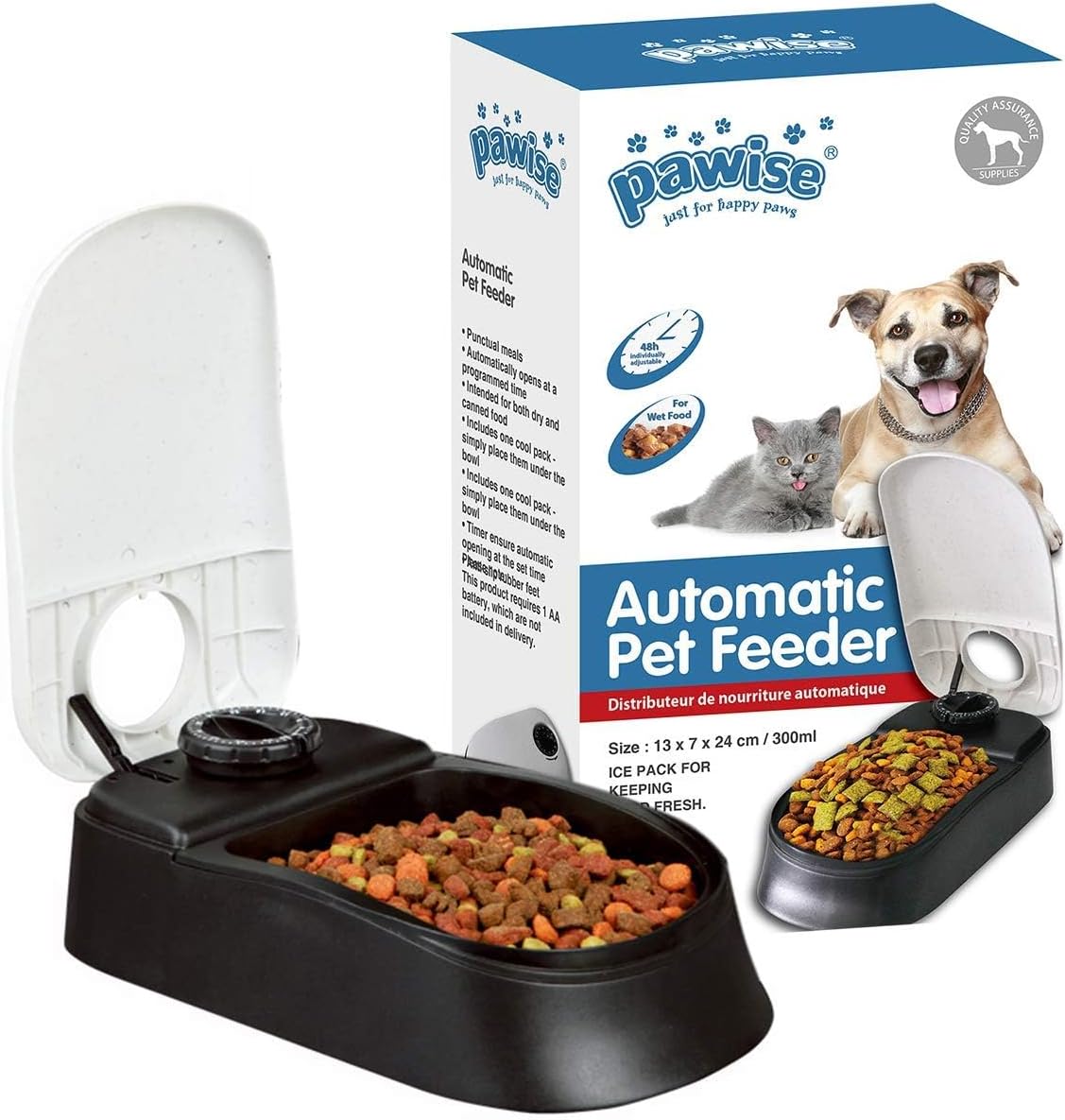
Image: Visual guide demonstrating battery installation, manual opening, food and ice pack placement, and timer setting.
Operating Instructions
Once set up, the feeder operates automatically. The timer mechanism will count down, and the lid will open at the scheduled time, providing access to the food.
- Ensure the feeder is placed on a stable, flat surface where your pet can easily access it.
- Monitor your pet's initial reaction to the feeder to ensure they are comfortable eating from it.
- The timer is analog, so precise timing may vary slightly. Adjust as needed based on your pet's feeding schedule and behavior.

Image: A dog resting calmly next to the PAWISE Automatic Pet Feeder, illustrating its presence in a home environment.

Image: A dog eating from the feeder, with a graphic highlighting the 48-hour meal scheduling feature and benefits like "Eats on Schedule" and "Never Miss a Feeding."
Video: An official product video demonstrating the PAWISE Automatic Pet Feeder's features, including battery installation, timer setting, and automatic opening for feeding. This video is provided by the seller and is 30 seconds in length.
Maintenance
Regular cleaning and maintenance will ensure the longevity and hygienic operation of your pet feeder.
- Cleaning: The food tray is dishwasher-safe for convenient and thorough cleaning. For other parts, wipe with a damp cloth and mild detergent. Ensure all parts are completely dry before reassembly.
- Battery Replacement: Replace the AA battery when the feeder no longer opens at the set time or if the timer mechanism slows down. There is no low battery indicator, so proactive replacement is recommended.
Troubleshooting
If you encounter issues with your PAWISE Automatic Pet Feeder, consider the following common solutions:
| Problem | Possible Cause | Solution |
|---|---|---|
| Feeder does not open at scheduled time. | Battery is low or dead. Timer not set correctly. | Replace the AA battery. Re-check the timer setting and ensure it is wound correctly. |
| Timer seems inaccurate. | Analog timer inherent variability. | Due to the analog nature, minor variations are expected. Adjust the setting slightly if consistent deviation is observed. |
| Food is not fresh (for wet food). | Ice pack not used or not sufficiently chilled. | Ensure the reusable ice pack is thoroughly frozen before placing it in the feeder. For extended periods, consider alternative cooling methods or dry food. |
Specifications
| Feature | Detail |
|---|---|
| Brand | PAWISE |
| Model Number | Mangeoire Automatique |
| Capacity | 1.5 cups (dry or wet food) |
| Timer | Up to 48 hours (analog) |
| Power Source | 1 x AA Battery (not included) |
| Material | BPA-free Plastic |
| Dimensions (LxWxH) | 9.4 x 5.1 x 2.7 inches (24 x 13 x 7 cm) |
| Item Weight | 1.03 pounds |
| Care Instructions | Dishwasher Safe (tray), Hand Wash Only (other parts) |
| Target Species | Dogs, Cats |
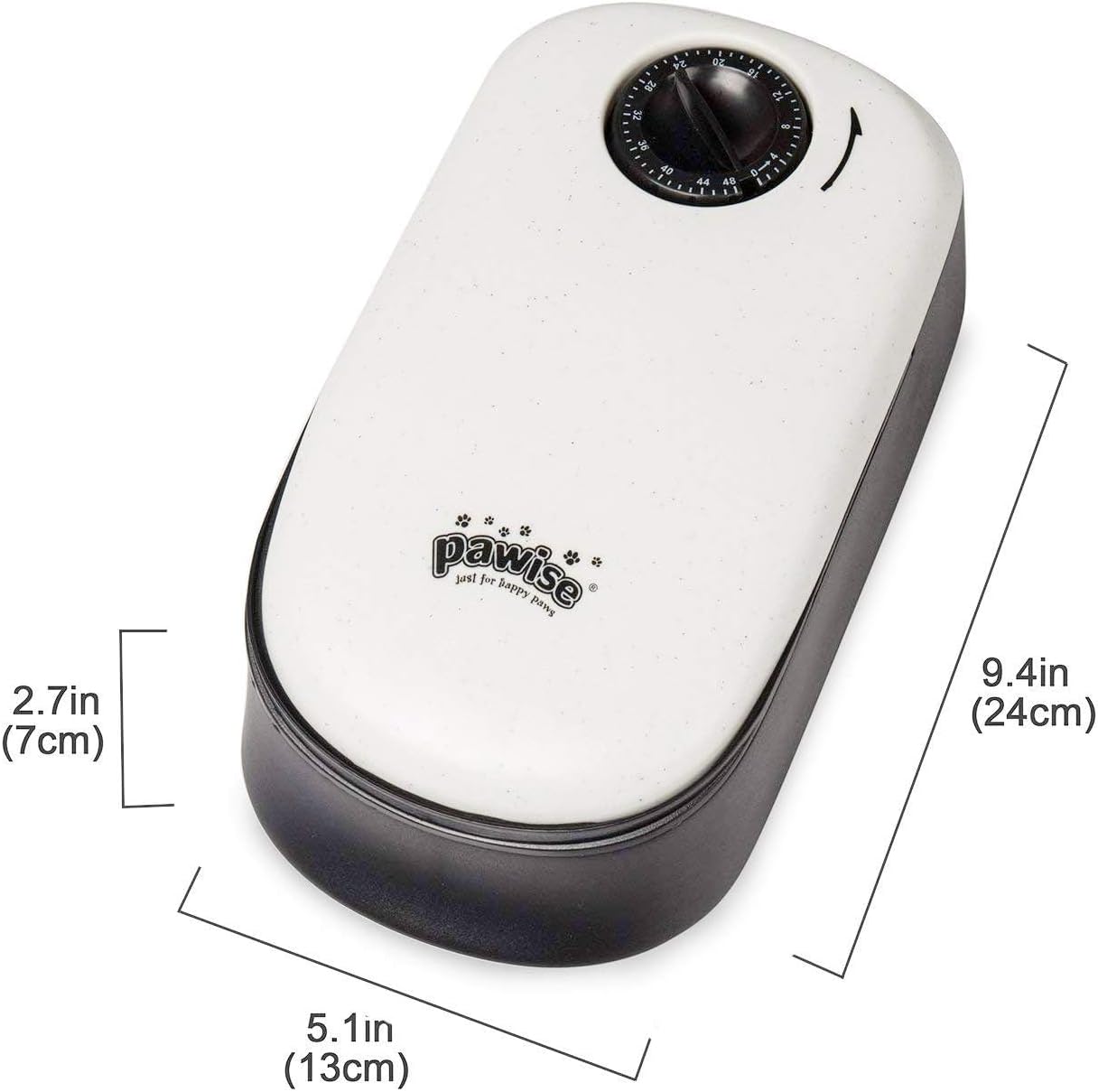
Image: Diagram showing the dimensions of the PAWISE Automatic Pet Feeder.
Warranty and Support
The PAWISE Automatic Pet Feeder comes with a 1-year warranty from the date of purchase. This warranty covers manufacturing defects and malfunctions under normal use.
For warranty claims, technical support, or any questions regarding your product, please contact PAWISE customer support.
- Customer Support: Refer to the product packaging or the official PAWISE website for the most current contact information.
- Online Resources: Visit the PAWISE Store on Amazon for additional product information and support.