
Introduction
Thank you for choosing the AGPTEK M16SB 16GB Bluetooth MP3 Player. This manual provides detailed instructions for setting up, operating, and maintaining your device. Please read it carefully to ensure proper use and to maximize your listening experience.
Product Overview
Familiarize yourself with the device's components and controls.

Image: Front and side view of the AGPTEK M16SB MP3 player with numbered labels indicating each button and port function.
Button Definitions:
- Return: Navigates back to the previous menu.
- Bluetooth/FM Radio: Short press for Bluetooth, long press for FM Radio.
- Submenu/Screen-lock: Accesses submenus or locks/unlocks the screen.
- Move up: Navigates up in menus.
- Previous/Fast rewind: Skips to the previous track or fast rewinds during playback.
- Move down: Navigates down in menus.
- Next/Fast forward: Skips to the next track or fast forwards during playback.
- Enter/Play/Pause: Confirms selection or plays/pauses media.
- Volume +: Increases volume.
- Volume -: Decreases volume.
- Power on/off; Screen on/off: Powers the device on/off or turns the screen on/off.
Ports and Features:
- Card slot (TF): For Micro SD card expansion up to 128GB.
- Earphone jack: 3.5mm audio output for wired headphones.
- Micro USB port: For charging and data transfer.
- Built-in Speaker: For audio playback without headphones.
- Microphone (MIC): For voice recording.
Setup
1. Charging the Device
Before first use, fully charge the MP3 player. A full charge takes approximately 2 hours using a 5V/500mA charger or a computer USB port.

Image: A person relaxing while listening to the MP3 player, with text indicating "2 HOURS for full charge" and "28-30 hours playtime".
- Connect the Micro USB cable to the player's Micro USB port and the other end to a USB power source.
- The battery indicator on the screen will show charging status.
- Once fully charged, the device offers up to 28 hours of music playback (screen off, medium volume) or 5 hours via Bluetooth headphones.
2. Power On/Off
- To power on, press and hold the Power button (11) until the screen lights up.
- To power off, press and hold the Power button (11) until the device shuts down.
- A short press of the Power button (11) will turn the screen on or off.
3. Inserting a Micro SD Card
The device has 16GB of internal memory and supports external Micro SD cards up to 128GB (not included).

Image: A detailed view of the MP3 player's side, highlighting the TF card slot with a Micro SD card partially inserted, indicating 16GB internal memory and support for up to 128GB external storage.
- Locate the Card slot (TF) (12) on the side of the player.
- Gently insert the Micro SD card into the slot until it clicks into place.
- To remove, push the card in slightly until it springs out.
Operating Instructions
1. Basic Navigation
- Use the Move up (4) and Move down (6) buttons to navigate through menus.
- Press the Enter/Play/Pause button (8) to select an option.
- Press the Return button (1) to go back to the previous screen.
- Adjust volume using the Volume + (9) and Volume - (10) buttons on the side.
2. Music Playback
The player supports MP3, WMA, OGG, APE, FLAC, WAV, AAC-LC, and ACELP audio formats.

Image: A person holding the AGPTEK MP3 player, displaying the music playback interface with track information and a Bluetooth connection indicator.
- From the main menu, select "Music".
- Browse by Artist, Album, Songs, Playlists, or Folder.
- Press Enter/Play/Pause (8) to start or pause playback.
- Use Previous/Fast rewind (5) and Next/Fast forward (7) to change tracks or fast forward/rewind.
- Access submenus (e.g., Equalizer, Repeat Mode) by pressing the Submenu button (3) during playback.
3. Bluetooth Pairing
Connect your MP3 player to Bluetooth headphones or speakers for wireless audio.

Image: An illustration demonstrating three audio output options for the MP3 player: wired headphones for private listening, the built-in speaker for sharing, and a Bluetooth speaker for party settings.
- From the main menu, select "Bluetooth".
- Alternatively, short press the Bluetooth/FM Radio button (2) to quickly enable Bluetooth.
- Ensure your Bluetooth device (headphones/speaker) is in pairing mode.
- The player will scan for available devices. Select your device from the list to pair.
- The player supports automatic reconnection to previously paired devices.
4. FM Radio
Listen to FM radio stations. Wired headphones must be connected as they act as the antenna.
- Connect wired headphones to the Earphone jack (13).
- From the main menu, select "FM Radio".
- Alternatively, long press the Bluetooth/FM Radio button (2) to quickly enter FM Radio mode.
- Use the navigation buttons to scan for stations or select from presets.
- The radio function allows saving up to 30 preset stations and supports FM recording.
5. Other Functions
- Voice Recorder: Select "Record" from the main menu to use the built-in microphone for voice recording.
- E-book: Read TXT format e-books by selecting "E-book".
- Video: Play AMV format videos by selecting "Video".
- Image Viewer: Browse JPG, GIF, and BMP images by selecting "Pictures".
- Settings: Access various device settings, including equalizer, volume limit, display brightness, and timed shutdown.
Maintenance
1. Firmware Update
Free firmware updates are available to improve device performance and add new features.
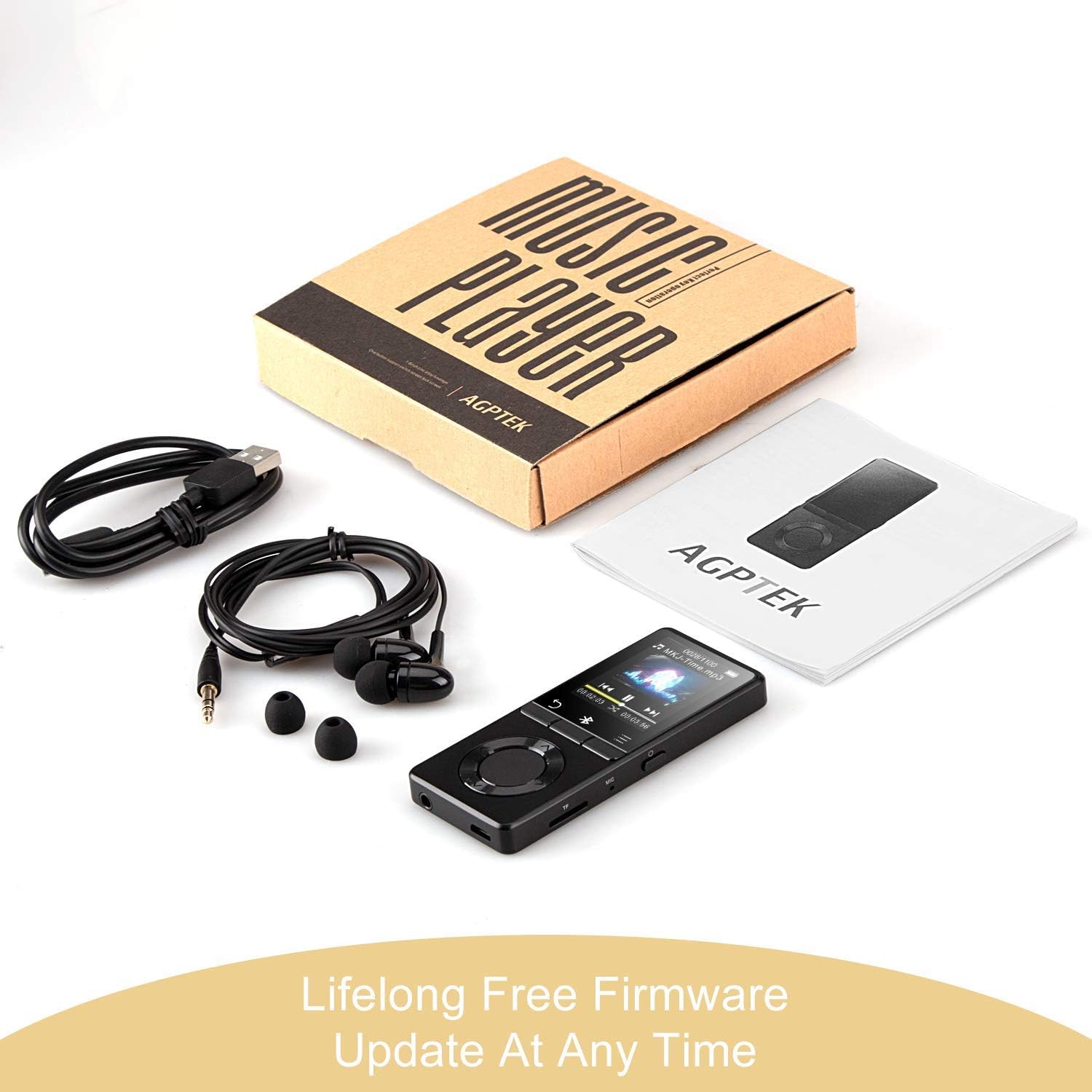
Image: The AGPTEK MP3 player, its packaging, and included accessories (earphones, USB cable), emphasizing the availability of lifelong free firmware updates.
- Visit the official AGPTEK website for the latest firmware and instructions.
- Follow the provided instructions carefully to update your device.
2. Cleaning
- Use a soft, dry cloth to clean the device's exterior.
- Avoid using liquid cleaners or abrasive materials.
Troubleshooting
- Device not turning on: Ensure the battery is charged. Connect to a charger and try again.
- No sound: Check volume levels. Ensure headphones are properly connected or Bluetooth device is paired and connected. If using the built-in speaker, ensure it is enabled in settings.
- Bluetooth connection issues: Ensure the Bluetooth device is in pairing mode and within range. Disconnect the MP3 player from other Bluetooth devices if it was previously paired elsewhere.
- Files not playing: Verify that the audio/video file format is supported (MP3, WMA, OGG, APE, FLAC, WAV, AAC-LC, ACELP for audio; AMV for video).
- Device unresponsive: Press and hold the Power button for 10-15 seconds to force a reset.
- Micro SD card not detected: Ensure the card is inserted correctly. Try reinserting or using a different card to rule out card issues.
- Issues during PC sync: Avoid altering files directly in the player's window while synced. Make changes on the PC, then re-upload. If the player crashes, perform a long press on the power button to reset.
Specifications
| Brand | AGPTEK |
| Model Name | AGPTEK 16GB Bluetooth 4.0 MP3 Player with Touch Buttons |
| Model Number | M16SB-EU |
| Connectivity Technology | Bluetooth |
| Memory Storage Capacity | 16 GB (expandable up to 128 GB with Micro SD card) |
| Color | Black |
| Screen Size | 1.8 Inches |
| Compatible Devices | Headphones, Personal Computer |
| Media Type | MP3 |
| Supported Audio Standards | AAC, ACELP, APE, FLAC, MP3, OGG, WAV, WMA |
| Supported Video Standards | AMV |
| Supported Image Standards | JPG, GIF, BMP |
| Battery Life (Music Playback) | Up to 28 hours (screen off, medium volume) |
| Battery Life (Bluetooth Playback) | Up to 5 hours |
| Charging Time | Approx. 2 hours |
Warranty and Support
AGPTEK is committed to providing reliable and high-quality products. While specific warranty details are not provided in this manual, AGPTEK offers free firmware updates and customer support.
- For any product issues or inquiries, please contact AGPTEK customer service.
- Refer to the official AGPTEK website for support contact information and the latest firmware updates.


