
Introduction
This manual provides essential information for the safe and efficient operation, maintenance, and troubleshooting of your roborock E25 Robot Vacuum Cleaner. Please read this manual thoroughly before using the product and retain it for future reference.
1. Setup
1.1 Unboxing and Initial Placement
Carefully remove all components from the packaging. Place the charging dock against a wall on a hard, level surface. Ensure there are no obstacles within 0.5 meters (1.6 feet) to either side and 1.5 meters (4.9 feet) in front of the dock for optimal navigation.

Image: The roborock E25 Robot Vacuum Cleaner and its charging dock.
1.2 Charging
Connect the power adapter to the charging dock and plug it into a wall outlet. Place the robot onto the charging dock. The indicator light on the robot will illuminate to show it is charging. Fully charge the robot before first use (approximately 4-6 hours).
1.3 App Installation and Connection
Download the 'Roborock' app from the App Store or Google Play. Follow the in-app instructions to connect your robot to your home Wi-Fi network. The app allows for remote control, scheduling, and monitoring of cleaning progress.

Image: Screenshot of the Roborock app showing scheduling, spot cleaning, multi-mode, and monitoring options.
2. Operating Instructions
2.1 Starting and Stopping Cleaning
- To Start: Press the power button on the robot or use the 'Clean' button in the Roborock app. The robot will begin cleaning using its logical route planning.
- To Pause: Press any button on the robot or the 'Pause' button in the app.
- To Resume: Press the power button on the robot or the 'Clean' button in the app.
- To Stop/Return to Dock: Press the home button on the robot or the 'Recharge' button in the app.
2.2 Cleaning Modes
The roborock E25 features logical route planning using gyroscopes, OpticEye motion tracking, and a bumper for efficient cleaning. It offers 2000 Pa strong suction for effective debris removal and integrated mopping capabilities.
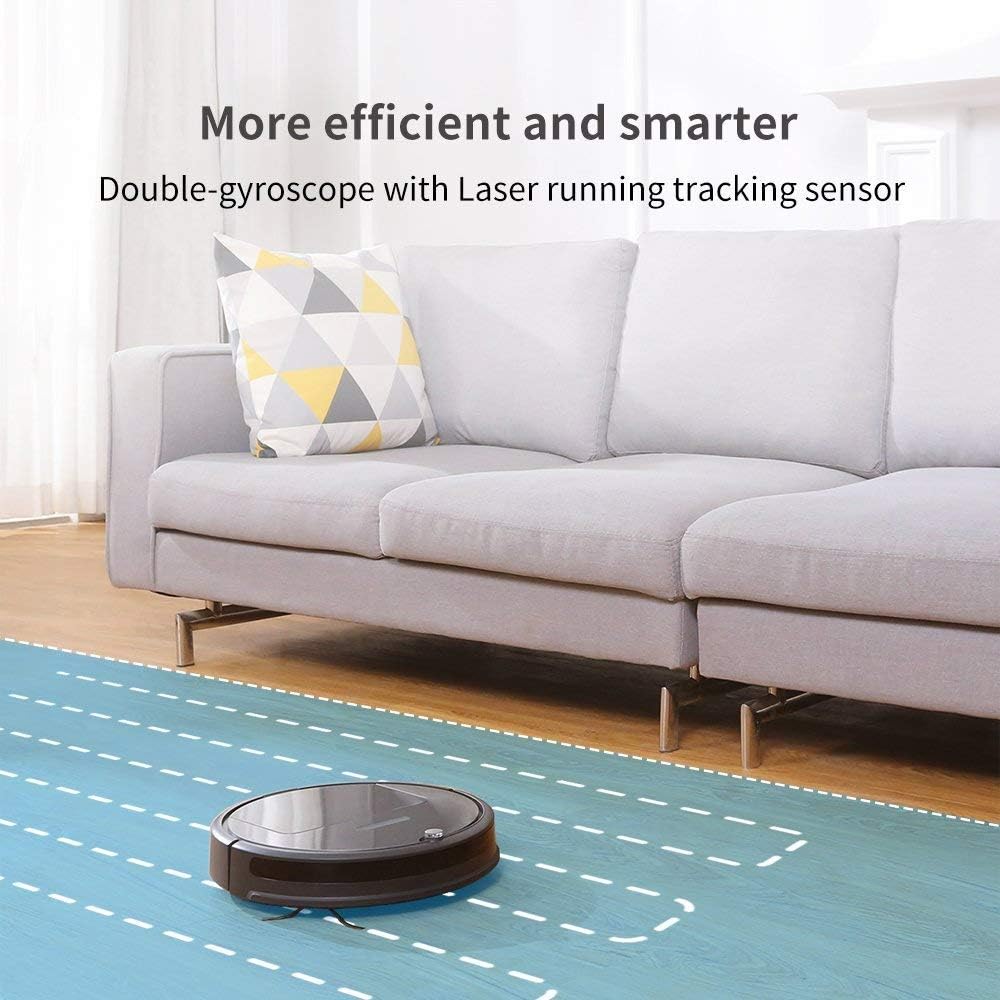
Image: The roborock E25 demonstrating its efficient and smart cleaning with double-gyroscope and laser running tracking sensor.
2.3 Mopping Function
The integrated mopping system allows for simultaneous sweeping and mopping. The upgraded system uses innovative hydraulics to adjust water flow. Attach the mopping cloth and fill the water tank before activating mopping mode via the app.

Image: The roborock E25 showcasing its 2-in-1 sweeping and mopping capability.
2.4 App and Voice Control
Utilize the Roborock app to start/stop cleaning, set schedules, choose cleanup modes, check cleaning progress in real-time, and more. The robot is also compatible with voice control via Amazon Echo.
3. Maintenance
Regular maintenance ensures optimal performance and extends the lifespan of your robot vacuum.
3.1 Dustbin Emptying
The E25 features an oversized 0.64-liter dustbin. Empty the dustbin after each cleaning cycle or when the app indicates it is full.
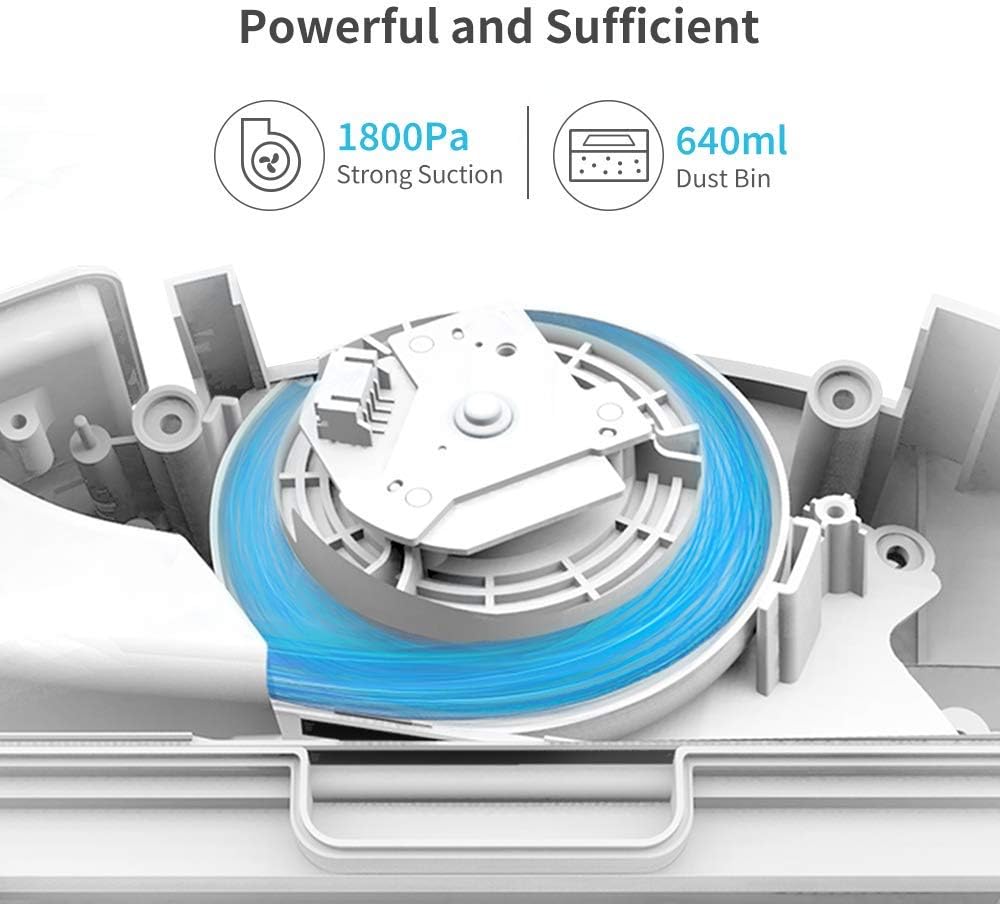
Image: Diagram illustrating the powerful suction and large dustbin capacity of the roborock E25.
3.2 Filter Cleaning
The filter should be cleaned weekly and replaced every 3-6 months depending on usage. Tap the filter to remove loose dirt, or rinse with water and allow to air dry completely before reinstallation.
3.3 Main Brush and Side Brush Cleaning
Remove the main brush and side brush regularly to clear any tangled hair or debris. Use the cleaning tool provided to cut and remove hair wrapped around the brushes.
3.4 Mopping Pad and Water Tank Maintenance
Remove and wash the mopping cloth after each use. Empty any remaining water from the water tank and allow it to air dry to prevent mildew.
4. Troubleshooting
If your robot encounters an issue, consult the following common solutions:
- Robot not charging: Ensure the charging dock is powered on and the robot is correctly aligned with the charging contacts. Clean the charging contacts on both the robot and the dock.
- Robot stuck: Clear any obstacles around the robot. Check the main brush, side brush, and wheels for tangled hair or debris.
- No suction/poor cleaning: Empty the dustbin and clean the filter. Check the main brush for obstructions.
- App connectivity issues: Ensure your Wi-Fi network is stable and the robot is within range. Restart the robot and your router.
5. Specifications
| Feature | Specification |
|---|---|
| Brand | roborock |
| Model Name | E4 Mop |
| Special Feature | 2000Pa strong suction, 2152sqft/150mins one charge with oversized dustbin, APP and voice control, Ideal for pets, Z-shape route |
| Color | White |
| Product Dimensions | 18"L x 8"W x 14"H |
| Item Weight | 7.92 pounds |
| Filter Type | Cartridge |
| Battery Life | 174 minutes |
| Control Method | Voice |
| Compatible Devices | Amazon Echo |
| Surface Recommendation | Carpet, Floor |
6. Warranty & Support
For warranty information, technical support, or service inquiries, please refer to the official roborock website or contact their customer service directly. Keep your purchase receipt as proof of purchase for warranty claims.


