
1. Introduction
Thank you for choosing the Eureka Forbes Dr. Aquaguard Classic UV Water Purifier. This manual provides essential information for the proper installation, operation, and maintenance of your water purification system. Please read it thoroughly before using the appliance to ensure optimal performance and safety.
Important Note: This water purifier is designed for municipal tap water with a maximum TDS level of 2000 PPM. It is not suitable for water from tanker supplies or borewells, which may have higher TDS levels or require different purification methods.

Image 1: Front view of the Dr. Aquaguard Classic UV Water Purifier, indicating suitability for municipal water with TDS 1-200 mg/litre.
2. Product Overview and Features
The Dr. Aquaguard Classic UV Water Purifier is an advanced system designed to provide safe and pure drinking water. It incorporates multiple purification stages to ensure high-quality output.
Key Features:
- Ultraviolet (UV) Purification: Effectively inactivates bacteria, viruses, and other microorganisms.
- Patented Heptapure Cartridge: Multi-stage filtration for removing suspended impurities.
- Mineral Guard Technology: Retains essential natural minerals in the water.
- Biotron Cartridge: Enhances water absorption and promotes health benefits.
- Intelligent Purity Sensor (IPS): Monitors the purification process to ensure consistent water quality.
- e-boiling+ Technology: Ensures every drop of water is as safe as water boiled for 20 minutes.
- In-built Booster Pump: Ensures consistent water flow even in areas with low water pressure.
- Auto Shut-Off: Automatically stops water flow when purification is complete or in case of system issues.
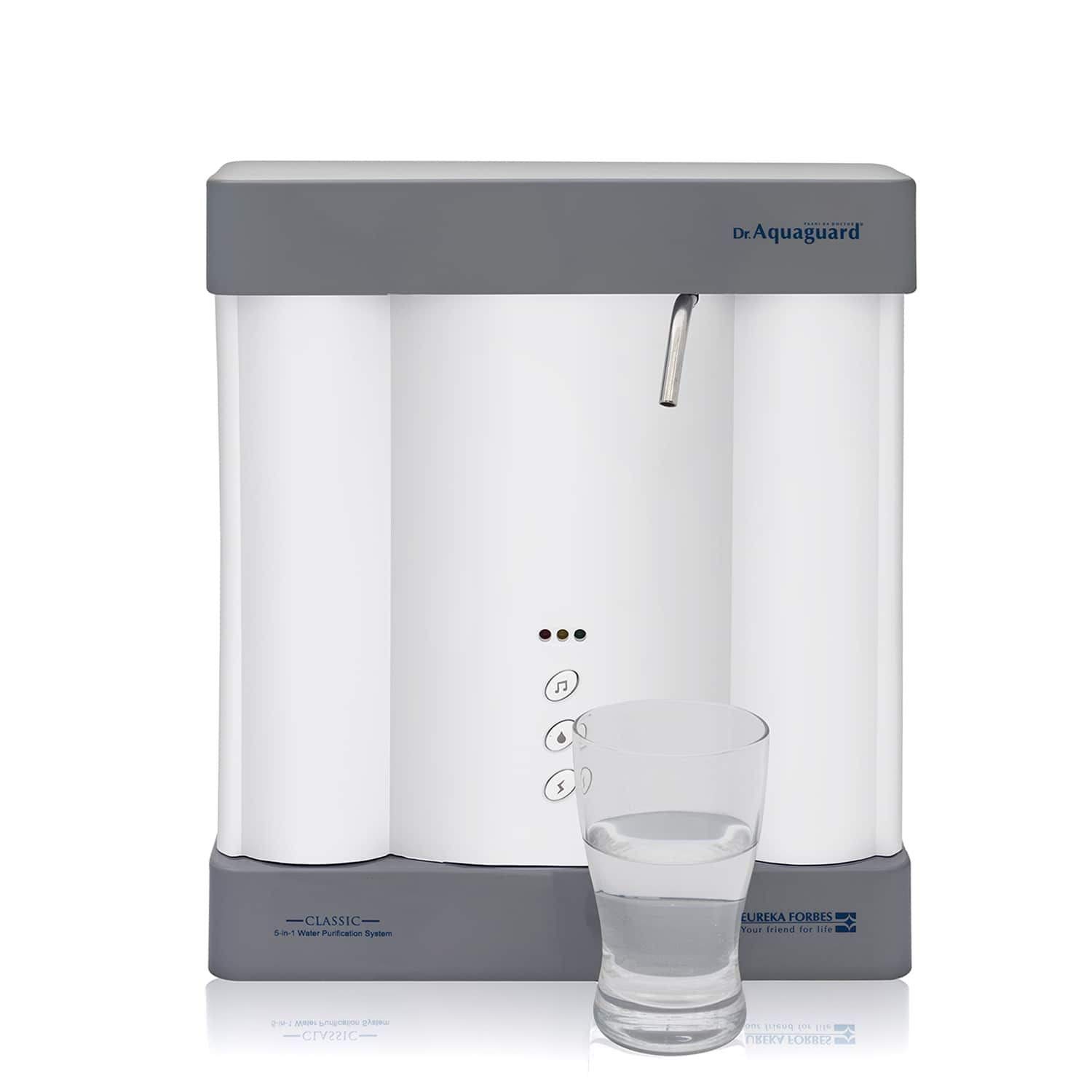
Image 2: The Dr. Aquaguard Classic UV Water Purifier in operation, dispensing purified water into a glass.
3. Safety Instructions
Please adhere to the following safety guidelines to prevent damage to the appliance or injury to users:
- Ensure the water purifier is installed by a qualified service technician.
- Do not operate the appliance if the power cord or plug is damaged.
- Keep the appliance away from direct sunlight, heat sources, and corrosive chemicals.
- Do not immerse the appliance in water or spray water directly onto it.
- Use only genuine Eureka Forbes spare parts and filters for replacement.
- Unplug the appliance before cleaning or performing any maintenance.
- This purifier is designed for municipal water supply only. Using it with unsuitable water sources may damage the unit and void the warranty.
4. Installation
Professional installation is recommended for the Dr. Aquaguard Classic UV Water Purifier. A qualified service technician will perform the installation to ensure correct setup and optimal performance.
Pre-Installation Checks:
- Unboxing: Carefully remove the purifier and all accessories from the packaging. Verify that all components listed in the 'What's in the Box' section are present.
- Location: Choose a suitable wall-mount location near a water inlet and an electrical outlet. Ensure sufficient space around the unit for maintenance.
- Water Pressure: Ensure the water pressure at the inlet is within the recommended range for the purifier.

Image 3: The Dr. Aquaguard Classic UV Water Purifier displayed with its included installation kit, user manual, and an extra filter.
Installation Steps (Performed by Technician):
- Wall Mounting: The unit will be securely mounted on a wall using the provided mounting brackets.
- Water Inlet Connection: The water inlet pipe will be connected to the raw water supply.
- Water Outlet Connection: The purified water outlet will be connected to the dispensing tap.
- Drain Line Connection: A drain line will be connected for waste water (if applicable).
- Electrical Connection: The power cord will be plugged into a grounded electrical outlet.
- System Flush: The system will be flushed to remove any manufacturing residues before first use.

Image 4: Rear view of the water purifier, illustrating the various inlet, outlet, and electrical connections.
5. Operation
First-Time Use:
- After installation, ensure the water supply valve is open and the purifier is plugged in.
- Allow the purifier to run for a few minutes, dispensing the initial few liters of water to flush the system. Discard this water.
- The purifier is now ready for use.
Normal Operation:
- To dispense purified water, open the tap on the purifier.
- The purifier will automatically start the purification process when water is drawn.
- The Intelligent Purity Sensor (IPS) will monitor water quality, and the Auto Shut-Off feature will stop the flow once the desired quantity is dispensed or if any system anomaly is detected.
- Indicator lights on the front panel will show the operational status (e.g., power on, purification in progress, service due). Refer to the specific indicator guide provided by the technician during installation.
6. Maintenance
Regular maintenance is crucial for the longevity and efficient performance of your water purifier. Always unplug the appliance before performing any maintenance.
Filter Replacement:
- The Heptapure Cartridge and Biotron Cartridge have a limited lifespan and require periodic replacement.
- The frequency of replacement depends on the quality of the input water and the volume of water purified.
- It is recommended to contact Eureka Forbes authorized service personnel for filter replacement to ensure proper installation and use of genuine parts.
- An 'Extra Filter' is included with your purchase for future replacement.
Cleaning:
- Wipe the exterior of the purifier with a soft, damp cloth. Do not use harsh chemicals or abrasive cleaners.
- Clean the dispensing tap regularly to prevent accumulation of impurities.
Service Schedule:
- Schedule periodic service checks with Eureka Forbes to ensure all components are functioning correctly and to replace filters as needed.
7. Troubleshooting
If you encounter any issues with your water purifier, refer to the following common problems and solutions. For complex issues, contact customer support.
| Problem | Possible Cause | Solution |
|---|---|---|
| No water dispensing | No power, water supply off, clogged filter, airlock. | Check power connection, open water supply valve, contact service for filter check or airlock removal. |
| Slow water flow | Low water pressure, partially clogged filter. | Check household water pressure, contact service for filter inspection/replacement. |
| Unusual taste/odor | Expired filters, new filter installation residue. | Flush the system for a few minutes. If problem persists, contact service for filter replacement. |
| Indicator lights flashing/off | System error, service due, power issue. | Refer to the specific indicator guide or contact customer support for diagnosis. |
8. Specifications
Technical details for the Eureka Forbes Dr. Aquaguard Classic UV Water Purifier, Model 101320.
| Feature | Detail |
|---|---|
| Model Name | Dr. Aquaguard Classic UV (Aquaguard Booster System) |
| Model Number | 101320 |
| Purification Method | Ultraviolet (UV) |
| Special Features | Patented Heptapure Cartridge, Mineral Guard, UV Chamber, Biotron Cartridge, In-built Booster Pump |
| Installation Type | Wall Mount |
| Product Dimensions (L x W x H) | 35.5 cm x 10.2 cm x 30.7 cm |
| Item Weight | 4 kg 820 g |
| Power Source | Corded Electric |
| Supported Water TDS Level Maximum | 2000 PPM (for municipal water) |
| Color | White |
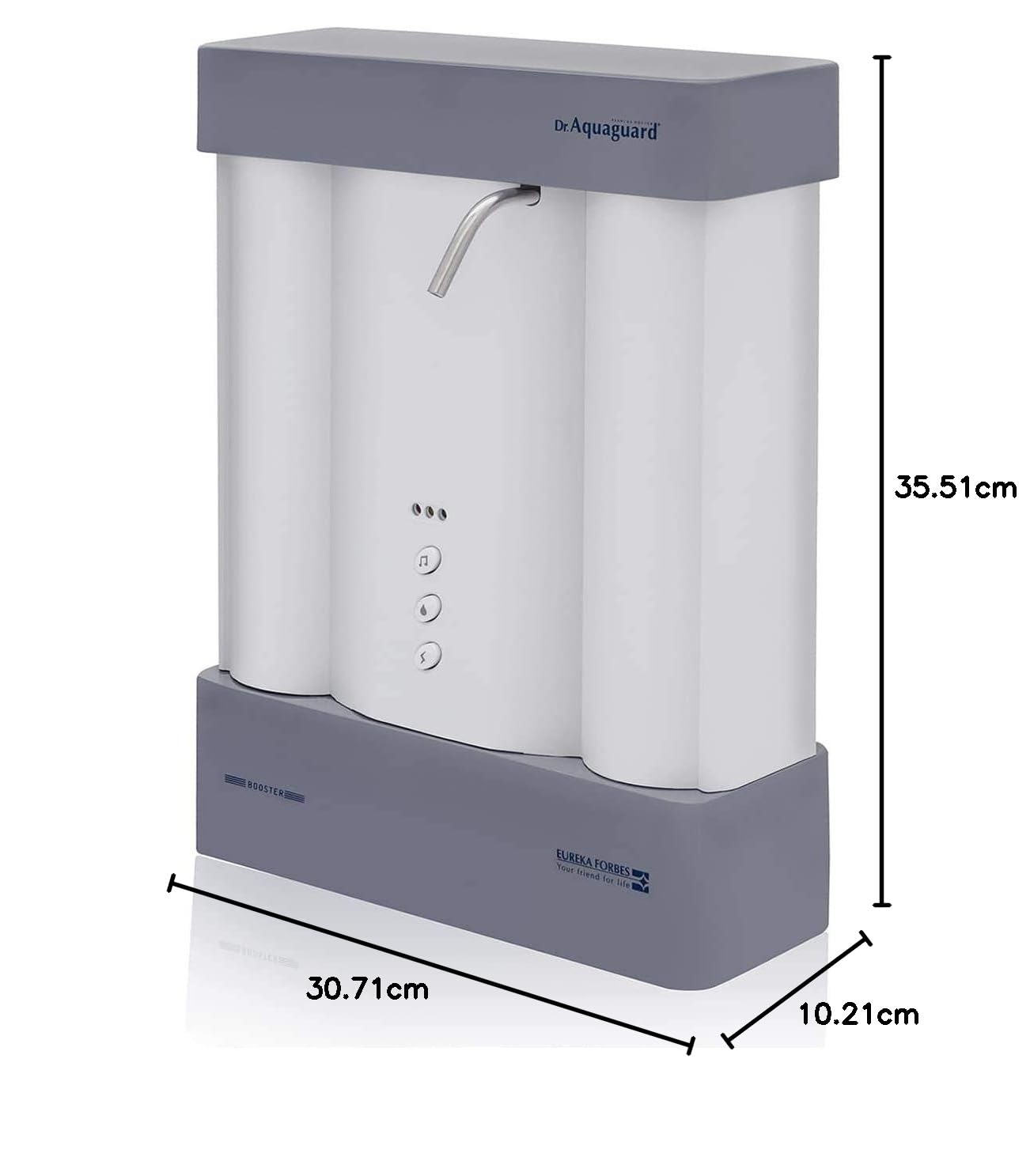
Image 5: Diagram illustrating the dimensions (length, width, height) of the water purifier in centimeters.
9. Warranty and Support
Warranty Information:
The Eureka Forbes Dr. Aquaguard Classic UV Water Purifier comes with a 1-year manufacturing warranty. The goods are warranted against defects arising from faulty designs, workmanship, and materials for 12 months from the date of installation or 15 months from the date of sale, whichever is earlier. Terms and conditions apply. Please refer to the warranty card included in the box for complete details.
Customer Support:
For installation requests, service appointments, or any technical assistance, please contact Eureka Forbes customer support. Contact details can be found on your warranty card or the official Eureka Forbes website.