
1. Product Overview
The Fieldpiece JL3RH Job Link System Psychrometer Probe is designed for accurate and instant live measurements in HVACR systems. Its long flexible wand and strong sliding magnet allow for easy placement and readings from ducts, plenums, registers, or grilles. This probe connects wirelessly to the Job Link App or compatible Fieldpiece Digital Manifolds (SM380V and SM480V) for real-time data logging and diagnostics.
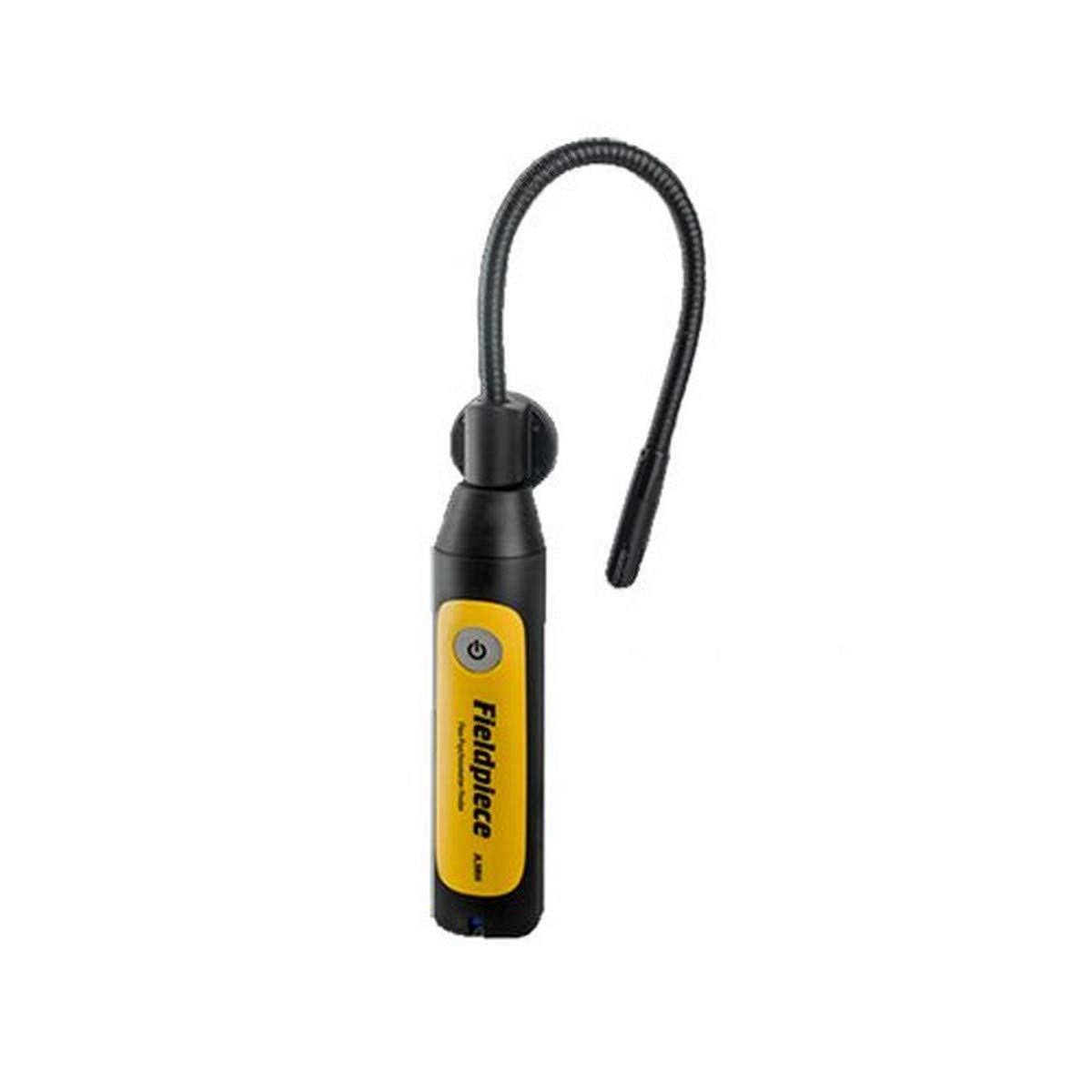
Image: Fieldpiece JL3RH Psychrometer Probe with flexible wand and magnetic base.
Key Features:
- Flex Psychrometer Probe design for versatile placement.
- Wireless connectivity to Job Link App and compatible SM380V/SM480V manifolds.
- Powerful 350' wireless range without requiring an external transmitter.
- Measures Dry bulb, Wet bulb, %RH, Dew point, and Enthalpy.
- Return and supply indicator switch for accurate measurement logging.
2. What's in the Box
- 1 x Fieldpiece JL3RH Psychrometer Probe
- 2 x AAA Batteries (pre-installed or included separately)
3. Setup
3.1 Battery Installation
- Locate the battery compartment on the probe.
- Open the compartment cover.
- Insert 2 AAA batteries, ensuring correct polarity (+/-).
- Close the battery compartment cover securely.
3.2 Connecting to Job Link App / Manifolds
- Download and install the Fieldpiece Job Link App on your BLE 4.0 compatible device.
- Power on the JL3RH Psychrometer Probe by pressing the power button.
- Open the Job Link App or power on your compatible SM380V/SM480V Digital Manifold.
- Follow the on-screen instructions in the app or manifold to pair with the JL3RH probe. The probe should be automatically detected within range.
- Ensure the probe is within the 350' wireless signal range for optimal performance.
4. Operating Instructions
4.1 Taking Measurements
- Identify the desired measurement location (e.g., duct, plenum, register, grille).
- If measuring in a duct, create a 3/8 inch hole for probe insertion.
- Utilize the flexible wand and strong sliding magnet to securely position the probe in the critical location. The magnet allows for hands-free operation.
- Use the return and supply indicator switch on the probe to correctly label your measurements (e.g., supply air, return air).
- View instant live readings for Dry bulb, Wet bulb, %RH, Dew point, and Enthalpy directly on your connected Job Link App or Digital Manifold.
4.2 Data Logging and Reporting
- The Job Link App allows for real-time data logging of all measurements.
- Data can be logged directly into compatible manifolds or included in comprehensive Job Link System reports.
- Reports can be generated and shared to document system performance and diagnostics.
5. Maintenance
5.1 Cleaning
Wipe the probe with a damp cloth as needed. Do not use abrasive cleaners or solvents. Ensure the probe tip is free from debris for accurate readings.
5.2 Battery Replacement
Replace AAA batteries when the low battery indicator appears on your connected device. Refer to section 3.1 for battery installation steps.
5.3 Storage
Store the probe in a cool, dry place away from extreme temperatures and direct sunlight. Remove batteries if storing for extended periods to prevent leakage.
6. Troubleshooting
6.1 No Connection to App/Manifold
- Ensure the probe is powered on.
- Check battery levels and replace if necessary.
- Verify Bluetooth is enabled on your device.
- Ensure the probe is within the 350' wireless range.
- Restart the Job Link App or your manifold.
6.2 Inaccurate Readings
- Ensure the probe tip is clean and free from obstructions.
- Verify the probe is correctly positioned in the airflow.
- Check for any environmental factors that might interfere with readings (e.g., strong drafts, extreme temperature fluctuations).
- Recalibrate the probe if the issue persists (refer to Fieldpiece support for calibration procedures).
7. Specifications
| Specification | Value |
|---|---|
| Model Number | JL3RH |
| Product Dimensions | 1.8 x 4.8 x 9 inches |
| Weight | 8 ounces |
| Batteries | 2 AAA batteries (included) |
| Wireless Range | 350 feet (approx.) |
| Measurement Range (RH) | 0% RH to 100% RH |
| Manufacturer | Fieldpiece |
8. Warranty and Support
For warranty information, technical support, or service inquiries regarding your Fieldpiece JL3RH Psychrometer Probe, please contact Fieldpiece customer service directly or visit their official website. Keep your purchase receipt as proof of purchase for warranty claims.
Official Fieldpiece Website: www.fieldpiece.com


