
Introduction
This manual provides detailed instructions for the setup, operation, and maintenance of your Davis Instruments Vantage Pro2 GroWeather Wireless Integrated Sensor Suite (ISS), Model 6820. The Vantage Pro2 is designed for professional-grade weather monitoring, offering precise and reliable data for various applications, particularly in agriculture.
The GroWeather ISS is a robust, solar-powered system that measures key environmental parameters, providing critical information for informed decision-making. It is engineered for durability and accuracy, ensuring consistent performance in diverse weather conditions.

Setup
1. Unpacking and Component Identification
Carefully unpack all components. Verify that all parts listed in the packing list are present. The main components include the Integrated Sensor Suite (ISS) with rain collector, temperature/humidity sensors, solar panel, and a separate cabled anemometer.

2. Mounting the Integrated Sensor Suite (ISS)
Select a mounting location that provides accurate readings, free from obstructions. The ISS should be mounted on a pole or mast at least 5-7 feet (1.5-2.1 meters) above the ground for optimal temperature and humidity readings. Ensure the solar panel faces south (in the Northern Hemisphere) for maximum sun exposure.
3. Anemometer Connection
The Vantage Pro2 GroWeather includes a separate cabled anemometer for precise wind speed and direction measurements. Mount the anemometer at a height free from wind obstructions, typically 30 feet (9.1 meters) or higher. Connect the anemometer cable to the designated port on the ISS. This cabled connection ensures true wind readings, updated every 2.5 seconds, and is wind tunnel-tested up to 200 MPH.

4. Powering the Unit
The ISS is primarily solar-powered. The integrated solar panel charges an internal supercapacitor during the day, providing power for continuous operation. A backup battery (not included) can be installed for extended periods of low light or night operation, though the unit is designed to function without it under normal conditions.
5. Initial Console Setup
Pair your ISS with a compatible Davis Instruments WeatherLink Console or connect it to the WeatherLink Live data logger (sold separately) to begin receiving data. Follow the instructions provided with your console or data logger for initial setup and configuration. The wireless transmission range is up to 1,000 feet (300 meters) line of sight.
Operating
1. Understanding Data Readings
Your Vantage Pro2 GroWeather ISS provides a comprehensive set of weather data, including:
- Wind Speed and Direction
- Temperature (Outdoor)
- Humidity (Outdoor)
- Rainfall (Daily, Monthly, Yearly)
Refer to your WeatherLink Console or app manual for detailed explanations of each data point and how to interpret them.
2. Accessing Data via WeatherLink
The WeatherLink platform allows you to access, analyze, and share your weather data anytime, anywhere. Data can be viewed on the WeatherLink Console, through the WeatherLink mobile app, or via the WeatherLink website on a computer.

3. Optional Sensors and Expansion
The Vantage Pro2 GroWeather system is expandable with various optional sensors to enhance its monitoring capabilities. These include:
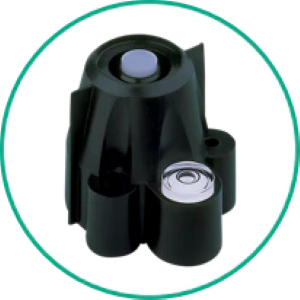
- Solar Radiation Sensor: Measures solar energy for evapotranspiration calculations.
- UV Sensor: Measures ultraviolet radiation.
- Soil Moisture Sensors: Monitors soil moisture levels, crucial for irrigation management.
- Leaf Wetness Sensors: Detects the presence and duration of moisture on plant surfaces.
- Stainless Steel Temperature Probes: For precise temperature measurements in soil or water.


Maintenance
1. Rain Collector Cleaning
Periodically inspect the rain collector for debris such as leaves, insects, or bird nests. The integrated bird spikes help deter birds, but regular checks are recommended to ensure accurate rainfall measurements. Clean the tipping bucket mechanism gently with water if necessary.
2. Solar Panel Inspection
Ensure the solar panel is clean and free of dirt or obstructions to maintain optimal charging efficiency. Wipe it gently with a soft, damp cloth if needed.
3. Anemometer Check
Occasionally check the anemometer cups and wind vane for free rotation. Remove any debris that might impede their movement. Avoid applying lubricants, as this can attract dirt.
Troubleshooting
If you encounter issues with your Vantage Pro2 GroWeather ISS, consider the following common troubleshooting steps:
- No Data on Console: Verify that the ISS is powered on and within range of the console or data logger. Check for any physical obstructions between the ISS and receiver.
- Inaccurate Readings: Ensure the sensors are clean and properly mounted. For wind, check the anemometer for free movement. For rain, ensure the collector is clear of debris.
- Intermittent Data: This could indicate interference or a weak signal. Try repositioning the ISS or receiver, or check for potential sources of electromagnetic interference.
For more detailed troubleshooting, refer to the comprehensive support resources available on the Davis Instruments website or contact customer support.
Specifications
| Feature | Specification |
|---|---|
| Brand | Davis Instruments |
| Model Number | 6820 |
| Power Source | Solar Powered |
| Connectivity Technology | Wireless (1,000 ft / 300 m line of sight) |
| Temperature Accuracy | 0.5 °C |
| Wind Speed Testing | Up to 200 MPH (wind tunnel-tested) |
| Wind Reading Update Frequency | Every 2.5 seconds |
| Material | Metal, Plastic |
| Item Weight | 0.01 Ounces (Note: This is likely a packaging weight, not actual product weight) |
| UPC | 011698012770 |
Official Product Video
Watch this video for an overview of the Davis Vantage Pro2 and its capabilities.
Warranty and Support
For warranty information, technical support, or to purchase additional sensors and accessories, please visit the official Davis Instruments website or contact their customer service department. Ensure you have your product model number (6820) and purchase date available when seeking support.
You can find more information and support at the Davis Instruments Store on Amazon.


