
1. Introduction
The Motorola Comfort 50-2 Video Baby Monitor provides a secure and reliable way to monitor your baby. This system includes a 5-inch LCD color display parent unit and two baby units (cameras) equipped with essential features for peace of mind.
2. Safety Information
Please read and understand all safety warnings and instructions before using this product. Failure to follow these instructions could result in injury or damage.
- Strangulation Hazard: Keep all cords out of reach of children (more than 3 feet / 1 meter away). Never place camera or cords within a crib or playpen.
- Choking Hazard: This product contains small parts. Keep out of reach of children.
- Heat Exposure: Do not place the camera or parent unit near heat sources such as radiators, heat registers, stoves, or other heat-producing appliances.
- Water and Moisture: Do not use the product near water, such as a bathtub, sink, or swimming pool.
- Power Sources: Use only the AC power adapters provided with the product.
- Battery Safety: The parent unit contains a rechargeable Lithium Ion battery. Do not attempt to replace the battery yourself. Contact customer support for battery replacement.
3. Package Contents
- Parent Unit (with 5-inch LCD display)
- Baby Unit (Camera) x 2
- Power Adapter for Parent Unit
- Power Adapter for Baby Unit x 2
- Quick Start Guide (not included in this manual)
4. Product Overview
4.1 Parent Unit
The parent unit features a 5-inch full-color LCD screen for clear viewing of your baby. It includes controls for digital zoom, two-way audio, and menu navigation.
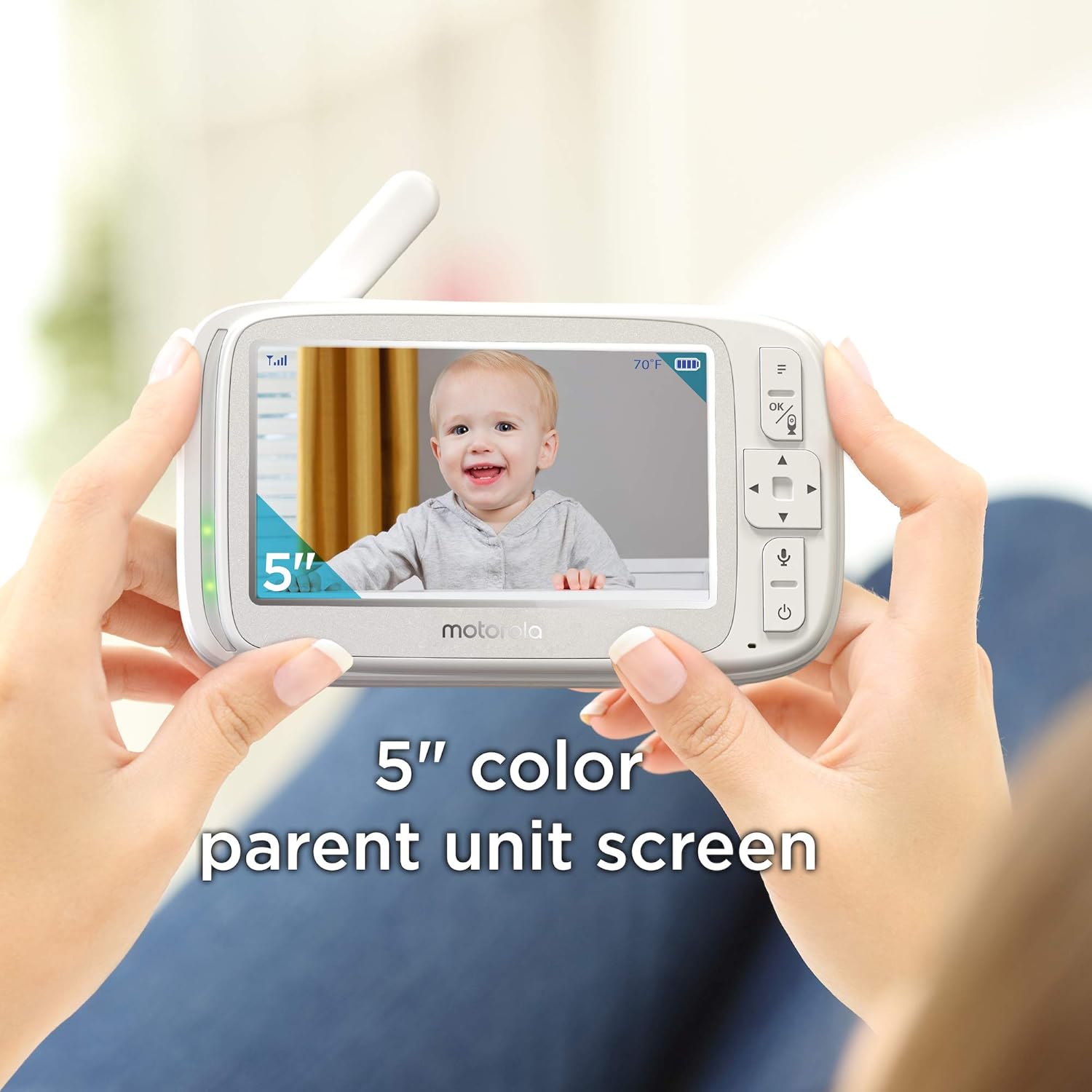
Image: The 5-inch color parent unit screen held in hands, displaying a baby.
4.2 Baby Unit (Camera)
Each baby unit is equipped with a high-sensitivity microphone, infrared LEDs for night vision, and a speaker for two-way communication. It is designed for placement near the baby's crib or play area.

Image: Two baby units (cameras) flanking the parent unit, showing a baby on its screen.
5. Setup
5.1 Powering On
- Connect the small plug of the power adapter to the baby unit and the other end to a suitable electrical outlet.
- Connect the small plug of the parent unit power adapter to the parent unit and the other end to a suitable electrical outlet.
- Press and hold the Power button on the parent unit until the Motorola logo appears.
5.2 Pairing Baby Units
The baby units are pre-paired to the parent unit. If a baby unit loses connection or you are adding a new camera, follow these steps:
- Ensure both the parent unit and baby unit are powered on.
- On the parent unit, navigate to the 'Add Camera' option in the menu.
- Press the 'Pair' button on the back of the baby unit. The parent unit will display a confirmation once pairing is successful.
6. Operating the Monitor
6.1 Basic Functions
- Volume Control: Use the volume buttons on the parent unit to adjust the audio level.
- Brightness Control: Adjust the screen brightness via the parent unit's menu settings.
6.2 Camera Switching
If you have multiple cameras, you can switch between them manually or set the parent unit to cycle through them automatically.
- Manual Switch: Press the 'OK' button twice to switch between paired cameras.
- Auto-Scan: Select the auto-scan option in the menu to automatically cycle through all connected cameras.
6.3 Digital Zoom
The parent unit allows you to digitally zoom in on the video feed for a closer look at your baby.
- Access the zoom function through the parent unit's menu.
- Use the navigation buttons to adjust the zoom level.
6.4 Two-Way Audio
Communicate with your baby using the two-way audio feature.

Image: A baby in a crib with a camera, and a parent speaking into the parent unit, illustrating two-way talk.
- Press and hold the microphone button on the parent unit to speak.
- Release the button to listen.
6.5 Infrared Night Vision
The baby unit automatically activates infrared night vision in low-light conditions, providing a clear black and white image of your baby.

Image: A split image showing a baby sleeping, one side in color (day vision) and the other in black and white (infrared night vision), with the camera and parent unit.
6.6 Lullabies
The monitor includes 5 soothing lullabies to help calm your baby.

Image: A baby in a crib with a camera, and musical notes floating, indicating the lullaby feature.
- Access the lullaby selection through the parent unit's menu.
- Choose from the available melodies and adjust the volume.
7. Maintenance
- Cleaning: Clean the monitor units with a soft, lint-free cloth. Do not use cleaning agents or solvents.
- Battery Care: To prolong battery life, fully charge the parent unit before first use. Avoid extreme temperatures.
8. Troubleshooting
| Problem | Solution |
|---|---|
| No image on parent unit | Ensure both parent and baby units are powered on and within range. Re-pair the camera if necessary. |
| Poor image quality | Check for obstructions between units. Adjust camera position. Ensure sufficient lighting for color vision or proper darkness for night vision. |
| No sound or static | Increase parent unit volume. Move units closer together. Check for interference from other 2.4 GHz devices. |
| Parent unit battery drains quickly | Reduce screen brightness. Keep the parent unit plugged in when not in active use. Battery life is approximately 4 hours on a full charge. |
9. Specifications
| Feature | Detail |
|---|---|
| Model Number | COMFORT50-2 |
| Wireless Technology | 2.4 GHz FHSS |
| Parent Unit Screen Size | 5 Inches (LCD Color Display) |
| Range | Up to 1000 ft (line of sight) |
| Night Vision | Infrared |
| Two-Way Communication | Yes |
| Digital Zoom | Yes |
| Lullabies | 5 melodies |
| Parent Unit Battery Life | Approximately 4 hours (active use) |
| Power Source | Battery Powered (Parent Unit), AC Powered (Baby Units) |
| Item Weight | 12 ounces (total package weight) |
| Product Dimensions | 0.75 x 6.45 x 3.75 inches |
10. Warranty and Support
For warranty information and customer support, please refer to the documentation included with your product or visit the official Motorola support website. Keep your purchase receipt as proof of purchase.
11. Additional Resources
For more information on baby care and monitoring, consider exploring resources from reputable organizations. While this product does not directly integrate with the Hubble app, other Motorola monitors may offer such features.

Image: Screenshots of the Hubble for Motorola Monitors app on smartphones, showing baby tracking and parenting tips.


