
AWESAFE AS-FR-HS12
AWESAFE HD 720P Car Rear View Camera User Manual
Model: AS-FR-HS12
Introduction
Thank you for choosing the AWESAFE HD 720P Car Rear View Camera. This manual provides detailed instructions for the installation, operation, and maintenance of your new camera. Please read this manual thoroughly before use to ensure proper functionality and to maximize your product experience.
Key features of your AWESAFE Rear View Camera include:
- HD 720P Resolution: Provides clear color images with reference lines and automatic white balance.
- 120° Wide Viewing Angle: Offers an excellent view for parking, helping to eliminate blind spots.
- IP67 Waterproof and Shockproof: Designed for outdoor use in various weather conditions, including rain, and resistant to vibrations from bumpy roads.
- Easy Installation: Connects easily to your monitor via an RCA AV-in/out plug.
Setup and Installation
Follow these steps for proper installation of your AWESAFE Rear View Camera:
- Mounting the Camera:
Choose a suitable location on the rear of your vehicle, typically above the license plate or near the trunk handle. Ensure the camera has a clear, unobstructed view. Use the provided mounting bracket and screws to secure the camera.

Image: Dimensions of the AWESAFE Rear View Camera, showing its compact size (30mm length, 24mm width, 24mm height).
- Wiring the Power:
Connect the camera's power cable (red wire) to the positive (+) terminal of your vehicle's reverse light circuit. This ensures the camera powers on automatically when you engage reverse gear. Connect the black wire to a suitable ground point on the vehicle chassis.
- Connecting the Video Cable:
Run the video cable (RCA connector) from the camera to your car's monitor or head unit. Ensure the cable is routed safely, avoiding moving parts or areas where it could be pinched or damaged. Connect the yellow RCA plug from the camera to the AV-in port on your display unit.
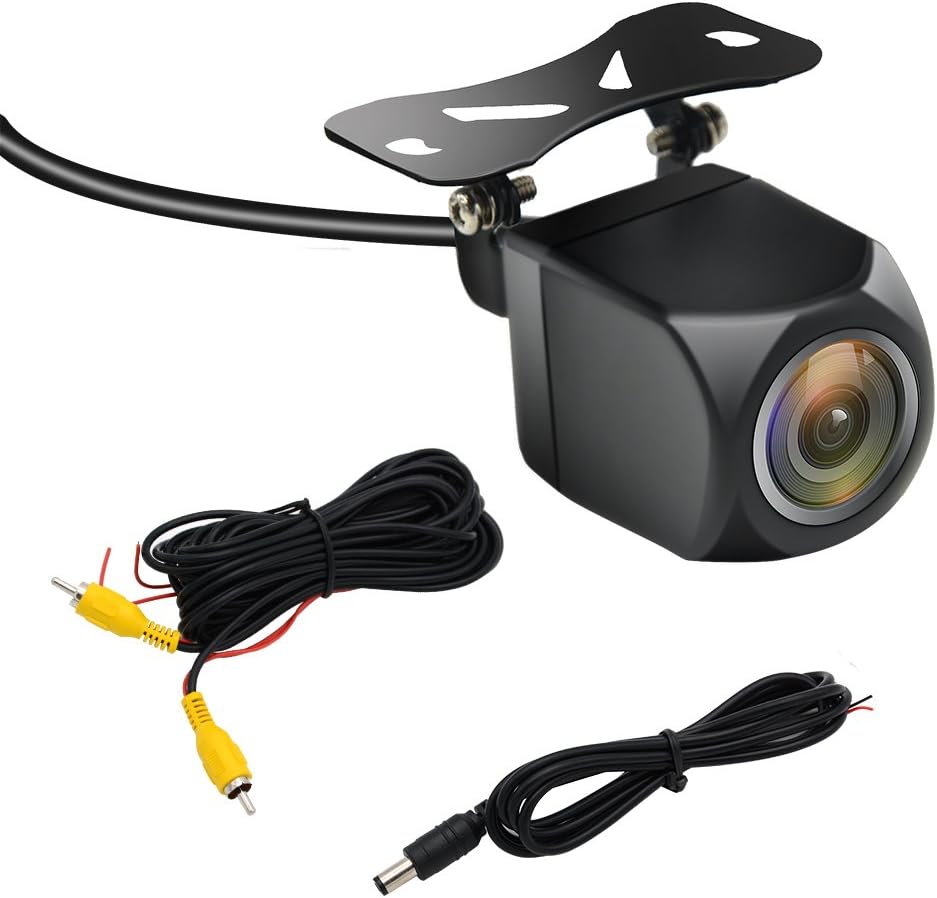
Image: The AWESAFE Rear View Camera shown with its included RCA video cable and power cable for connection.
- Testing the Installation:
After all connections are made, turn on your vehicle and engage reverse gear. The camera image should appear on your monitor. If not, check all connections and power sources.
Operating Instructions
The AWESAFE Rear View Camera is designed for simple, automatic operation:
- Automatic Activation:
When your vehicle is in reverse gear, the camera will automatically power on and transmit video to your connected display. The display will switch to the camera view.
- Parking Guidelines:
The camera provides integrated parking guidelines on the screen to assist you in judging distances and positioning your vehicle while reversing. These lines typically show red for closest, yellow for mid-range, and green for furthest distances.

Image: A simulated view from the rear camera showing parking guidelines overlaid on the image, assisting with reverse parking.
- Wide Angle View:
Benefit from the 120-degree wide-angle lens, which significantly reduces blind spots at the rear of your vehicle, enhancing safety during reversing maneuvers.

Image: The AWESAFE Rear View Camera, highlighting its wide-angle lens design.
Maintenance
To ensure the longevity and optimal performance of your camera, follow these simple maintenance tips:
- Cleaning the Lens: Regularly clean the camera lens with a soft, damp cloth to remove dirt, dust, or water spots that may obstruct the view. Avoid abrasive cleaners.
- Checking Connections: Periodically inspect all cable connections to ensure they are secure and free from corrosion or damage.
- Waterproof Design: The camera is IP67 waterproof, meaning it is protected against immersion in water up to 1 meter for 30 minutes. However, avoid high-pressure washing directly on the camera to prevent potential damage over time.
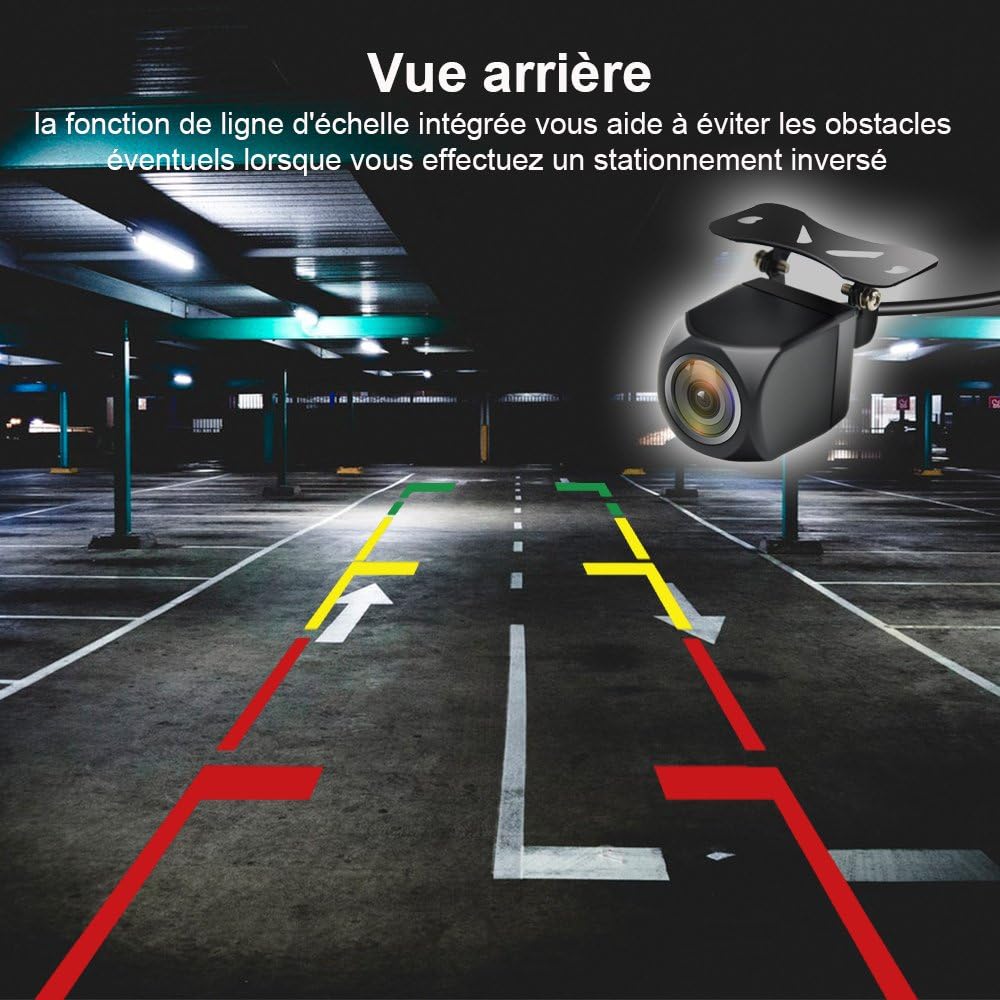
Image: The AWESAFE Rear View Camera partially submerged in water, illustrating its IP67 waterproof capability.
Troubleshooting
If you encounter issues with your camera, refer to the following common problems and solutions:
| Problem | Possible Cause | Solution |
|---|---|---|
| No image on display when reversing. |
|
|
| Image is blurry or distorted. |
|
|
| Image flickers or cuts out. |
|
|
Product Specifications
| Feature | Specification |
|---|---|
| Brand | AWESAFE |
| Model Number | AS-FR-HS12 |
| Installation Type | Wired Aftermarket Mount |
| Optical Sensor Technology | CMOS |
| Lens Type | Wide Angle |
| Real View Angle | 120 degrees |
| Connector Type | RCA |
| Screen Capture Resolution | 720p |
| Waterproof Rating | IP67 |
| UPC | 736364474873 |
| ASIN | B07CGG3N9N |
Warranty and Support
AWESAFE is committed to providing high-quality products and excellent customer service. While specific warranty details are not provided, we offer a 100% satisfactory customer service experience.
- Customer Support: For any questions, installation assistance, or troubleshooting not covered in this manual, please contact AWESAFE customer service. We aim for a 24-hour response time.
- Quality Assurance: In case of any quality issues, we offer a full refund or replacement.
For further assistance, please refer to the AWESAFE brand store on Amazon: AWESAFE Store
Ask a question about this manual
Ask about setup, troubleshooting, compatibility, parts, safety, or missing instructions. Manuals+ will review the question and use this page’s manual context to help answer it.