
Introduction
Thank you for choosing the SACKit Touch 300 Multiroom Speaker. This manual provides essential information for setting up, operating, and maintaining your speaker to ensure optimal performance and longevity. Please read this manual thoroughly before using the product.
Product Overview

Figure 1: Front view of the SACKit Touch 300 Multiroom Speaker. This image displays the speaker's design, featuring a dark fabric grille covering the front, a white frame, and rounded edges.
The SACKit Touch 300 is a versatile multiroom speaker designed to deliver high-quality audio throughout your home. Its compact design and long battery life make it ideal for both stationary and portable use.
Setup
1. Initial Charging
Before first use, fully charge the speaker. Connect the provided USB cable to the speaker's USB port and the other end to a compatible USB power adapter (not included). The charging indicator light will show the charging status. A full charge provides approximately 12 hours of playback.
2. Powering On/Off
- To power on: Press and hold the power button for 3 seconds.
- To power off: Press and hold the power button for 3 seconds.
3. Connecting to Wi-Fi (for Multiroom Functionality)
- Download the SACKit app from your device's app store.
- Ensure your smartphone or tablet is connected to the Wi-Fi network you wish to use for the speaker.
- Open the SACKit app and follow the on-screen instructions to add your Touch 300 speaker.
- The app will guide you through connecting the speaker to your home Wi-Fi network.
4. Multiroom Setup
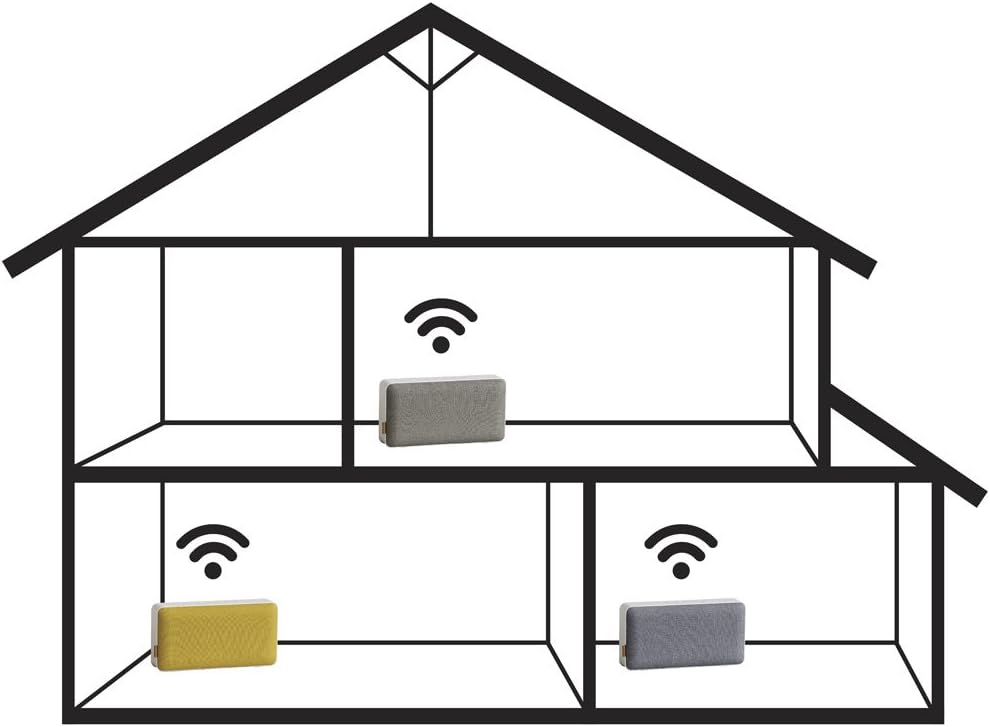
Figure 2: Diagram showing a multiroom audio setup. This image depicts a house layout with three speakers wirelessly connected, demonstrating how audio can be streamed to different rooms simultaneously.
Once multiple SACKit multiroom speakers are connected to your Wi-Fi network via the app, you can group them to play the same audio simultaneously or control them individually. Refer to the SACKit app's help section for detailed instructions on creating speaker groups and managing multiroom audio.
Operating the Speaker
1. Playback Controls
- Play/Pause: Press the Play/Pause button.
- Volume Up: Press the Volume + button.
- Volume Down: Press the Volume - button.
- Next Track: Press and hold the Volume + button.
- Previous Track: Press and hold the Volume - button.
2. Audio Sources
The SACKit Touch 300 supports various audio sources, primarily through Wi-Fi streaming via the SACKit app, which integrates with popular music services. It may also support Bluetooth connectivity for direct device pairing (check product specifications for confirmation).
Maintenance
- Clean the speaker with a soft, dry cloth. Do not use abrasive cleaners or solvents.
- Avoid exposing the speaker to extreme temperatures, humidity, or direct sunlight.
- Do not submerge the speaker in water.
- Store the speaker in a cool, dry place when not in use for extended periods.
Troubleshooting
| Problem | Possible Solution |
|---|---|
| Speaker does not power on. | Ensure the battery is charged. Connect to power and try again. |
| Cannot connect to Wi-Fi. |
|
| No sound from speaker. |
|
| Multiroom playback issues. |
|
Specifications
- Model Name: SACKit Touch 300
- Model Number: 701001
- Brand: SACKit
- Dimensions (L x W x H): 31 x 8 x 16 cm
- Weight: 780 grams
- Battery Type: 1 Lithium-ion (rechargeable)
- Battery Life: Approximately 12 hours
- Connectivity: Multiroom (Wi-Fi), USB Port (for charging)
- Special Features: Multiroom functionality, Long battery life
Warranty and Support
SACKit products are covered by a limited warranty. For detailed warranty information, please refer to the warranty card included with your product or visit the official SACKit website.
For technical support, troubleshooting assistance, or to inquire about spare parts, please contact SACKit customer service through their official website or the contact information provided in your product packaging.
Official SACKit Website: www.sackit.dk (Note: This is a placeholder link, please refer to actual product documentation for correct support links.)