
Important Safety Information
Please read this instruction manual carefully before operating the Jamara Mercedes Benz Arocs Container Truck. Failure to follow these instructions may result in injury or damage to the product.
- ATTENTION: To be used only under adult supervision.
- ATTENTION: Not suitable for children under 36 months! Contains small parts that can be swallowed. Choking hazard! Keep away from young children.
- Do not operate the model in public traffic areas.
- Keep hands, hair, and loose clothing away from moving parts.
- Always remove batteries from the model and remote control when not in use.
- Do not mix old and new batteries, or different types of batteries.
- Dispose of used batteries responsibly.
Product Overview
The Jamara Mercedes Benz Arocs Container Truck (Model 405148) is a highly detailed remote-controlled vehicle designed for realistic play. It features a 2.4 GHz control system for multi-player operation and a range of interactive functions.

Image: A child operating the Jamara Mercedes Benz Arocs Container Truck with the 2.4 GHz remote control.
Key Features:
- 2.4 GHz control for multi-player operation
- Realistic engine sound (can be switched off)
- Horn function
- Automatic standby mode
- Functional indicators (turn signals)
- Automatic trailer supports
- Trailers can be coupled and uncoupled via remote control
- Two selectable speeds
- Removable containers
- Manually opening container doors
- LED lights (front/rear)
Package Contents
Ensure all items listed below are present in the package:
- 1 x Jamara Mercedes Benz Arocs Container Truck Model
- 1 x 2.4 GHz Remote Control
- 1 x Instruction Manual

Image: The Jamara Mercedes Benz Arocs Container Truck and remote control as packaged.
Setup
1. Battery Installation
Batteries are not included and must be purchased separately.
- For the Remote Control: Insert 2 x AA 1.5 V batteries into the battery compartment located on the back of the remote control. Ensure correct polarity (+/-).
- For the Truck Model: Insert 7 x AA 1.5 V batteries into the battery compartment of the truck. Ensure correct polarity (+/-).
Securely close all battery compartments after installation.
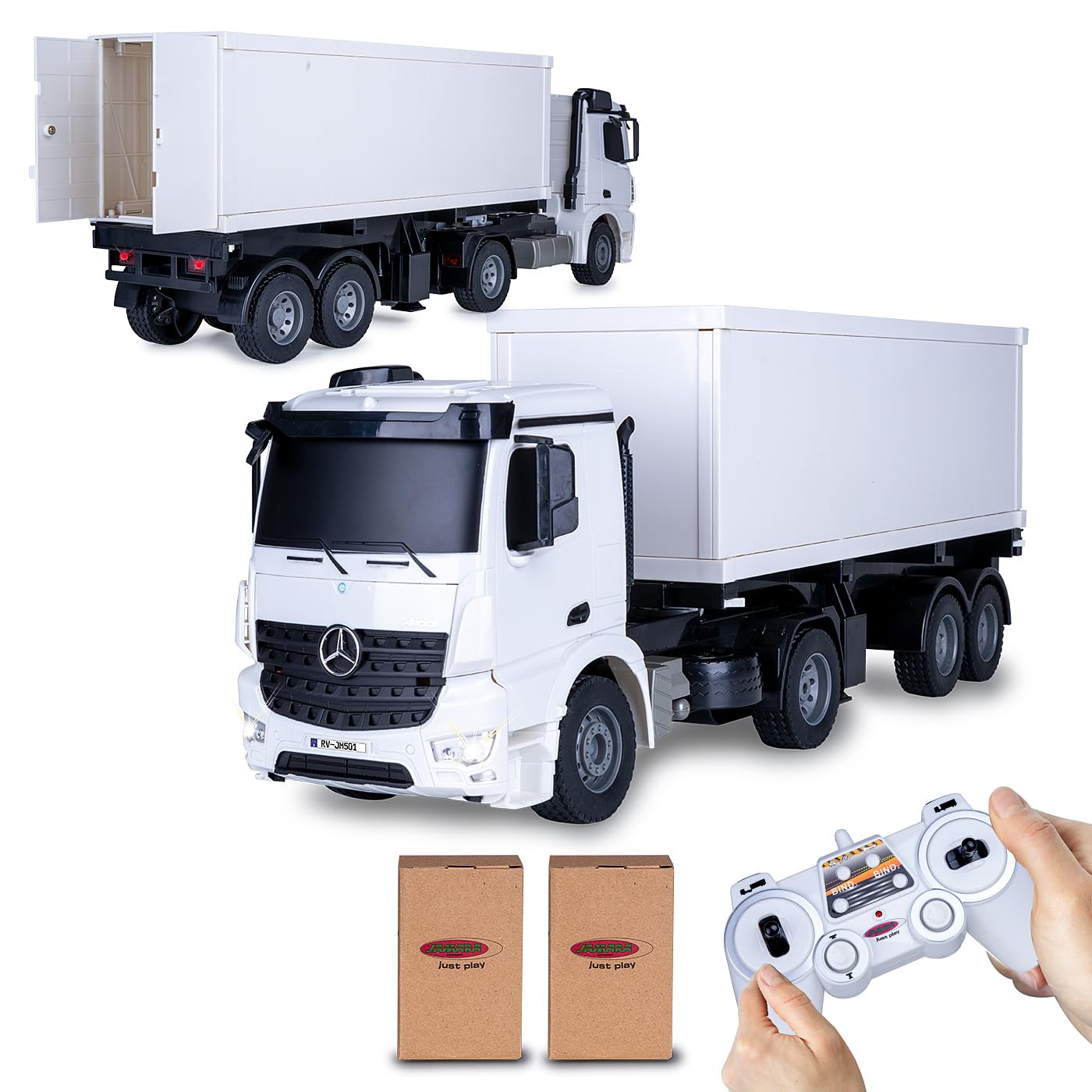
Image: The 2.4 GHz remote control unit.
2. Pairing the Remote Control
The 2.4 GHz remote control system typically pairs automatically. Follow these steps:
- Ensure both the truck and the remote control have fresh batteries installed.
- Turn on the truck using its power switch.
- Turn on the remote control. The indicator light on the remote should blink and then become solid, indicating a successful connection.
- If pairing fails, turn off both devices, wait a few seconds, and repeat the process.
Operation
Basic Controls:
- Forward/Backward: Use the left joystick (or corresponding button) to move the truck forward or backward.
- Left/Right: Use the right joystick (or corresponding button) to steer the truck left or right.
- Stop: Release the controls to bring the truck to a stop.
- Speed: The truck has 2 selectable speeds, with a maximum speed of approximately 6 km/h. Refer to your remote control for the speed selection button.
Special Features:
- Engine Sound & Horn: Activate the realistic engine sound and horn using the dedicated buttons on the remote control. The engine sound can be switched off if desired.
- Indicators: Use the remote control to activate the truck's turn signals.
- Automatic Trailer Supports: The trailer supports can be raised and lowered automatically via the remote control, allowing for easy coupling and uncoupling of the trailer.
- Removable Containers: The container unit can be manually removed from the trailer chassis.
- Manually Opening Container Doors: The rear doors of the container can be opened manually for loading and unloading.
- LED Lights: The truck features functional LED lights at the front and rear.
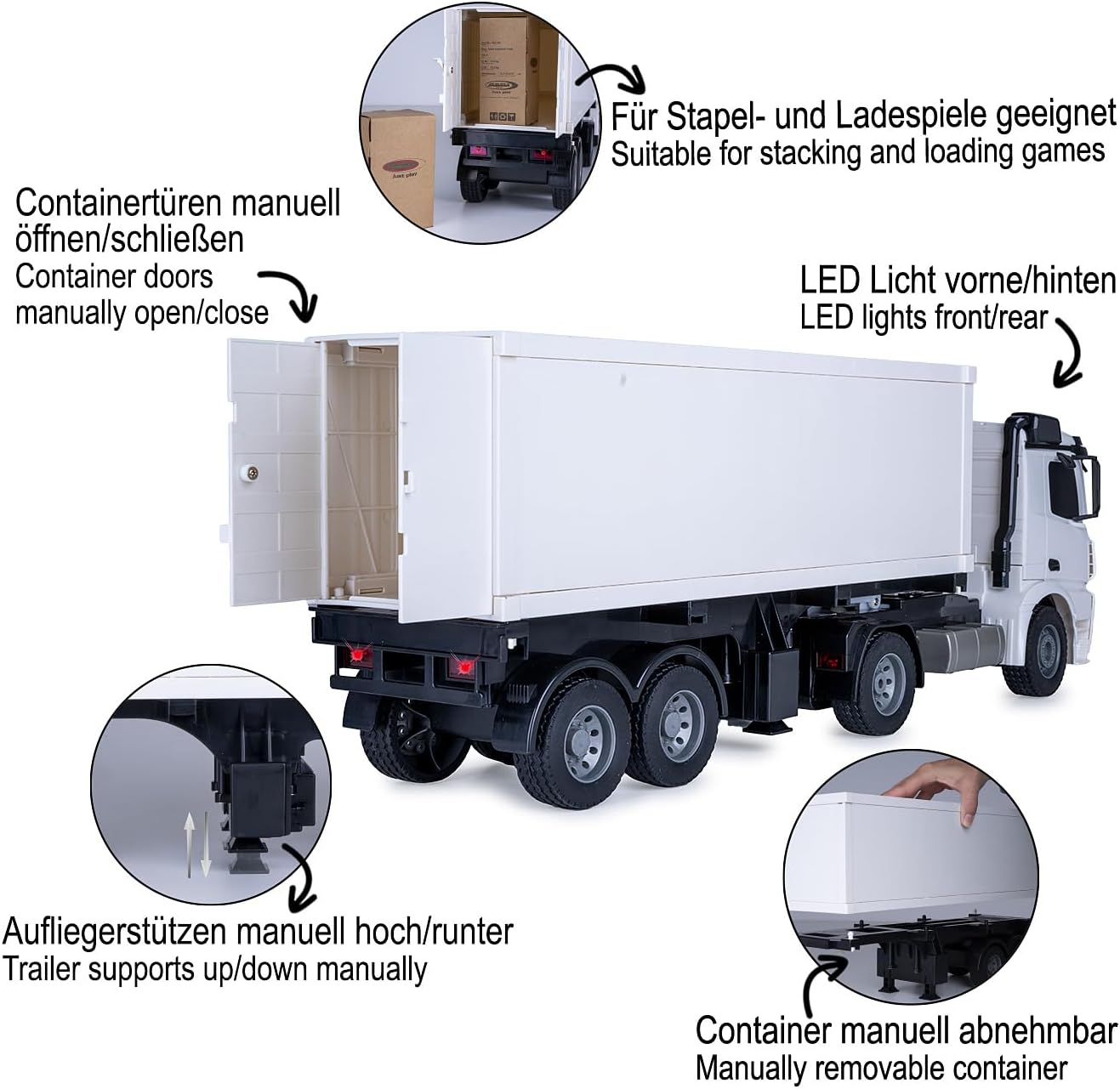
Image: Features of the truck including opening container doors and trailer supports.

Image: Rear view of the truck with illuminated LED taillights.
Maintenance
- Cleaning: Wipe the truck and remote control with a soft, dry cloth. Do not use water or chemical cleaners.
- Storage: Store the model in a cool, dry place away from direct sunlight when not in use.
- Battery Care: Always remove batteries from the model and remote control during long periods of storage to prevent leakage.
- Inspection: Regularly check for any loose parts or damage. Do not operate if damaged.
Troubleshooting
- Truck does not respond:
- Check if batteries are correctly installed and charged in both the truck and remote control.
- Ensure both the truck and remote control are switched ON.
- Re-pair the remote control and truck (see Setup section).
- Short control range:
- Replace batteries in both the truck and remote control.
- Ensure there are no strong interference sources (e.g., other 2.4 GHz devices) nearby.
- Engine sound not working:
- Check if the sound function is enabled via the remote control.
Specifications
| Feature | Detail |
|---|---|
| Model Number | 405148 |
| Brand | Jamara |
| Dimensions (L x W x H) | 59 x 22 x 13 cm (Model) |
| Weight | 1.85 kg |
| Recommended Age | 6 - 99 years |
| Scale | 1:20 |
| Material | Acrylonitrile Butadiene Styrene (ABS) |
| Power Source (Truck) | 7 x AA 1.5 V batteries (not included) |
| Power Source (Remote) | 2 x AA 1.5 V batteries (not included) |
| Control Frequency | 2.4 GHz |
| Max Speed | Approx. 6 km/h |
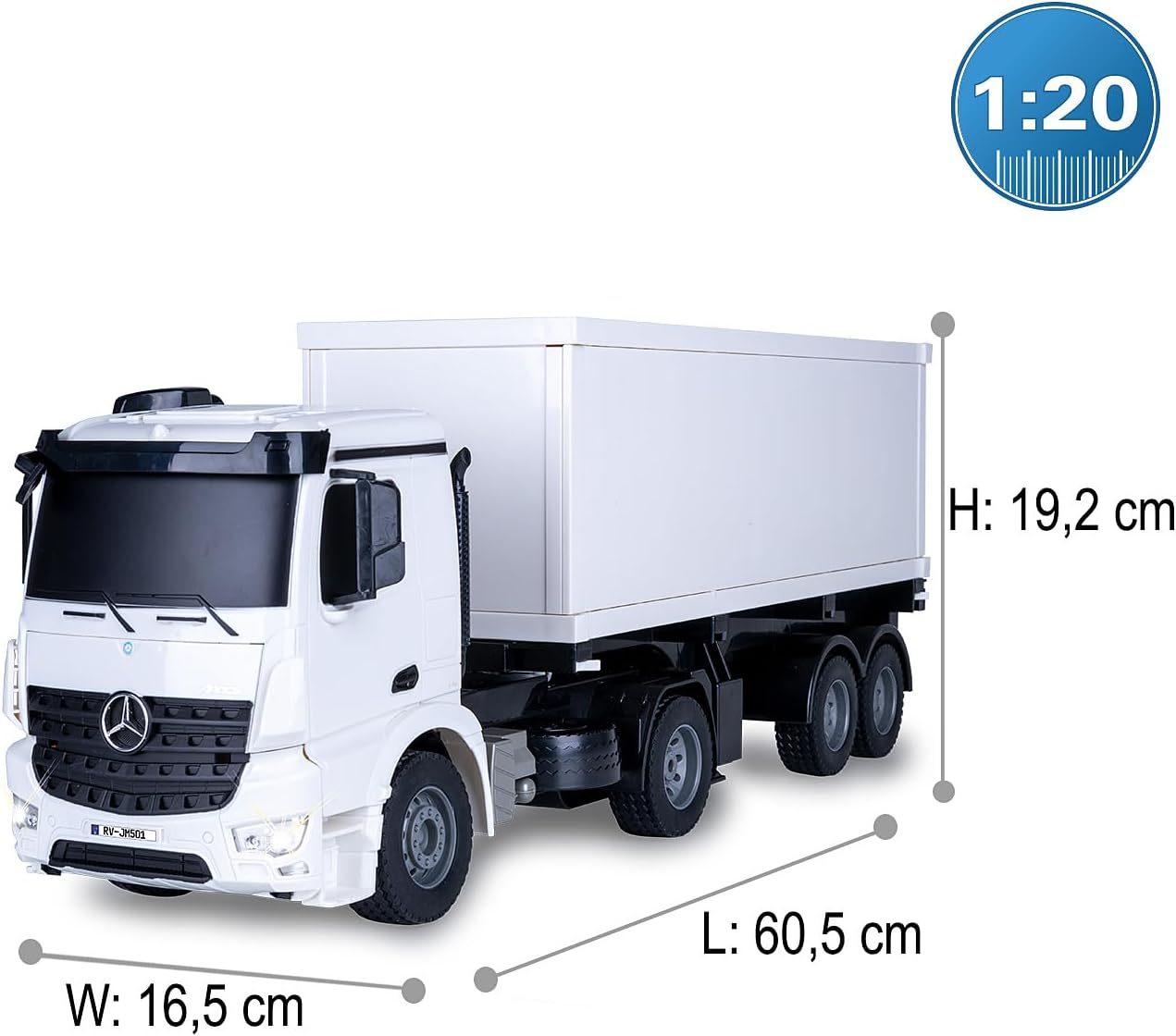
Image: Detailed dimensions of the Jamara Mercedes Benz Arocs Container Truck.
Warranty and Support
For warranty information, technical support, or spare parts inquiries, please refer to the contact information provided on the product packaging or visit the official Jamara website. Keep your purchase receipt as proof of purchase.


