
JHS A018-14KR/C
JHS A018-14KR/C Portable Air Conditioner User Manual
Model: A018-14KR/C | Brand: JHS
1. Product Overview
The JHS A018-14KR/C is a versatile 14,000 BTU portable air conditioner designed to provide efficient cooling, dehumidification, and air circulation. This 3-in-1 unit is suitable for cooling areas up to 500 sq. ft., making it ideal for living rooms, offices, or other medium to large spaces. It features a digital LED display, remote control, and an auto-evaporation system for user convenience.
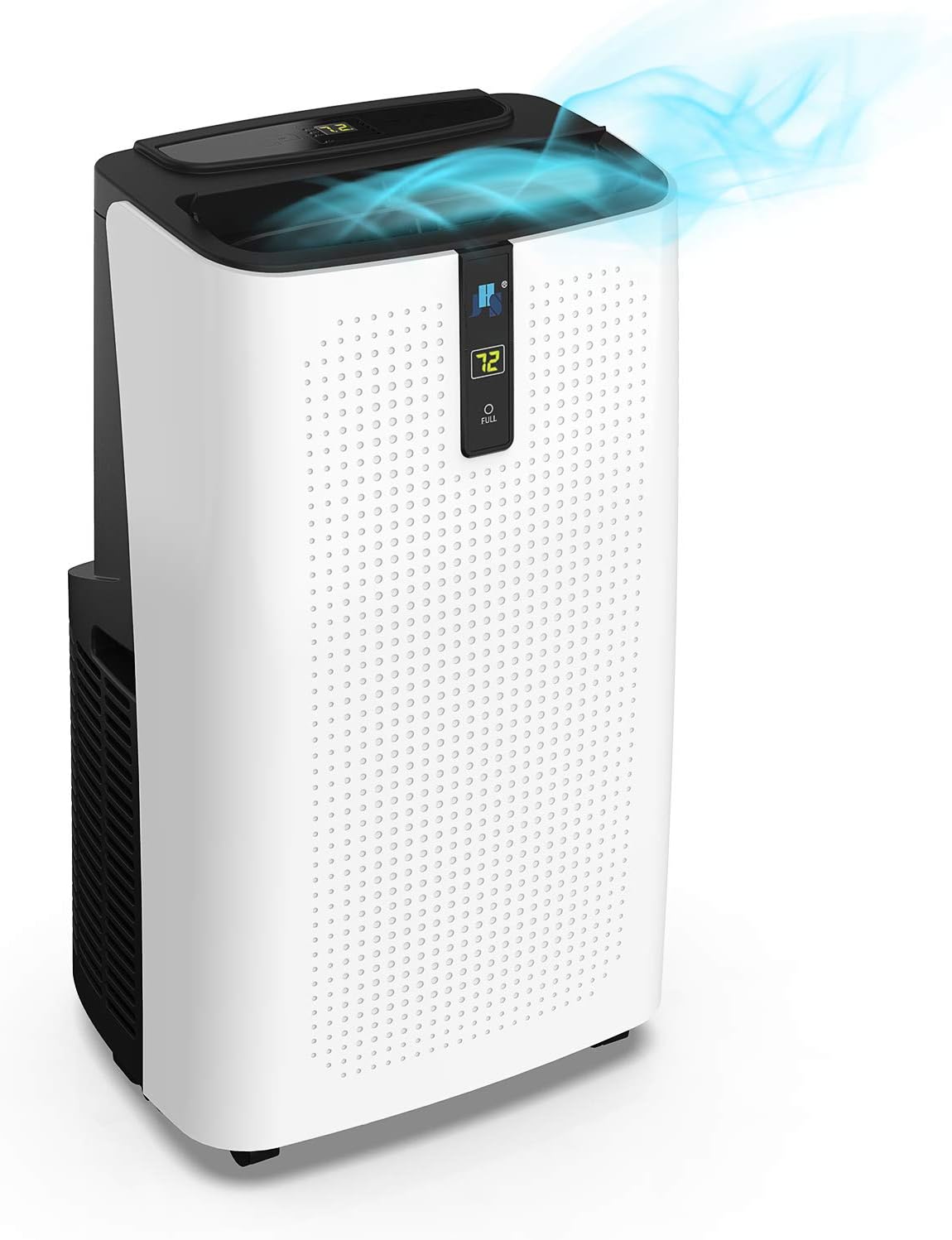
Image 1.1: Front view of the JHS A018-14KR/C Portable Air Conditioner, showing its sleek design and top air outlet.

Image 1.2: Overview of key features including 14,000 BTU cooling, 63.3 pints/day dehumidification, 3-speed fan, sleep mode, auto-evaporation, and washable dust filter.
2. Safety Information
Please read and understand all safety instructions before operating the unit to prevent injury or damage.
- Upright Positioning: If the unit has not been stored or transported in an upright position, allow it to sit upright for at least 24 hours before first use. This allows the refrigerant to settle properly.
- Stable and Flat Surface: Always use the unit on a stable and flat surface. Operating on an uneven floor may cause strenuous vibration and potential malfunction.
- Compressor Delay Protection: To protect the compressor, there is a 3-minute delay before cooling air is emitted if the compressor is restarted within 3 minutes of being turned off. This is normal operation.
- Power Supply: Ensure the power supply is 115V/60Hz and the electrical outlet is properly grounded. Do not overload the circuit.
- Clearance: Maintain adequate clearance around the unit for proper airflow and ventilation.
- Maintenance: Disconnect the power supply before performing any maintenance or cleaning.
3. Package Contents
Carefully unpack the box and ensure all the following components are present:
- 1 x JHS A018-14KR/C Portable Air Conditioner Unit
- 1 x LCD Remote Control (AAA R03 1.5V*2 batteries not included)
- 1 x Window Kit
- 1 x Exhaust Hose
- 1 x User-friendly Manual (this document)
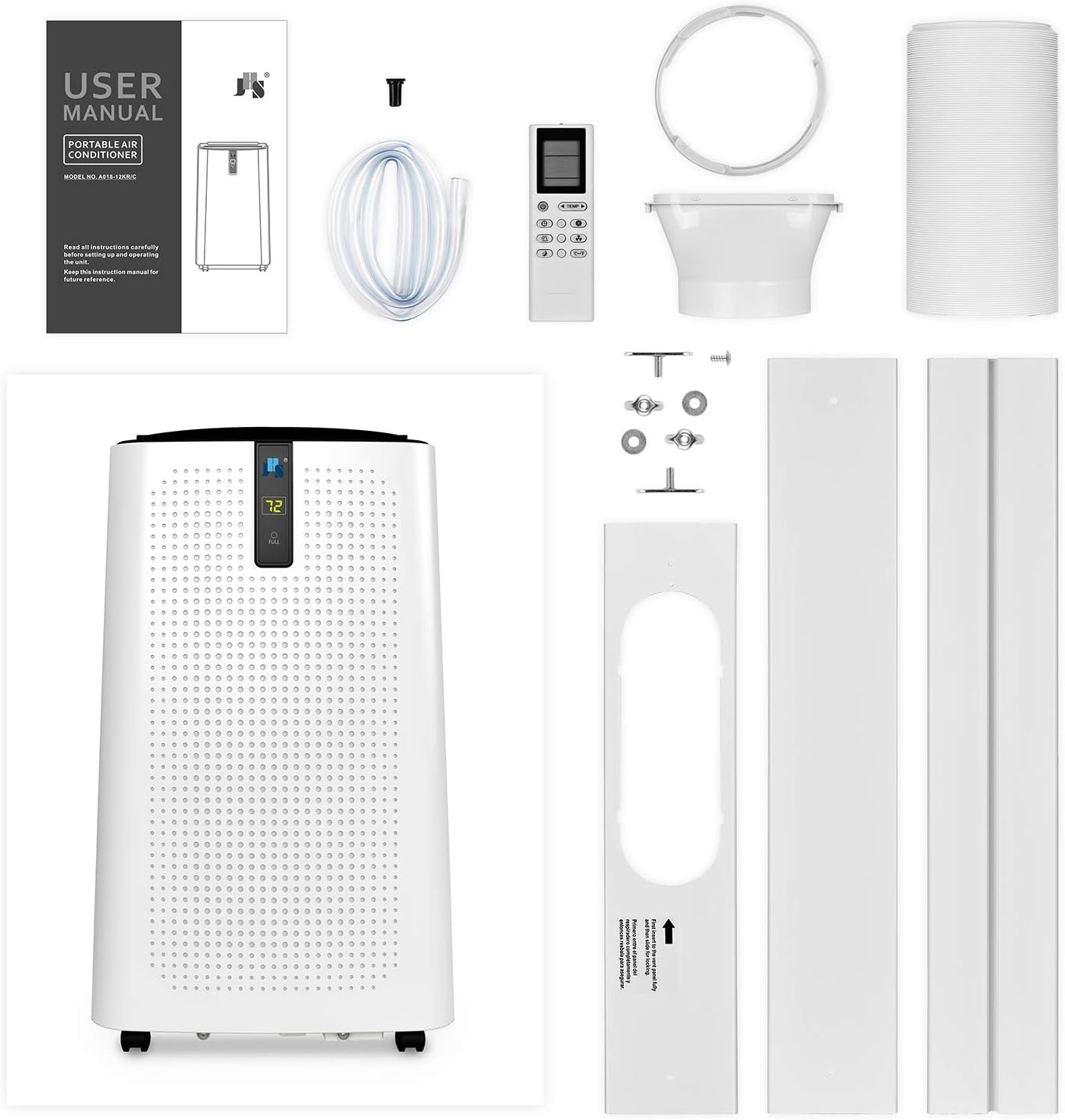
Image 3.1: All components included in the JHS A018-14KR/C package, including the main unit, remote control, window kit, and exhaust hose.
4. Setup
Follow these steps for quick and hassle-free installation of your portable air conditioner:
- Positioning: Place the unit on a flat, stable surface near a window. Ensure there is sufficient space around the unit for proper air circulation.
- Exhaust Hose Installation: Attach one end of the exhaust hose to the air conditioner's exhaust port. Extend the hose and attach the other end to the window kit adapter.
- Window Kit Installation: Adjust the window kit to fit your window opening. Secure the window kit in place. Insert the exhaust hose adapter into the opening in the window kit. Ensure a tight seal to prevent hot air from re-entering the room.
- Power Connection: Plug the unit into a grounded 115V/60Hz electrical outlet.

Image 4.1: The portable air conditioner unit with the exhaust hose connected, ready for window installation.

Image 4.2: The JHS portable air conditioner installed in a room, demonstrating typical placement near a window.
5. Operating Instructions
Your JHS portable air conditioner offers multiple modes and settings for optimal comfort.
Control Panel and Remote Control
The unit can be operated using the digital LED control panel on top of the unit or the included remote control. The easy-viewing front LED display allows you to check settings from across the room.
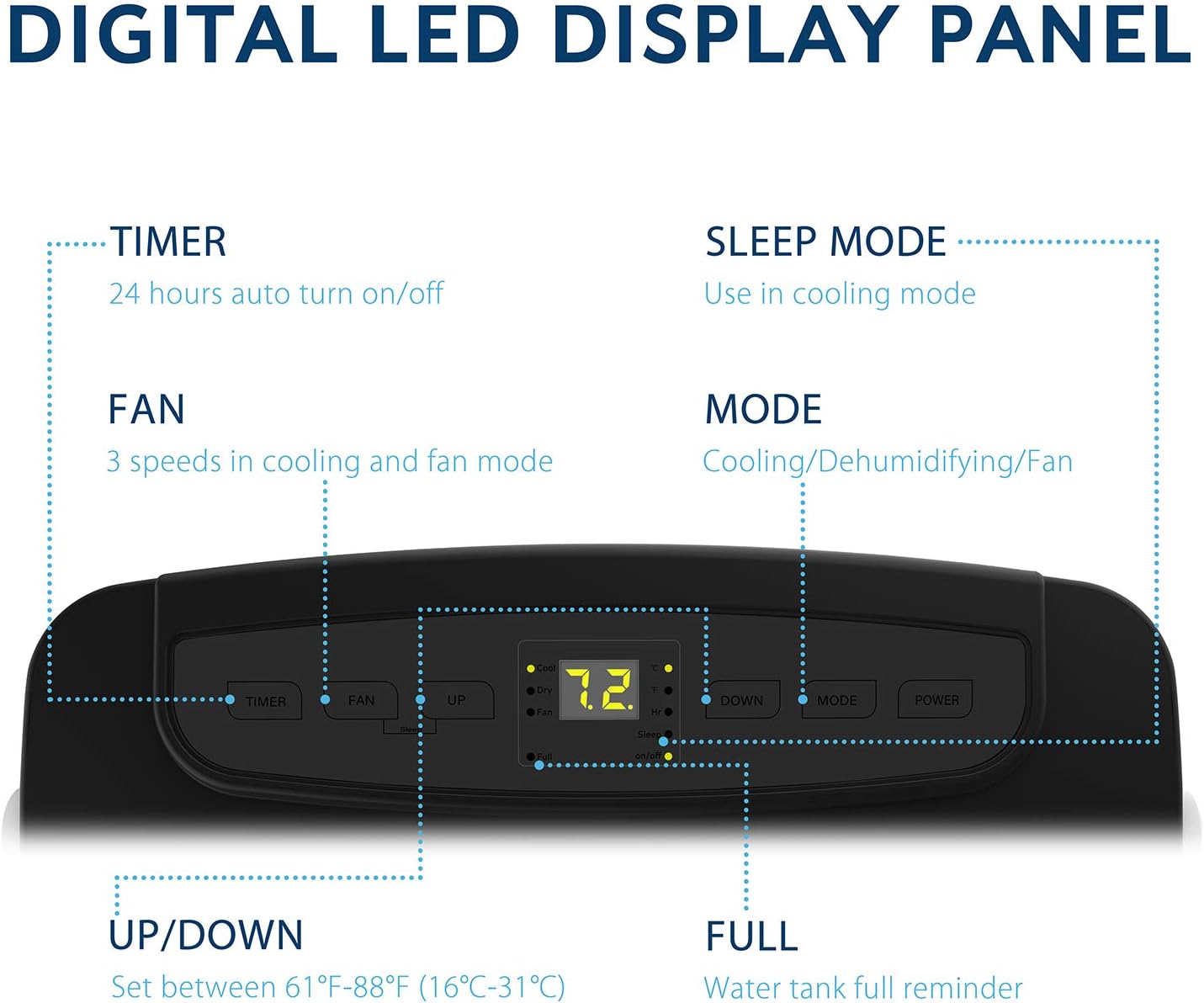
Image 5.1: Detailed view of the digital LED display panel, showing controls for Timer, Fan, Up/Down temperature, Mode, Sleep Mode, and Power.
Operating Modes
- Cooling Mode: Provides powerful cooling with a capacity of 14,000 BTU. Set your desired temperature between 61°F (16°C) and 88°F (31°C).
- Fan Mode: Circulates air with 3 fan speeds (low, medium, high) without cooling.
- Dehumidifier Mode: Removes up to 63.3 pints of moisture per day, helping to reduce humidity in the room.
Additional Features
- 24-Hour Programmable Timer: Set the unit to automatically turn on or off at a specific time.
- Sleep Mode: Operates on an energy-saving and quiet mode, ideal for nighttime use.
- Auto 2-Way Directional Air Louvers: Automatically adjusts the airflow direction for better distribution.
6. Maintenance
Regular maintenance ensures optimal performance and longevity of your air conditioner.
- Washable Dust Filter: The unit is equipped with a washable dust filter. Regularly clean the filter to maintain air quality and cooling efficiency. Refer to the full user manual for detailed cleaning instructions.
- Drainage: The unit features an auto-evaporation system that exhausts most or all condensate. For high humidity conditions or continuous dehumidification, manual drainage may be required. Connect a drain hose to the continuous drain port if needed.
- Exterior Cleaning: Wipe the exterior of the unit with a soft, damp cloth. Do not use harsh chemicals or abrasive cleaners.
7. Troubleshooting
If you encounter issues with your unit, refer to the following common troubleshooting tips:
- Unit Does Not Turn On: Check if the power cord is securely plugged into a working outlet. Ensure the circuit breaker has not tripped.
- No Cooling/Insufficient Cooling:
- Verify the unit is in Cooling Mode and the temperature setting is lower than the ambient room temperature.
- Check if the air filter is dirty and needs cleaning. A clogged filter restricts airflow.
- Ensure the exhaust hose is properly installed and sealed to the window kit, and that it is not kinked or blocked.
- Confirm windows and doors are closed to prevent hot air from entering the room.
- Allow for the 3-minute compressor delay if the unit was recently turned off and on.
- Unit is Noisy: Some operational noise is normal, especially when the compressor is running. Ensure the unit is on a flat, stable surface to minimize vibration.
- Water Leakage: Check the drain plug for secure connection. If using continuous drainage, ensure the drain hose is not blocked or kinked.
- Remote Control Not Working: Replace the batteries in the remote control. Ensure there are no obstructions between the remote and the unit's receiver.
For persistent issues not resolved by these steps, please contact JHS support.
8. Specifications
Detailed technical specifications for the JHS A018-14KR/C Portable Air Conditioner:

Image 8.1: Visual representation of the unit's dimensions and key performance parameters.
| Model | A018-14KR/C |
| Cooling Capacity | 14,000 BTU |
| Estimated Cooling Area | Up to 500 sq. ft. |
| Power Supply | 115V/60Hz |
| Maximum Power Consumption | 1440W / 12.5A |
| Refrigerant | CFC-free green R-410A |
| Thermostat Control Range | 61°F - 88°F (16°C - 31°C) |
| Dehumidifying Capacity | 63.3 pints/day |
| Air Flow (at high speed) | 220 CFM |
| Noise Level | ≤ 60dBA (54 dB listed in specifications) |
| Unit Dimensions (W x D x H) | 16.6 x 14.2 x 28.5 inches |
| Unit Weight | 60 lbs. |
| Extendable Exhaust Hose Diameter | 5.9 inches |
| Extendable Exhaust Hose Max Length | 59 inches |
| Extendable Window Kit Range | 9-57 inches |
9. Warranty and Support
The JHS A018-14KR/C Portable Air Conditioner comes with a 1-year warranty from the date of purchase. This warranty covers defects in materials and workmanship under normal use.
For warranty claims, technical assistance, or any questions regarding your product, please do not hesitate to contact the JHS support team. Please have your model number (A018-14KR/C) and purchase information ready when contacting support.
Related documentsA018-14KR/C


Ask a question about this manual
Ask about setup, troubleshooting, compatibility, parts, safety, or missing instructions. Manuals+ will review the question and use this page’s manual context to help answer it.