
Introduction
Thank you for choosing the Kalorik TKG AP 2000 Air Purifier. This manual provides essential information for the safe and efficient operation of your new appliance. Please read it thoroughly before use and keep it for future reference.
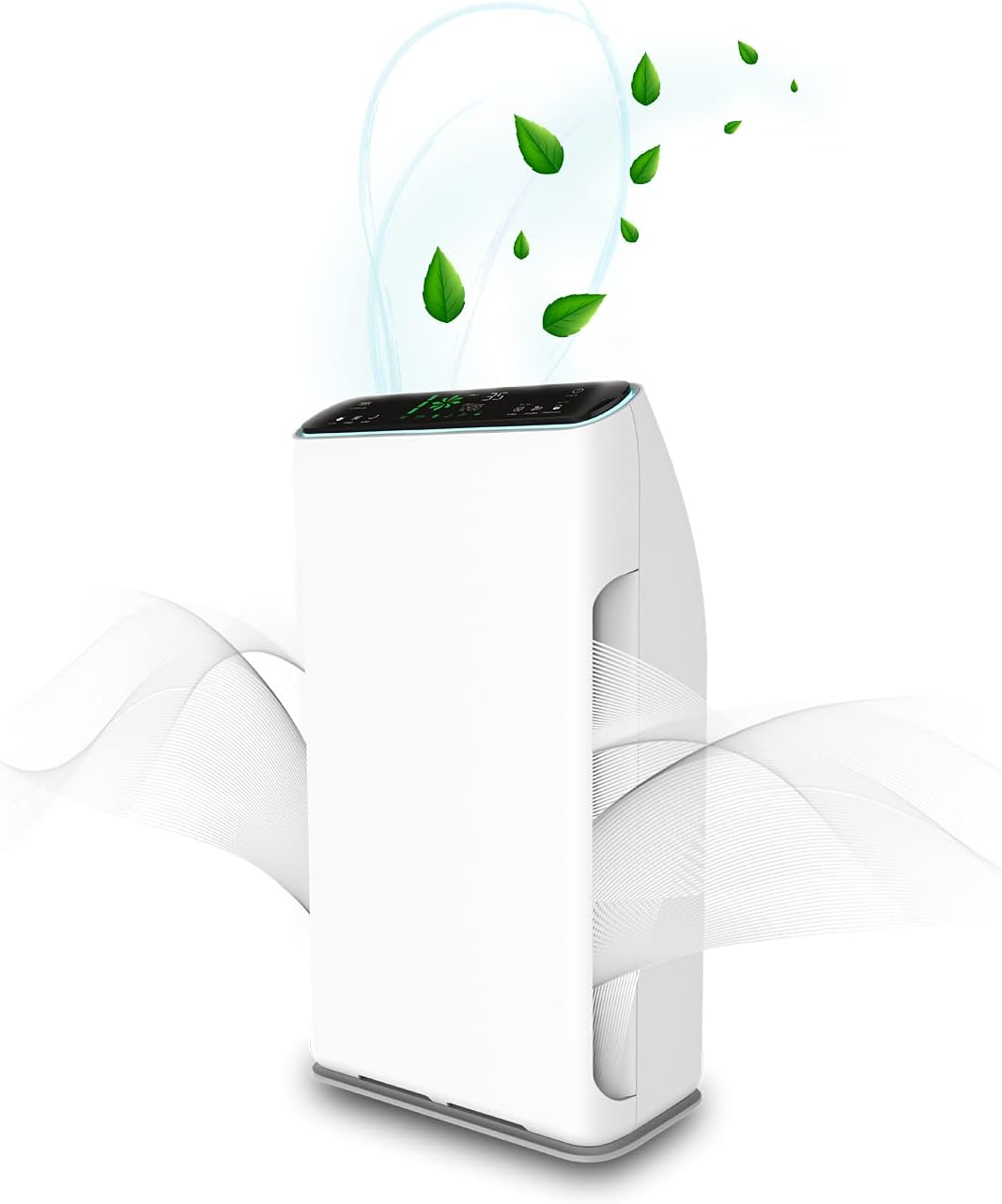
Image: Front view of the Kalorik TKG AP 2000 Air Purifier, illustrating air circulation and its sleek white design.
Important Safety Instructions
To reduce the risk of fire, electric shock, or injury, always follow these basic precautions:
- Read all instructions before operating the appliance.
- Ensure the power supply matches the voltage specified on the rating label.
- Do not operate the appliance with a damaged cord or plug.
- Keep the power cord away from heated surfaces.
- Do not immerse the appliance, cord, or plug in water or other liquids.
- Unplug the air purifier before cleaning or performing any maintenance.
- This appliance is for indoor use only.
- Do not block air inlets or outlets.
- Keep children away from the appliance. The child lock feature should be used when children are present.
- Do not use the appliance in areas with flammable or combustible vapors.
Product Overview
The Kalorik TKG AP 2000 Air Purifier features a modern design and a 7-stage purification process to ensure cleaner, healthier indoor air. It includes a touch control panel and a remote control for convenient operation.
Control Panel Functions
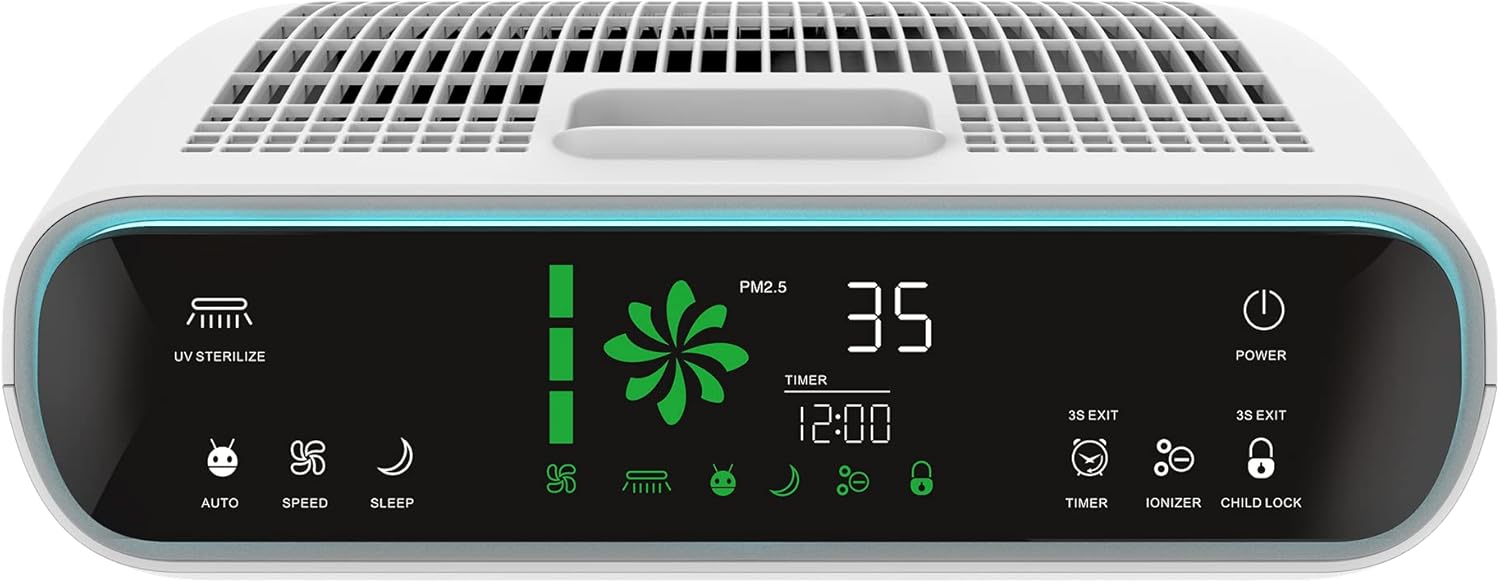
Image: Detailed view of the air purifier's top control panel, showing the LED display and various touch-sensitive buttons for operation.
- UV Sterilize: Activates/deactivates the UV lamp for sterilization.
- Auto Mode: Automatically adjusts purification intensity based on detected particle levels.
- Speed: Manually adjusts fan speed (3 levels).
- Sleep Mode: Reduces fan speed and dims display for quiet operation.
- Power: Turns the unit on or off.
- Timer: Sets an operating time (up to 12 hours) after which the unit will automatically shut off.
- Ionizer: Activates/deactivates the ion release function.
- Child Lock: Locks the control panel to prevent accidental changes.
- PM2.5 Display: Shows the current particulate matter level in the air.
- Filter Life Indicator: Displays the remaining lifespan of the filters.
Setup
Before first use, ensure all packaging materials are removed and filters are correctly installed.
Filter Installation
The Kalorik TKG AP 2000 utilizes a 7-stage filtration system. The filters are typically pre-installed but may require removal of protective plastic packaging before use. Refer to the diagram below for the correct order of filter layers.

Image: Exploded view diagram illustrating the seven distinct filter layers and their sequence within the air purifier.
- Aluminum Alloy Filter: Captures large particles like dust and pet dander.
- Cold Catalyst Filter: Breaks down harmful gases and odors at room temperature.
- Formaldehyde Removal Filter: Specifically targets and removes formaldehyde.
- Antibacterial Filter: Inhibits the growth of bacteria and other microorganisms.
- HEPA Filter: Traps 99.97% of airborne particles 0.3 microns or larger, including pollen, dust mites, and mold spores.
- UV Sterilizer Lamp: Uses ultraviolet light to kill bacteria, viruses, and germs.
- Anion Release (Ionizer): Releases negative ions to freshen the air and help airborne particles settle.
After installing the filters, close the filter compartment cover securely. Place the air purifier on a flat, stable surface, ensuring adequate space around the air inlets and outlets.
Operating Instructions
The air purifier can be operated using the touch control panel on the top of the unit or the included remote control.
Power On/Off
- Plug the power cord into a suitable electrical outlet.
- Press the Power button to turn the unit on or off.
Mode Selection
- Auto Mode: Press the Auto button. The unit will automatically adjust fan speed based on air quality detected by the particle sensor.
- Manual Speed Control: Press the Speed button repeatedly to cycle through 3 fan speed levels (Low, Medium, High).
- Sleep Mode: Press the Sleep button. The fan speed will reduce, and the display lights will dim for quiet operation during sleep.
UV Sterilization & Ionizer
- Press the UV Sterilize button to activate or deactivate the UV lamp.
- Press the Ionizer button to activate or deactivate the anion release function.
Timer Function
- Press the Timer button repeatedly to set the desired operating time (from 1 to 12 hours). The unit will automatically turn off after the set time.
Child Lock
- Press and hold the Child Lock button for 3 seconds to activate or deactivate the child lock. When activated, the control panel buttons will not respond to touch.
Maintenance
Regular maintenance ensures optimal performance and extends the lifespan of your air purifier.
Cleaning the Exterior
- Always unplug the unit before cleaning.
- Wipe the exterior surfaces with a soft, damp cloth. Do not use abrasive cleaners or solvents.
Filter Replacement
The filter life indicator on the control panel will alert you when filters need replacement. Filter lifespan varies depending on air quality and usage.
- Unplug the air purifier.
- Open the filter compartment cover.
- Remove the old filters and dispose of them properly.
- Install new filters in the correct sequence (refer to the 'Filter Installation' section).
- Close the filter compartment cover.
- Plug in the unit and reset the filter life indicator (refer to specific instructions in the full manual if available, typically by pressing and holding a button).
Troubleshooting
If you encounter issues with your air purifier, refer to the following common problems and solutions:
| Problem | Possible Cause | Solution |
|---|---|---|
| Unit does not turn on | No power supply; Power cord not properly plugged in; Unit is damaged. | Check power outlet; Ensure cord is securely plugged in; Contact customer support if damaged. |
| Weak airflow | Filters are dirty or clogged; Air inlets/outlets are blocked. | Replace filters; Clear any obstructions. |
| Unusual noise | Foreign object inside; Unit not on a stable surface; Filters not installed correctly. | Unplug and check for obstructions; Place on a flat surface; Reinstall filters. |
| Odor from unit | New filters (initial odor); Filters are dirty. | Initial odor will dissipate with use; Replace filters. |
Specifications
Below are the technical specifications for the Kalorik TKG AP 2000 Air Purifier:

Image: Side profile of the air purifier, indicating its height (64.6cm), width (36cm), and depth (20cm).
- Model Number: TKG AP 2000
- Brand: Kalorik
- Color: White
- Power Source: Corded Electric
- Power: 80 Watts
- Product Weight: 8.2 Kilograms
- Control Method: Remote Control, Touch Control
- Filter Type: Antibacterial (part of 7-stage system including HEPA, Cold Catalyst, Formaldehyde Removal, Aluminum Alloy)
- Effective Area: 22 - 38 square meters
- Noise Level: 45 Decibels
- Special Features: Quiet operation, Timer, Child Lock, UV Sterilization, Ionizer
- Compliance: CE Certified
- Dimensions (approx.): 65 cm (Height) x 37 cm (Width) x 19.5 cm (Depth)
- Cleaning Capacity: approx. 320 m³/h
Warranty & Support
This product comes with a two-year manufacturer's warranty. For warranty claims, technical support, or replacement parts, please contact your retailer or the manufacturer directly. Keep your proof of purchase for warranty validation.

