
Introduction
This manual provides detailed instructions for the installation, operation, and maintenance of your Schlage S-6000 Digital Touchpad Door Lock. Please read this manual thoroughly before installation and use to ensure proper function and security.
The Schlage S-6000 is designed to provide advanced security for your home, offering multiple access methods including PIN codes, RFID cards, and fobs, along with an emergency manual override key.
Product Overview
Key Features
- Multiple Access Methods: PIN codes, RFID cards, Fobs, and Emergency Manual Override Key.
- User Capacity: Supports up to 8 different user PIN codes and cards.
- Temporary Access: Ability to create temporary access codes for guests or contractors.
- Weather Resistant: Tested to IP54 standards for durability against environmental elements.
- Double Locking Feature: Deactivates the touchpad and cards for enhanced security when at home.
- Built-in Alarm: Alerts if the door is left unlocked.
Components
The Schlage S-6000 Digital Touchpad Door Lock system includes the following main components:
- Exterior Unit with Touchpad
- Interior Unit with Battery Compartment and Manual Locking Mechanism
- RFID Cards
- Fobs
- Stick-on Patches
- Emergency Manual Override Key
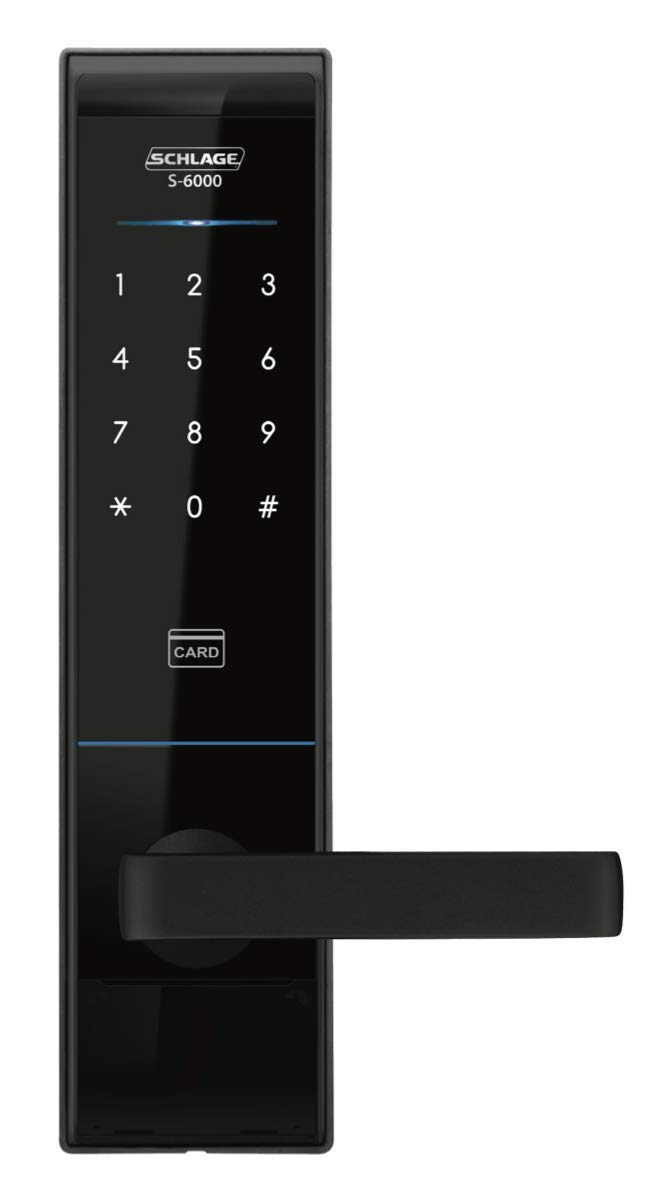
Image: Front view of the Schlage S-6000 Digital Touchpad Door Lock.
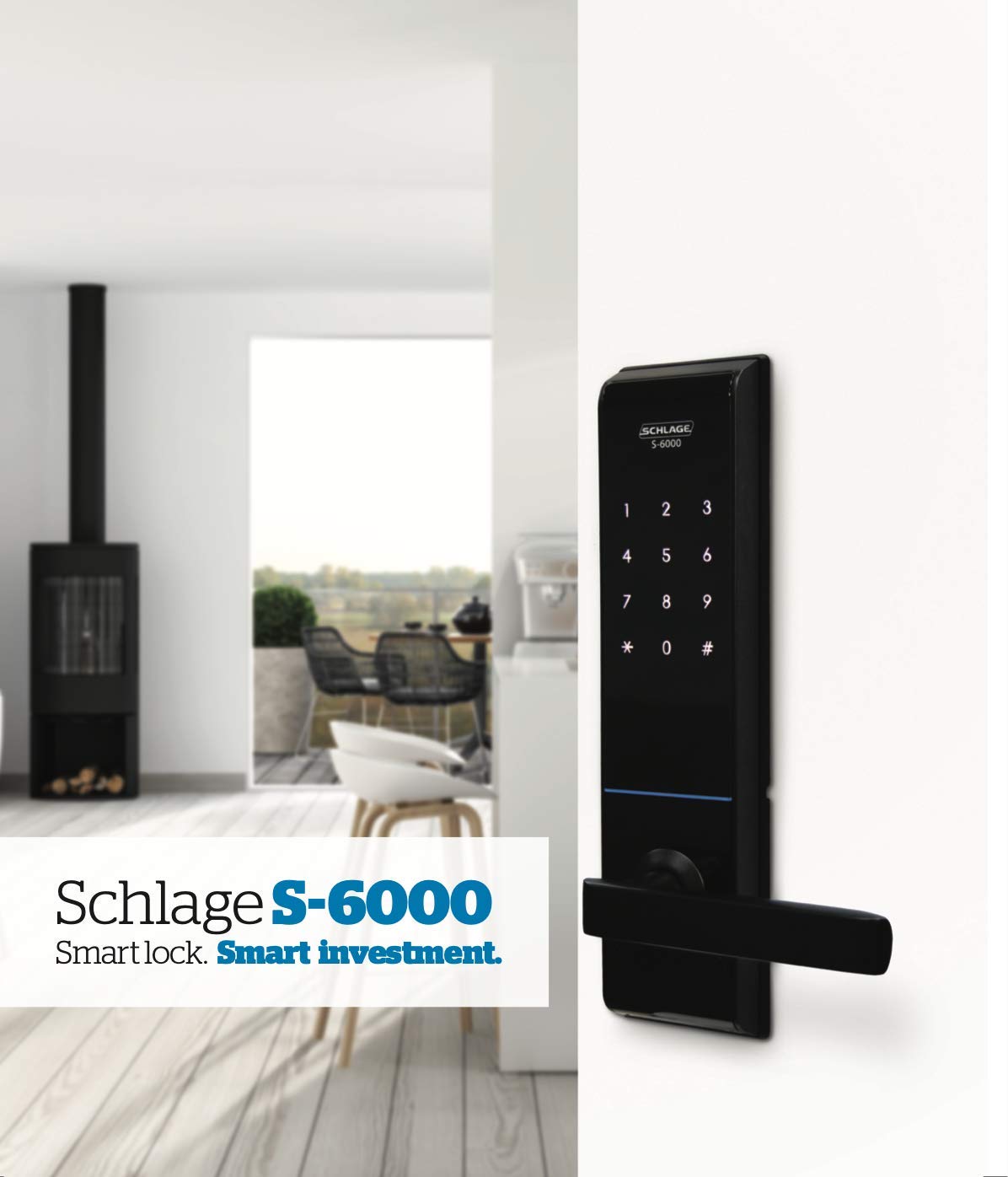
Image: Front (left) and back (right) views of the Schlage S-6000 Digital Touchpad Door Lock, showing the exterior keypad and interior locking mechanism.

Image: Various access methods including RFID cards, a fob, and stick-on patches for the Schlage S-6000 lock.
Package Contents
The product package includes:
- Schlage S-6000 Digital Touchpad Door Lock (Exterior and Interior Units)
- Battery (for initial power)
- RFID Cards, Fobs, and/or Stick-on Patches (quantity may vary)
- Emergency Manual Override Key
- Installation Hardware
Setup and Installation
Proper installation is crucial for the security and functionality of your Schlage S-6000 lock. It is recommended to follow the detailed installation guide provided with your product packaging. Below are general considerations:
Door Requirements
- Door Thickness: Suitable for doors with a thickness of 40mm to 90mm.
- Backset: Requires a 70mm backset.
Battery Installation
- Locate the battery compartment on the interior unit of the lock.
- Open the battery cover.
- Insert the specified batteries, ensuring correct polarity.
- Close the battery cover securely.
Note: Always use high-quality alkaline batteries for optimal performance and longevity. Replace all batteries simultaneously when needed.
Operating Instructions
Accessing with PIN Codes
- Touch the keypad to activate it.
- Enter your registered PIN code.
- Press the '#' key to confirm.
- The lock will unlock, allowing entry.
Note: The lock supports up to 8 different user PIN codes. Refer to the full manual for instructions on adding, modifying, or deleting PIN codes.
Accessing with RFID Cards/Fobs/Stick-on Patches
- Present your registered RFID card, fob, or stick-on patch to the card reader area on the exterior unit.
- The lock will emit an audible signal and unlock.
Note: Ensure your RFID device is properly registered with the lock. Refer to the full manual for registration procedures.
Emergency Manual Override Key
In case of battery depletion or electronic malfunction, the lock can be opened using the provided emergency manual override key. Insert the key into the keyhole and turn to unlock.
Temporary Access Codes
The S-6000 allows for the creation of temporary access codes, ideal for contractors or guests requiring short-term entry. Consult the detailed programming instructions in the complete manual for setting up and managing temporary codes.
Double Locking Feature
For enhanced security when you are inside your home, activate the double locking feature. This deactivates the exterior touchpad and RFID card reader, preventing unauthorized entry even with a valid code or card. Refer to the full manual for activation and deactivation steps.
Built-in Alarm
The lock features a built-in alarm that activates if the door is left unlocked for an extended period, providing an audible reminder to secure your premises.
Maintenance
To ensure the longevity and optimal performance of your Schlage S-6000 Digital Touchpad Door Lock, follow these maintenance guidelines:
- Cleaning: Wipe the exterior unit with a soft, damp cloth. Avoid abrasive cleaners or solvents that could damage the finish or electronic components.
- Battery Replacement: Replace batteries promptly when the low battery indicator appears. Always replace all batteries at the same time with new, high-quality alkaline batteries.
- Mechanical Check: Periodically check that all screws are tight and the lock operates smoothly. Do not lubricate the electronic components.
Troubleshooting
If you encounter issues with your Schlage S-6000 lock, refer to the following common troubleshooting steps:
- Lock Not Responding: Check the batteries. If they are low or depleted, replace them. Ensure the battery compartment connections are clean and secure.
- PIN Code Not Working: Verify that the correct PIN code is being entered. Ensure the keypad is clean and free from obstructions. Re-enter the PIN carefully.
- RFID Card/Fob Not Working: Ensure the card/fob is properly registered. Try presenting it closer to the reader.
- Lock Mechanism Sticking: Check for any physical obstructions around the latch or deadbolt. Ensure the door frame is aligned correctly.
- Alarm Sounds Unexpectedly: Check if the door is fully closed and latched. Review the settings for the built-in alarm.
For persistent issues, consult the comprehensive troubleshooting section in the full product manual or contact customer support.
Technical Specifications
| Feature | Specification |
|---|---|
| Brand | SCHLAGE |
| Model Number | S-6000 |
| Lock Type | Key Lock (Digital Touchpad) |
| Material | Brass |
| Exterior Dimensions (W x H x D) | 76 x 306 x 28 mm |
| Interior Dimensions (W x H x D) | 71 x 298.6 x 30.7 mm |
| Suitable Door Thickness | 40 - 90 mm |
| Backset | 70 mm |
| Connectivity Protocol | Wi-Fi |
| Control Method | Touch, Key Control |
| Special Feature | Easy to install, Weather resistant (IP54) |
| Included Components | Battery |
| Item Weight | 3.11 Kilograms |
Warranty and Support
Warranty Information
The Schlage S-6000 Digital Touchpad Door Lock comes with a two-year guarantee from the date of purchase. This warranty covers manufacturing defects under normal use. Please retain your proof of purchase for warranty claims.
Customer Support
For technical assistance, troubleshooting beyond this manual, or warranty inquiries, please contact Schlage customer support. Refer to the contact information provided in your product packaging or on the official Schlage website.


