
DSD TECH SH-U11
DSD TECH SH-U11 USB to RS485 RS422 Converter User Manual
Model: SH-U11 | Brand: DSD TECH
Introduction
The DSD TECH SH-U11 is an industrial-grade USB to RS485/RS422 converter designed to facilitate communication between your computer's USB port and RS485 or RS422 devices. It features a built-in FTDI FT232R chip for reliable performance and broad operating system compatibility. This manual provides essential information for setting up, operating, and maintaining your converter.

Image: The DSD TECH SH-U11 USB to RS485 RS422 Converter, a compact device with a transparent blue casing, USB-A connector, and a 5-pin terminal block.
Setup
1. Driver Installation
The DSD TECH SH-U11 converter utilizes the FTDI FT232R chip, which often allows for automatic driver installation on modern operating systems. If drivers are not automatically installed, they can be downloaded from the official FTDI website or the DSD TECH support page. This device is compatible with a wide range of operating systems.

Image: Logos for Windows 7, Windows 10, Windows 11, Mac OS, Linux, and Ubuntu, indicating broad operating system compatibility.
2. Physical Connection
Connect the USB-A end of the SH-U11 converter to an available USB port on your computer. The device will draw power directly from the USB port.
3. Wiring the Terminal Block
The converter features a 5-pin terminal block for connecting to RS485 or RS422 devices. Refer to the diagram below for correct wiring configurations.

Image: A detailed diagram showing the 5-pin terminal block connections for both RS422 and RS485. For RS422, pins are labeled TXD+, TXD-, RXD+, RXD-, and GND. For RS485, pins are labeled A+, B-, NC (Not Connected), NC, and GND.
- RS422 Connections:
- Pin 1: TXD+
- Pin 2: TXD-
- Pin 3: RXD+
- Pin 4: RXD-
- Pin 5: GND
- RS485 Connections:
- Pin 1: A+
- Pin 2: B-
- Pin 3: NC (Not Connected)
- Pin 4: NC (Not Connected)
- Pin 5: GND
Note: For RS485 networks, external termination resistors may be required for optimal performance, especially over long distances or in specific network topologies. The SH-U11 does not include built-in termination resistors.
Operating
Once the DSD TECH SH-U11 converter is connected to your computer and the necessary drivers are installed, it will be recognized as a virtual COM port. You can then use any serial communication software to interact with your RS485 or RS422 device.

Image: The DSD TECH SH-U11 converter plugged into a laptop's USB port, ready for operation.
Indicator Lights
The device is equipped with three indicator LEDs to provide visual feedback on its status:
- PWR (Power): Illuminates when the converter is powered via the USB connection.
- TX (Transmit): Flashes when data is being transmitted from your computer through the converter to the connected serial device.
- RX (Receive): Flashes when data is being received by your computer from the connected serial device through the converter.
Modbus Compatibility
The SH-U11 converter is fully compatible with Modbus protocols, making it suitable for controlling and monitoring Modbus-enabled industrial devices.
Video: This video demonstrates the DSD TECH SH-U11 USB to RS485 RS422 Converter in operation. It shows the converter connected to a laptop and a Modbus relay module, which is then used to control a light bulb, illustrating data transmission and reception via the converter.
Maintenance
To ensure the longevity and optimal performance of your DSD TECH SH-U11 converter, follow these maintenance guidelines:
- Keep the device clean and free from dust. Use a soft, dry cloth for cleaning.
- Avoid exposing the converter to extreme temperatures, direct sunlight, or high humidity.
- Do not attempt to disassemble the unit beyond what is necessary for wiring connections. Unauthorized disassembly may void the warranty.
- Ensure all connections are secure to prevent intermittent operation.
Troubleshooting
If you encounter issues with your DSD TECH SH-U11 converter, refer to the following common problems and solutions:
- Device Not Recognized by Computer:
- Ensure the USB cable is securely connected to both the converter and your computer.
- Verify that the correct FTDI drivers are installed. Check your computer's Device Manager for any unknown devices or driver errors.
- Try connecting the converter to a different USB port on your computer or a different computer to rule out port-specific issues.
- No Data Transmission or Reception:
- Double-check all wiring connections on the terminal block according to the RS485/RS422 wiring diagram. Ensure polarity (A+/B- or TXD+/-, RXD+/-) is correct.
- Confirm that the serial communication software settings (baud rate, parity, data bits, stop bits) match those of the connected RS485/RS422 device.
- Observe the TX and RX indicator LEDs on the converter. If they are not flashing during communication attempts, it indicates a lack of data flow.
- For RS485 networks, consider if termination resistors are needed for your specific setup and cable length.
- Intermittent Connection:
- Check for loose wiring connections at the terminal block.
- Ensure the USB connection is stable.
- Verify that the cable lengths for your RS485/RS422 network are within recommended specifications to avoid signal degradation.
Specifications
| Feature | Detail |
|---|---|
| Model Number | SH-U11 |
| Product Dimensions | 2.2 x 1 x 0.55 inches |
| Item Weight | 1.76 ounces |
| Manufacturer | DSD TECH |
| Main Chip | FTDI FT232R |
| Supported Protocols | RS485, RS422 |
| Connector Type | USB Type A |
| Compatible Operating Systems | Windows 11, 10, 8, 7, Linux, Mac OS |

Image: The DSD TECH SH-U11 converter with dimensions indicated as 2.2 inches in length and 1.38 inches in width.
Warranty and Support
DSD TECH is committed to providing high-quality products and excellent customer service. For the SH-U11 USB to RS485 RS422 Converter, the following support is provided:
- Product Replacement Service: A 1-year product replacement service is offered from the date of purchase.
- Technical Support: Permanent technical support is available for the lifetime of the product.
- Response Time: All customer inquiries and questions will be addressed within 1 working day.
For technical assistance or warranty claims, please visit the official DSD TECH website or contact their customer service department directly.
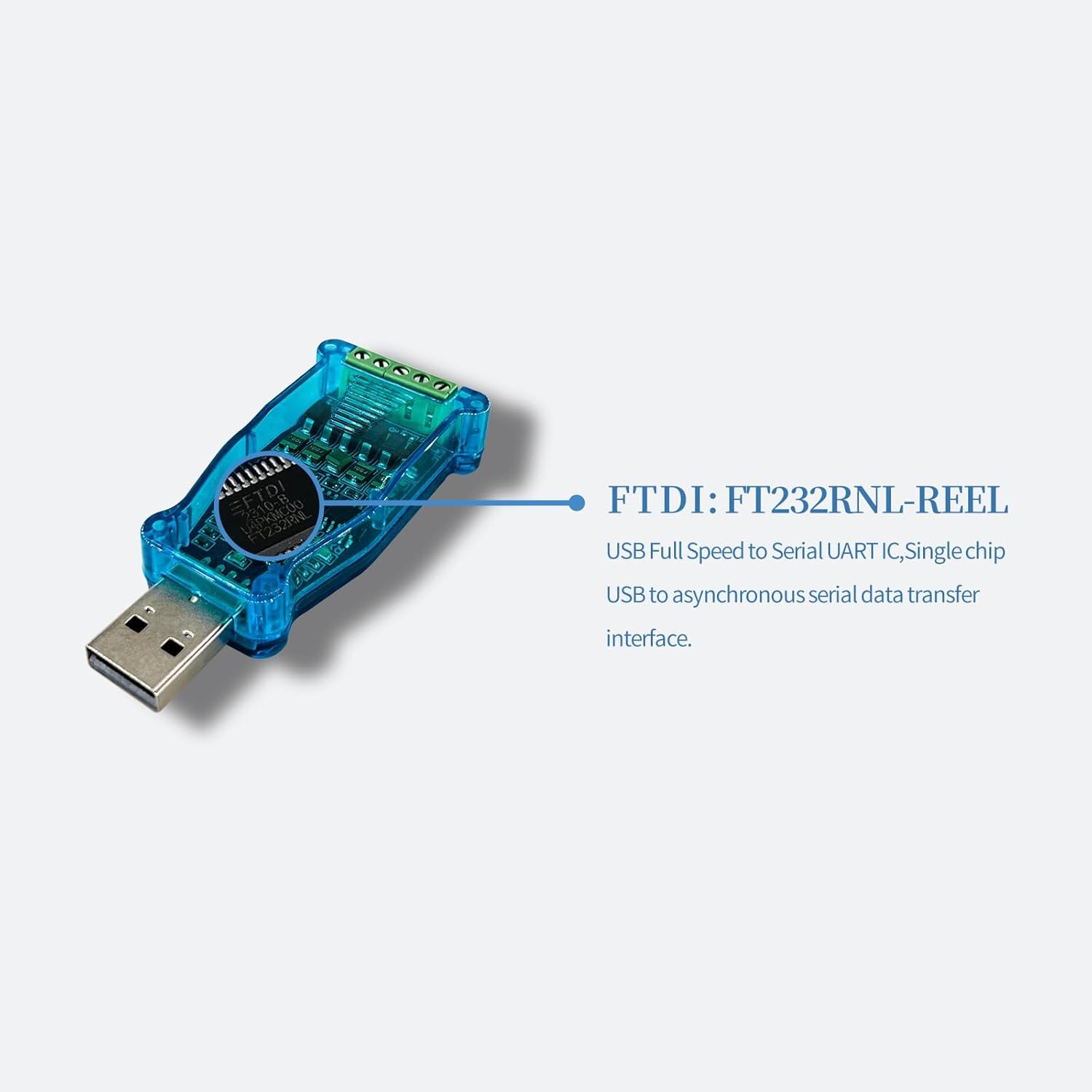
Image: The DSD TECH SH-U11 converter, its retail packaging, a user guide, and a DSD TECH support card, indicating the contents of the product package.
Ask a question about this manual
Ask about setup, troubleshooting, compatibility, parts, safety, or missing instructions. Manuals+ will review the question and use this page’s manual context to help answer it.