1. Introduction
Welcome to the Bloody B930 TKL Tenkeyless Optical Switch Gaming Keyboard. This manual provides essential information for setting up, operating, maintaining, and troubleshooting your new keyboard. Please read thoroughly to ensure optimal performance and longevity of your device.

Figure 1: Bloody B930 TKL Tenkeyless Optical Switch Gaming Keyboard
2. Safety Information
General Safety Guidelines
- Keep the keyboard away from liquids and excessive moisture.
- Avoid extreme temperatures.
- Do not attempt to disassemble or modify the keyboard.
- Use only the provided USB cable for connection.
3. Package Contents
What's in the Box
- Bloody B930 TKL Tenkeyless Optical Switch Gaming Keyboard
- USB Cable
4. Setup
Connecting Your Keyboard
- Connect the provided USB cable to an available USB-A port on your computer.
- Connect the other end of the USB cable to the corresponding port on the Bloody B930 keyboard.
- Your operating system should automatically detect and install the necessary drivers.
- For advanced customization, download the exclusive software from the official Bloody website.
Initial Configuration
The keyboard features plug-and-play functionality. Upon initial connection, the default RGB LED backlighting animation will activate.
5. Operating Instructions
Key Features
- Optical Switches: Experience lightning-fast response times with optical detection technology, offering a 0.2ms response.
- Tenkeyless Design: The compact form factor provides an ergonomic setup, reducing shoulder strain and optimizing mouse positioning.
- Durability: Constructed with weapons-grade anodized aluminum and engineered to withstand over 100 million keystrokes per switch.
- Water Resistance: Features nanocoating and drainage channels to protect against accidental spills and corrosion.
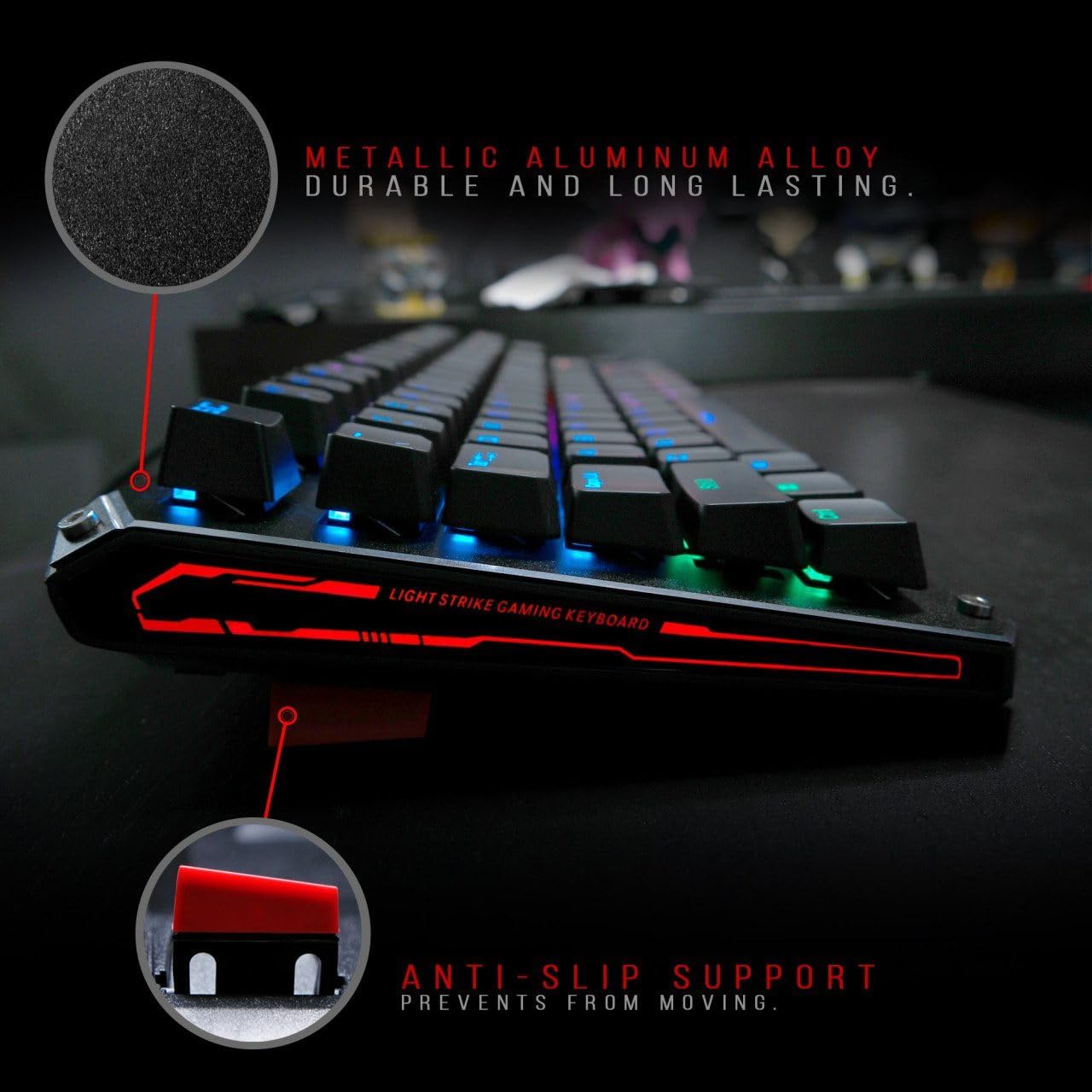
Figure 2: Metallic aluminum alloy construction with anti-slip support.

Figure 3: Water resistant and nano-coating features.
RGB Backlighting Control
The Bloody B930 offers customizable RGB backlighting.
- Default Animations: Switch between 6 pre-programmed RGB LED backlighting animations.
- Customization: Utilize the exclusive software to access 16.8 million customizable color options and schemes.
- Brightness Adjustment: Adjust the brightness levels to suit your environment.

Figure 4: Dynamic RGB LED backlighting.
Macro Programming
The keyboard supports macro programming for enhanced functionality. Refer to the exclusive software for detailed instructions on creating and assigning macros.
Product Video Overview
Video 1: Official product video showcasing the Bloody B930 TKL "Tournament Edition" keyboard features and design.
6. Maintenance
Cleaning
- Disconnect the keyboard from your computer before cleaning.
- Use a soft, dry cloth to wipe down the surface of the keyboard.
- For dust and debris between keys, use compressed air.
- Avoid using harsh chemicals or abrasive materials.
Storage
Store the keyboard in a cool, dry place away from direct sunlight and extreme temperatures.
7. Troubleshooting
Common Issues and Solutions
- Keyboard not responding: Ensure the USB cable is securely connected to both the keyboard and the computer. Try a different USB port.
- Backlighting not working: Check the brightness settings. Ensure the software is correctly installed and configured if using custom profiles.
- Keys not registering: Clean around the affected keys. If the issue persists, contact customer support.
8. Specifications
Technical Details
| Feature | Detail |
|---|---|
| Product Dimensions | 25.2 x 25.2 x 7.6 inches |
| Item Weight | 2.2 pounds |
| Manufacturer | A4Tech |
| Model Number | B930 |
| Brand | Bloody |
| Compatible Devices | Gaming Console |
| Connectivity Technology | USB-A |
| Keyboard Description | Gaming |
| Recommended Uses | Gaming |
| Special Feature | Lightweight |
| Color | B930 - Orange Switch (Tactile & Clicky) |
| Style | Modern |
| Material | Aluminum, Metal |
9. Warranty and Support
Product Warranty
For warranty information and customer support, please refer to the official Bloody website or contact your local retailer.
Contact Information
Visit the official Bloody website for the latest drivers, software, and support resources.


