
Tefal FV5876U0
T-Fal Ultraglide Steam Iron User Manual
Model: FV5876U0
Introduction
This manual provides essential information for the safe and effective use of your T-Fal Ultraglide Steam Iron. Please read all instructions carefully before first use and retain for future reference.

Image: Front view of the T-Fal Ultraglide Steam Iron in red and white, showcasing its sleek design and handle.
Important Safety Instructions
- Always unplug the iron from the electrical outlet when filling with water, emptying, or when not in use.
- Do not operate the iron with a damaged cord or if the iron has been dropped or damaged. Contact customer service for repair.
- Keep the iron and its cord out of reach of children and pets when it is switched on or cooling down.
- Never immerse the iron, cord, or plug in water or other liquids.
- Use the iron only for its intended household use as described in this manual.
- Do not leave the iron unattended while it is connected to the power supply. The iron features a safety auto-off function that activates after 8 minutes on its heel or 30 seconds on its soleplate or side.
Product Components
| Component | Description |
|---|---|
| Durilium Airglide Soleplate | High-quality soleplate designed for excellent glide and even heat distribution. Features numerous steam holes for maximum coverage. |
| Precision Tip | Allows for easy access to difficult areas like collars and seams. |
| Water Tank | Transparent reservoir for water, used for steam generation. |
| Temperature Control Dial | Adjusts the soleplate temperature for different fabric types. |
| Steam Control Lever | Regulates the amount of continuous steam output. |
| Spray Button | Releases a fine mist of water to dampen fabrics. |
| Steam Boost Button | Provides an extra burst of steam for stubborn creases. |
| Removable Calc Collector | Collects limescale particles for easy cleaning and prolonged iron life. |

Image: Underside view of the iron, highlighting the Durilium Airglide soleplate with its numerous steam holes and precision tip.
Setup
- Unpacking: Carefully remove the iron and all accessories from the packaging. Retain packaging for storage or future transport.
- First Use Preparation: Before first use, it is recommended to iron an old piece of fabric (e.g., a towel) to remove any manufacturing residues from the soleplate.
- Filling the Water Tank:
- Ensure the iron is unplugged.
- Set the steam control to the "Dry Ironing" position (no steam).
- Open the water filling inlet.
- Fill the water tank with tap water up to the "MAX" level indicator. Do not overfill.
- Close the water filling inlet securely.
- Connecting to Power: Plug the iron into a suitable grounded electrical outlet (1800W, 120V AC).
Operating Instructions
Dry Ironing
- Ensure the water tank is empty or the steam control is set to "Dry Ironing".
- Set the temperature control dial to the desired setting for your fabric type. Refer to the fabric care labels.
- Allow the iron to heat up until the indicator light turns off, signaling it has reached the set temperature.
- Begin ironing.
Steam Ironing
- Fill the water tank as described in the "Setup" section.
- Set the temperature control dial to a setting within the steam range (usually indicated by a steam symbol on the dial). Steam is only generated at higher temperatures.
- Allow the iron to heat up until the indicator light turns off.
- Adjust the steam control lever to the desired steam output.
- Begin ironing. The continuous steam output is up to 35 g/minute.
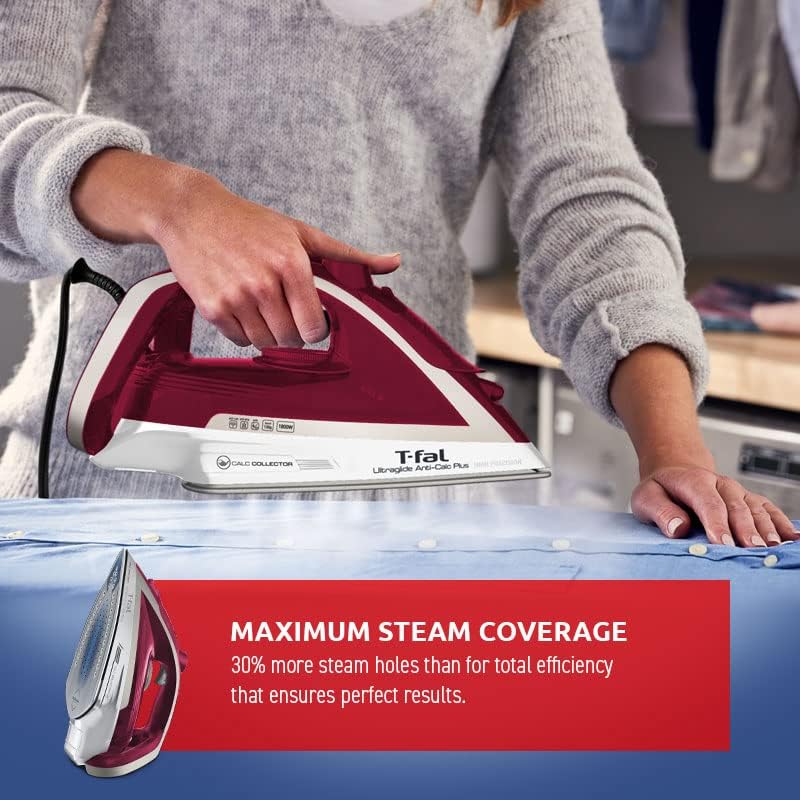
Image: A person's hands guiding the T-Fal Ultraglide Steam Iron over a blue shirt on an ironing board, demonstrating steam coverage.
Using the Spray Function
- The spray function can be used with both dry and steam ironing.
- Press the spray button to release a fine mist of water onto the fabric, helping to remove stubborn wrinkles.
Using the Steam Boost Function
- The steam boost provides an extra powerful burst of steam (up to 100 g/minute) for very stubborn creases or thicker fabrics.
- Press the steam boost button firmly. Wait a few seconds between bursts to allow the iron to reheat and build up steam.
- This function can also be used for vertical steaming of hanging garments.
Maintenance
Emptying and Storing the Iron
- After each use, unplug the iron and allow it to cool completely.
- Empty any remaining water from the tank.
- Store the iron upright on its heel in a safe, dry place.
Cleaning the Soleplate
- To clean the soleplate, use a damp cloth and a non-abrasive cleaner specifically designed for iron soleplates.
- Do not use abrasive scouring pads or metal objects, as these can scratch the Durilium Airglide coating.
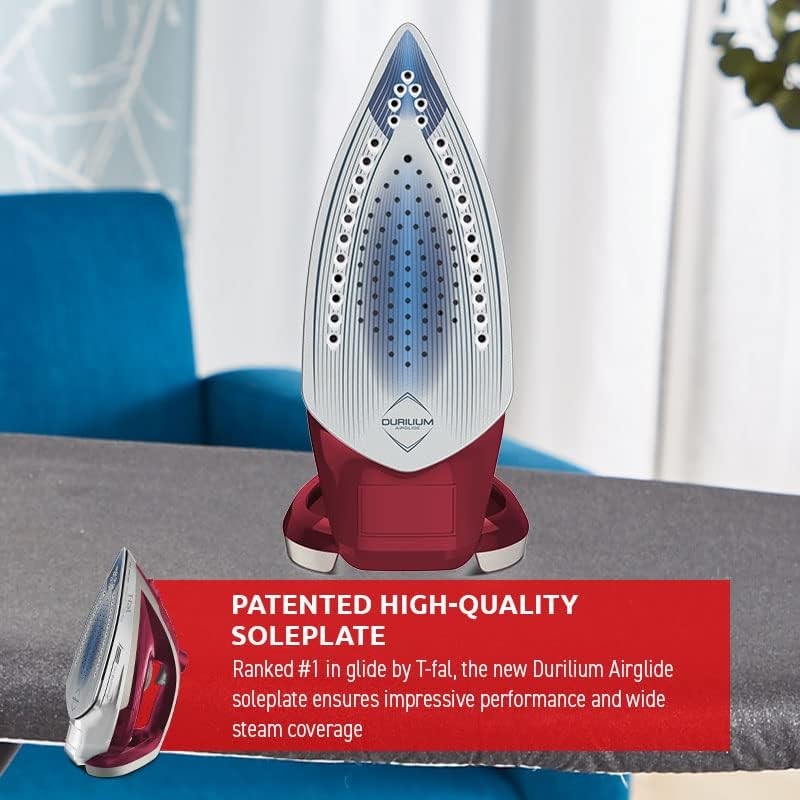
Image: Detailed view of the Durilium Airglide soleplate, emphasizing its smooth surface and steam hole pattern.
Cleaning the Removable Calc Collector
The T-Fal Ultraglide Steam Iron features an exclusive removable calc collector system for easy maintenance and long-lasting performance.
- Ensure the iron is unplugged and completely cool.
- Locate the calc collector, usually at the rear of the iron near the soleplate.
- Pull out the calc collector.
- Rinse the collector under running water to remove any accumulated limescale.
- Reinsert the clean calc collector firmly into its position until it clicks.

Image: A hand demonstrating the removal of the calc collector from the back of the T-Fal Ultraglide Steam Iron.
Troubleshooting
| Problem | Possible Cause | Solution |
|---|---|---|
| Iron does not heat up. | Not plugged in; power outlet faulty; temperature dial set to minimum. | Check power connection; try another outlet; turn temperature dial to a higher setting. |
| No steam or insufficient steam. | Water tank empty; temperature too low for steam; steam control set to dry. | Fill water tank; set temperature to steam range; adjust steam control. |
| Water drips from soleplate. | Temperature too low for steam; iron not hot enough for steam boost. | Allow iron to heat up fully before using steam functions. |
| White flakes coming from soleplate. | Limescale buildup. | Clean the removable calc collector as per maintenance instructions. |
| Iron automatically shuts off. | Safety auto-off activated. | This is a safety feature. Move the iron to reactivate it. |
Specifications
- Model: FV5876U0 (Note: Product data shows FV5841U0, but title indicates FV5876U0. Using FV5876U0 as per title for consistency.)
- Brand: Tefal
- Power: 1800 Watts
- Soleplate Material: Durilium Airglide
- Continuous Steam Output: Up to 35 g/minute
- Steam Boost: Up to 100 g/minute
- Special Features: Safety Auto-Off, Anti-Drip Function, Removable Calc Collector, Precision Tip
- Product Dimensions: Approximately 30.48 x 15.24 x 15.24 cm
- Item Weight: Approximately 1.71 kg
- Cable Length: 250 Centimeters
- Colour: Red With Anticalc
Warranty and Support
For warranty information, product registration, or technical support, please refer to the official Tefal website or contact their customer service directly. Keep your proof of purchase for warranty claims.
Tefal Official Website: www.tefal.ca
Manufacturer: T-fal
Place of Business: Toronto, ON M1V 0E2, CA
Related documentsFV5876U0


Ask a question about this manual
Ask about setup, troubleshooting, compatibility, parts, safety, or missing instructions. Manuals+ will review the question and use this page’s manual context to help answer it.