
PQWT PQWT-TC500
PQWT-TC500 Ground Water Detector
User Instruction Manual
Model: PQWT-TC500 | Brand: PQWT
1. Introduction
The PQWT-TC500 Ground Water Detector is an advanced geophysical instrument designed for efficient and accurate underground water exploration. It operates on the principle of natural electric field frequency selection, allowing for rapid analysis of geological structures and identification of water-bearing formations. This manual provides comprehensive instructions for the setup, operation, maintenance, and troubleshooting of your PQWT-TC500 device.

Image 1.1: PQWT-TC Auto-analysis system, based on natural electric field frequency selection.
2. Product Overview and Components
The PQWT-TC500 system consists of the main detection unit and various accessories necessary for operation. Familiarize yourself with each component before use.

Image 2.1: Labeled components of the PQWT-TC500 Ground Water Detector.
Main Components:
- Main Unit: Features a 7-inch LCD touch screen, power light, test light, system reset button, M N port, and USB port.
- Electrode Cable: Connects the main unit to the electrodes.
- Copper Electrodes: Two pointed metal rods for ground contact.
- Alloy Electrode Bars: Two white cylindrical bars, used in conjunction with copper electrodes.
- Battery Holder: Located on the rear of the main unit, houses the rechargeable batteries.

Image 2.2: Complete kit contents of the PQWT-TC500 Ground Water Detector.
3. Setup and Preparation
Follow these steps to prepare your PQWT-TC500 for operation.
- Battery Installation: Ensure the two 26650 Lithium Ion batteries are correctly installed in the battery holder on the rear of the main unit. The batteries are included with the device.
- Connect Electrodes: Attach the electrode cable to the M N port on the main unit. Connect the copper electrodes and alloy electrode bars to the other end of the cable as per the connection diagram.
- Placement: Position the electrodes firmly into the ground at the desired measurement points. Ensure good electrical contact with the soil.
- Power On: Locate the main switch on the device and turn it on. The power light should illuminate.

Image 3.1: Proper connection of the electrode cable to the main unit.

Image 3.2: The PQWT-TC500 and its accessories neatly stored in the protective case.
4. Operating Instructions
The PQWT-TC500 is designed for ease of use with its 7-inch LCD touch screen. The device automatically processes collected data to generate curve and profile maps, aiding in the analysis of geological structures.
4.1. Measurement Process
- After setup, navigate the touch screen interface to select the desired measurement mode (e.g., Single Frequency, Three Frequencies, Profile Series).
- Initiate the measurement. The device will automatically collect data from the electrodes.
- Observe the real-time data display on the LCD screen.
- Once data collection is complete, the device will automatically generate curve maps and profile maps, highlighting abnormal areas that may indicate water presence.
- Save your measurement data for later analysis or export via the USB port.


Image 4.1: Examples of data visualization on the PQWT-TC500's LCD screen.
4.2. Applications
The PQWT-TC500 is versatile and can be used in various geological exploration scenarios:
- Underground Water Sources Detection
- Mine Tunnel Exploration
- Cavity Exploration
- Engineering Geological Exploration
- Archaeological Site Survey
- Geothermal Prospecting

Image 4.2: Diverse applications of the PQWT-TC500 in geological surveying.

Image 4.3: Additional scenarios where the PQWT-TC500 can be effectively utilized.
4.3. Operating Environments
The PQWT-TC500 is designed for outdoor use and can perform effectively in various terrains:
- Mountainous regions
- Plateaus
- Plains
- Hills
- Basins
Note: Operation in desert environments is not recommended for optimal performance.
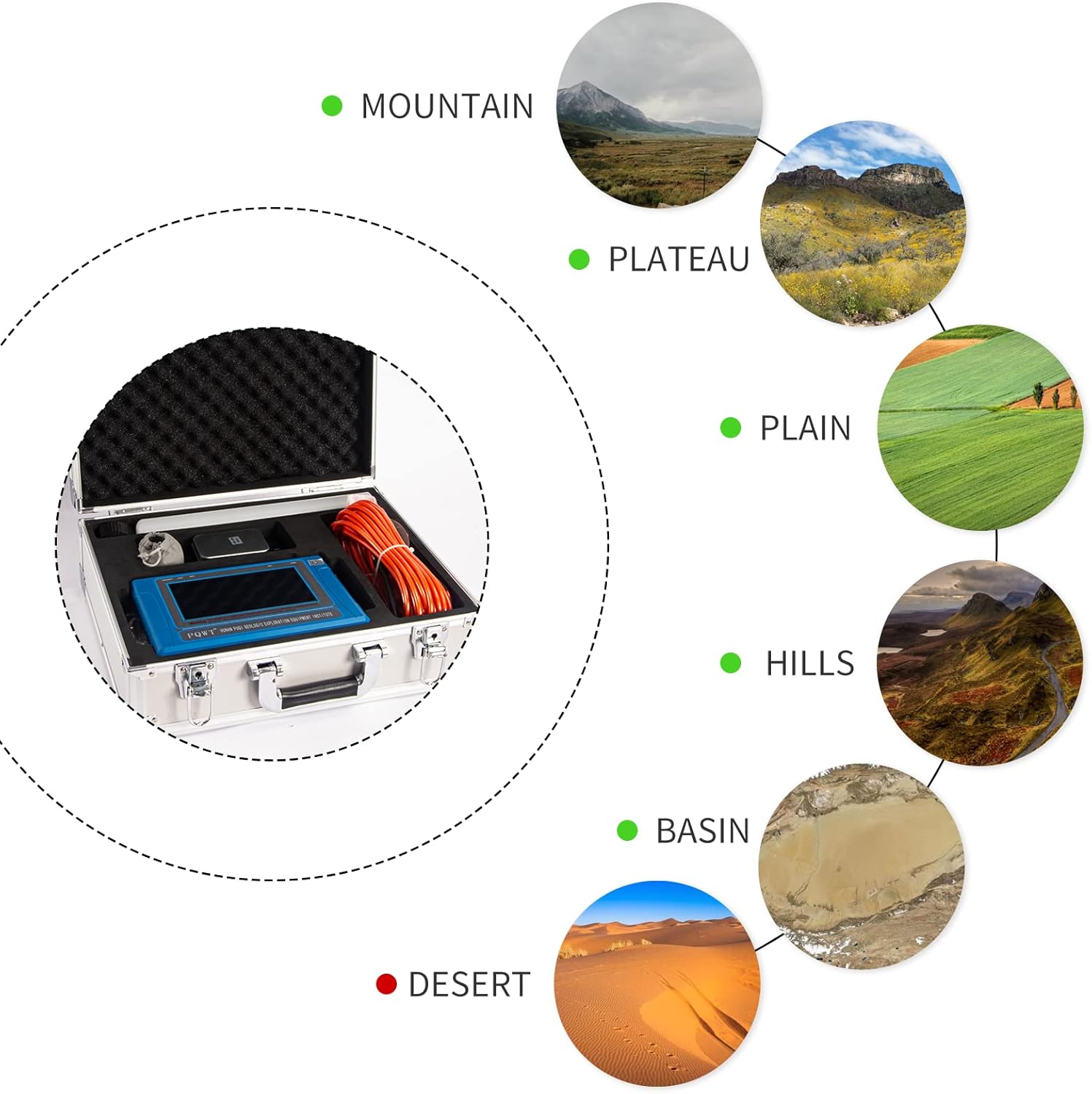
Image 4.4: Suitable operating environments for the PQWT-TC500.
5. Maintenance
Proper maintenance ensures the longevity and accuracy of your PQWT-TC500 detector.
- Cleaning: After each use, wipe down the main unit and electrodes with a soft, dry cloth. If necessary, use a slightly damp cloth, but ensure no moisture enters the ports or screen.
- Battery Care: The device uses 26650 Lithium Ion batteries. Recharge batteries regularly, especially if the device will be stored for extended periods. Avoid fully discharging the batteries. The average battery life is 2 years.
- Storage: Store the device and its components in the provided protective case in a cool, dry place, away from direct sunlight and extreme temperatures.
- Electrode Inspection: Periodically inspect the copper electrodes and electrode bars for corrosion or damage. Clean any buildup to ensure good electrical contact.


Image 5.1: Location of the rechargeable battery compartment for maintenance.
6. Troubleshooting
If you encounter issues with your PQWT-TC500, refer to the following common problems and solutions:
| Problem | Possible Cause | Solution |
|---|---|---|
| Device does not power on. | Low battery or incorrect battery installation. | Ensure batteries are charged and correctly inserted. |
| Inaccurate readings or no data. | Poor electrode contact with ground; damaged cable/electrodes; environmental interference. | Ensure electrodes are firmly in soil. Check cables for damage. Move to a less electromagnetically noisy area. |
| Touch screen unresponsive. | Software glitch; screen damage. | Press the system reset button. If issue persists, contact support. |
| Data export issues via USB. | Incorrect cable; driver issues on PC; full memory. | Use the provided USB cable. Ensure PC drivers are updated. Check device memory. |
If the problem persists after attempting these solutions, please contact PQWT customer support for further assistance.
7. Specifications
| Feature | Specification |
|---|---|
| Manufacturer | Hunan Puqi Geologic Exploration Equipment Institute |
| Item Model Number | PQWT-TC500 |
| Item Weight | 14.02 pounds |
| Product Dimensions | 7.48 x 19.69 x 18.5 inches |
| Batteries | 2 Lithium Ion batteries required (included) |
| Battery Cell Type | 26650 Lithium Battery |
| Average Battery Life | 2 years |
| Color | Blue |
| Material | Other |
| Power Source | Battery-powered |
| Voltage | 12 Volts |
| Temperature Range | -10~+50 Degrees Celsius |
| Measurement Accuracy | 0.001mv |
| Display Style | 7-inch LCD Touch Screen |
| Usage | Outdoor Use |
8. Warranty and Support
8.1. Warranty Information
For specific warranty terms and conditions, please refer to the documentation provided with your purchase or contact the manufacturer directly. Keep your proof of purchase for warranty claims.
8.2. Customer Support
For technical assistance, troubleshooting beyond this manual, or inquiries regarding your PQWT-TC500 Ground Water Detector, please contact PQWT customer support. You can find contact information on the official PQWT website or through your original point of purchase.
Visit the official PQWT Store for more information: PQWT Store on Amazon
Related documentsPQWT-TC500


Ask a question about this manual
Ask about setup, troubleshooting, compatibility, parts, safety, or missing instructions. Manuals+ will review the question and use this page’s manual context to help answer it.