
Introduction
The GE Ultra Pro Wireless IR Repeater Remote Control Signal Extender Kit (Model 37263) is designed to extend the range of your infrared (IR) remote control signals. This system allows you to control audio/video devices that are located inside cabinets, behind doors, or even through walls, eliminating the need for direct line-of-sight between your remote and the device. It is compatible with any standard IR remote control and can transmit signals up to 600 feet.
What's Included
The GE Ultra Pro Wireless IR Repeater Kit includes the following components:
- 1 x Wireless Signal Expansion Transmitter Module
- 1 x Wireless Signal Expansion Receiver Module
- 2 x Power Adapters
- 1 x Dual Signal Transmitter Cable
- 1 x Infrared Sensor Cable
- 1 x User Guide
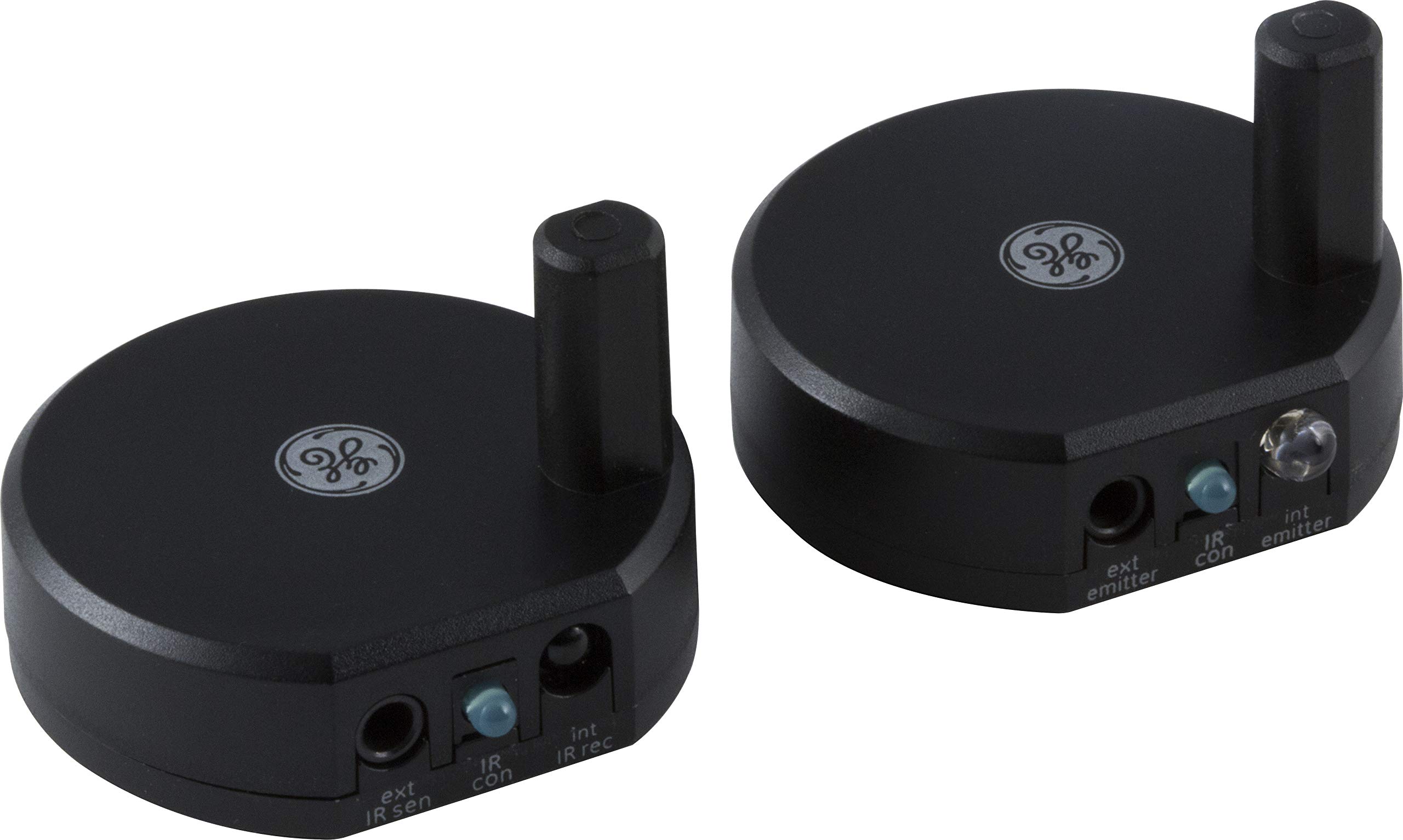
Image: The GE Ultra Pro Wireless IR Repeater Kit components, including the transmitter and receiver units.
Setup Instructions
Follow these steps to set up your GE Ultra Pro Wireless IR Repeater Kit:
- Place the Receiver: Position the receiver module in a location where it has a clear line of sight to your remote control. This is typically near your television or where you will be operating your remote.
- Place the Transmitter: Position the transmitter module near the audio/video device(s) you wish to control. Ensure the transmitter's IR emitter is pointed towards the IR sensor of your device (e.g., cable box, DVD player).
- Connect Power: Connect the provided power adapters to both the receiver and transmitter modules, then plug them into a power outlet. The kit includes both wall power and USB power options for flexibility.
- Connect IR Cables (Optional): If controlling multiple devices or if direct line-of-sight from the transmitter is difficult, connect the dual signal transmitter cable or infrared sensor cable to the appropriate ports on the transmitter and position the small emitters directly over the IR sensors of your devices.
- Configure Channels (Multi-Zone): The system features configurable channel switching with up to 10 selectable channels. This allows for multi-zone setups where you can pair specific receivers and emitters. Refer to the detailed user guide for instructions on configuring specific channels for zone-to-zone or all-to-all control if you have multiple units.
Video: An overview of the BlastIR Wireless Pro, demonstrating setup and multi-zone capabilities. This video illustrates the general principles of setting up a wireless IR repeater system.
Operating Instructions
Once the GE Ultra Pro Wireless IR Repeater Kit is set up, operating your devices is straightforward:
- Point your standard IR remote control at the receiver module.
- The receiver will capture the IR signal and wirelessly transmit it to the transmitter module.
- The transmitter module will then re-emit the IR signal to your hidden audio/video device(s).
- The system supports a maximum transmission distance of 600 feet, allowing for flexible placement of your devices.
- The system is designed to work with various IR-enabled remote control devices, including cable boxes, satellite boxes, DVD/Blu-ray players, streaming devices, and home stereo systems.
Maintenance
To ensure optimal performance and longevity of your GE Ultra Pro Wireless IR Repeater Kit, follow these maintenance guidelines:
- Keep the transmitter and receiver modules clean and free from dust. Use a soft, dry cloth for cleaning.
- Avoid placing the units in direct sunlight or near heat sources, as this can affect performance.
- Ensure proper ventilation around the units to prevent overheating.
- Do not expose the units to moisture or extreme temperatures.
Troubleshooting
If you experience issues with your GE Ultra Pro Wireless IR Repeater Kit, consider the following:
- No Signal Transmission: Ensure both the transmitter and receiver modules are powered on and their indicator lights are active. Verify that the IR emitter on the transmitter is correctly aligned with the IR sensor of your device.
- Intermittent Control: Check for any obstructions between the remote and the receiver, or between the transmitter and the controlled device. Ensure the units are within the specified 600-foot range.
- Interference: If you have multiple IR repeater systems or other wireless devices, try changing the channel on your GE Ultra Pro system to avoid interference.
- Remote Not Responding: Confirm that your remote control batteries are functional and that the remote itself is working correctly.
- Power Issues: Ensure the power adapters are securely connected to both the units and the power outlets.
Specifications
| Brand | GE |
| Model Number | 37263 |
| Product Dimensions | 4.45 x 4.39 x 3.1 cm (1.75 x 1.73 x 1.22 inches) |
| Item Weight | 204.12 g (7.2 Ounces) |
| Wireless Communication Standard | Infrared |
| Frequency Band Class | Dual-Band (2.4 GHz, 5 GHz) |
| Range | Up to 600 Feet |
| Compatible Devices | IR-enabled remote control devices (cables, satellite boxes, DVD/Blu-Ray players, streaming devices, home stereo systems) |
| Color | Black |
| UPC | 030878372633 |
Warranty and Support
For warranty information or technical support, please contact the manufacturer:
Manufacturer: GE
Contact Information: Louisville, KY 40225-0001, US
Please refer to the included user guide for specific warranty terms and conditions.


