
Apera Instruments AI422
Apera Instruments EC400S Portable Meter User Manual
Model: AI422
Brand: Apera Instruments
1. Introduction
The Apera Instruments EC400S provides accurate and stable measurements of EC (Electrical Conductivity), TDS (Total Dissolved Solids), Salinity, Resistivity, and Temperature. This meter is equipped with Apera’s unique BPB (Brush-Resistant Platinum Black) conductivity sensor, ensuring high accuracy across a wide range of measurements. Its intelligent functions include quick and easy 1 to 4 points auto calibration with self-diagnosis, GLP data management for up to 500 groups of data storage, USB data output, and PC software support. The large, clear LCD simultaneously displays EC and temperature, along with icons for stable readings and completed calibrations. Designed for durability, the EC400S features an IP57 waterproof and dustproof rating, making it suitable for use in various environments.

Figure 1: Apera Instruments EC400S Portable Meter with probe connected.
2. What's in the Box
The EC400S Portable Conductivity Meter Kit includes the following components:
- EC400S Portable Conductivity Meter
- Conductivity Electrode
- USB Cable
- Calibration Solutions (3 bottles)
- Rugged Carrying Case
- AA Batteries (4 included)

Figure 2: Contents of the EC400S Portable Meter Kit within its carrying case.
3. Setup Guide
3.1 Battery Installation
The EC400S meter is powered by four (4) AA batteries. To install or replace batteries, open the battery compartment cover located on the back of the meter. Insert the batteries according to the polarity indicators inside the compartment. Close the cover securely.
3.2 Probe Connection
Connect the conductivity electrode to the meter by aligning the connector with the port on the top of the meter and gently pushing until it clicks into place. Ensure a secure connection for accurate readings.

Figure 3: Proper connection of the conductivity probe to the EC400S meter.
3.3 Initial Power On and Calibration
Press the POWER button to turn on the meter. Before first use, or after extended periods of inactivity, it is recommended to perform a calibration. The EC400S supports quick and easy 1 to 4 points auto calibration. Refer to the 'Calibration' section under 'Operating Instructions' for detailed steps. The SMART self-diagnosis feature will assist in proper calibration and indicate the probe's condition.
4. Operating Instructions
4.1 Taking Measurements
- Ensure the probe is clean and properly connected.
- Immerse the probe into the sample solution, ensuring the sensor is fully submerged.
- Wait for the reading to stabilize on the LCD. The meter will display EC, TDS, Salinity, or Resistivity along with temperature.
- Press the UNIT button to cycle through different measurement units (e.g., µS/cm, mS/cm, ppm, ppt, MΩ·cm).

Figure 4: A user performing a measurement with the EC400S meter in a water body.
4.2 Calibration
The EC400S features an auto-calibration function. Use the provided calibration solutions. Press the CAL button to enter calibration mode and follow the on-screen prompts. The meter supports 1 to 4 point calibration for optimal accuracy across the measurement range. A calibration reminder function is also available.
4.3 Data Management and Output
The meter supports GLP data management, allowing storage of up to 500 groups of data. Each stored record includes numbering, date, time, measurements, unit, and temperature. Data can be exported to a PC via the USB cable using the dedicated PC-Link software. The USB port also serves as a power supply option.
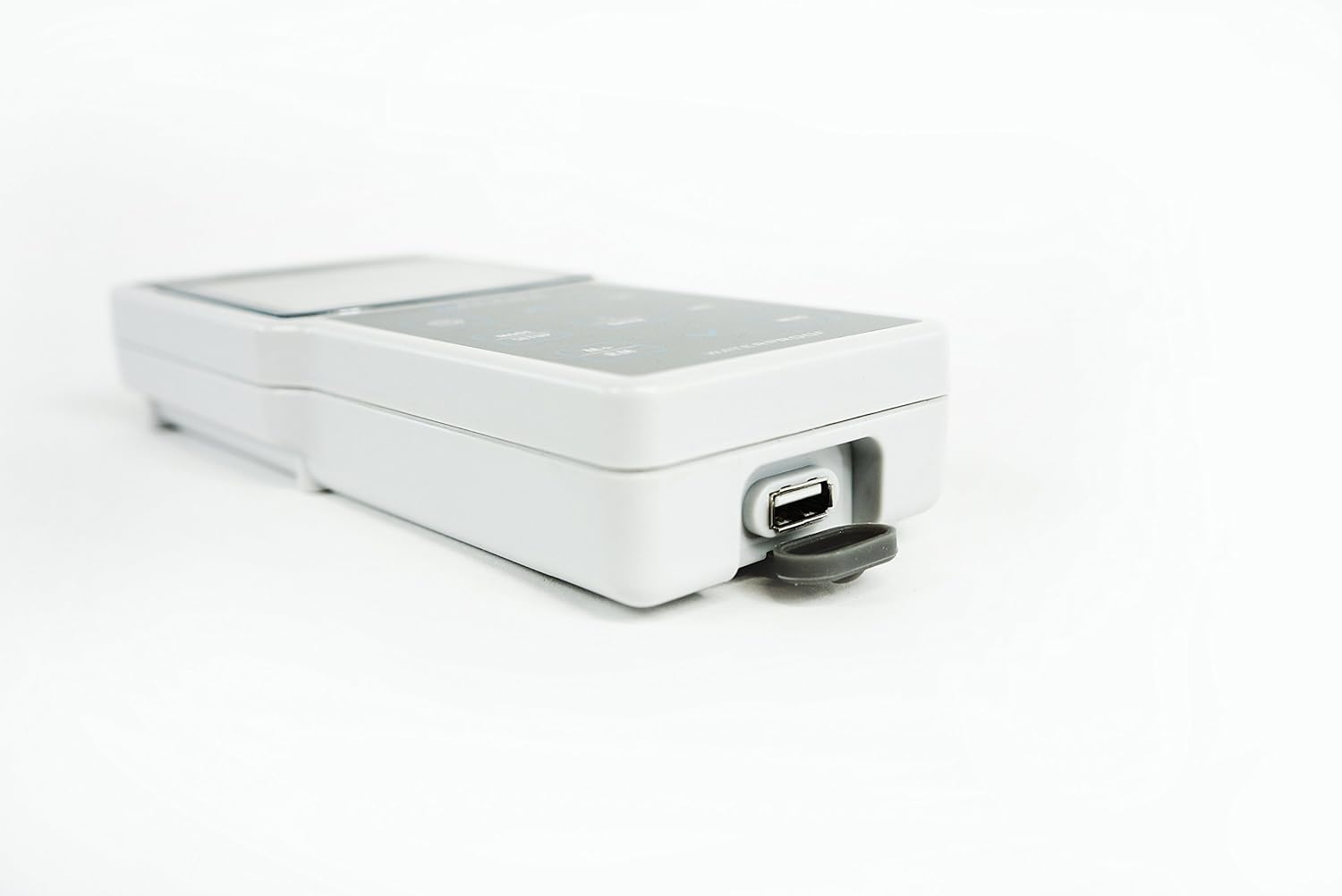
Figure 5: The USB data output and power supply port on the EC400S meter.
4.4 Timing Measuring/Data Logging Mode
The EC400S includes a timing measuring/data logging mode. Consult the full manual for detailed instructions on setting up and utilizing this feature for continuous data collection.
5. Maintenance
5.1 Probe Care and Cleaning
Regularly clean the conductivity electrode to ensure accurate readings. Rinse the probe thoroughly with distilled or deionized water after each use. For stubborn residues, use a mild cleaning solution recommended for conductivity probes. Store the probe in its protective cap with appropriate storage solution, if applicable, to prevent drying out.
5.2 Meter Care
The EC400S meter is IP57 waterproof and dustproof. While durable, avoid prolonged submersion. Clean the meter's exterior with a soft, damp cloth. Do not use abrasive cleaners or solvents. Store the meter in its carrying case when not in use to protect it from physical damage and environmental factors.
5.3 Battery Replacement
Replace batteries when the low battery indicator appears on the display. Refer to section 3.1 for battery installation instructions.
6. Troubleshooting
If you encounter issues with your EC400S meter, consider the following common troubleshooting steps:
- Inaccurate Readings: Ensure the probe is clean and properly calibrated. Check if the correct electrode constant (0.1 / 1 / 10 cm-1) is selected in the meter settings. Verify that the temperature compensation is set correctly (Auto or Manual).
- No Power: Check battery installation and ensure batteries are not depleted. Replace batteries if necessary.
- Unstable Readings: Ensure the probe is fully immersed and there are no air bubbles around the sensor. Allow sufficient time for the reading to stabilize.
- Data Transfer Issues: Verify the USB cable connection and ensure the PC-Link software is correctly installed and running on your computer.
For persistent issues not resolved by these steps, please contact Apera Instruments customer support.
7. Specifications
| Parameter | Specification |
|---|---|
| Model | EC400S |
| Conductivity Measuring Range | 0 to 200 mS/cm (0.00-19.99 µS/cm; 20.0-199.9 µS/cm; 200-1999 µS/cm; 2.00-19.99 mS/cm; 20.0-199.9 mS/cm) |
| TDS Measuring Range | 0 to 100 g/L |
| Salinity Measuring Range | 0 to 100 ppt |
| Resistivity Measuring Range | 0 to 100 MΩ·cm |
| Conductivity Resolution | 0.01/0.1/1 µS/cm; 0.01/0.1 mS/cm |
| Conductivity Accuracy | ±1.0% F.S ±1 digit |
| Temperature Compensation | 0 to 50°C (32 to 212°F), Auto or Manual |
| Electrode Constant | 0.1 / 1 / 10 cm-1 |
| Temperature Measuring Range | -10 to 110°C (32 to 230°F) |
| Temperature Resolution | 0.1°C |
| Temperature Accuracy | ±0.5°C ±1 digit |
| Data Storage | 500 groups |
| Storage Content | Numbering, Date, Time, Measurements, Unit, Temperature |
| Data Output | USB -- PC-Link Software |
| Power Supply | AA Batteries*4 (1.5V*4) / USB |
| IP Rating | IP57 Waterproof and Dustproof |
| Meter Dimensions and Weight | 7.8 x 3.4 x 1.25 inches / 12 oz. |
| With Carrying Case Dimensions and Weight | 13 x 15 x 3.5 inches / 3.6 pounds |
8. Warranty and Support
The Apera Instruments EC400S Portable Meter is CE certified. For specific warranty information, please refer to the warranty card included with your product or visit the official Apera Instruments website. For technical support, troubleshooting assistance beyond this manual, or service inquiries, please contact Apera Instruments customer service directly.
You can find more information and support resources on the Apera Instruments Store on Amazon.
9. Official Product Videos
No official product videos from the seller were found for this product at this time.
Related documentsAI422


Ask a question about this manual
Ask about setup, troubleshooting, compatibility, parts, safety, or missing instructions. Manuals+ will review the question and use this page’s manual context to help answer it.