
1. Introduction
This manual provides essential instructions for the safe and efficient operation of your Motorola CP200d UHF Two-Way Radio. Please read this manual thoroughly before using the device to ensure proper functionality and to prevent damage.
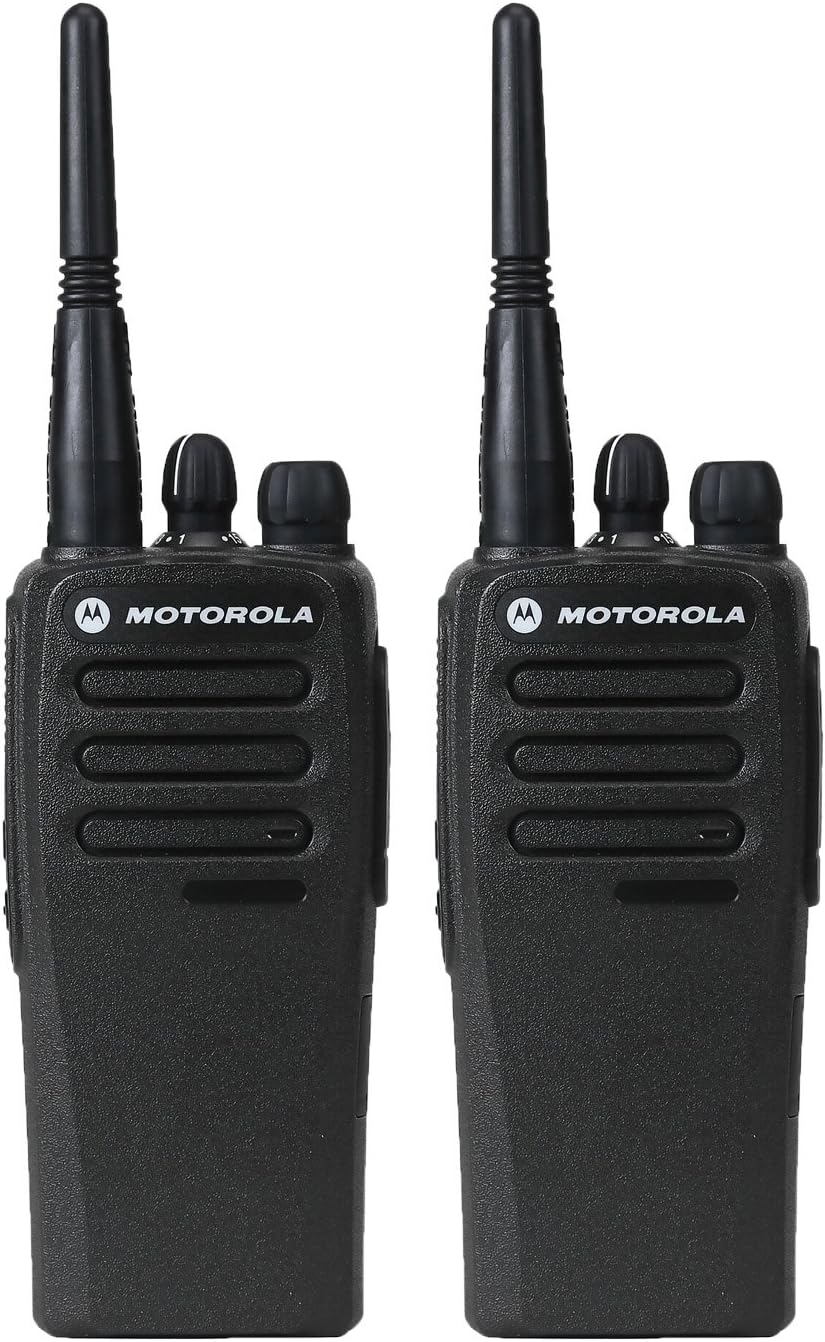
Image 1.1: Two Motorola CP200d UHF Two-Way Radios. These radios are designed for reliable communication in various professional environments.
2. Important Safety Information
Always observe the following safety precautions to reduce the risk of fire, electric shock, injury, or damage to your radio.
- Do not operate the radio in explosive atmospheres (e.g., flammable gases, dust particles, metallic powders).
- Do not attempt to disassemble or modify the radio. Servicing should only be performed by qualified personnel.
- Use only Motorola-approved batteries and chargers.
- Keep the radio away from extreme temperatures and direct sunlight.
- Avoid exposing the radio to water or other liquids, unless specifically designed for such conditions (IP54 rated for dust and splash resistance).
3. Package Contents
Verify that your package contains the following items:
- Motorola CP200d Two-Way Radio (Quantity: 2)
- Antenna (Quantity: 2)
- Rechargeable Lithium-Ion Battery (Quantity: 2)
- Belt Clip (Quantity: 2)
- Charging Unit (Quantity: 2)
- User Manual (This document)
4. Product Overview
The Motorola CP200d is a rugged, portable two-way radio designed for reliable communication. It supports both analog and digital modes, offering enhanced battery life, capacity, and audio quality.

Image 4.1: Front view of the Motorola CP200d radio, showing the speaker grille, microphone, and Motorola logo.
Key Features:
- Analog / Digital Voice Communications
- Digital Mobile Radio (DMR) Standards Compliant
- IP54 Rated for dust and splash resistance
- UHF Frequency Range: 403-470MHz
- Up to 18.5 Hours of Battery Life (Digital Mode)
- 16 Channels
5. Setup
5.1. Battery Installation
- Align the battery with the grooves on the back of the radio.
- Slide the battery upwards until it clicks into place.
- Ensure the battery latch is securely fastened.

Image 5.1: Back view of the Motorola CP200d radio, showing the battery contacts and attachment points.
5.2. Antenna Attachment
- Screw the antenna into the connector on the top of the radio.
- Turn clockwise until finger-tight. Do not overtighten.
5.3. Charging the Battery
- Place the radio with the battery attached into the charging unit.
- Ensure the charging contacts on the radio align with those on the charger.
- The charger's LED indicator will show the charging status (e.g., red for charging, green for fully charged).
- A full charge typically takes several hours. Refer to the charger's specific instructions for details.
6. Operating the Radio
6.1. Powering On/Off and Volume Control
- To power on the radio, rotate the On/Off/Volume Control knob (located on the top of the radio) clockwise until you hear a click.
- Continue rotating the knob clockwise to increase the volume, and counter-clockwise to decrease it.
- To power off, rotate the knob counter-clockwise until it clicks.

Image 6.1: Top view of the Motorola CP200d radio, highlighting the On/Off/Volume control and the Channel Selector knob.
6.2. Channel Selection
The CP200d has 16 channels. To select a channel:
- Rotate the Channel Selector knob (the larger knob on the top of the radio) to choose the desired channel number.
- Ensure all radios in your group are set to the same channel for communication.
6.3. Transmitting and Receiving
- To transmit, press and hold the Push-To-Talk (PTT) button on the side of the radio.
- Speak clearly into the microphone, holding the radio approximately 1-2 inches from your mouth.
- Release the PTT button to stop transmitting and listen for a response.
- When receiving, the radio's speaker will output the incoming audio.
6.4. Digital and Analog Modes
The CP200d can operate in both digital and analog modes. This allows for seamless integration into existing communication systems and a gradual migration to digital technology. The mode is typically pre-programmed per channel. Consult your system administrator for channel mode configurations.
7. Maintenance
7.1. Cleaning the Radio
- Wipe the radio's exterior with a soft, damp cloth.
- Do not use harsh chemicals, solvents, or abrasive cleaners.
- Ensure the radio is powered off and the battery is removed before cleaning.
7.2. Battery Care
- Charge batteries fully before first use.
- Avoid overcharging or completely draining the battery frequently to prolong its lifespan.
- Store batteries in a cool, dry place when not in use.
8. Troubleshooting
| Problem | Possible Cause | Solution |
|---|---|---|
| Radio does not power on. | Battery is not installed correctly or is discharged. | Ensure battery is properly installed. Charge the battery. |
| Cannot transmit or receive. | Incorrect channel selected, out of range, or antenna not attached. | Verify channel selection. Move closer to other radios. Check antenna connection. |
| Poor audio quality. | Low battery, interference, or radio too far from mouth during transmission. | Charge battery. Move away from sources of interference. Speak clearly into microphone. |
If the problem persists after attempting these solutions, please contact Motorola customer support.
9. Specifications
The following table outlines the general specifications for the Motorola CP200d UHF Two-Way Radio:
| Feature | Specification |
|---|---|
| Brand | Motorola |
| Model Number | CP200d |
| Frequency Range | UHF: 403-470MHz |
| Number of Channels | 16 |
| Power Output | 1W / 4W (selectable) |
| Battery Type | Lithium Ion |
| Battery Life (Digital) | Up to 18.5 Hours |
| IP Rating | IP54 (Dust and Splash Resistant) |
| Dimensions (H x W x D) | 5 x 2.4 x 1.8 inches (approx.) |
| Weight (with battery) | 1.52 pounds (approx.) |
| Operating Voltage | 3.7 Volts |
Note: Specifications are subject to change without notice. All listed specifications are typical.

Image 9.1: Excerpt from the product specification sheet detailing general specifications for the CP200d radio.
10. Warranty and Support
10.1. Warranty Information
Your Motorola CP200d Two-Way Radio comes with a 2-Year Warranty from an Authorized Motorola Dealer. This warranty covers defects in materials and workmanship under normal use. Please retain your proof of purchase for warranty claims.
For detailed warranty terms and conditions, please refer to the warranty card included with your product or visit the official Motorola website.
10.2. Customer Support
For technical assistance, troubleshooting beyond this manual, or warranty service, please contact Motorola customer support or your authorized dealer.
You can find contact information on the official Motorola website: www.motorola.com


