
Superfish part_B0788FBK1X
Superfish Smart Heater 300W Aquarium Heater User Manual
Model: part_B0788FBK1X
1. Introduction and Safety Information
Thank you for choosing the Superfish Smart Heater. This professional aquarium heater with integrated thermometer is designed to provide precise and reliable temperature control for your aquarium. Please read this manual carefully before installation and operation to ensure safe and optimal performance.
Important Safety Instructions:
- Always unplug the heater from the power outlet before performing any maintenance, cleaning, or handling the aquarium water.
- This appliance is designed for indoor use only and must be fully submersible.
- Ensure the heater is completely submerged in water before plugging it in. Never operate the heater out of water.
- The heater is constructed with 2mm quartz safety glass and a plastic protective cap for safe use. Handle with care to avoid breakage.
- Do not use the heater if the cord or plug is damaged.
- Keep out of reach of children and pets.
- Ensure a drip loop is formed with the power cord to prevent water from running down the cord and into the electrical outlet.
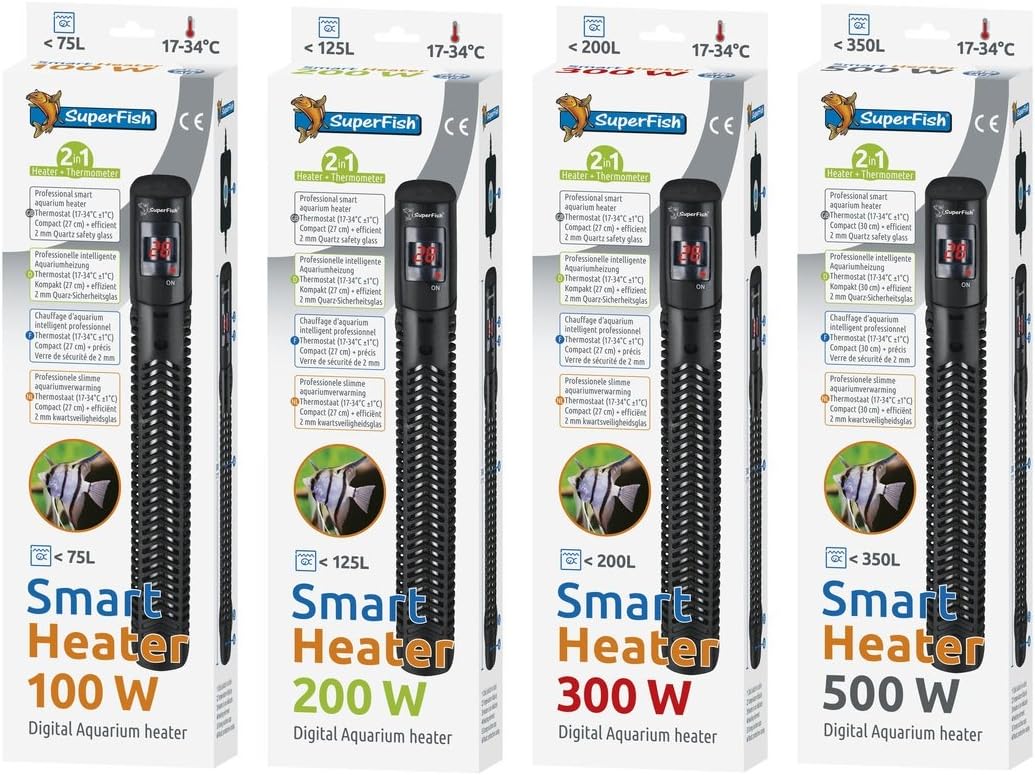
Figure 1: Superfish Smart Heater 300W in its retail packaging, showcasing the product and key features.
2. Setup and Installation
Proper installation is crucial for the efficient and safe operation of your Superfish Smart Heater.
Installation Steps:
- Unpack: Carefully remove the heater from its packaging. Inspect for any visible damage.
- Placement: Position the heater vertically or horizontally within your aquarium, ensuring it is fully submerged. Choose a location with good water circulation to ensure even heat distribution. Avoid placing it directly in the substrate or against the glass where water flow is restricted.
- Mounting: Use the included suction cups to securely attach the heater to the inside wall of your aquarium.
- Power Connection: Once the heater is securely installed and fully submerged, connect the power plug to a suitable electrical outlet. Ensure your hands are dry when handling the plug.
- Initial Stabilization: Allow the heater to acclimate to the aquarium water temperature for at least 15-20 minutes before setting the desired temperature.
3. Operating Instructions
The Superfish Smart Heater features a digital display for easy temperature setting and monitoring.
Setting the Temperature:
- Upon plugging in, the digital display will show the current water temperature in your aquarium.
- To set the desired temperature, press the button located on the top of the heater. Each press will cycle through the available temperature settings (17°C to 34°C).
- Once you reach your desired temperature, stop pressing the button. The display will flash a few times to confirm the setting, then revert to showing the current water temperature.
- The heater will automatically begin heating the water if the current temperature is below the set temperature. The display will indicate when heating is active.
- The precise and reliable thermostat will maintain a constant water temperature within the set range.
4. Maintenance
Regular maintenance ensures the longevity and efficiency of your Superfish Smart Heater.
Cleaning and Care:
- Disconnect Power: Always unplug the heater from the power outlet and allow it to cool down completely before removing it from the aquarium for cleaning.
- Clean Glass Tube: Gently wipe the glass tube with a soft cloth or sponge to remove any algae or mineral deposits. Do not use abrasive cleaners or harsh chemicals.
- Inspect: Periodically inspect the power cord for any signs of damage or fraying. Check the suction cups for wear and tear and replace if necessary to ensure secure mounting.
- Reinstallation: After cleaning, re-install the heater as per the "Setup and Installation" section, ensuring it is fully submerged before reconnecting power.
5. Troubleshooting
If you encounter issues with your Superfish Smart Heater, refer to the following common problems and solutions:
| Problem | Possible Cause | Solution |
|---|---|---|
| Heater not turning on / Display is off. | No power supply; Heater not fully submerged. | Check power outlet and plug connection. Ensure heater is fully submerged in water. |
| Aquarium temperature is not stable or not reaching desired temperature. | Heater too small for aquarium volume; Poor water circulation; Heater covered by substrate/decorations. | Verify heater wattage matches aquarium volume (refer to specifications). Improve water circulation. Reposition heater for better water flow. |
| Digital display shows an error code or unusual reading. | Sensor malfunction; Internal error. | Unplug the heater, wait 5 minutes, then plug it back in. If the issue persists, contact customer support. |
| Heater is on but water is not heating. | Heating element failure; Incorrect temperature setting. | Ensure desired temperature is set higher than current water temperature. If still no heat, the heating element may be faulty; contact customer support. |
6. Specifications
Detailed technical specifications for the Superfish Smart Heater series.
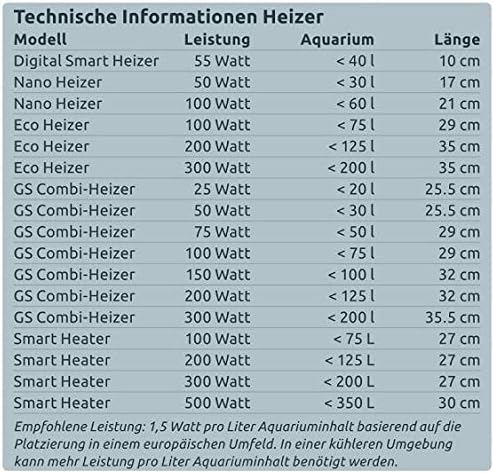
Figure 2: Technical information table for various Superfish heater models, including Smart Heater series.
| Model | Power | Aquarium Volume | Length | Temperature Range |
|---|---|---|---|---|
| Smart Heater 100W | 100 W | Up to 75 L | 27 cm | 17-34°C |
| Smart Heater 200W | 200 W | Up to 125 L | 27 cm | |
| Smart Heater 300W | 300 W | Up to 200 L | 27 cm | |
| Smart Heater 500W | 500 W | Up to 350 L | 30 cm |
Note: Recommended power is 1.5 W per liter of aquarium content based on placement in a European environment. In cooler environments, more power per liter of content may be required.
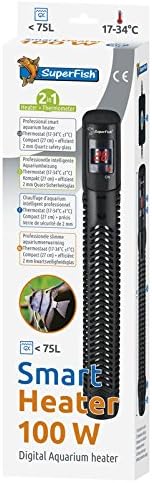
Smart Heater 100W
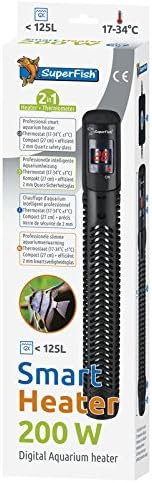
Smart Heater 200W
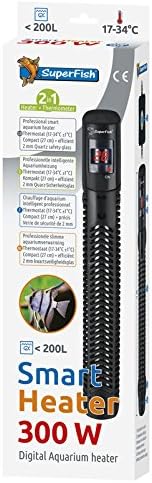
Smart Heater 300W
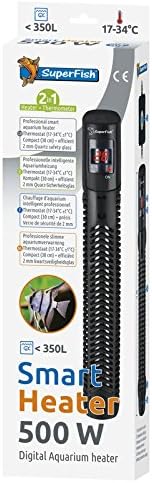
Smart Heater 500W
7. Warranty and Support
Superfish products are manufactured to high-quality standards. For warranty information or technical support, please refer to the warranty card included with your product or visit the official Superfish website.
Please retain your proof of purchase for any warranty claims.
Related documentspart_B0788FBK1X


Ask a question about this manual
Ask about setup, troubleshooting, compatibility, parts, safety, or missing instructions. Manuals+ will review the question and use this page’s manual context to help answer it.