
1. Introduction
The Donner Viper is a versatile 2-in-1 pedal designed to function as both a passive volume pedal and an expression pedal. Its compact and robust design makes it suitable for various instruments including guitar, bass, keyboard, and synthesizers. This manual provides essential information for setting up, operating, and maintaining your pedal.
2. Features
- 2-in-1 Functionality: Combines passive volume and expression pedal capabilities.
- Automatic Switching: Automatically switches between volume and expression modes by detecting the input jack.
- Versatile Compatibility: Suitable for guitar, bass, keyboard, synthesizer, workstation, and other controllers.
- Durable Construction: Made with a hard plastic casing for robustness while remaining lightweight.
- No Power Supply Required: Operates without external power in passive volume mode.
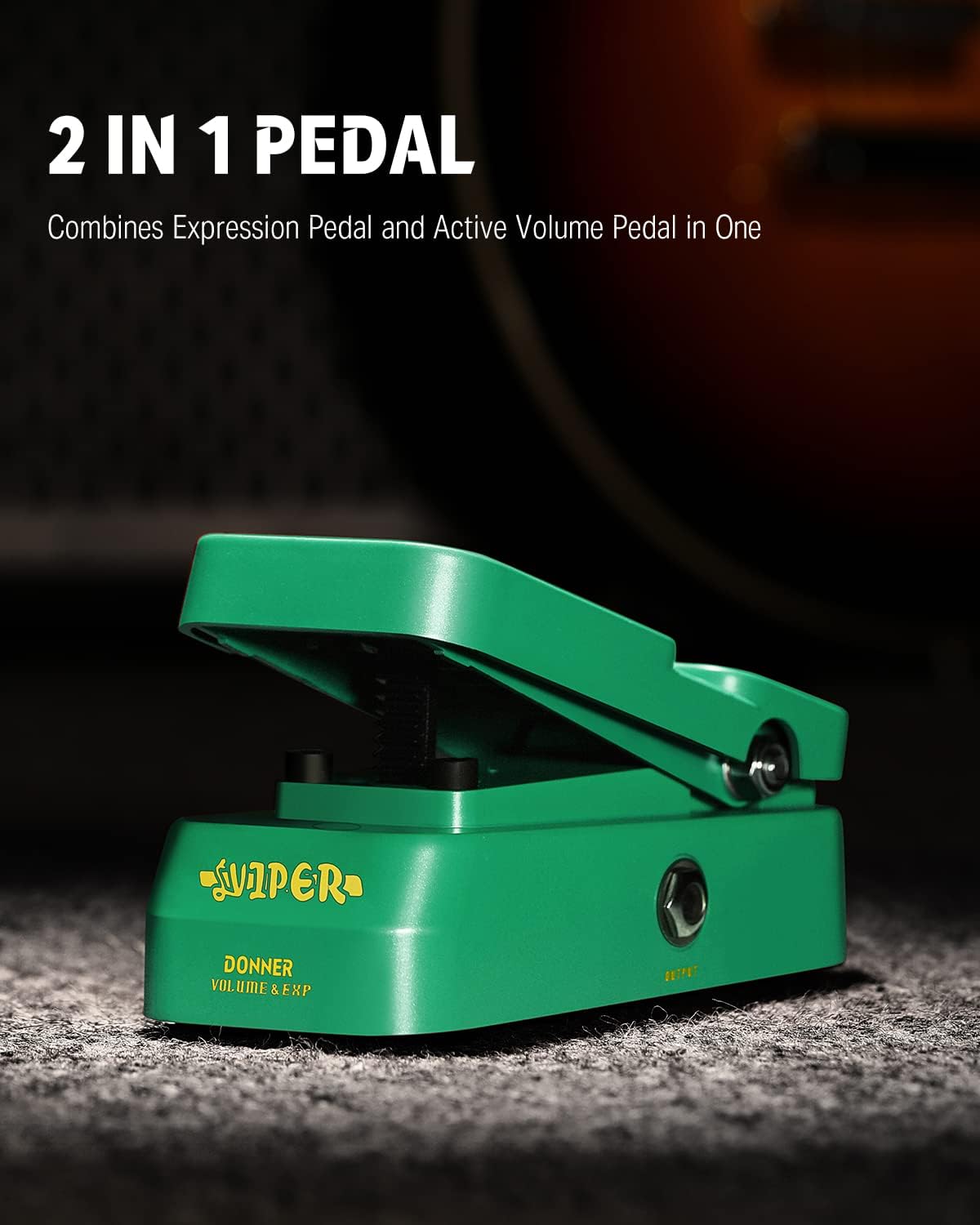
Figure 2.1: The Donner Viper pedal, showcasing its dual functionality.
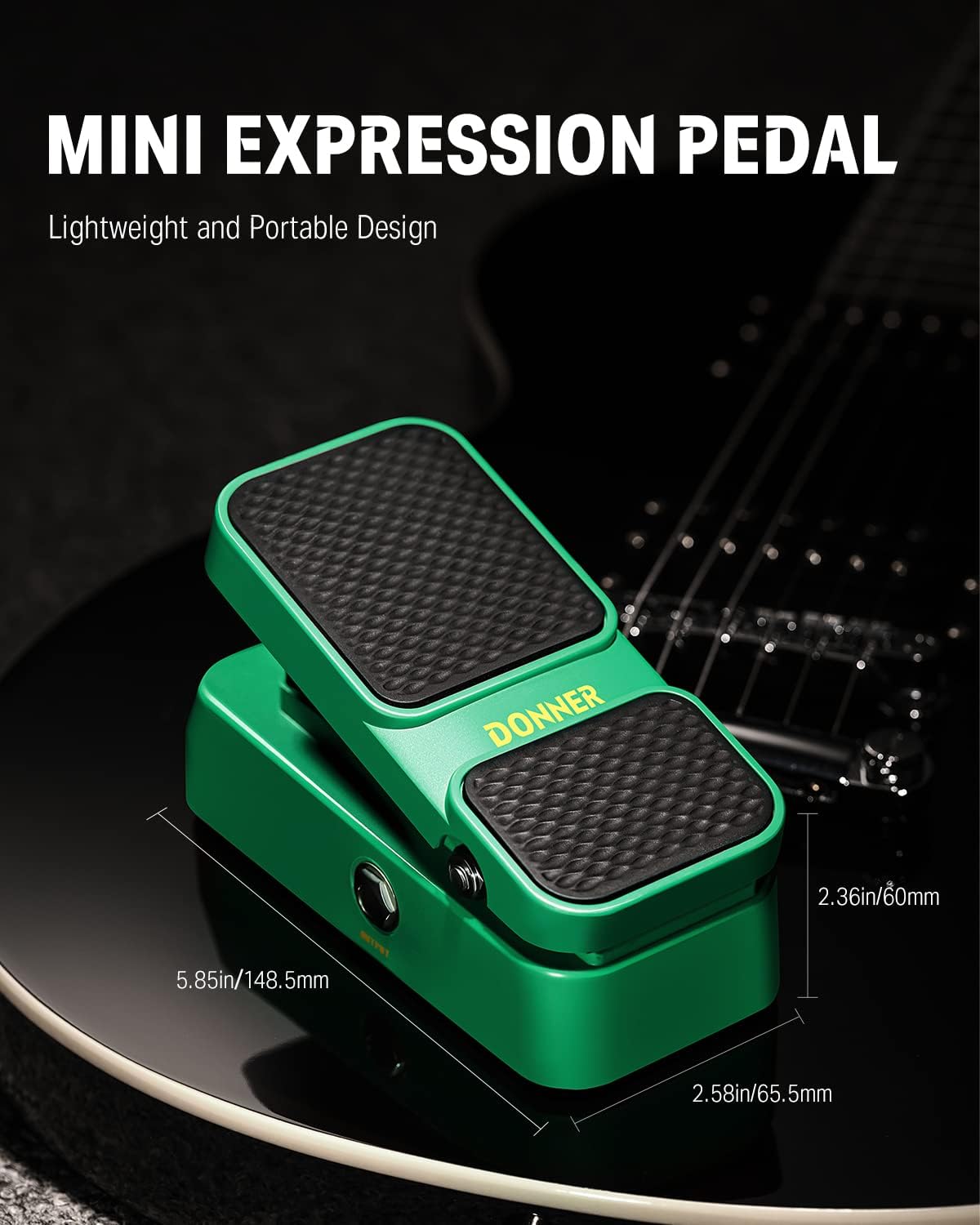
Figure 2.2: Compact dimensions of the Donner Viper pedal, ideal for pedalboards.
3. Setup
3.1 Connections
The Donner Viper pedal features standard 1/4-inch audio input and output jacks. Connect your instrument or the output of a preceding effect pedal to the INPUT jack. Connect the OUTPUT jack to your amplifier or the input of a subsequent effect pedal.
3.2 Power Requirements
The Donner Viper pedal operates passively as a volume pedal and does not require a power supply for this function. However, if used as an expression pedal with devices that require an active expression signal, ensure the connected device provides the necessary power or use an appropriate external power supply if the device requires it.
IMPORTANT NOTICE:
The power supply is NOT included with this product. Please power your pedal with a power adapter providing 9V DC center negative and 500mA current if your setup requires it. Improper power supply may cause pedals to malfunction or result in damage. This product does not come with a battery compartment.

4. Operating Instructions
4.1 Volume Mode
In volume mode, the pedal controls the output level of your signal. Pressing the pedal forward increases the volume, while rocking it back decreases the volume. This mode is ideal for creating volume swells or adjusting overall signal level.

Figure 4.1: Using the Donner Viper in volume control mode.
4.2 Expression Mode
When connected to a device that accepts an expression pedal input, the Donner Viper can control various parameters such as delay time, modulation depth, or filter cutoff. The pedal automatically switches to expression mode when connected to a compatible expression input jack. The LED indicator light will change color to signify the active mode (e.g., Green for Volume, Red for Expression, if applicable to your model).

Figure 4.2: LED indicator showing the current mode of operation.
5. Maintenance
- Keep the pedal clean and free from dust and debris. Use a soft, dry cloth for cleaning.
- Avoid exposing the pedal to extreme temperatures, humidity, or direct sunlight.
- Do not attempt to disassemble or modify the pedal, as this may void the warranty and cause damage.
- Ensure all cables are securely connected to prevent signal loss or intermittent operation.
6. Troubleshooting
| Problem | Possible Cause | Solution |
|---|---|---|
| No sound or intermittent signal | Loose cable connections, incorrect input/output, faulty cable. | Check all cable connections. Ensure cables are plugged into the correct input/output jacks. Try different cables. |
| Pedal not responding in expression mode | Incorrect connection to the host device, host device not configured for expression pedal, host device requires active expression signal. | Verify the expression cable is connected correctly. Consult the manual of your host device for proper expression pedal setup. Ensure the host device provides power if needed, or use an appropriate external power supply. |
| Unwanted noise or hum | Ground loop, interference from other electronics, faulty power supply (if used). | Ensure all equipment is properly grounded. Try isolating the pedal from other power sources. Use a high-quality, regulated power supply if required. |
7. Specifications
| Specification | Value |
|---|---|
| Brand | Donner |
| Model Name | EC1007 |
| Product Dimensions (L x W x H) | 5.85" x 2.58" x 2.36" (148.5mm x 65.5mm x 60mm) |
| Item Weight | 280 Grams |
| Audio Output Effects | Volume, Expression |
| Controls Type | Pedal Rocker |
| Power Source | Non-battery Powered (Passive), External 9V DC (for active expression if required by host device) |
| Hardware Interface | 1/4-inch Audio |
| Signal Format | Analog |
| Included Components | Donner Viper Mini Volume/Expression Pedal, User’s Manual |
8. Warranty and Support
This product comes with a 2-year manufacturer's warranty. For warranty claims or technical support, please contact Donner customer service through their official website or the retailer where the product was purchased. Keep your proof of purchase for warranty validation.
