
1. Introduction
Thank you for choosing the Xiaomi Mi Bluetooth Speaker 2. This portable Bluetooth speaker is designed to deliver high-definition sound quality with a compact and elegant design. This manual provides essential information for setting up, operating, and maintaining your speaker.
2. Safety Information
- Do not expose the speaker to extreme temperatures, direct sunlight, or high humidity.
- Avoid dropping or subjecting the speaker to strong impacts.
- Do not disassemble, repair, or modify the speaker yourself. Contact qualified service personnel if needed.
- Keep the speaker away from water and other liquids. This product is not waterproof.
- Use only the specified charging cable and power adapter.
- Dispose of batteries according to local regulations. Do not expose batteries to excessive heat.
3. Package Contents
Please check the package contents upon unboxing:
- Xiaomi Mi Bluetooth Speaker 2
- User Manual
- Note: Charging cable is not included and must be provided by the user (Micro USB).
4. Product Overview
The Xiaomi Mi Bluetooth Speaker 2 features a minimalist design with a silver frosted aluminum alloy casing. Its compact size makes it highly portable and easy to carry.
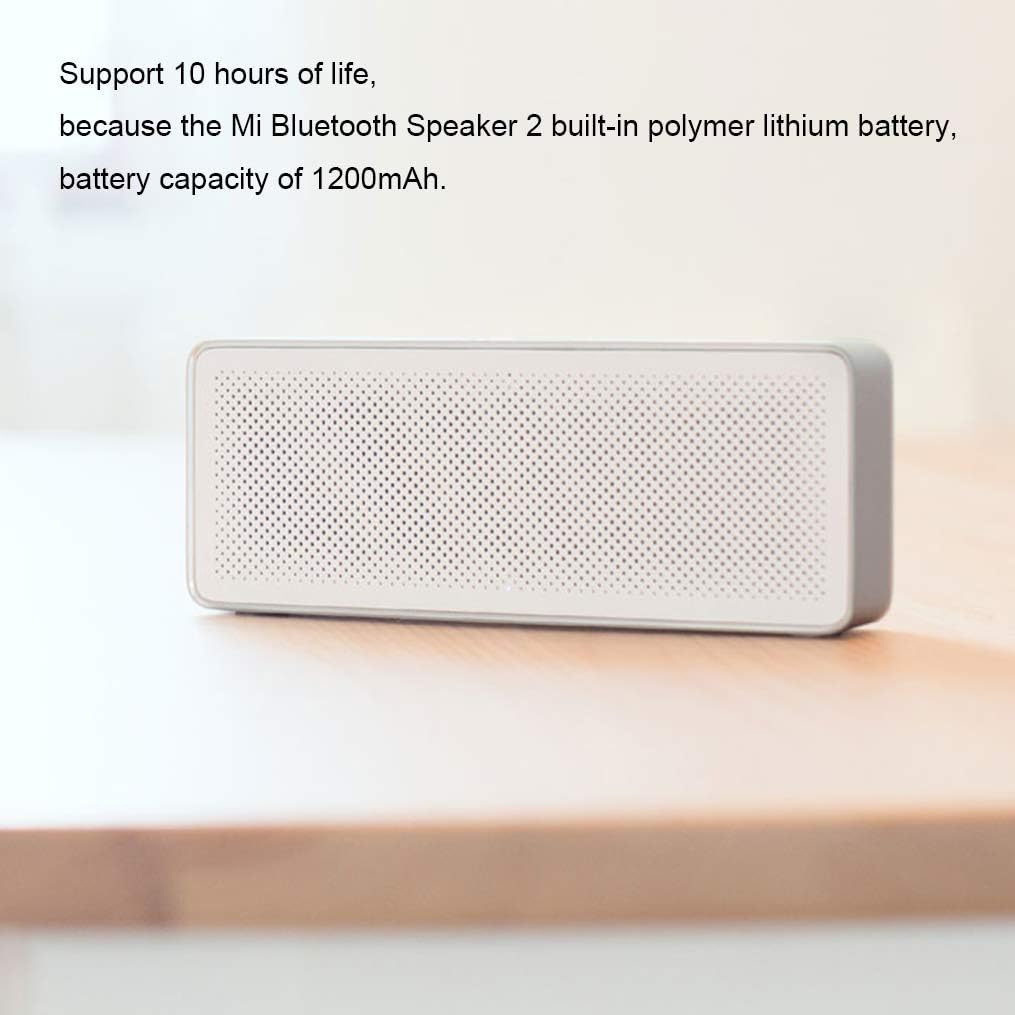
Figure 4.1: Front view of the Xiaomi Mi Bluetooth Speaker 2, showcasing its minimalist design and speaker grille. The silver frosted aluminum alloy box integrates seamlessly into various environments.

Figure 4.2: The compact and lightweight design allows the speaker to be easily carried in a backpack or held with one hand, emphasizing its portability.
Sound Unit Design
The speaker incorporates a dual sound unit design with two sounding units and a passive radiator, contributing to its classic acoustic performance in a small form factor.

Figure 4.3: Internal view illustrating the dual sound units and passive radiator for enhanced audio output.
Controls and Ports
The speaker features intuitive controls on the top surface and essential ports on the rear.

Figure 4.4: Top view showing the power/play/pause button and volume controls. The speaker also includes built-in microphones for call functions.

Figure 4.5: Rear view displaying the Micro USB charging port and the AUX input port.
5. Setup
5.1 Charging the Speaker
Before first use, fully charge the speaker. The speaker has a built-in 1200mAh polymer lithium battery, providing approximately 10 hours of playback on a full charge. A full charge typically takes about 3 hours.
- Connect a Micro USB cable (not included) to the charging port on the rear of the speaker.
- Connect the other end of the USB cable to a compatible USB power adapter (e.g., 5V/1A) or a computer's USB port.
- The charging indicator light will illuminate. It will turn off or change color once charging is complete.

Figure 5.1: The speaker's battery provides up to 10 hours of playback from its 1200mAh capacity.
5.2 Power On/Off
- To power on: Press and hold the power button (usually the central button) for a few seconds until you hear an audible prompt or see an indicator light.
- To power off: Press and hold the power button again for a few seconds until the speaker powers down.
5.3 Bluetooth Pairing
The Xiaomi Mi Bluetooth Speaker 2 supports Bluetooth 4.2 for stable wireless connections.
- Ensure the speaker is powered on and in pairing mode. The Bluetooth indicator light will typically flash rapidly. If not, press and hold the power button for a few seconds to enter pairing mode.
- On your device (smartphone, tablet, laptop), enable Bluetooth and search for available devices.
- Select "Mi Bluetooth Speaker 2" or a similar name from the list of found devices.
- Once paired, the speaker will emit a confirmation sound, and the Bluetooth indicator light will stop flashing and remain solid.
- The speaker will automatically attempt to reconnect to the last paired device when powered on.
5.4 AUX Connection
You can also connect audio devices directly using an AUX cable (3.5mm audio cable, not included).
- Connect one end of the 3.5mm audio cable to the AUX input port on the speaker (refer to Figure 4.5).
- Connect the other end of the cable to the headphone jack or audio output of your device.
- The speaker will automatically switch to AUX mode or you may need to press the power button briefly to cycle modes.
6. Operating the Speaker
6.1 Playing Audio
- Once connected via Bluetooth or AUX, start playing audio from your source device.
- Press the power button once to play or pause audio.
6.2 Volume Control
- Press the "+" button to increase the volume.
- Press the "-" button to decrease the volume.
- You can also adjust the volume directly from your connected device.
6.3 Hands-free Calling
The speaker features a built-in microphone, allowing you to answer calls when connected via Bluetooth to your smartphone.
Figure 6.1: The speaker's top controls include a button for managing phone calls, indicated by the phone icon.
- When a call comes in, the music will pause. Press the power button once to answer the call.
- To end a call, press the power button once again.
- To reject an incoming call, press and hold the power button for a few seconds.
7. Maintenance
- Cleaning: Use a soft, dry cloth to wipe the speaker's surface. Do not use abrasive cleaners, alcohol, or other chemical solvents.
- Storage: When not in use for extended periods, store the speaker in a cool, dry place. Avoid extreme temperatures and direct sunlight.
- Battery Care: To prolong battery life, avoid fully discharging the battery frequently. Charge the speaker regularly, even if not in use, to maintain battery health.
8. Troubleshooting
| Problem | Possible Solution |
|---|---|
| Speaker does not power on. | Ensure the battery is charged. Connect the speaker to a power source using a Micro USB cable. |
| Cannot pair via Bluetooth. |
|
| No sound or low volume. |
|
| Sound distortion. |
|
9. Specifications

Figure 9.1: Detailed dimensions of the Xiaomi Mi Bluetooth Speaker 2: 154.5mm (length) x 60mm (width) x 25.5mm (height).
| Feature | Detail |
|---|---|
| Model Number | XMYX03YM |
| Speaker Type | Portable |
| Connectivity Technology | Bluetooth, USB (for charging) |
| Wireless Communication Technology | Bluetooth 4.2 |
| Maximum Range | 10 Meters (33 feet) |
| Audio Output Mode | Stereo |
| Speaker Maximum Output Power | 5 Watts |
| Impedance | 3 Ohms |
| Control Method | Touch (buttons) |
| Power Source | Battery Powered |
| Battery Type | 1 Lithium Polymer battery |
| Battery Capacity | 1200 mAh |
| Charging Time | Approximately 3 Hours |
| Product Dimensions (D x W x H) | 2.36" x 6.08" x 1" (60mm x 154.5mm x 25.5mm) |
| Item Weight | 155 Grams (5.5 ounces) |
| Is Waterproof | No |
| Included Components | Speaker, User Manual |
10. Warranty Information
The Xiaomi Mi Bluetooth Speaker 2 comes with a limited warranty. Please refer to the warranty card included in your product packaging or visit the official Xiaomi website for detailed warranty terms and conditions specific to your region. Keep your purchase receipt as proof of purchase for warranty claims.
Warranty Type: Limited
11. Support
For further assistance, technical support, or customer service inquiries, please visit the official Xiaomi support website or contact their customer service department in your region.
Official Xiaomi Website: www.mi.com


