1. Introduction
This manual provides essential information for the safe operation, maintenance, and troubleshooting of your Dibea D960 Robot Vacuum Cleaner. Please read it thoroughly before using the appliance and retain it for future reference.

Figure 1: Top view of the Dibea D960 Robot Vacuum Cleaner.
2. Safety Instructions
To reduce the risk of injury or damage, read these safety instructions carefully and keep them accessible during product use.
- Do not operate the robot vacuum near open flames or heat sources.
- Ensure the charging base is placed against a wall in an open area, free from obstacles.
- Keep loose clothing, hair, and body parts away from moving parts.
- Do not allow children to operate the robot vacuum.
- Unplug the charging base during extended periods of non-use or before cleaning.
- Avoid using the robot vacuum on wet surfaces or to pick up liquids.
- Remove any loose cables, small objects, or fragile items from the floor before operation to prevent entanglement or damage.
3. Product Overview
3.1. Package Contents
- D960 Cleaning Robot x1
- Charging Base x1
- Adaptor x1
- Cleaning Brush x1
- HEPA Filter x1
- Remote Control x1
- Side Brushes x2
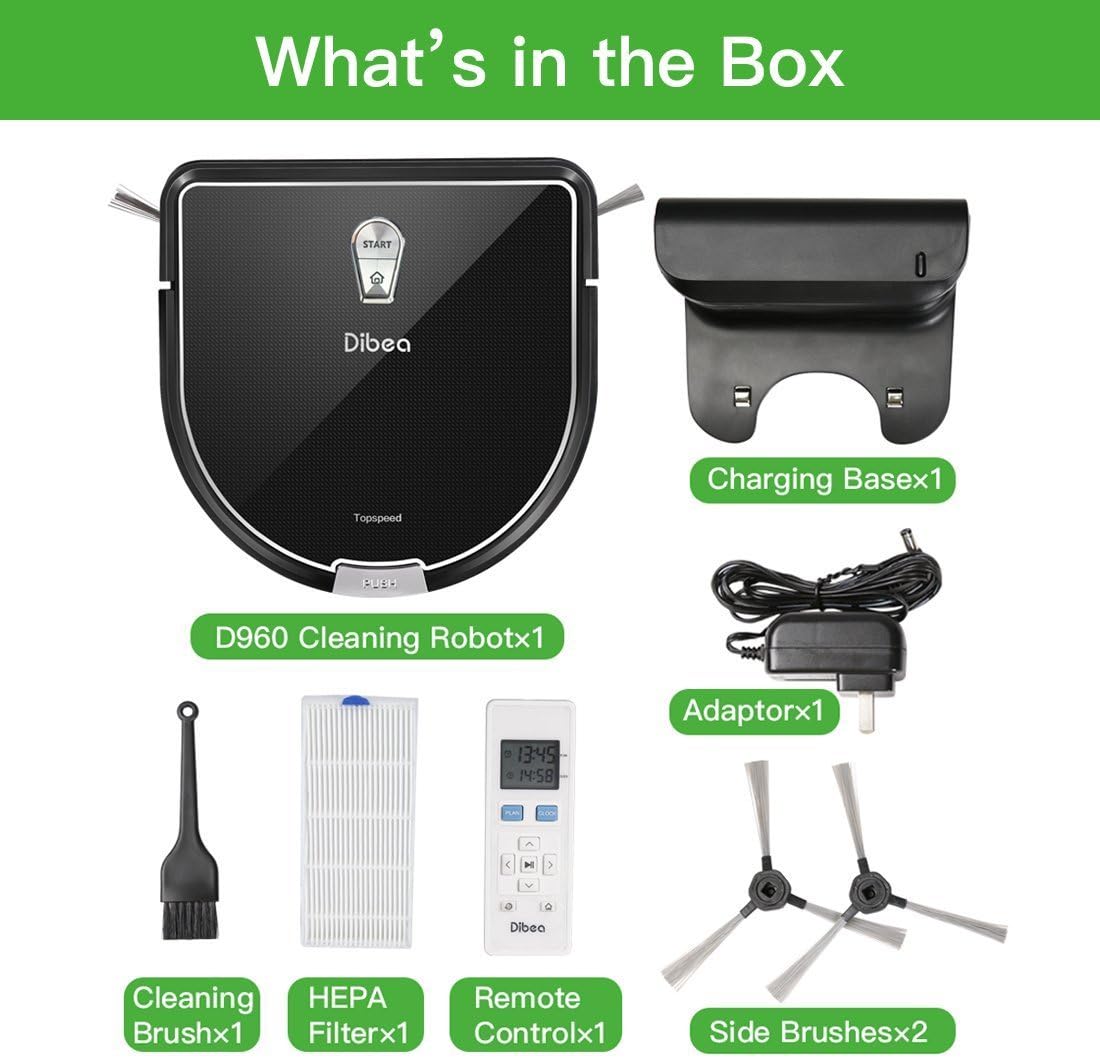
Figure 2: All components included in the Dibea D960 package.
3.2. Key Features
- Versatile Floor Cleaning: Automatically adjusts to clean carpets, rugs, hardwood, and tile floors.
- Precise Edge Cleaning: D-shape design with a clever edge cleaning system allows it to clean closer to walls and into corners.
- Obstacle Avoidance: Equipped with IR sensors to carefully navigate around furniture and avoid collisions.
- Quiet Operation: Features an advanced brushless motor for lower noise levels during operation.
- Smart Cliff Sensors: Prevents the robot from falling down stairs or other drop-offs.

Figure 3: The robot vacuum transitions smoothly between different floor surfaces.
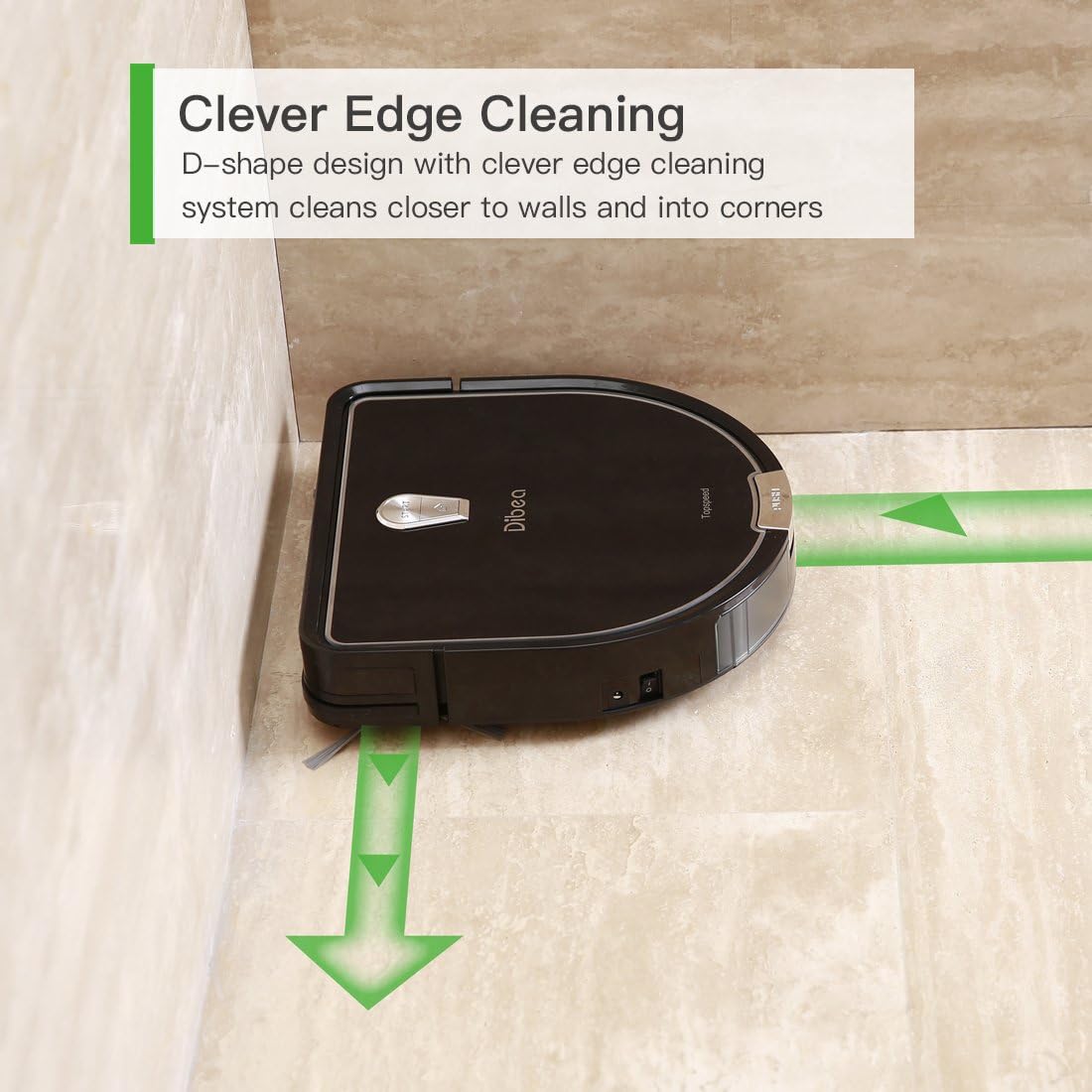
Figure 4: The D-shaped design enables thorough cleaning along edges and in corners.

Figure 5: The robot vacuum detects and avoids furniture and other obstacles.

Figure 6: The advanced motor ensures a quiet cleaning experience.

Figure 7: Integrated sensors prevent the robot from falling from elevated surfaces.
4. Setup
4.1. Charging Base Placement
Place the charging base against a wall in an open, uncluttered area. Ensure there is at least 1 meter (3 feet) of clear space on either side and 2 meters (6 feet) in front of the charging base for optimal navigation.
4.2. Initial Charging
- Connect the adapter to the charging base and plug it into a power outlet.
- Place the Dibea D960 onto the charging base, ensuring the charging contacts align.
- Allow the robot to charge completely before its first use. The indicator light will change to show a full charge.
4.3. Installing Side Brushes
Attach the two side brushes to the designated posts on the underside of the robot vacuum. Press firmly until they click into place.
5. Operating Instructions
5.1. Powering On/Off
- To power on, press and hold the power button on the robot or the remote control.
- To power off, press and hold the power button again.
5.2. Cleaning Modes
The Dibea D960 offers various cleaning modes:
- Auto Cleaning: The robot automatically navigates and cleans the entire floor area.
- Spot Cleaning: Focuses on a specific dirty area, cleaning in a spiral pattern.
- Edge Cleaning: Cleans along walls and furniture edges.
5.3. Using the Remote Control
The remote control allows you to:
- Start/Pause cleaning.
- Select cleaning modes.
- Direct the robot manually.
- Send the robot back to its charging base.
- Set cleaning schedules.
5.4. Official Product Video
Video 1: Demonstration of the Dibea D960 robot vacuum cleaner in operation.
6. Maintenance
Regular maintenance ensures optimal performance and extends the lifespan of your Dibea D960.
6.1. Emptying the Dustbin
Open the top cover of the robot, remove the dustbin, and empty its contents into a trash receptacle. Clean the dustbin with a dry cloth or brush.
6.2. Cleaning Filters
Remove the HEPA filter from the dustbin. Tap it gently to remove dust. Do not wash the HEPA filter with water. Replace the filter every 3-6 months, depending on usage.
6.3. Cleaning Side Brushes
Periodically check the side brushes for tangled hair or debris. Remove them by pulling gently and clean them with the provided cleaning brush or scissors if necessary. Reattach them securely.
6.4. Cleaning Sensors
Wipe the cliff sensors and anti-collision sensors on the robot's underside and front bumper with a clean, dry cloth to ensure proper functionality.
7. Troubleshooting
If your Dibea D960 encounters an issue, refer to the following common problems and solutions:
- Robot not charging: Ensure the charging base is plugged in and the robot's charging contacts are aligned with the base. Clean the charging contacts on both the robot and the base.
- Robot getting stuck frequently: Clear obstacles from the cleaning path. Ensure no loose cables or rugs are interfering with the wheels or brushes.
- Reduced cleaning performance: Empty the dustbin, clean or replace the HEPA filter, and clean the main and side brushes.
- Robot making unusual noises: Check for debris tangled in the main brush, side brushes, or wheels.
- Robot not responding to remote control: Ensure the remote control batteries are not depleted and there are no obstructions between the remote and the robot.
For persistent issues not covered here, please contact customer support.
8. Specifications
| Feature | Detail |
|---|---|
| Brand | Dibea |
| Model Name | D960 |
| Color | Black |
| Filter Type | Cloth |
| Capacity | 350 Milliliters |
| Power Source | Battery Powered |
| Control Method | Remote |
| Lithium Battery Voltage | 14.8 Volts |
| Form Factor | round |
| Product Dimensions | 12.01 x 2.95 x 12.01 inches |
| Item Weight | 6.61 pounds |
| Item model number | RVC-D960-A |
| Batteries | 1 Lithium Ion batteries required. |
| Is Discontinued By Manufacturer | No |
| Batteries required | No |
| Surface Recommendation | Carpets |
| Controller Type | Remote Control |
9. Warranty and Support
The Dibea D960 Robot Vacuum Cleaner comes with a standard manufacturer's warranty. For detailed warranty information, product support, or service inquiries, please refer to the official Dibea website or contact their customer service directly. Keep your purchase receipt as proof of purchase.


