
GoolRC T47
GoolRC T47 FPV Drone User Manual
Model: T47
Introduction
This manual provides detailed instructions for the safe operation and maintenance of your GoolRC T47 FPV Drone. The GoolRC T47 is a foldable FPV drone equipped with a WiFi camera for live video transmission, a 2.4G 4-channel controller, and 6-axis gravity sensor for stable flight. Please read this manual thoroughly before operating the drone to ensure proper use and to prevent damage or injury.

Image: The GoolRC T47 FPV Drone, showcasing its compact design, along with the included remote controller and two rechargeable batteries.
Package Contents
Please verify that all items listed below are included in your package. If any items are missing or damaged, please contact customer support.

Image: A visual representation of all items included in the GoolRC T47 FPV Drone package, including the drone, controller, batteries, charging cable, screwdriver, spare blades, protective case, and user manual.
- 1 x GoolRC T47 FPV Drone (Aircraft)
- 1 x G-sensor Controller
- 2 x 3.7V 500mAh LiPo Battery
- 1 x USB Charging Cable
- 1 x Screwdriver
- 4 x Spare Blades
- 1 x Protective Case
- 1 x User Manual
Setup
1. Battery Installation and Charging
The GoolRC T47 drone uses a 3.7V 500mAh LiPo battery. Ensure batteries are fully charged before first use.

Image: A hand demonstrating the easy installation and removal of the 3.7V 500mAh LiPo battery into the GoolRC T47 drone's battery compartment.
- Connect the USB charging cable to the battery.
- Connect the other end of the USB charging cable to a USB power source (e.g., computer USB port, USB wall adapter).
- The charging indicator light will show the charging status. Charging time is approximately 70 minutes per battery.
- Once fully charged, disconnect the battery from the charging cable.
- To install the battery into the drone, slide it into the designated compartment until it clicks securely into place.
2. Controller Setup
The G-sensor controller requires batteries (not specified in input, assuming standard AAA or AA, will state "appropriate batteries").
- Open the battery compartment on the back of the G-sensor controller.
- Insert the appropriate batteries (e.g., 2x AAA batteries) ensuring correct polarity.
- Close the battery compartment.
3. Folding and Unfolding the Drone Arms
The GoolRC T47 features a foldable design for portability.

Image: Illustration of the GoolRC T47 drone's foldable arms, showing how they extend for flight and fold inward for compact storage and transport.
- To unfold: Gently pull each arm outwards until it locks into place.
- To fold: Press the release button (if any, or gently push) and fold each arm inwards towards the drone body.
Operating Instructions
1. Pairing the Drone and Controller
- Place the drone on a flat, level surface.
- Turn on the drone by pressing the power button. The indicator lights will flash.
- Turn on the G-sensor controller.
- Push the left joystick (throttle) all the way up, then all the way down. The drone's indicator lights will become solid, indicating successful pairing.
2. Takeoff and Landing
- One-Key Takeoff: After pairing, press the one-key takeoff button on the controller. The drone will automatically ascend to a stable height.
- Manual Takeoff: After pairing, push both joysticks to the bottom-outer corners simultaneously to unlock the motors. Then, slowly push the left joystick (throttle) upwards to ascend.
- One-Key Landing: Press the one-key landing button. The drone will automatically descend and land.
- Manual Landing: Slowly pull the left joystick (throttle) downwards until the drone lands. Once landed, push both joysticks to the bottom-outer corners simultaneously to stop the motors.
3. Flight Modes and Features
Altitude Hold Function
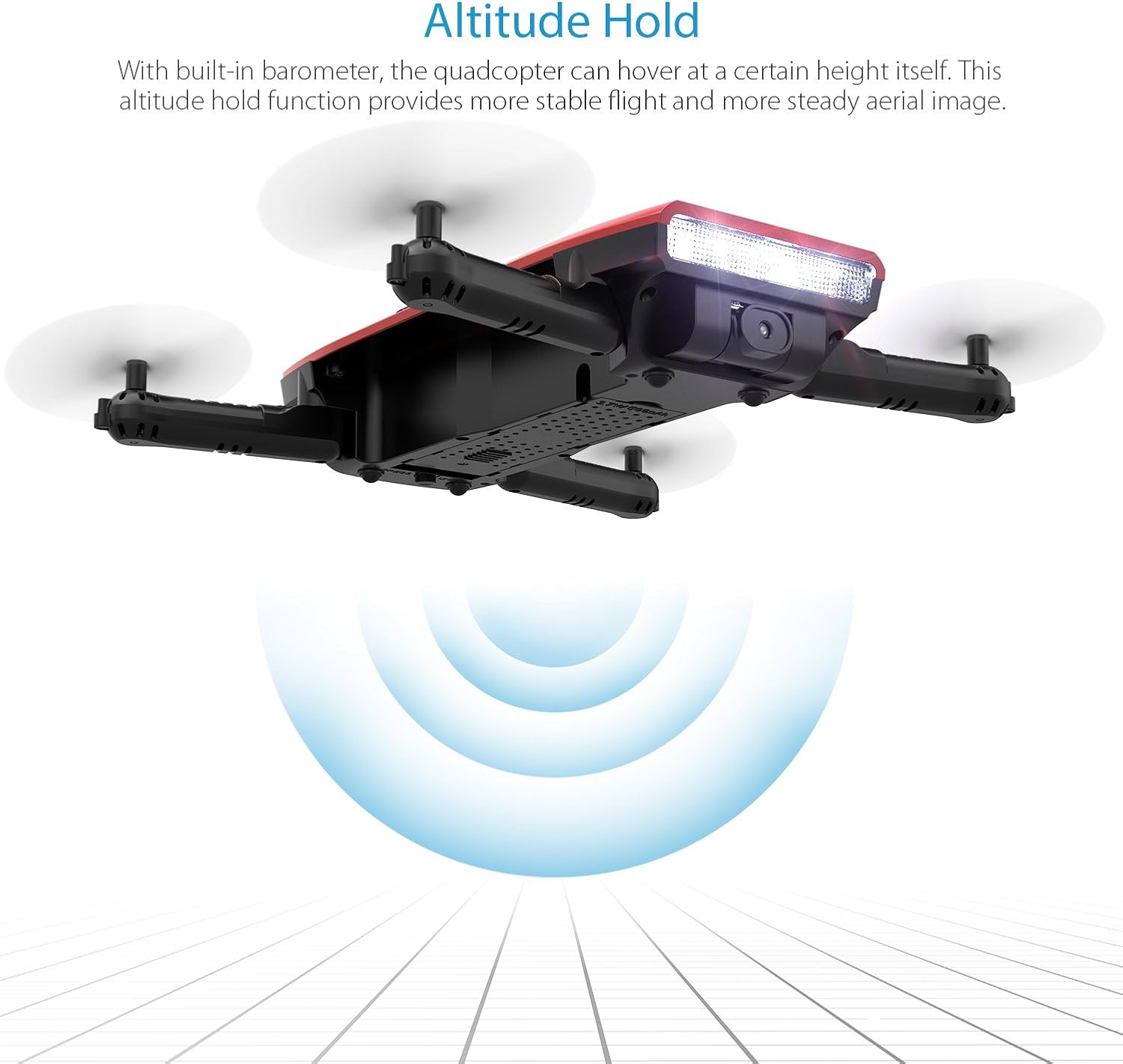
Image: The GoolRC T47 drone hovering stably, illustrating the Altitude Hold function which maintains a consistent height using a built-in barometer.
With the built-in barometer, the quadcopter can hover at a certain height itself. This altitude hold function provides more stable flight and more steady aerial images. Once the drone reaches a desired altitude, release the throttle stick, and the drone will maintain its height.
Headless Mode

Image: The GoolRC T47 drone flying in Headless Mode, indicating that its flight direction is relative to the pilot's position, regardless of the drone's actual orientation.
In headless mode, the drone will fly toward the direction of the joystick, regardless of the head of the drone. This simplifies control, especially for beginners, as you don't need to worry about the drone's orientation. To activate/deactivate headless mode, refer to your controller's specific button layout.
3D Flips and Rolls

Image: Multiple GoolRC T47 drones depicted in various stages of performing 3D flips and rolls, demonstrating the drone's acrobatic capabilities.
The GoolRC T47 supports 3D flip and flight plan functions, providing an engaging flying experience. To perform a 3D flip, fly the drone to a sufficient height (at least 3 meters), then press the 3D flip button on the controller and push the right joystick in the desired flip direction.
4. WiFi FPV Camera and App Control

Image: The GoolRC T47 drone with its 720P WiFi camera, alongside a smartphone displaying the live FPV feed and control interface, highlighting its photography capabilities.
The 720P camera with WiFi real-time transmission FPV system allows you to capture photos and videos directly to your smartphone. The image transmission range is approximately 30 meters.
- Download the dedicated GoolRC FPV app from your smartphone's app store (iOS or Android).
- Turn on the drone.
- On your smartphone, go to WiFi settings and connect to the drone's WiFi network (usually named "GoolRC-T47" or similar).
- Open the GoolRC FPV app. You should see the live video feed from the drone's camera.
- Use the app interface to take photos, record videos, and access features like Beauty Mode for enhanced selfies.
The app also supports intuitive G-sensor control, allowing you to control the drone by tilting your phone.
Maintenance
- Cleaning: Use a soft, dry cloth to clean the drone body and camera lens. Avoid using harsh chemicals or solvents.
- Propellers: Regularly inspect propellers for any damage (cracks, bends). Replace damaged propellers immediately using the provided spare blades and screwdriver. Ensure propellers are installed correctly (A and B types).
- Motors: Keep motors free from dust and debris. Do not attempt to lubricate motors.
- Batteries: Store batteries in a cool, dry place. Do not overcharge or over-discharge batteries. If storing for extended periods, charge them to about 50% capacity.
- Storage: When not in use, fold the drone arms and store it in its protective case to prevent damage.
Troubleshooting
| Problem | Possible Cause | Solution |
|---|---|---|
| Drone does not respond to controller. | Not paired; low battery on drone or controller. | Re-pair the drone and controller. Charge drone battery. Replace controller batteries. |
| Drone drifts during flight. | Not calibrated; uneven surface at takeoff. | Perform gyroscope calibration on a flat surface. |
| Camera feed is choppy or disconnected. | Weak WiFi signal; too far from drone; interference. | Ensure smartphone is close to drone. Reduce distance. Avoid areas with strong WiFi interference. |
| Motors not spinning or unevenly spinning. | Propeller obstruction; motor damage; calibration issue. | Check for obstructions. Ensure propellers are correctly installed. Perform calibration. If problem persists, contact support. |
| Short flight time. | Battery not fully charged; aging battery. | Ensure battery is fully charged. Consider replacing old batteries. |
Specifications
- Brand: GoolRC
- Model: T47
- Camera: 720P WiFi FPV Camera
- Controller: 2.4G 4-Channel G-sensor Controller
- Axis: 6-Axis Gyro
- Battery: 3.7V 500mAh LiPo (x2 included)
- Charging Time: Approximately 70 minutes
- Flight Time: Approximately 7 minutes
- FPV Transmission Range: Approximately 30 meters
- Features: Foldable Design, Altitude Hold, Headless Mode, One-Key Takeoff/Landing, 3D Flips, Gravity Sensor Control, Beauty Mode (via app)
- Package Dimensions: 20.07 x 17.53 x 7.87 cm
- Weight: 421 Grams (Package Weight)
Warranty and Support
GoolRC products are designed and manufactured to the highest quality standards. For warranty information and customer support, please refer to the contact details provided with your purchase or visit the official GoolRC website.
If you encounter any issues or have questions regarding your GoolRC T47 FPV Drone, please do not hesitate to contact our customer service team. We are committed to providing assistance and ensuring your satisfaction.
Important: Please read the instructions carefully before use and conduct calibration to avoid the failure of a burning motor or propeller to work properly.
Ask a question about this manual
Ask about setup, troubleshooting, compatibility, parts, safety, or missing instructions. Manuals+ will review the question and use this page’s manual context to help answer it.