
Introduction
This manual provides instructions for the safe and effective use of your Tzumi AquaBoost Boom Waterproof Bluetooth Speaker. Please read this manual thoroughly before operating the device and retain it for future reference.
Package Contents
- Tzumi AquaBoost Boom Bluetooth Speaker
- Micro-USB Charging Cable
- Auxiliary (AUX) Audio Cable
Product Features
- IP68 Certified Waterproof: Designed to be fully impervious to sand and water.
- Bluetooth 4.2 Connectivity: Wireless streaming up to 33 feet (10 meters).
- Durable Construction: Shockproof silicone shell and dust-resistant design.
- Long Battery Life: Up to 5 hours of continuous play on a full charge.
- Intuitive Controls: Four control buttons with LED indicator lights for easy operation.
- Automatic Power Off: Conserves battery by powering off after 10 minutes of idle time.
- Multiple Connectivity Options: Bluetooth and Auxiliary input.

Image: The AquaBoost Boom speaker is designed to float and continue playing music even when submerged, making it suitable for pool use.
Setup
1. Charging the Speaker
Before first use, fully charge the speaker. Connect the supplied Micro-USB cable to the charging port on the speaker and the other end to a USB power adapter (not included) or a computer's USB port. The LED indicator will show charging status.
- Charging Time: Approximately 3 hours.
- Battery Life: Up to 5 hours of playback.
2. Powering On/Off
- To Power On: Press and hold the Power button until the LED indicator lights up.
- To Power Off: Press and hold the Power button until the LED indicator turns off.
3. Bluetooth Pairing
- Ensure the speaker is powered on and within 33 feet (10 meters) of your Bluetooth-enabled device.
- The speaker will automatically enter pairing mode, indicated by a blinking LED light.
- On your device, enable Bluetooth and search for available devices.
- Select "AquaBoost Boom" from the list of devices.
- Once paired, the LED indicator will become solid, and you will hear an audible confirmation.
- The speaker will automatically reconnect to the last paired device when powered on, if available.

Image: The AquaBoost Boom speaker is designed for outdoor use, including sandy environments like beaches, due to its dust-resistant and shockproof construction.
4. Auxiliary (AUX) Connection
To connect a device without Bluetooth, use the supplied 3.5mm auxiliary cable. Insert one end into the speaker's AUX input port and the other end into your device's audio output jack. The speaker will automatically switch to AUX mode.
Operating Instructions
Control Buttons
The AquaBoost Boom features four control buttons for managing playback and calls:
- Power Button: Press and hold to power on/off.
- Play/Pause Button: Press to play or pause music. Press to answer or end a call.
- Volume Up (+): Press to increase volume. Press and hold for next track.
- Volume Down (-): Press to decrease volume. Press and hold for previous track.
Automatic Power Off
To conserve battery, the speaker will automatically power off after 10 minutes of inactivity (no audio playback or Bluetooth connection).
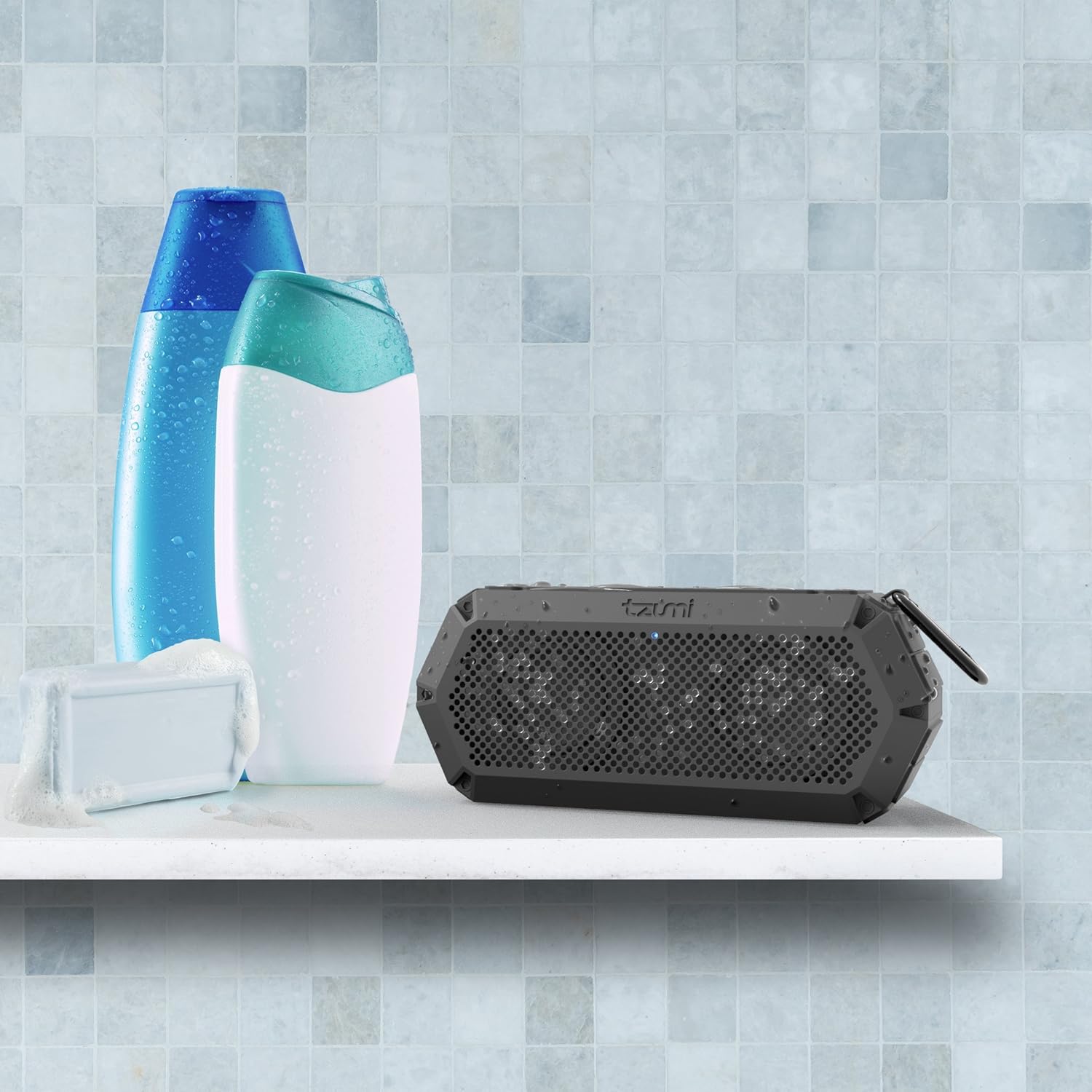
Image: The IP68 waterproof rating makes the AquaBoost Boom suitable for use in wet environments such as showers or bathrooms.
Maintenance
Cleaning
Wipe the speaker with a soft, damp cloth. Do not use abrasive cleaners or solvents. Ensure all ports are dry before charging.
Storage
Store the speaker in a cool, dry place away from direct sunlight and extreme temperatures. If storing for an extended period, charge the battery periodically to maintain its lifespan.
Troubleshooting
| Problem | Possible Cause | Solution |
|---|---|---|
| Speaker does not power on. | Low battery. | Charge the speaker fully. |
| Cannot pair via Bluetooth. | Speaker not in pairing mode; device Bluetooth off; too far from speaker. | Ensure speaker is on and LED is blinking. Turn device Bluetooth off/on. Move device closer to speaker. |
| No sound. | Volume too low; incorrect input mode; device not playing. | Increase speaker and device volume. Check if AUX cable is connected (switches to AUX mode). Ensure music is playing on the device. |
| Sound distortion. | Volume too high; device too far from speaker. | Reduce volume on speaker and device. Move device closer to speaker. |
Specifications
- Model: 5311AMZ
- Bluetooth Version: 4.2
- Wireless Range: Up to 33 feet (10 meters)
- Waterproof Rating: IP68
- Battery Capacity: Provides up to 5 hours of playback
- Charging Time: Approximately 3 hours
- Power Output: 8 Watts
- Dimensions: 2.9 x 5 x 7.9 inches
- Weight: 14.4 ounces
- Connectivity: Bluetooth, Auxiliary (3.5mm), Micro-USB for charging
- Included Components: Bluetooth Speaker, Micro-USB Cable, AUX Cable
Warranty and Support
Tzumi products are designed for reliability and performance. If you encounter any issues or require assistance with your AquaBoost Boom speaker, please contact Tzumi customer support directly for assistance.
For support, visit the official Tzumi website or refer to the contact information provided with your product packaging.


