
1. Introduction
Thank you for choosing the WINGONEER LP-168 Plus Bluetooth 2.1 Channel Audio Power Amplifier. This device is designed to provide a high-quality audio experience with versatile connectivity options. Please read this manual carefully before use to ensure proper operation and to maximize the performance of your amplifier.
Key Features:
- High-quality integrated Bluetooth module for wireless audio streaming.
- 2.1 Channel output: 2 x 45W RMS for main speakers and 1 x 68W for subwoofer.
- Supports USB playback for MP3 files.
- RCA audio input for connecting external devices like DVD/CD/VCD/TV/PC.
- Electronic volume control with dedicated Bass and Treble adjustments.
- Bright LED display for mode and track information.
- Includes a compact IR remote control for convenient operation.
2. Safety Information
To prevent fire, electric shock, and other hazards, please observe the following safety precautions:
- Do not expose this appliance to rain or moisture.
- Do not open the amplifier casing. Refer all servicing to qualified personnel.
- Ensure the power adapter voltage matches your local power supply.
- Keep the amplifier away from direct sunlight, heat sources, and excessive dust.
- Ensure adequate ventilation around the unit to prevent overheating.
- Disconnect the power adapter during lightning storms or when unused for long periods.
3. Package Contents
Please check the package for the following items:
- 1 x WINGONEER LP-168 Plus Audio Power Amplifier
- 1 x Power Adapter (AC 100-240V to DC 19V-24V)
- 1 x Signal Cable (RCA to 3.5mm or similar)
- 1 x IR Remote Control
- 1 x WINGONEER USB LED Light

Image: Contents of the WINGONEER LP-168 Plus package, showing the amplifier, remote, power supply, and manual.

Image: The included WINGONEER USB LED Light.
4. Product Overview
Front Panel:
- MODE Button: Switches between input sources (Bluetooth, USB, RCA).
- PREV/NEXT Buttons: For USB playback, navigates tracks.
- PLAY/PAUSE Button: For USB playback, controls playback.
- USB Port: For connecting USB flash drives.
- IR Receiver: For remote control signals.
- VOLUME Knob: Adjusts overall volume.
- TREBLE Knob: Adjusts high-frequency sound.
- BASS Knob: Adjusts low-frequency sound.
- LED Display: Shows current mode, track information, etc.
Rear Panel:
- AUDIO INPUT (RCA L/R): Connect external audio sources.
- +R OUT - / +L OUT -: Speaker terminals for right and left main speakers.
- + SUB SPEAKER -: Subwoofer output terminals.
- ANT: Bluetooth antenna connector.
- POWER INPUT (DC 19V-24V): Connect the provided power adapter.
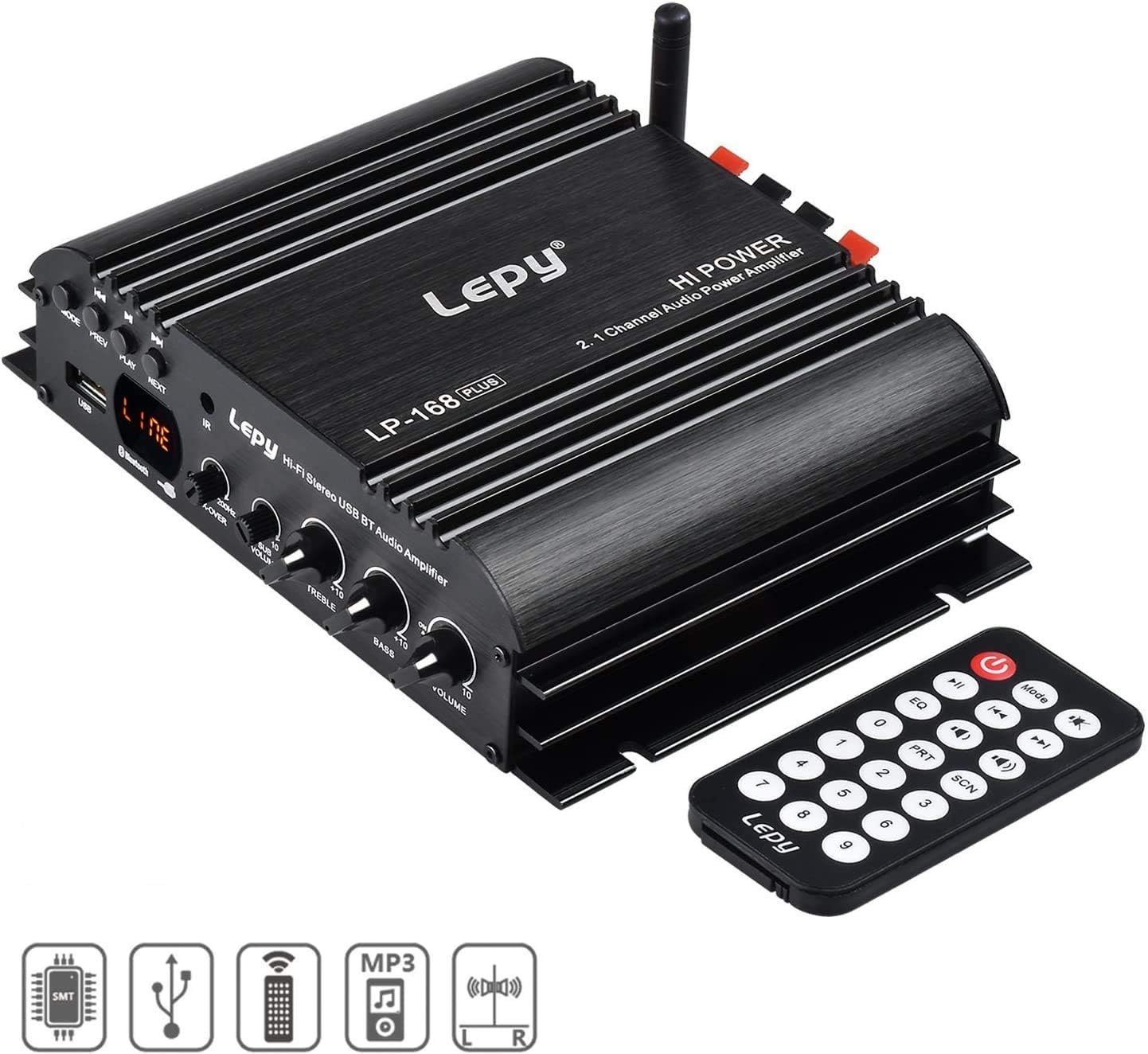
Image: Front panel of the LP-168 Plus amplifier with remote control.

Image: Rear panel connections of the LP-168 Plus amplifier.
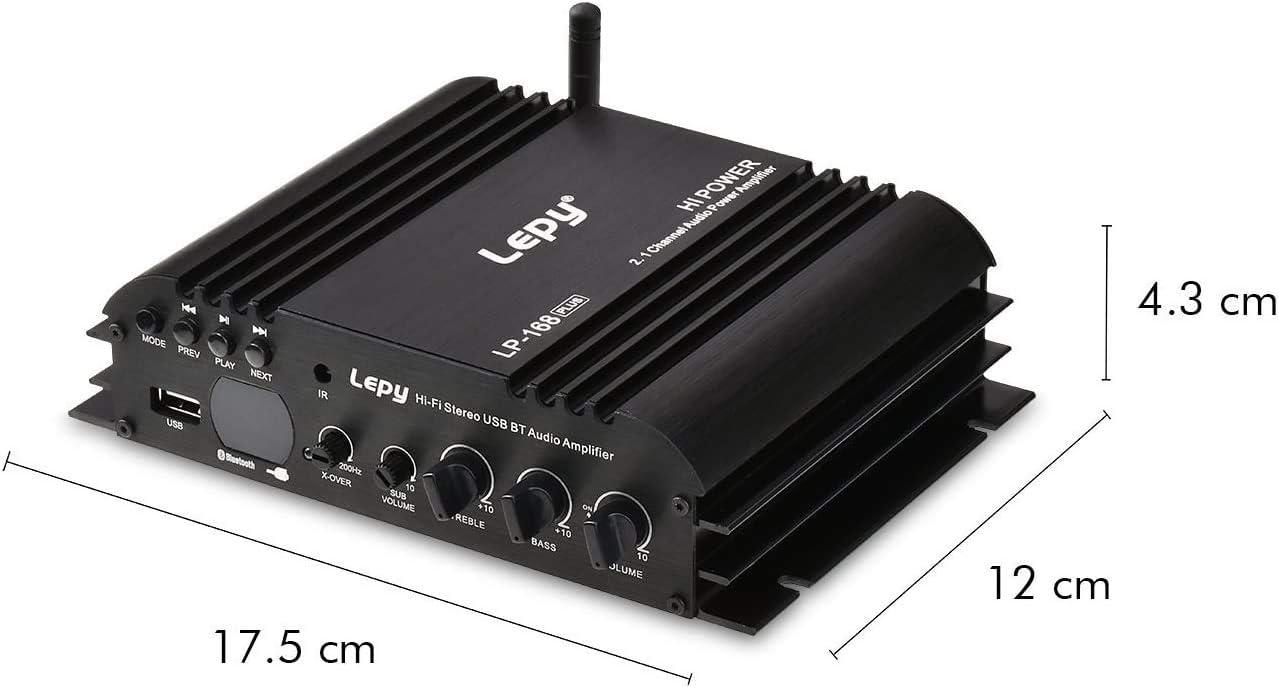
Image: Dimensions of the LP-168 Plus amplifier.
5. Setup
Follow these steps to set up your WINGONEER LP-168 Plus amplifier:
- Connect Speakers: Connect your passive main speakers to the +R OUT - and +L OUT - terminals. Ensure correct polarity (+ to + and - to -). For the subwoofer, connect it to the + SUB SPEAKER - terminals. The amplifier supports 4-8 Ohm speakers.
- Connect Audio Source (RCA): If using an external device (e.g., DVD, CD player, PC), connect its audio output to the AUDIO INPUT (RCA L/R) on the amplifier's rear panel using an RCA cable.
- Connect Bluetooth Antenna: Screw the provided Bluetooth antenna into the ANT connector on the rear panel.
- Connect Power: Plug the DC output of the provided power adapter into the POWER INPUT (DC 19V-24V) on the amplifier. Then, plug the AC input of the power adapter into a wall outlet (AC 100-240V, 50/60Hz).

Image: Connection diagram for the LP-168 Plus amplifier.
6. Operating Instructions
Power On/Off:
Once connected, the amplifier will power on automatically. There is no dedicated power button on the unit; power is controlled by connecting/disconnecting the power adapter or using the remote control's power button.
Selecting Input Source:
Press the MODE button on the front panel or the remote control to cycle through available input sources: Bluetooth, USB, and RCA (Audio Input).
Volume, Bass, and Treble Control:
- Rotate the VOLUME knob on the front panel or use the volume buttons on the remote control to adjust the overall sound level.
- Rotate the BASS knob to increase or decrease low-frequency sounds.
- Rotate the TREBLE knob to increase or decrease high-frequency sounds.
Bluetooth Operation:
- Switch the amplifier to Bluetooth mode using the MODE button. The LED display will indicate "BT".
- On your Bluetooth-enabled device (smartphone, tablet, computer), search for available Bluetooth devices.
- Select "LP-168 Plus" from the list to pair. Once paired, the amplifier will emit a confirmation sound.
- You can now play audio from your device wirelessly through the amplifier.
USB Playback:
- Insert a USB flash drive containing MP3 audio files into the USB Port on the front panel.
- Switch the amplifier to USB mode using the MODE button. The LED display will show track information.
- Use the PLAY/PAUSE, PREV, and NEXT buttons on the front panel or remote control to manage playback.
Remote Control Functions:
The included IR remote control allows you to conveniently manage the amplifier from a distance. Functions include power on/off, mode selection, volume control, track navigation (USB), EQ presets, and more.
7. Maintenance
- Cleaning: Use a soft, dry cloth to clean the amplifier's exterior. Do not use liquid cleaners or solvents.
- Storage: When not in use for extended periods, disconnect the power adapter and store the amplifier in a cool, dry place.
- Ventilation: Ensure that the ventilation fins on the amplifier are not blocked to prevent overheating.
8. Troubleshooting
| Problem | Possible Cause | Solution |
|---|---|---|
| No sound output. |
|
|
| Bluetooth not connecting. |
|
|
| USB playback not working. |
|
|
| Remote control not working. |
|
|
9. Specifications
| Model | LP-168 Plus |
| Output Power | 2 x 45W RMS (Main Channels), 1 x 68W (Subwoofer) |
| Speaker Impedance | 4-8 Ohm |
| Total Harmonic Distortion (THD) | <0.1% |
| Signal-to-Noise Ratio (SNR) | >80 dB |
| Frequency Response | 20Hz-20kHz |
| Input Impedance | 47K |
| Input Voltage | DC 19V-24V |
| AC Input (Power Adapter) | 100-240V 50/60Hz |
| Dimensions (L x W x H) | 17.6 x 15.5 x 4.3 cm |
| Net Weight | 495g |
| Color | Black |
10. Warranty and Support
This WINGONEER product comes with a standard manufacturer's warranty. Please refer to the warranty card included in your package for specific terms and conditions. For technical support, troubleshooting assistance, or warranty claims, please contact your retailer or the WINGONEER customer service department.
Please retain your proof of purchase for warranty purposes.