
Introduction
The Pabobo by Angelcare LumiBlo is an innovative and user-friendly night light lantern designed to provide comfort and light for children. Its unique blow-control feature allows for intuitive operation, making it a fun and reassuring companion for your little one. This manual provides essential information on setting up, operating, maintaining, and troubleshooting your LumiBlo lantern.
Key Features:
- Magic Blow Control: Turn on, off, and adjust light intensity with a simple blow.
- Rechargeable: Economical and convenient with a micro-USB charging port.
- Long Autonomy: Up to a week of use (24 x 1-hour cycles) on a single charge.
- Timer Mode: Automatically turns off after one hour (default setting).
- Portable Design: Tactile and easy to carry with a practical handle for clipping.
- Safe: Stays cool to the touch.
Safety Information
Please read and understand all safety instructions before using the LumiBlo Night Light Lantern. Failure to follow these instructions may result in injury or damage to the product.
- This product is designed for indoor use only.
- Keep away from water and excessive moisture.
- Do not attempt to disassemble or modify the device.
- Use only the provided micro-USB cable for charging.
- Ensure the charging port is dry before connecting the cable.
- Keep out of reach of very young children during charging to prevent entanglement with the cable.
Package Contents
- Pabobo by Angelcare LumiBlo Night Light Lantern
- Micro-USB Charging Cable
- User Manual (this document)
Getting Started (Setup)
Initial Charging
Before first use, it is recommended to fully charge your LumiBlo lantern for approximately 12 hours. This ensures optimal battery performance and longevity.
- Locate the micro-USB charging port on the base of the LumiBlo lantern.
- Connect the provided micro-USB cable to the lantern's charging port.
- Plug the other end of the USB cable into a compatible USB power adapter (not included) or a computer's USB port.
- The light will indicate charging status (e.g., a small light near the port may glow).
- Once fully charged, disconnect the cable.

Image: The base of the LumiBlo lantern, highlighting the micro-USB charging port and the power button for manual control.
First Use
After charging, your LumiBlo is ready for use. You can activate it using either the blow sensor or the manual button.
Operation
Blow Control (Magic Mode)
The LumiBlo lantern features a unique blow sensor, typically located near the star-shaped indentation at its base. This allows for intuitive control without pressing buttons.
- To Turn On: Blow a short, gentle puff of air into the star-shaped sensor. The lantern will illuminate.
- To Adjust Intensity: Once on, blow a long, continuous puff of air into the sensor. The light intensity will gradually increase or decrease. Release your breath when the desired brightness is reached.
- To Turn Off: Blow another short, gentle puff of air into the sensor. The lantern will turn off.

Image: A detailed view of the LumiBlo lantern's base, highlighting the star-shaped blow sensor for interactive control.
Manual Button Control
For situations where blow control is not convenient, the LumiBlo can also be operated using the button located on its base, next to the charging port.
- To Turn On/Off: Press the button briefly to toggle the light on or off.
- Continuous Light Mode: Press and hold the button for approximately 3 seconds. The lantern will enter continuous light mode and remain on until manually turned off or the battery depletes. This overrides the 1-hour timer.
Timer Mode
By default, the LumiBlo lantern operates in a timer mode. When activated (either by blowing or a short button press), the light will automatically turn off after one hour to conserve battery life.
- To deactivate the timer and enable continuous light, use the manual button control as described above.
Portability and Placement
The LumiBlo's design makes it highly portable and versatile for placement.
- The integrated handle allows for easy carrying by children.
- The handle can also be used to clip the lantern to a door handle, crib rail, or even a belt for hands-free illumination.

Image: A child confidently holding the LumiBlo lantern, demonstrating its portability and ease of use for navigating in the dark.
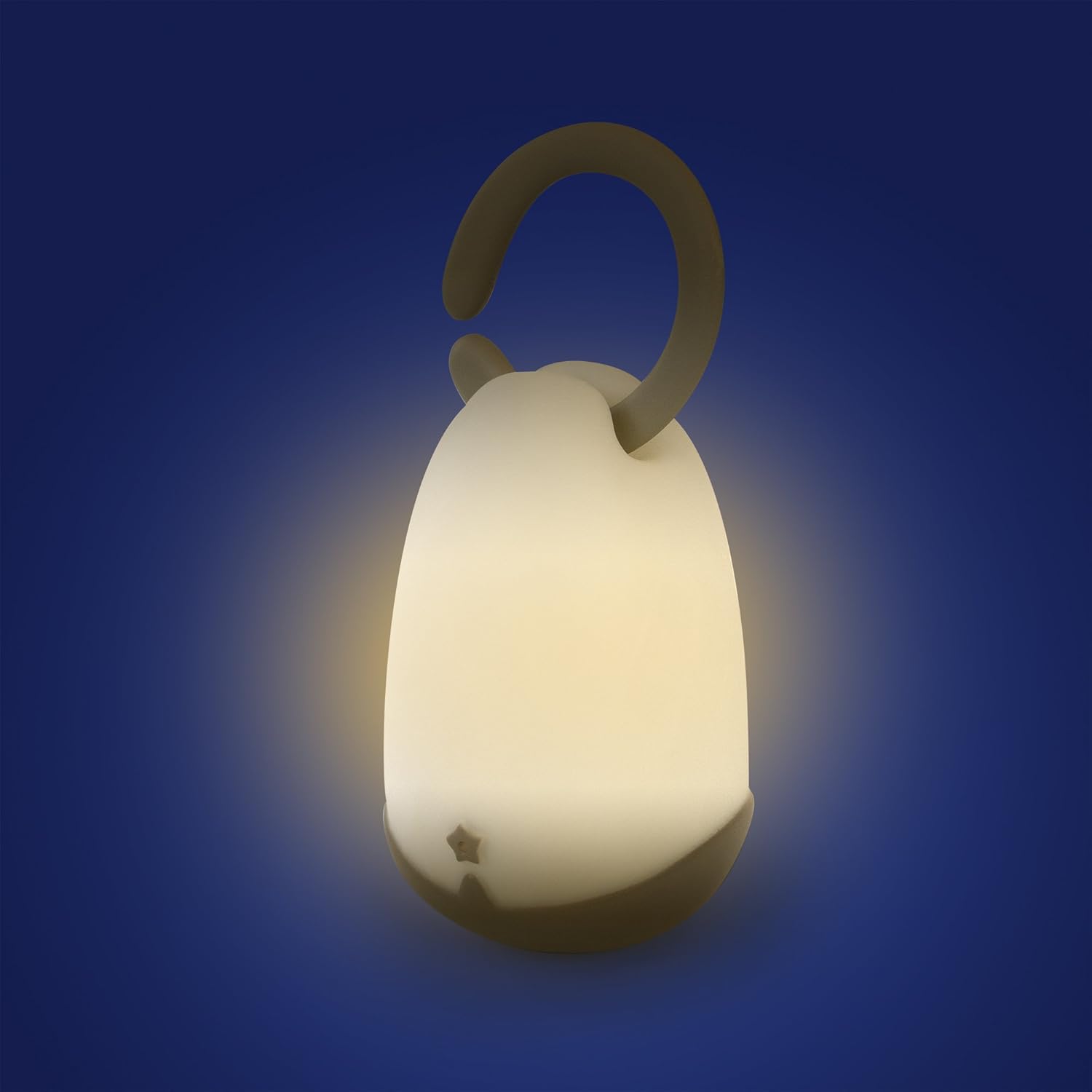
Image: The LumiBlo lantern conveniently hanging on a crib rail, illustrating its versatile placement options in a nursery setting.
Care and Maintenance
Cleaning
To clean your LumiBlo lantern, simply wipe it with a soft, dry cloth. Do not use abrasive cleaners, solvents, or immerse the device in water.
Battery Care
- Recharge the lantern when the light appears dim or does not turn on.
- Avoid completely draining the battery frequently to prolong its lifespan.
- If storing the lantern for an extended period, charge it periodically (e.g., every 3-6 months) to maintain battery health.
Troubleshooting
| Problem | Possible Cause | Solution |
|---|---|---|
| Lantern does not turn on. | Battery is depleted. | Charge the lantern using the micro-USB cable. |
| Blow control is inconsistent or not working. | Incorrect blowing technique or sensor obstruction. | Ensure you are blowing directly into the star-shaped sensor. Use a consistent, gentle puff of air. Check for any debris obstructing the sensor. |
| Light intensity does not change with long blow. | Incorrect blowing technique. | Ensure a continuous, steady blow into the sensor. |
| Lantern turns off after one hour unexpectedly. | Timer mode is active. | If continuous light is desired, press and hold the button on the base for 3 seconds to activate continuous mode. |
| Lantern does not charge. | Faulty cable or power source; dirty charging port. | Try a different USB cable or power adapter. Ensure the charging port is clean and free of debris. |
Specifications
| Feature | Detail |
|---|---|
| Model Number | PB1300 |
| Dimensions (D x W x H) | 5.91" x 5.91" x 10.24" (15cm x 15cm x 26cm) |
| Item Weight | 0.19 Kilograms (6.7 ounces) |
| Material | Plastic |
| Light Source Type | LED |
| Power Source | Battery Powered (Rechargeable) |
| Voltage | 5 Volts (DC) |
| Connectivity Technology | USB (for charging) |
| Color | Gray |
| Special Features | Rechargeable, Blow Control, Timer Function |
Warranty and Support
Pabobo products are designed for durability and reliability. For any questions, technical support, or warranty claims, please contact the manufacturer's customer service. Keep your proof of purchase for warranty purposes.
For further assistance, please refer to the official Pabobo website or contact their customer support channels.


