
Enermax EMT750EWT
Enermax MaxTytan 750W Power Supply User Manual
Model: EMT750EWT
1. Introduction
The Enermax MaxTytan 750W power supply is an 80 PLUS Titanium certified, full modular unit designed for high-performance computing systems. It features advanced technologies such as Dust Free Rotation (DFR) for fan self-cleaning and smart semi-fanless control for quiet operation. This manual provides essential information for proper installation, operation, and maintenance of your power supply.
2. Safety Information
Please read and understand all safety warnings before installing or operating the power supply. Failure to do so may result in personal injury or damage to the product or system components.
- Ensure the power supply is disconnected from the AC outlet before installation or maintenance.
- Do not open the power supply casing. High voltages are present inside, even when disconnected.
- Install the power supply in a well-ventilated area.
- Use only the modular cables provided with the power supply. Using incompatible cables may cause damage.
- Avoid exposing the power supply to moisture or extreme temperatures.
3. Package Contents
Verify that all items are present in the package:
- Enermax MaxTytan 750W Power Supply
- Modular Cable Set
- AC Power Cord
- Mounting Screws
- Cable Ties / Velcro Straps
- User Manual

Figure 3.1: Enermax MaxTytan 750W Power Supply and all included accessories, including modular cables, power cord, and documentation.
4. Setup and Installation
Follow these steps to properly install your Enermax MaxTytan power supply into your computer system.
4.1. Physical Installation
- Ensure your computer case is compatible with ATX form factor power supplies.
- Mount the power supply into the designated PSU bay in your computer case, typically at the bottom or top rear. Secure it with the provided mounting screws.
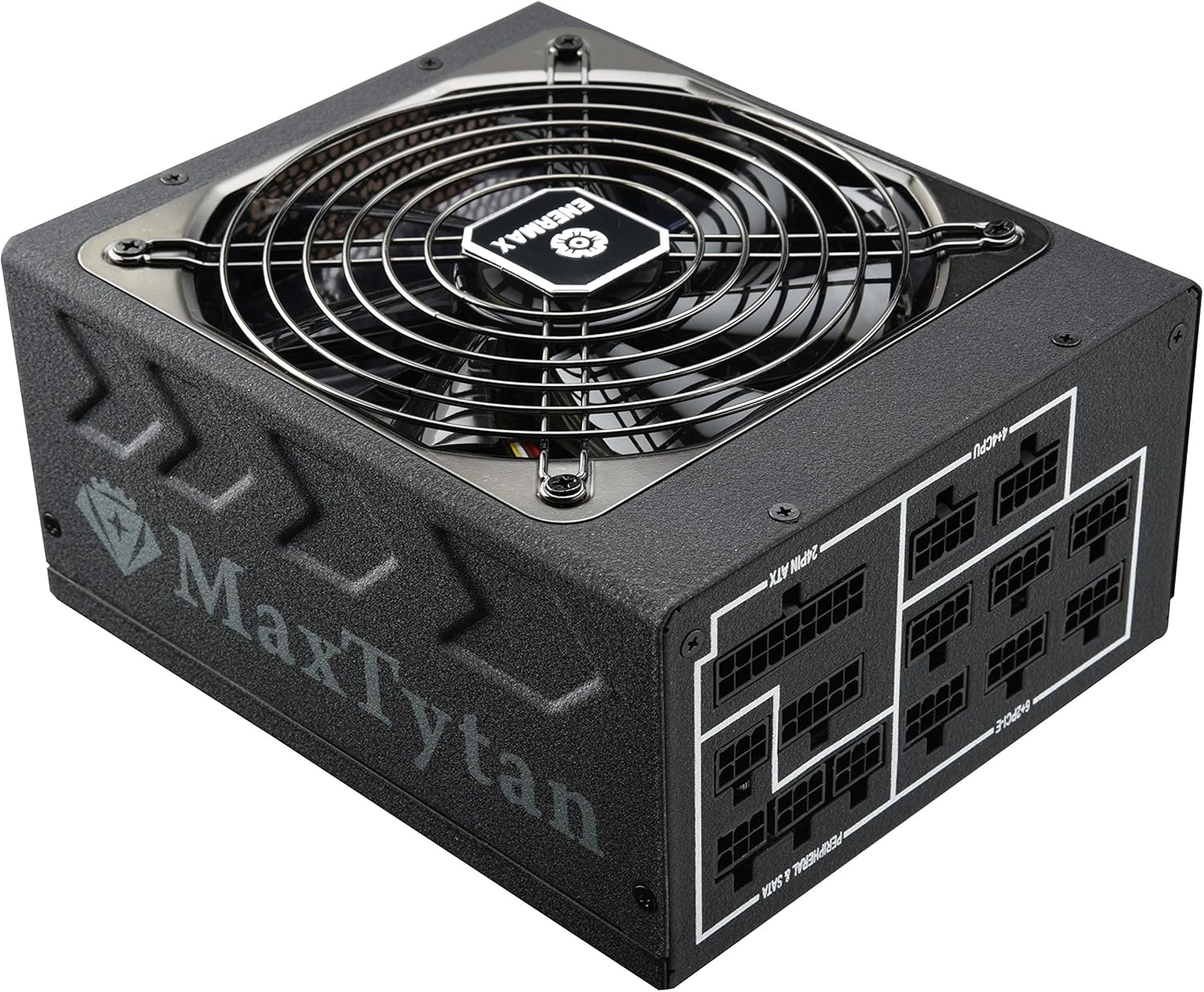
Figure 4.1: Front-side view of the Enermax MaxTytan 750W Power Supply, showing the fan grill and the MaxTytan branding.
4.2. Cable Connections
The MaxTytan 750W is a full modular power supply, allowing you to connect only the necessary cables for your system, improving airflow and cable management.
- Connect the 24-pin ATX motherboard cable to the power supply and your motherboard.
- Connect the 4+4 pin CPU (EPS) cable(s) to the power supply and your motherboard's CPU power connector(s).
- Connect the 6+2 pin PCIe cables to the power supply and your graphics card(s).
- Connect SATA power cables to your storage drives (SSDs, HDDs) and peripheral power cables to other components as needed.
- Ensure all connections are firm and secure.
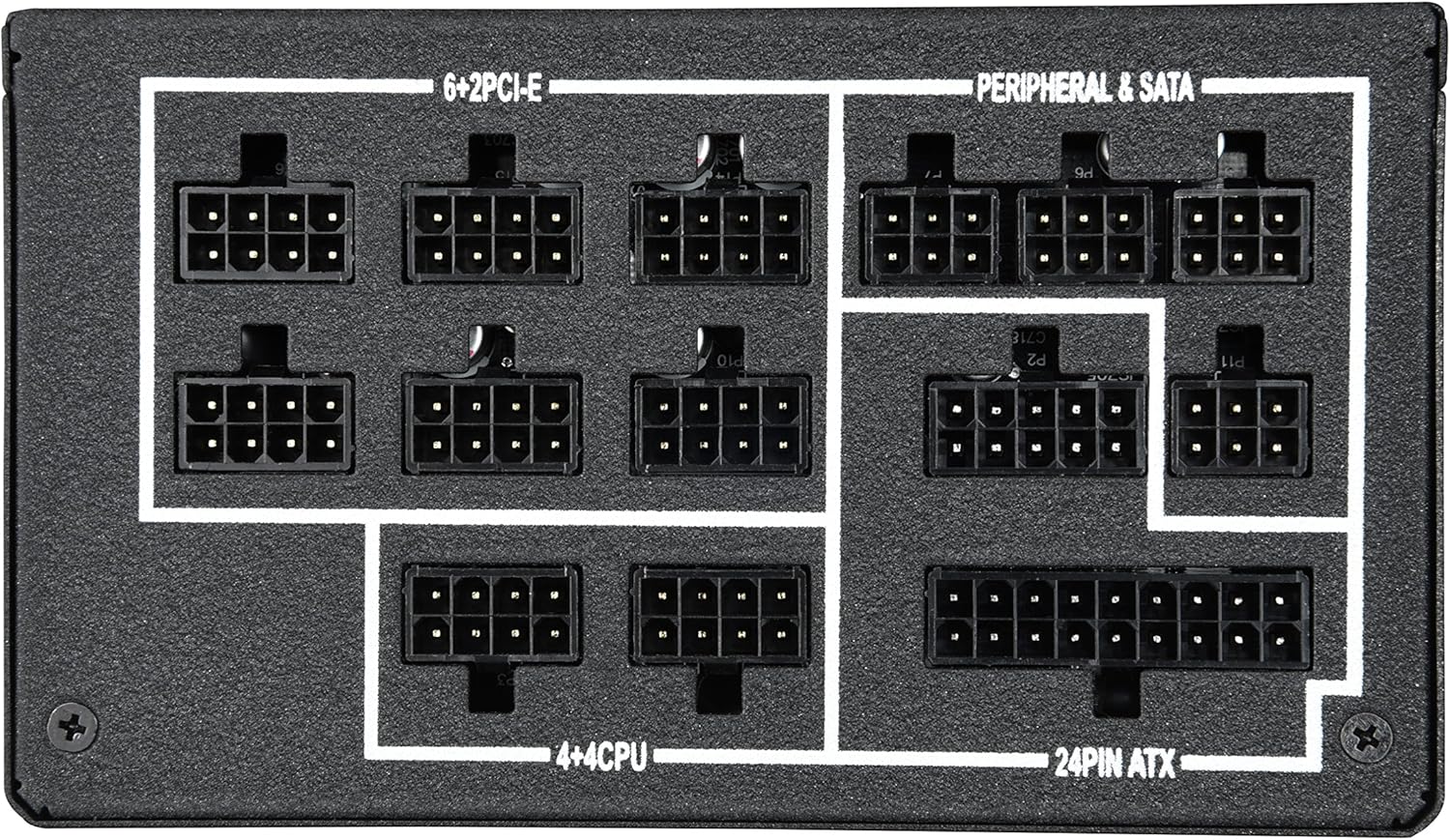
Figure 4.2: Close-up view of the modular cable connection ports on the power supply, clearly labeled for 24-pin ATX, 4+4 CPU, 6+2 PCIe, and Peripheral & SATA connections.
The included SLEEMAX cables are individually sleeved with premium fabric, providing durability and a smooth, soft texture for easy routing and improved aesthetics.
5. Operating Instructions
5.1. Power On/Off
After all connections are made, connect the AC power cord to the power supply and a wall outlet. Flip the main power switch on the back of the power supply to the 'ON' position. You can then power on your computer system.
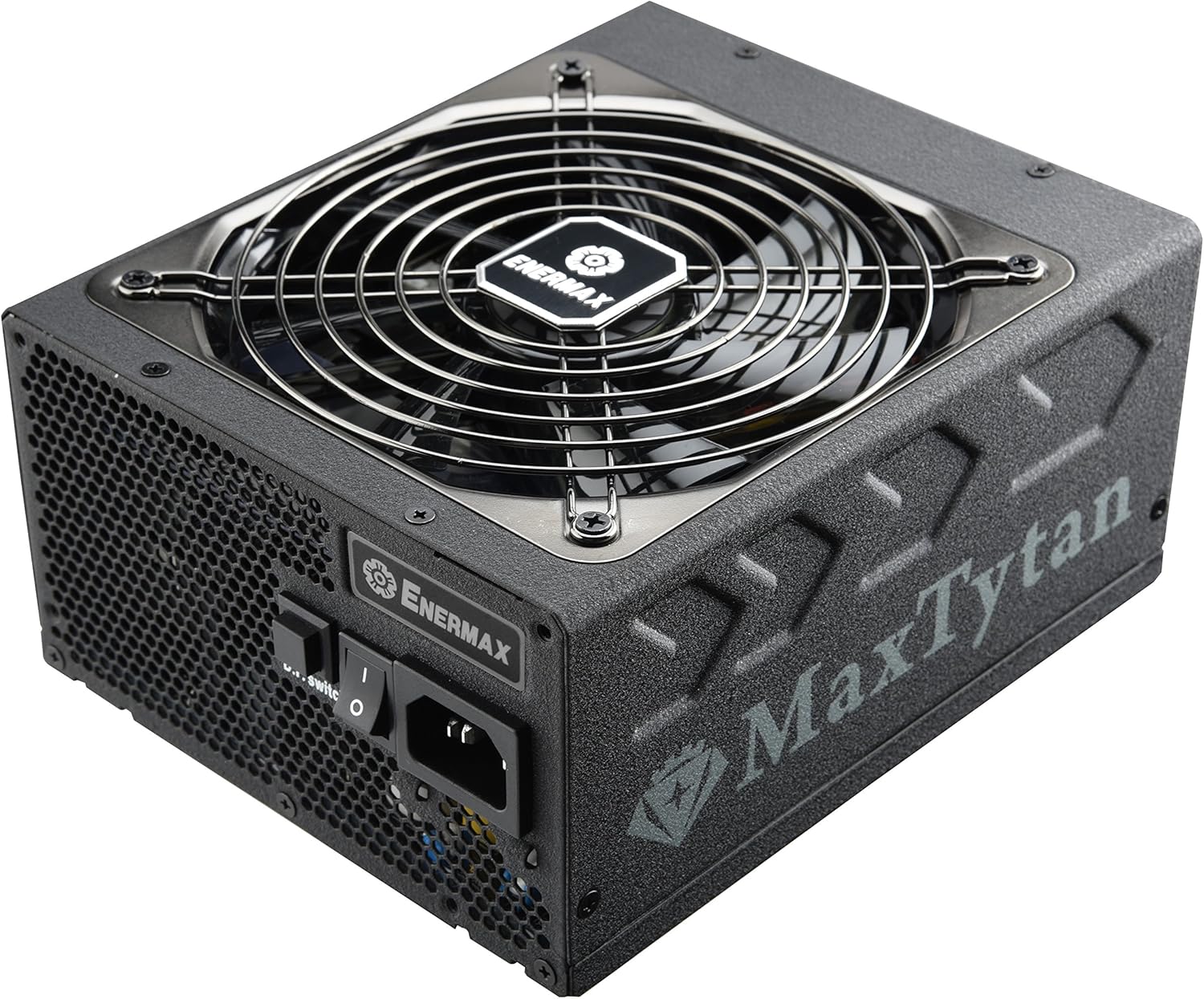
Figure 5.1: Rear view of the power supply, highlighting the main power switch and the D.F. switch for Dust Free Rotation technology.
5.2. Smart Semi-fanless Control
The MaxTytan 750W features a smart semi-fanless control function. The fan remains off for silent operation when the system load is below 55% (approximately 412W at 25°C ambient temperature). Once the load surpasses this threshold, the fan will automatically start spinning to maintain optimal cooling.
5.3. Dust Free Rotation (DFR) Technology
The unique Dust Free Rotation (DFR) technology helps to prevent dust accumulation inside the power supply. Upon startup, the PSU fan performs a self-cleaning spin in reverse for 10 seconds to blow away accumulated dust. Additionally, the dedicated D.F. switch on the rear of the power supply allows users to activate this DFR technology manually at any time during operation.
Video 5.1: An official Enermax video demonstrating the features of the MaxTytan Power Supply, including its 80 PLUS Titanium efficiency, smart semi-fanless control, and the Dust Free Rotation (DFR) technology activated by the D.F. switch.
6. Maintenance
Regular maintenance helps ensure the longevity and optimal performance of your power supply.
- Dust Removal: Utilize the DFR technology regularly by pressing the D.F. switch to clear dust from the fan and internal components. For stubborn dust, gently use compressed air while the unit is powered off and disconnected.
- Cable Inspection: Periodically check all modular cable connections to ensure they are securely seated.
- Ventilation: Ensure that the power supply's intake and exhaust vents are not obstructed to allow for proper airflow.
7. Troubleshooting
If you encounter issues with your power supply, refer to the following common troubleshooting steps:
- No Power:
- Check if the AC power cord is securely connected to both the power supply and the wall outlet.
- Ensure the main power switch on the PSU is in the 'ON' position.
- Verify that all modular cables are correctly connected to the power supply and system components.
- Test the wall outlet with another device to confirm it has power.
- Fan Not Spinning:
- The MaxTytan features semi-fanless operation. The fan will not spin if the system load is below 55%. This is normal behavior.
- If the system load is high and the fan is still not spinning, try activating the DFR function using the D.F. switch.
- System Instability/Crashes:
- Ensure your power supply wattage is sufficient for all your system components.
- Check all power connections for looseness.
- If issues persist, consult a qualified technician or contact Enermax support.
8. Specifications
Key specifications for the Enermax MaxTytan 750W Power Supply:
| Feature | Description |
|---|---|
| Brand | Enermax |
| Model Name | MaxTytan |
| Item Model Number | EMT750EWT |
| Output Wattage | 750 Watts |
| Efficiency Certification | 80 PLUS Titanium |
| Form Factor | ATX |
| Cooling Method | Air |
| Dimensions (LxWxH) | 7 x 6 x 3.5 inches |
| Weight | 10 pounds |
| Capacitors | 100% 105°C Japanese electrolytic capacitors |
| Fan | 13.9cm Twister Bearing Fan |
| Protection Circuitry | OCP, OVP, UVP, OTP, OPP, SCP, SIP |
9. Warranty and Support
The Enermax MaxTytan 750W Power Supply comes with a 10-year warranty, ensuring long-term reliability and peace of mind. For technical support, warranty claims, or further assistance, please visit the official Enermax website or contact their customer service department.
You can find more information and support resources at the Enermax Store on Amazon.
Related documentsEMT750EWT


Ask a question about this manual
Ask about setup, troubleshooting, compatibility, parts, safety, or missing instructions. Manuals+ will review the question and use this page’s manual context to help answer it.