
1. Introduction
Thank you for choosing the Multilaser PH041 Premium Acoustic Headphone with Microphone. This wired headset is designed for clear audio and communication, featuring a flexible microphone, comfortable earpads, and in-line volume control. It is ideal for online conversations, gaming, and use with portable audio equipment and computers. Please read this manual carefully to ensure proper use and maintenance of your device.
2. Key Features
- Flexible and Adjustable Microphone: Position the microphone for optimal voice capture.
- Comfortable Earpads: Designed for extended listening comfort.
- In-line Volume Control: Easily adjust audio levels.
- Flexible Headband: Ensures an ideal fit for various head sizes.
- Wide Compatibility: Connects to portable audio equipment (CD players, recorders, notebooks) and computers via 3.5mm stereo jack.
- Durable Construction: Internal composition of copper, external of ABS and rubber.
- Long Cable: 200cm cable length for flexible movement.
3. Setup Instructions
Follow these steps to set up your Multilaser PH041 Headphone:
- Connect the Headphone: Locate the 3.5mm stereo jack on your device (computer, laptop, smartphone, etc.). Insert the headphone's 3.5mm plug firmly into the audio jack.

Image 1: The Multilaser PH041 Headphone showing its 3.5mm jack for connection.
- Adjust the Headband: Gently extend or retract the headband to fit comfortably over your head. The flexible design allows for an ideal fit.

Image 2: The Multilaser PH041 Headphone highlighting its features like the flexible microphone and comfortable earpads.
- Position the Microphone: Adjust the flexible microphone boom to bring the microphone close to your mouth for clear voice capture.
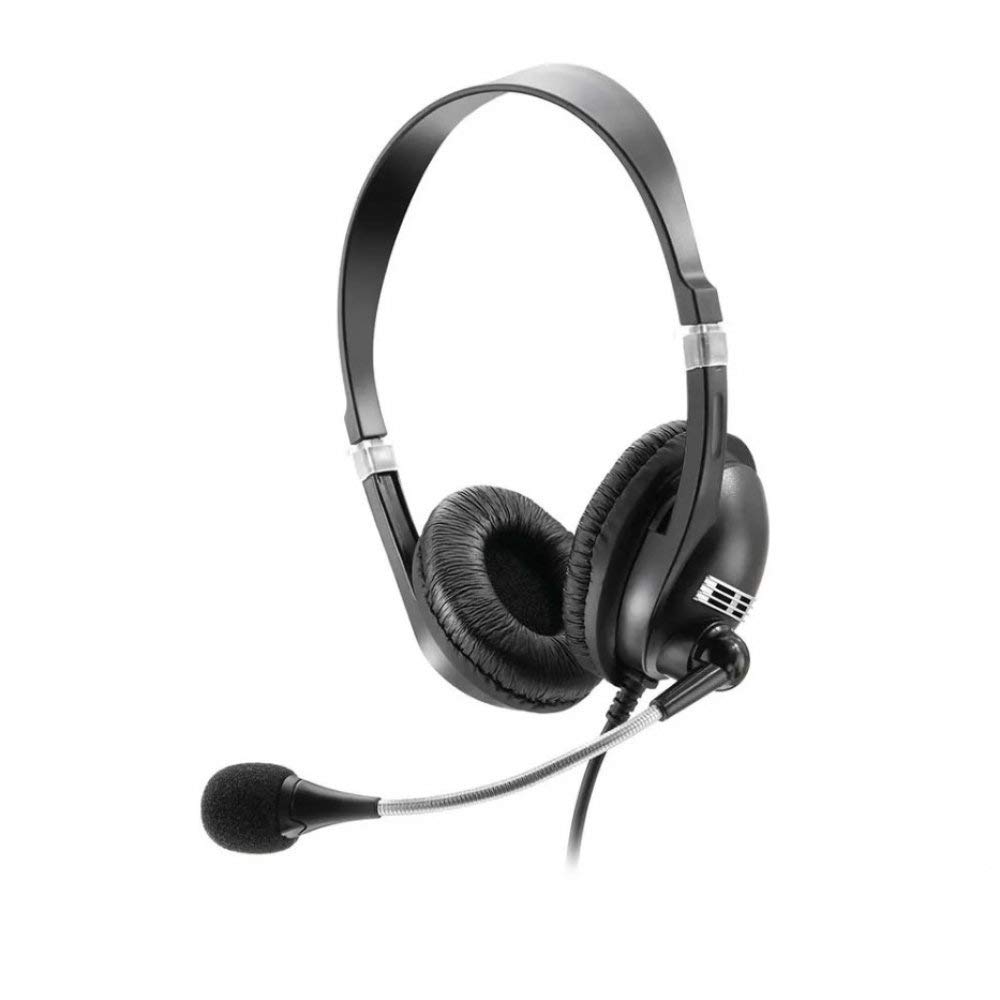
Image 3: A woman using the Multilaser PH041 Headphone, with the microphone positioned for communication.
4. Operating Instructions
Once connected, your Multilaser PH041 Headphone is ready for use:
- Audio Playback: Play audio from your connected device. The headphone will automatically output sound.
- Volume Control: Use the in-line volume control located on the cable to adjust the listening volume. Turn the dial up to increase volume and down to decrease it.
- Microphone Usage: For online calls, gaming, or recording, ensure your device's audio settings recognize the connected microphone. Speak clearly into the microphone for optimal voice transmission.
- Compatibility: This headset is compatible with most devices featuring a 3.5mm audio jack, including PCs, laptops, tablets, and smartphones.
5. Care and Maintenance
To ensure the longevity and optimal performance of your Multilaser PH041 Headphone, follow these care instructions:
- Cleaning: Use a soft, dry cloth to clean the earpads and headband. Do not use harsh chemicals or abrasive materials.
- Storage: When not in use, store the headphone in a clean, dry place away from extreme temperatures and direct sunlight. Avoid tangling the cable.
- Handling: Do not pull on the cable to disconnect the headphone. Always grasp the plug. Avoid dropping the headphone or subjecting it to strong impacts.
- Moisture: Keep the headphone away from water and excessive moisture.
6. Troubleshooting
If you encounter issues with your Multilaser PH041 Headphone, refer to the following common problems and solutions:
- No Sound:
- Ensure the 3.5mm jack is fully inserted into your device's audio port.
- Check the volume control on the headphone cable and on your device.
- Test the headphone with another device to rule out a device-specific issue.
- Microphone Not Working:
- Verify that the microphone is correctly positioned and not muted (if your device has a mute function).
- Check your device's audio input settings to ensure the external microphone is selected.
- Test the microphone with another application or device.
- Distorted Sound:
- Lower the volume on both the headphone and your device.
- Ensure the audio source is of good quality.
- Check for any physical damage to the cable or connectors.
7. Technical Specifications
| Feature | Specification |
|---|---|
| Model Name | PH041 |
| Connectivity Technology | Wired |
| Headphone Connector | 3.5 mm Jack |
| Frequency Response | 20Hz ~ 20000Hz |
| Sensitivity | 110dB |
| Impedance | 32 Ohms |
| Power | 25mW |
| Maximum Input Power | 50mW |
| Speaker Diameter | 40mm |
| Cable Length | 200cm |
| Weight | 0.18 g |
| Material | Rubber, Plastic |
| Color | Black |
| Compatible Devices | Portable audio equipment, Computers |
| Special Features | Microphone included |
8. Product Videos
Watch these official videos for more information on the Multilaser PH041 Headphone:
Product Details Overview
Video 1: An overview of the Multilaser PH041 Headphone, showcasing its features and design. This video is provided by Amazon Brasil.
INMA Headset HDS-4000U Features (Similar Product)
Video 2: This video demonstrates features of a similar headset, the INMA HDS-4000U, including its integrated control, USB connection, noise cancellation, and adjustable microphone. While not the exact model, it illustrates common headset functionalities. Provided by Mamoeiro.
9. Warranty and Support
The Multilaser PH041 Headphone comes with a manufacturer's warranty.
- Manufacturer's Warranty: 1 year with the manufacturer.
- Extended Warranty: An extended warranty against failures and defects for 24 months may be available for purchase separately.
- Returns: Standard return policy allows for refund/replacement within 30 days if purchased from Amazon.
- For further assistance or technical support, please refer to the official Multilaser website or contact their customer service.


