
Introduction
This manual provides detailed instructions for the setup, operation, and maintenance of the VILTROX JY-710-S2 Wireless Timer Remote Control. Please read this manual thoroughly before using the device to ensure proper function and to achieve optimal photographic results.

Image: The VILTROX JY-710-S2 Wireless Timer Remote Control system, including the transmitter, receiver, and camera connection cable.
Package Contents
Verify that all items are present in your package:
- 1 x Timer Remote Control (Transmitter)
- 1 x Shutter Release Connection Cable (S2 type for Sony)
- 1 x Receiver
Key Features
- Supports single shooting, 1-second continuous shooting, BULB mode, delayed shooting, and scheduled timer functions.
- Integrated FSK 2.4GHz wireless remote control system with 4 channels.
- Wireless operating range of approximately 50-80 meters.
- Minimizes camera shake for improved image integrity and quality.
- BULB function allows for exposures up to 100 hours.
- Programmable number of shots, up to 399 or unlimited.
Product Overview
Transmitter (Timer Remote Control)
The transmitter features an LCD display for settings, control buttons for navigation, and a shutter release button. It is powered by two AAA batteries.

Image: Front view of the VILTROX JY-710-S2 transmitter, highlighting the LCD screen and control buttons.
Receiver
The receiver connects to your camera's remote port and hot shoe. It receives signals from the transmitter and triggers the camera's shutter. It is also powered by two AAA batteries and has a channel selector switch.

Image: Close-up view of the VILTROX JY-710-S2 receiver, showing the channel switch and battery compartment.
Setup
1. Battery Installation
Both the transmitter and receiver require two AAA 1.5V LR03 alkaline batteries.
- Open the battery compartment cover on the back of both the transmitter and receiver.
- Insert two AAA batteries into each unit, ensuring correct polarity (+/-).
- Close the battery compartment covers securely.

Image: The back of the VILTROX JY-710-S2 transmitter with the battery compartment open for AAA battery installation.
2. Connecting the Receiver to the Camera
- Mount the receiver onto your camera's hot shoe. This provides a secure attachment point but is not necessary for electrical connection.
- Connect one end of the provided S2 shutter release cable to the receiver's port.
- Connect the other end of the S2 cable to your camera's remote control port.

Image: The VILTROX JY-710-S2 receiver securely mounted on a Sony camera's hot shoe and connected via the S2 cable.
3. Setting Communication Channel
Ensure both the transmitter and receiver are set to the same channel (1-4) using the channel selector switch on the receiver and the corresponding setting on the transmitter (refer to transmitter display for channel setting).
Operation
Basic Shutter Release
The remote can be used for simple shutter release, either wired or wirelessly.
- Half-Press: Press the shutter button on the transmitter halfway down to activate autofocus.
- Full-Press: Press the shutter button fully to trigger the camera's shutter.
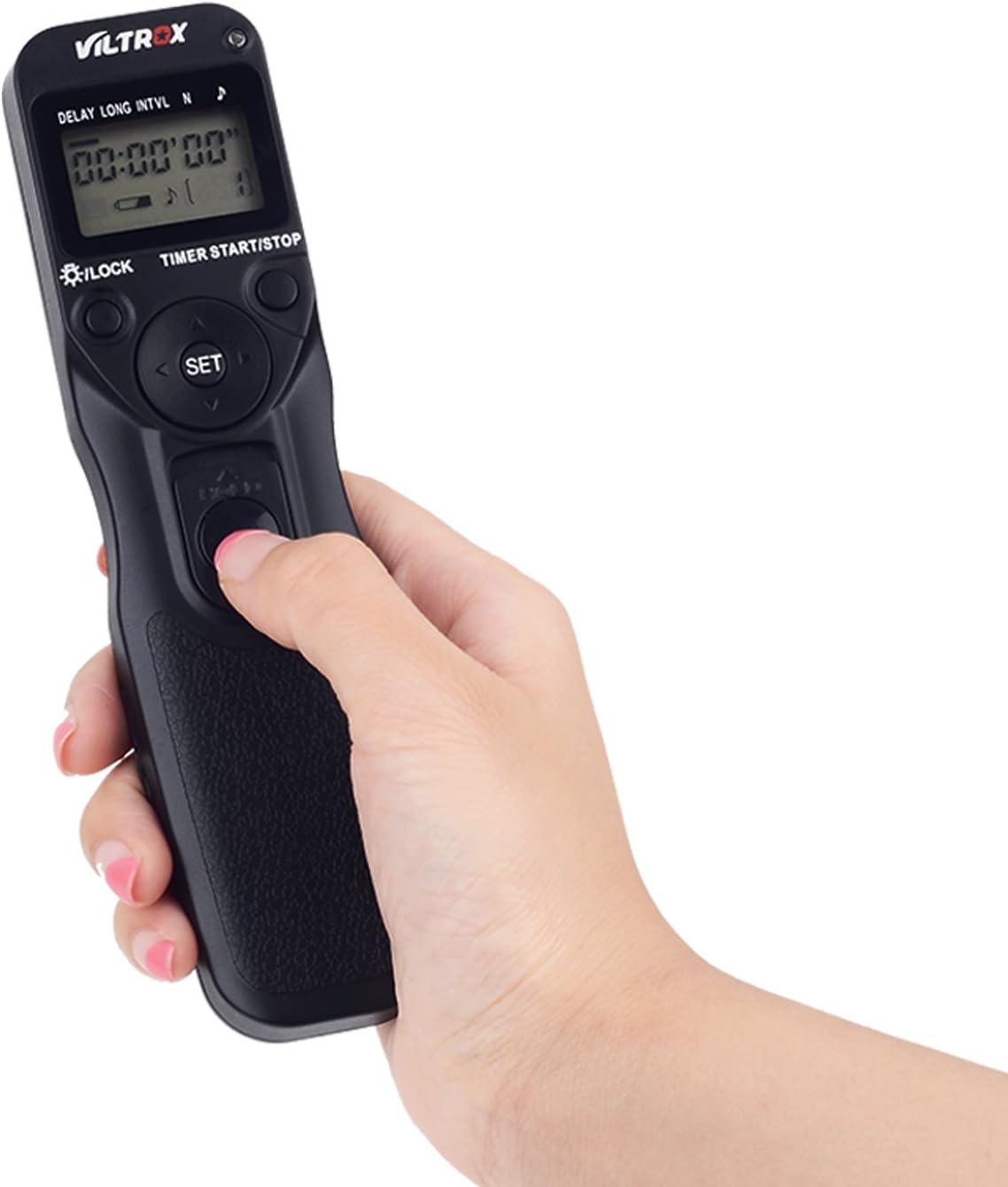
Image: A hand demonstrating pressing the shutter button on the VILTROX JY-710-S2 transmitter.
Wired Operation
For wired operation, connect the S2 cable directly from the transmitter to your camera's remote port. The receiver is not needed in this mode.

Image: The VILTROX JY-710-S2 transmitter connected directly to a camera for wired shutter control.
Wireless Operation
For wireless operation, ensure the receiver is connected to the camera and both units are on the same channel. The transmitter can then control the camera remotely.
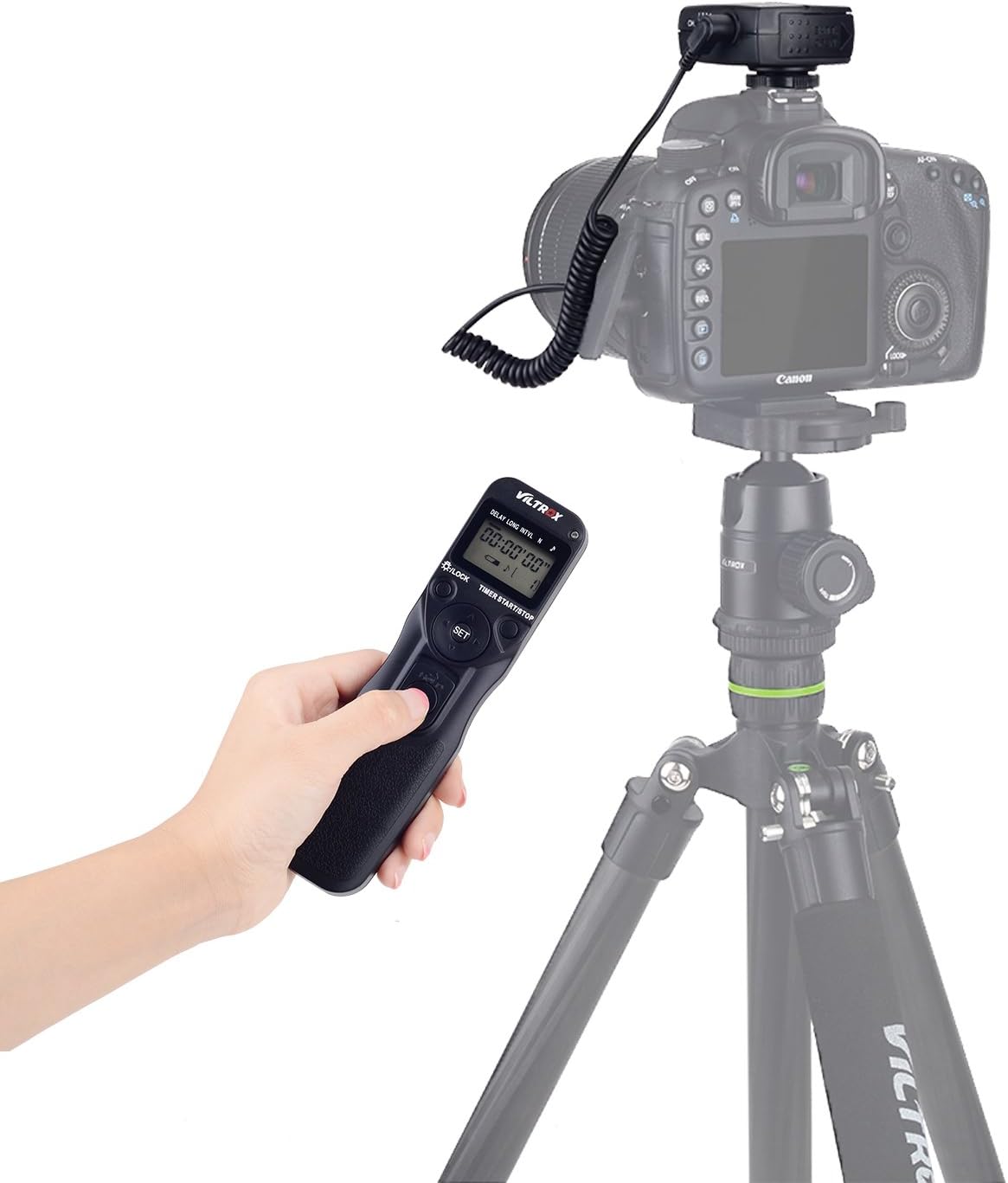
Image: A user operating the VILTROX JY-710-S2 transmitter wirelessly, with a camera mounted on a tripod in the background.
Timer Functions
The transmitter allows for precise control over various shooting parameters:
- Delay (DEL): Sets the delay time before the first shot, from 0 seconds to 99 hours, 59 minutes, 59 seconds.
- Long Exposure (LONG): Sets the exposure duration for each shot, from 0 seconds to 99 hours, 59 minutes, 59 seconds. This is used for BULB mode.
- Interval (INTVL): Sets the time between consecutive shots, from 1 second to 99 hours, 59 minutes, 59 seconds.
- Number of Shots (N): Sets the total number of exposures, from 1 to 399, or '--' for unlimited shots.
Use the navigation buttons (up, down, left, right) and the SET button to adjust these parameters on the LCD display. Press the TIMER START/STOP button to begin or end the timed sequence.
Specifications
| Feature | Specification |
|---|---|
| Time Delay | 0s to 99h 59min 59s (1s increments) |
| Exposure Time | 0s to 99h 59min 59s (1s increments) |
| Interval Time | 1s to 99h 59min 59s (1s increments) |
| Number of Shots | 1 to 399, or unlimited (--) |
| Power Source | 2 x AAA 1.5V LR03 alkaline batteries (for each unit) |
| Battery Life | Approx. 2 months (under specific usage conditions) |
| Operating Temperature | -20°C to +50°C (-4°F to +122°F) |
| Dimensions (Transmitter) | Approx. 155 x 40 x 18 mm (6.1 x 1.6 x 0.7 inches) |
| Weight (with receiver) | Approx. 125 g (3.7 oz) |
| Cord Length | Approx. 850 mm (33.5 inches) |
| Connectivity Technology | FSK 2.4GHz Wireless, Infrared (Wired option) |
| Wireless Range | Up to 80 meters |
Compatibility
The VILTROX JY-710-S2 is compatible with various Sony camera models, including but not limited to:
- Sony a58, A7SM2, A7RM2, A7, A7M2, A7R, A7S
- Sony A3000, A5000, A5100, A6000, A6300, A6500
- Sony HX50, HX60, HX300, HX400
Maintenance
- Keep the device clean by wiping it with a soft, dry cloth. Avoid using harsh chemicals or solvents.
- Store the remote control in a dry, cool place away from direct sunlight and extreme temperatures.
- Remove batteries if the device will not be used for an extended period to prevent leakage.
- Avoid dropping or subjecting the device to strong impacts.
Troubleshooting
- Device not powering on: Check battery installation and ensure batteries are fresh.
- Camera not triggering wirelessly: Verify that both transmitter and receiver have fresh batteries, are powered on, and are set to the same channel. Ensure the receiver is properly connected to the camera.
- Camera not triggering wired: Ensure the cable is securely connected to both the transmitter and the camera's remote port.
- Interference: If experiencing inconsistent wireless performance, try changing the channel on both the transmitter and receiver.
Warranty and Support
VILTROX provides a warranty for manufacturing or performance defects. Within the first 6 months, non-human damage may be covered free of charge for new products. The product is covered by a 2-year warranty for defects in workmanship or performance. During the justified period, all materials are covered.
For further support or warranty claims, please contact your retailer or visit the official VILTROX website.
