
Introduction
Thank you for choosing the comiso Bluetooth Speaker X26. This portable, waterproof speaker is designed to deliver high-quality 360° HD stereo sound with punchy bass, making it ideal for various indoor and outdoor activities. Please read this manual carefully to ensure proper use and to maximize your listening experience.

Image: The comiso Bluetooth Speaker X26, a compact and portable device.
Package Contents
Ensure all items are present in your package:
- 1 x comiso X26 Bluetooth Speaker
- 1 x USB Charging Cable
- 1 x Carabiner (for portability)
- 1 x User Manual
Setup Guide
1. Charging the Speaker
Before first use, fully charge your speaker. The comiso X26 has a 2000mAh battery capacity and takes approximately 3.5 hours to fully charge.
- Locate the charging port on the speaker (usually covered by a waterproof flap).
- Connect the provided USB charging cable to the speaker's charging port.
- Connect the other end of the USB cable to a compatible USB power adapter (5V DC input voltage) or a computer's USB port.
- The LED indicator will show charging status (e.g., red while charging, off or blue when fully charged).
2. Power On/Off
- To power on: Press and hold the power button (⏻) for approximately 3 seconds until you hear an audible prompt and the LED light illuminates.
- To power off: Press and hold the power button (⏻) for approximately 3 seconds until the LED light turns off.
Image: Top panel of the comiso X26 speaker showing the power button and other controls.
3. Bluetooth Pairing
Connect your speaker to a Bluetooth-enabled device (smartphone, tablet, laptop, etc.).
- Ensure the speaker is powered on and in pairing mode (the LED indicator will typically flash blue).
- On your device, enable Bluetooth and search for available devices.
- Select "comiso-X26" from the list of devices.
- Once connected, the LED indicator will turn solid blue, and you will hear a confirmation tone.

Image: The comiso X26 speaker demonstrating multi-functional connectivity with various devices.
4. True Wireless Stereo (TWS) Pairing
For an enhanced stereo experience, you can pair two comiso X26 speakers together.
- Ensure both comiso X26 speakers are powered on and not connected to any other Bluetooth device.
- On one speaker (this will be the master speaker), press and hold the TWS pairing button (refer to speaker diagram if available, or typically the play/pause button or a dedicated button).
- The speakers will automatically search for each other and pair. Once paired, you will hear a confirmation tone, and the LED indicators on both speakers will synchronize.
- Connect your device to the master speaker via Bluetooth as described in step 3. Audio will now play in sync through both speakers.

Image: Two comiso X26 speakers wirelessly paired, illustrating the True Wireless Stereo feature.
Operating Instructions
1. Basic Controls
| Button | Function |
|---|---|
| ⏻ (Power Button) | Press and hold for 3 seconds to Power On/Off. |
| ▶‖ (Play/Pause) | Press once to Play/Pause music. |
| + (Volume Up) | Press once to increase volume. Hold to skip to next track. |
| - (Volume Down) | Press once to decrease volume. Hold to skip to previous track. |
| △ (Mode/TWS) | Press once to switch modes (if applicable). Hold to initiate TWS pairing. |
2. Call Handling
The comiso X26 features a built-in microphone for hands-free calling when connected to your smartphone.
- To answer a call: Press the ▶‖ (Play/Pause) button once.
- To end a call: Press the ▶‖ (Play/Pause) button once during a call.
- To reject a call: Press and hold the ▶‖ (Play/Pause) button for 2 seconds.
3. Usage Environment
The speaker's IP65 waterproof rating makes it suitable for various environments. It is splashproof, rainproof, and dustproof.
- Outdoor Use: Perfect for beaches, poolside, camping, hiking, and other outdoor activities.
- Indoor Use: Suitable for home, dorm rooms, kitchens, and bathrooms.
- Portability: The compact size and included carabiner allow for easy attachment to backpacks, bicycles, or cup holders.

Image: The comiso X26 speaker used in a bathroom, highlighting its waterproof design.
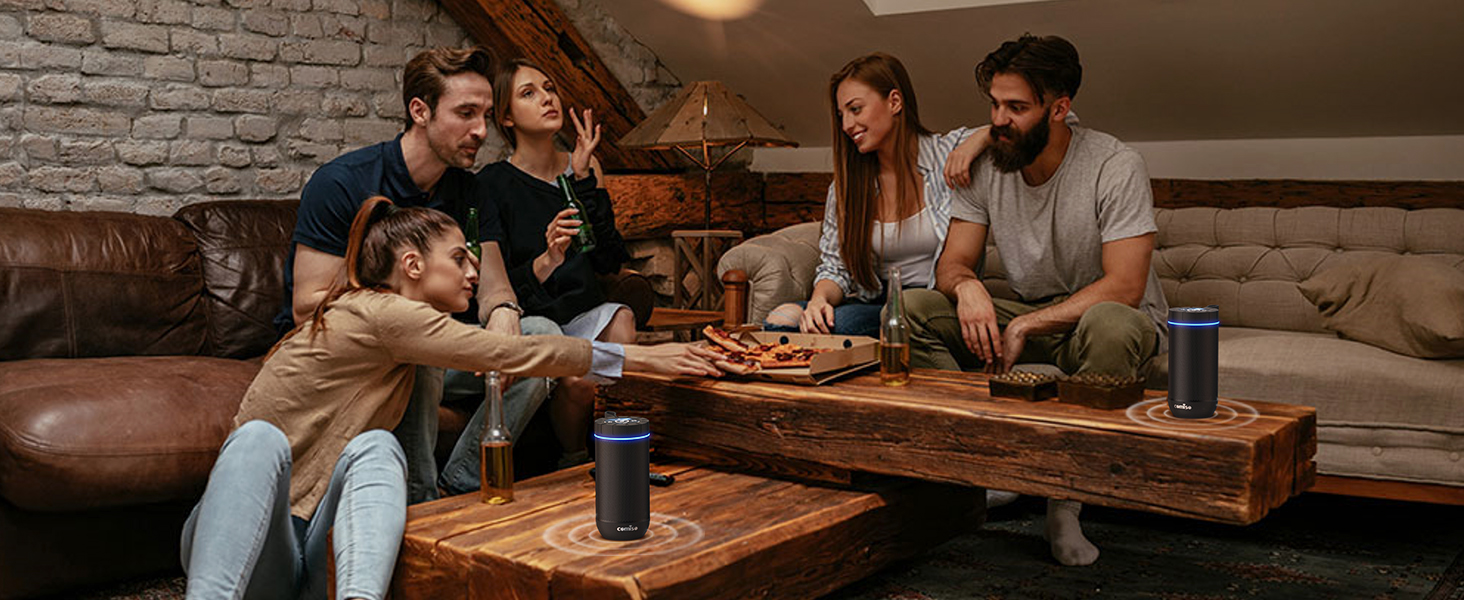
Image: A comiso X26 speaker attached to a backpack, demonstrating its portability for outdoor adventures.
Maintenance
- Cleaning: Wipe the speaker with a soft, damp cloth. Do not use harsh chemicals or abrasive cleaners. Ensure the charging port cover is securely closed before cleaning with water.
- Water Resistance: The speaker is IP65 rated, meaning it is protected against dust ingress and low-pressure water jets. Do not submerge the speaker in water for extended periods.
- Storage: Store the speaker in a cool, dry place away from direct sunlight and extreme temperatures.
- Battery Care: To prolong battery life, avoid fully discharging the battery frequently. Charge the speaker regularly, even if not in use for extended periods.
Troubleshooting
| Problem | Solution |
|---|---|
| Speaker does not power on. | Ensure the battery is charged. Connect to a power source and try again. |
| Cannot pair via Bluetooth. |
|
| No sound or low volume. |
|
| TWS pairing fails. |
|
| Speaker is unresponsive. | Locate the reset button (often a small pinhole near the charging port) and use a thin object (like a paperclip) to press it. This will restart the speaker. |
Specifications
| Feature | Detail |
|---|---|
| Model Name | X26 |
| Brand | comiso |
| Connectivity Technology | Bluetooth |
| Wireless Communication Technology | Bluetooth |
| Bluetooth Range | 10 Meters |
| Speaker Type | Surround Sound |
| Audio Output Mode | Surround sound & stereo |
| Speaker Maximum Output Power | 15 Watts |
| Frequency Response | 20 KHz |
| Signal-to-Noise Ratio | 85 dB |
| Power Source | Battery Powered |
| Battery Capacity | 2000 Milliamp Hours |
| Charging Time | 3.5 Hours |
| Playtime | Up to 24 hours (at medium volume) |
| Input Voltage | 5 Volts (DC) |
| Water Resistance Level | IP65 (Water Resistant) |
| Product Dimensions | 2.7"D x 2.7"W x 5.9"H |
| Item Weight | 13.6 ounces (0.85 Pounds) |
| Material | Acrylonitrile Butadiene Styrene (ABS), Metal |
Warranty and Support
The comiso Bluetooth Speaker X26 comes with a limited warranty. For detailed warranty information or technical support, please refer to the warranty card included in your package or contact comiso customer service through their official channels.
For further assistance, visit the official comiso store: comiso Store on Amazon


