
RCF ART 312-A MK4
RCF ART 312-A MK4 Active Speaker User Manual
Brand: RCF | Model: ART 312-A MK4 (Model 13000539)
Introduction
Thank you for choosing the RCF ART 312-A MK4 Active Speaker. This manual provides essential information for the safe and efficient operation of your new audio system. Please read this manual thoroughly before using the product to ensure proper setup, optimal performance, and to prevent damage.
The RCF ART 312-A MK4 is a high-performance active speaker designed for a wide range of professional audio applications, offering powerful sound reproduction and robust construction.
Safety Information
Always observe the following safety precautions to prevent electric shock, fire, or injury.
- Power Supply: Connect the speaker only to an AC power outlet of the specified voltage. Ensure the power cord is not damaged or pinched.
- Grounding: The speaker must be properly grounded to prevent electric shock.
- Moisture: This product is designed to be waterproof, however, avoid exposing the speaker to excessive moisture or liquids. Do not operate with wet hands.
- Ventilation: Ensure adequate ventilation around the speaker. Do not block ventilation openings.
- Placement: Place the speaker on a stable, level surface or mount it securely using appropriate hardware. Avoid placing it near heat sources.
- Servicing: Do not attempt to service this product yourself. Refer all servicing to qualified service personnel.
- Hearing Protection: Prolonged exposure to high sound pressure levels can cause permanent hearing damage. Use appropriate hearing protection when operating the speaker at high volumes.
Setup
Follow these steps to set up your RCF ART 312-A MK4 active speaker.
1. Unpacking
Carefully remove the speaker from its packaging. Inspect the unit for any signs of damage during transit. Retain the original packaging for future transportation or storage.
2. Placement
The ART 312-A MK4 offers versatile placement options:
- Pole Mounting: The speaker features a standard pole mount socket on the bottom for use with speaker stands.
- Floor Placement: The speaker can be placed directly on a stable floor.
- Stage Monitor: The cabinet design allows for use as a stage monitor.
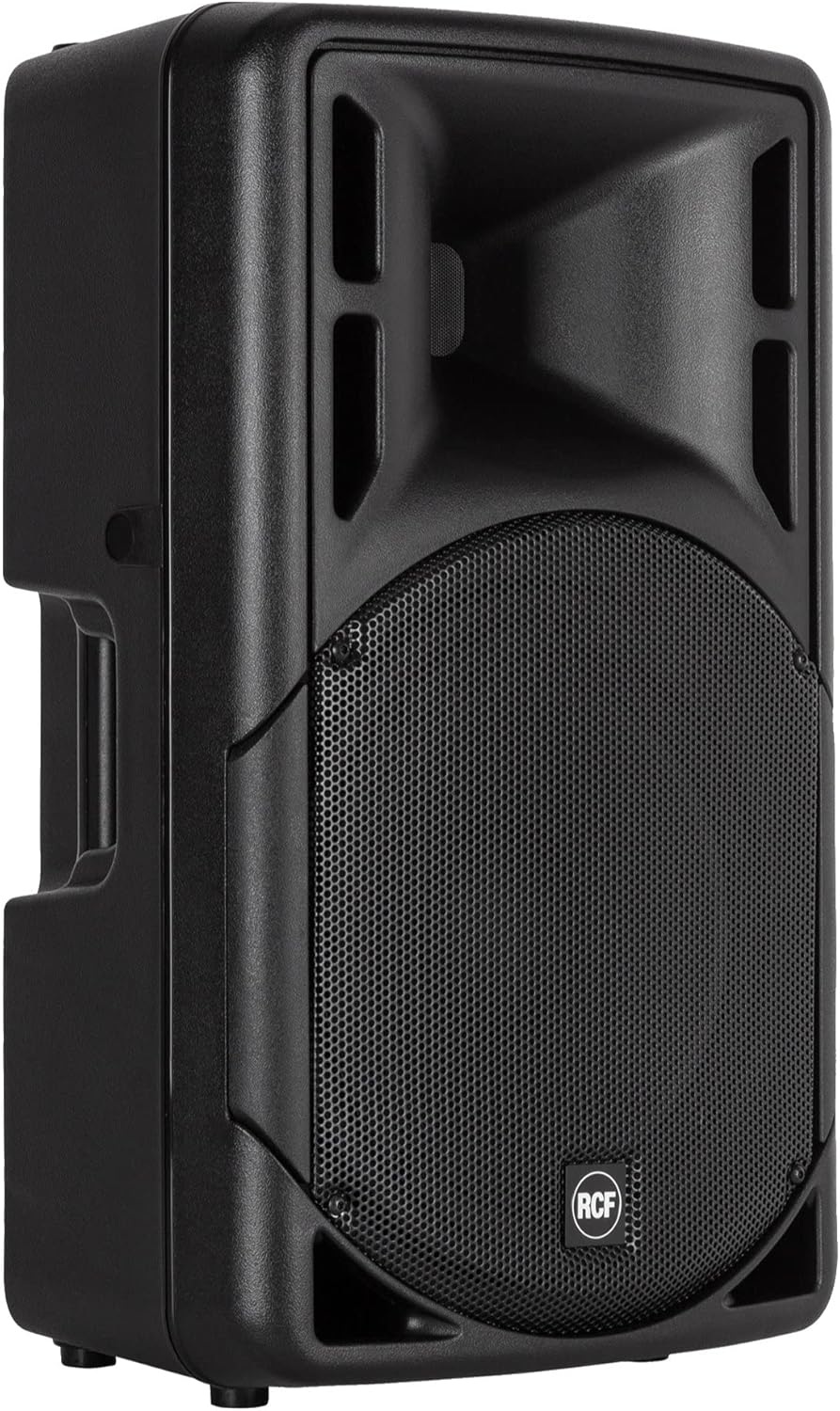
Figure 1: Front-side view of the RCF ART 312-A MK4 speaker.

Figure 2: Bottom view illustrating the integrated pole mount socket for stand placement.
3. Connections
Locate the input panel on the rear of the speaker (Figure 3).

Figure 3: Rear control panel with input and output connections.
- Power Connection: Connect the supplied power cable to the AC input on the rear panel and then to a suitable grounded power outlet.
- Audio Input: Connect your audio source (mixer, microphone, instrument) to the balanced XLR or 1/4" Jack input. Ensure the input level switch (MIC/LINE) is set appropriately for your source.
- Link Output (Optional): If linking multiple speakers, use the XLR link output to send the audio signal to another active speaker.
4. Initial Power-On
Before powering on, ensure all connections are secure and volume controls are set to minimum. Flip the power switch to the 'ON' position. The power indicator LED should illuminate.
Operating Instructions
This section details the operation of the RCF ART 312-A MK4 speaker.
Control Panel Overview
Refer to Figure 3 for the layout of the control panel.
- Input Gain Control: Adjusts the input sensitivity for the connected audio source. Start with this control at minimum.
- Volume Control: Controls the overall output volume of the speaker.
- MIC/LINE Switch: Selects the appropriate input sensitivity for microphone (MIC) or line-level (LINE) signals.
- XLR/Jack Input: Combination input connector for balanced XLR or 1/4" TRS/TS cables.
- XLR Link Output: Provides a pass-through of the input signal for connecting to other speakers.
- LED Indicators:
- POWER: Illuminates when the unit is powered on.
- SIGNAL: Illuminates when an audio signal is present.
- LIMITER: Illuminates when the internal limiter is active, indicating the signal is approaching distortion. Reduce input gain if this LED is constantly lit.
Adjusting Sound Levels
- Ensure the main volume control on the speaker is at its minimum setting.
- Set the MIC/LINE switch according to your input source.
- Gradually increase the input gain control until the SIGNAL LED illuminates consistently. Avoid the LIMITER LED lighting up frequently.
- Slowly increase the main volume control to achieve the desired listening level.
Maintenance and Care
Proper maintenance will ensure the longevity and optimal performance of your RCF ART 312-A MK4 speaker.
- Cleaning: Use a soft, dry cloth to clean the exterior of the speaker. For stubborn dirt, a slightly damp cloth can be used, but ensure no liquid enters the speaker grilles or control panel. Do not use abrasive cleaners or solvents.
- Storage: When not in use for extended periods, store the speaker in a dry, cool environment, preferably in its original packaging or a protective cover.
- Transportation: Always use the integrated handles for lifting and carrying the speaker (Figure 4). When transporting, ensure the speaker is secured to prevent movement and impact.
- Water Resistance: While the product is waterproof, it is designed to withstand splashes and light rain. Do not submerge the speaker or expose it to heavy, continuous downpours. Always ensure input covers are properly sealed if present.

Figure 4: Top view illustrating the integrated handle for easy transportation.
Troubleshooting
If you encounter issues with your RCF ART 312-A MK4 speaker, refer to the following common problems and solutions before contacting service personnel.
| Problem | Possible Cause | Solution |
|---|---|---|
| No sound output |
|
|
| Distorted sound |
|
|
| Humming or buzzing noise |
|
|
Specifications
Technical specifications for the RCF ART 312-A MK4 Active Speaker.
| Model Name | ART 312 amp MK4 |
| Item Model Number | 13000539 |
| Speaker Type | Full-range active speaker with 12-inch woofer and compression driver |
| Speaker Maximum Output Power | 800 Watts |
| Power Source | Corded Electric |
| Audio Output Mode | Stereo (when used in a pair) / Mono (single unit) |
| Mounting Type | Pole mount, Floor, Stage Monitor |
| Product Dimensions (W x D x H) | 40.5 x 34.5 x 68 cm |
| Item Weight | 17 kg |
| Waterproof | Yes |
| Date First Available | 26 July 2017 |

Figure 5: Dimensions of the RCF ART 312-A MK4 speaker.
Warranty and Support
RCF products are manufactured to the highest quality standards. This product is covered by a limited warranty against defects in materials and workmanship from the date of purchase. Please refer to the warranty card included with your product or visit the official RCF website for detailed warranty terms and conditions.
For technical support, service, or spare parts, please contact your authorized RCF dealer or distributor. You can also find support resources and frequently asked questions on the official RCF website.
Note: Product specifications and features are subject to change without notice.
Related documentsART 312-A MK4


Ask a question about this manual
Ask about setup, troubleshooting, compatibility, parts, safety, or missing instructions. Manuals+ will review the question and use this page’s manual context to help answer it.