1. Introduction
The Victron Energy SmartSolar MPPT 100V 50A Solar Charge Controller is engineered for efficient energy harvesting from solar panels and optimal battery charging. This manual provides essential information for the safe installation, operation, and maintenance of your device, ensuring maximum performance and longevity of your solar power system.
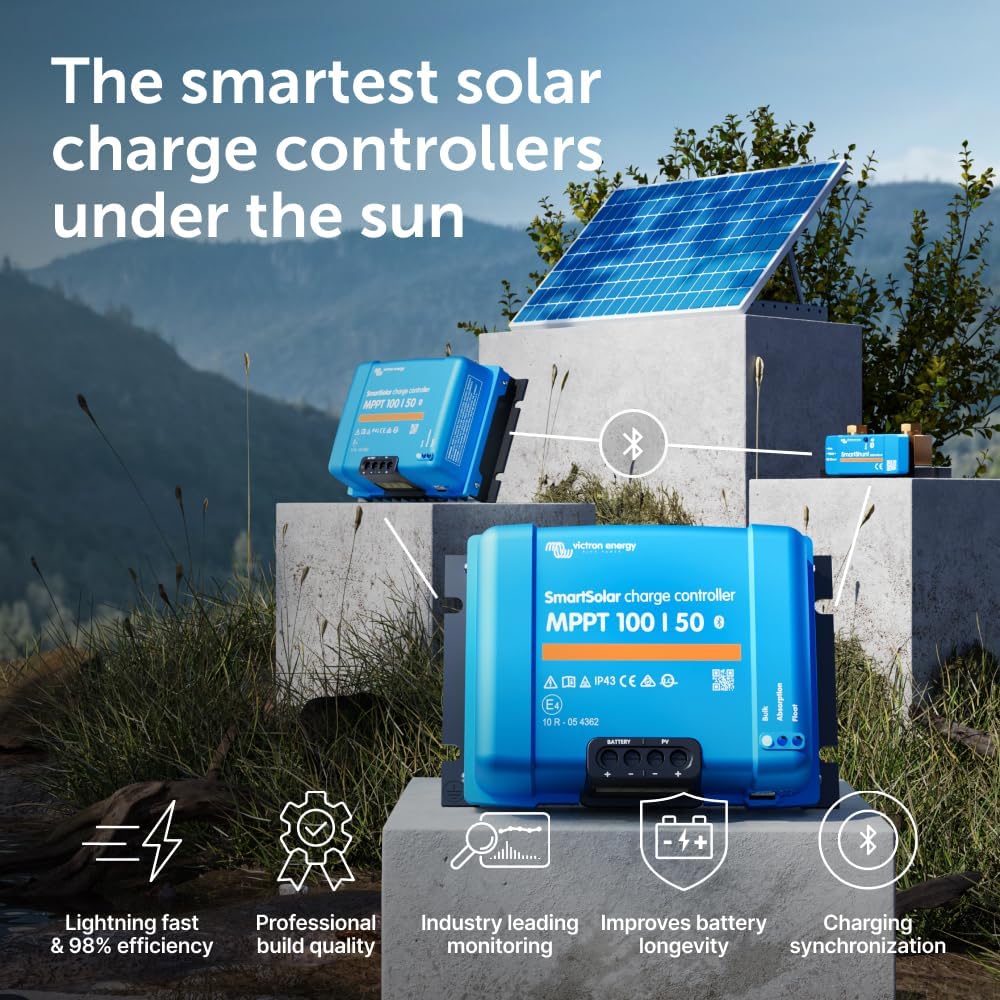
The Victron Energy SmartSolar MPPT 100V 50A Solar Charge Controller, a compact blue unit designed for efficient solar energy management.
2. Safety Information
- Always disconnect solar panels and battery before performing any installation or maintenance procedures.
- Ensure proper wiring and fusing to prevent damage to the device and connected components, and to ensure overall system safety.
- Install the controller in a dry, well-ventilated area, away from flammable materials, to prevent overheating.
- Refer to local electrical codes and regulations for all installation aspects.
- The device can become warm during operation; ensure adequate airflow around the unit.
- Avoid short-circuiting battery terminals.
- Proposition 65 Warning: This product may contain chemicals known to the State of California to cause cancer and birth defects or other reproductive harm.
3. Setup
3.1. Mounting
Mount the SmartSolar MPPT controller in a dry, well-ventilated area. Ensure sufficient space around the unit for proper cooling and heat dissipation. The unit's dimensions are 5.12 x 7.48 x 2.76 inches.

Image showing the dimensions of the SmartSolar MPPT controller: 186 mm (7.3 inches) length, 130 mm (5.1 inches) width, and 70 mm (2.8 inches) height, with a weight of 1.3 kg (2.9 lbs).
3.2. Wiring
- Connect the Battery: Connect the positive (+) and negative (-) battery cables to the 'BATTERY' terminals on the controller. Ensure correct polarity to prevent damage.
- Connect the Solar Panels: Connect the positive (+) and negative (-) solar panel cables to the 'PV' terminals. Verify correct polarity.
- (Optional) Connect Load Output: If utilizing the intelligent load output feature, connect your DC loads to the 'LOAD' terminals.
3.3. Fusing
Install appropriate fuses on both the battery and solar panel lines as per electrical safety standards. For the 50A output, a 70A fuse is recommended for the battery line.
3.4. Initial Power-Up
Once all connections are securely made and verified, power up the system. The controller will automatically initiate its charging sequence.
Video demonstrating the installation and wiring of the Victron Energy MPPT SmartSolar Charge Controller. It shows the physical connections for battery and solar panels.
4. Operating the SmartSolar MPPT Controller
4.1. MPPT Technology
The SmartSolar MPPT controller employs advanced Maximum Power Point Tracking (MPPT) technology to continuously monitor and optimize the voltage and current from your solar panels. This ensures that every ray of available sunlight is converted into usable energy, even under challenging conditions like partial shading.

An illustration depicting the SmartSolar MPPT controller efficiently tracking and maximizing energy from solar panels to charge a battery, highlighting its ability to track changing light conditions.
4.2. Intelligent Charging Algorithm
The controller features intelligent charging algorithms that adapt to the battery's state, ensuring optimal charging cycles. This process significantly contributes to the longevity and performance of your batteries.
4.3. VictronConnect App (Bluetooth Connectivity)
The VictronConnect app provides a powerful interface for monitoring and configuring your SmartSolar controller via Bluetooth:
- Real-time Data: View live solar voltage, current, power output, battery voltage, and the current charge state.
- Performance History: Access detailed 30-day performance history to track energy production and consumption trends.
- Configuration: Easily adjust battery presets (e.g., Lithium, Lead-acid, AGM, Gel, Flooded), modify charge parameters, and update firmware.
- Alarms: Set customizable alarms for various system parameters to receive notifications for critical events.
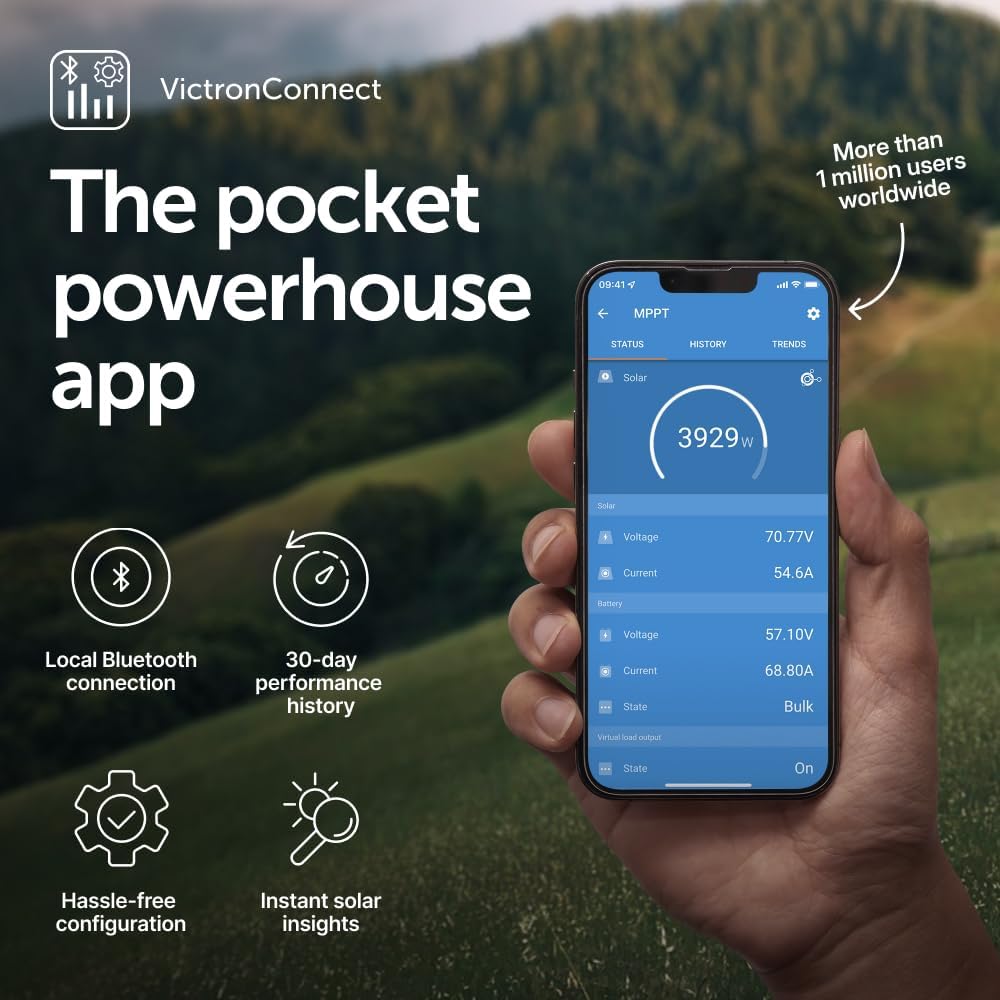
A smartphone screen showing the VictronConnect app interface, providing real-time data and 30-day performance history for the solar system, along with options for local Bluetooth connection and hassle-free configuration.
Video showcasing the VictronConnect App interface, demonstrating its capabilities for monitoring real-time performance and historical data of the solar charge controller.
4.4. Intelligent Load Output
The controller features an intelligent load output that allows you to power DC devices directly. You can configure voltage thresholds to automatically disconnect loads if the battery voltage drops too low, protecting your battery from over-discharge.
4.5. Synchronized Charging
For larger systems, multiple SmartSolar MPPT controllers can be synchronized to operate as a single unit. This ensures that all connected batteries receive consistent charging stages, maximizing overall system efficiency and battery lifespan.

An image illustrating two SmartSolar MPPT controllers working in synchronization to maximize charging efficiency and battery longevity in a multi-controller setup.
4.6. VRM Remote Management Portal (Optional)
For advanced remote monitoring and management, integrate your system with the Victron Remote Management (VRM) portal. This web-based platform allows you to monitor system performance, receive safety alerts, and control devices from virtually anywhere in the world.

Screenshots of the VRM portal on a laptop and smartphone, demonstrating remote monitoring capabilities, including power status, tank levels, temperatures, safety alerts, and advanced generator control.
Video demonstrating the features of the VRM (Victron Remote Management) portal, showing how users can monitor and manage their Victron Energy systems remotely via a web interface.
5. Maintenance
- Regular Inspection: Periodically inspect all wiring connections for tightness and signs of corrosion. Loose or corroded connections can lead to poor performance or safety hazards.
- Cleanliness: Keep the controller clean and free from dust, dirt, and debris. A clean unit ensures proper heat dissipation and prevents overheating.
- Firmware Updates: Regularly check for and install firmware updates via the VictronConnect app. Updates often include performance improvements, bug fixes, and new features.
- Battery Health: Monitor battery voltage and state of charge regularly through the VictronConnect app to ensure optimal battery health and prevent premature degradation.
6. Troubleshooting
6.1. No Power Output
- Check all wiring connections for looseness or corrosion.
- Verify solar panel input voltage and current.
- Check battery voltage; if too low, the controller may not initiate charging.
- Ensure all fuses are intact and not blown.
6.2. Low Power Output
- Inspect solar panels for any shading from trees, buildings, or debris.
- Clean solar panels to remove dirt, dust, or bird droppings that may reduce efficiency.
- Verify battery health and capacity using the VictronConnect app.
- Review charging settings in the VictronConnect app to ensure they are appropriate for your battery type.
6.3. Bluetooth Connectivity Issues
- Ensure your smartphone or tablet is within close range of the controller.
- Restart the VictronConnect app and/or your smartphone/tablet.
- Check for potential interference from other Bluetooth devices or strong electromagnetic fields.
6.4. Overheating
- Ensure adequate ventilation around the controller.
- Check for any obstructions blocking airflow to the heatsink.
7. Specifications
| Feature | Specification |
|---|---|
| Item Weight | 1.5 Kilograms (3.3 pounds) |
| Operating Temperature | Up to 60 Degrees Celsius |
| Manufacturer | Victron Energy |
| Product Dimensions | 5.12 x 7.48 x 2.76 inches |
| Item Model Number | SCC110050210 |
| Battery Compatibility | 12V/24V systems, compatible with Lithium Ion and other battery types |
| Included Components | Victron SmartSolar MPPT 100/50 Charge Controller |
| Origin | Made in the USA |
| Color | Blue |
| Material | Plastic |
| Max PV Input Voltage | 100V |
| Max Charge Current | 50A |

An overview of the Victron Energy Blue Power ecosystem, showing various components like the SmartSolar MPPT controller, batteries, and monitoring devices, emphasizing flexible building blocks and a global support network.
8. Warranty
For detailed warranty information regarding your Victron Energy SmartSolar MPPT 100V 50A Solar Charge Controller, please refer to the official documentation provided with your product or contact the manufacturer/seller directly. Warranty terms and conditions may vary.
9. Support
- VictronConnect App: Download the VictronConnect app for real-time monitoring, configuration, and firmware updates.
- VRM Portal: Utilize the Victron Remote Management (VRM) portal for advanced remote monitoring and management of your system.
- Manufacturer Contact: For technical support, service, or additional information, please visit the official Victron Energy website or contact their customer support.


