
Introduction
This manual provides essential information for the safe and effective use of your GermGuardian HEPA Air Purifier, model AC5900WCA. This air purifier is designed to improve indoor air quality by capturing airborne particles and reducing odors. Please read these instructions thoroughly before operating the appliance and retain them for future reference.
Important Safety Information
Always follow basic safety precautions when using electrical appliances to reduce the risk of fire, electric shock, and injury.
- Read all instructions before operating the appliance.
- Place the air purifier on a firm, level surface.
- Keep the cord away from heated surfaces.
- Do not operate if the plug or cord is damaged.
- Do not use outdoors or on wet surfaces.
- Always unplug the air purifier before moving, cleaning, or replacing filters.
- Do not block air openings.
- This appliance has a polarized plug (one blade is wider than the other). To reduce the risk of electric shock, this plug is intended to fit in a polarized outlet only one way. If the plug does not fit fully in the outlet, reverse the plug. If it still does not fit, contact a qualified electrician. Do not attempt to defeat this safety feature.
Product Overview
The GermGuardian AC5900WCA is a console air purifier designed for large rooms, featuring a multi-stage filtration system.
Front view of the GermGuardian AC5900WCA Air Purifier, showcasing its sleek white design.
Key Features:
- True HEPA Filter: Captures 99.97% of airborne particles as small as 0.1 microns, including dust, pollen, pet dander, and mold spores.
- Activated Carbon Filter: Reduces common household odors from pets, cooking, and smoke.
- UV-C Light Technology: Helps reduce airborne bacteria, viruses, and mold spores.
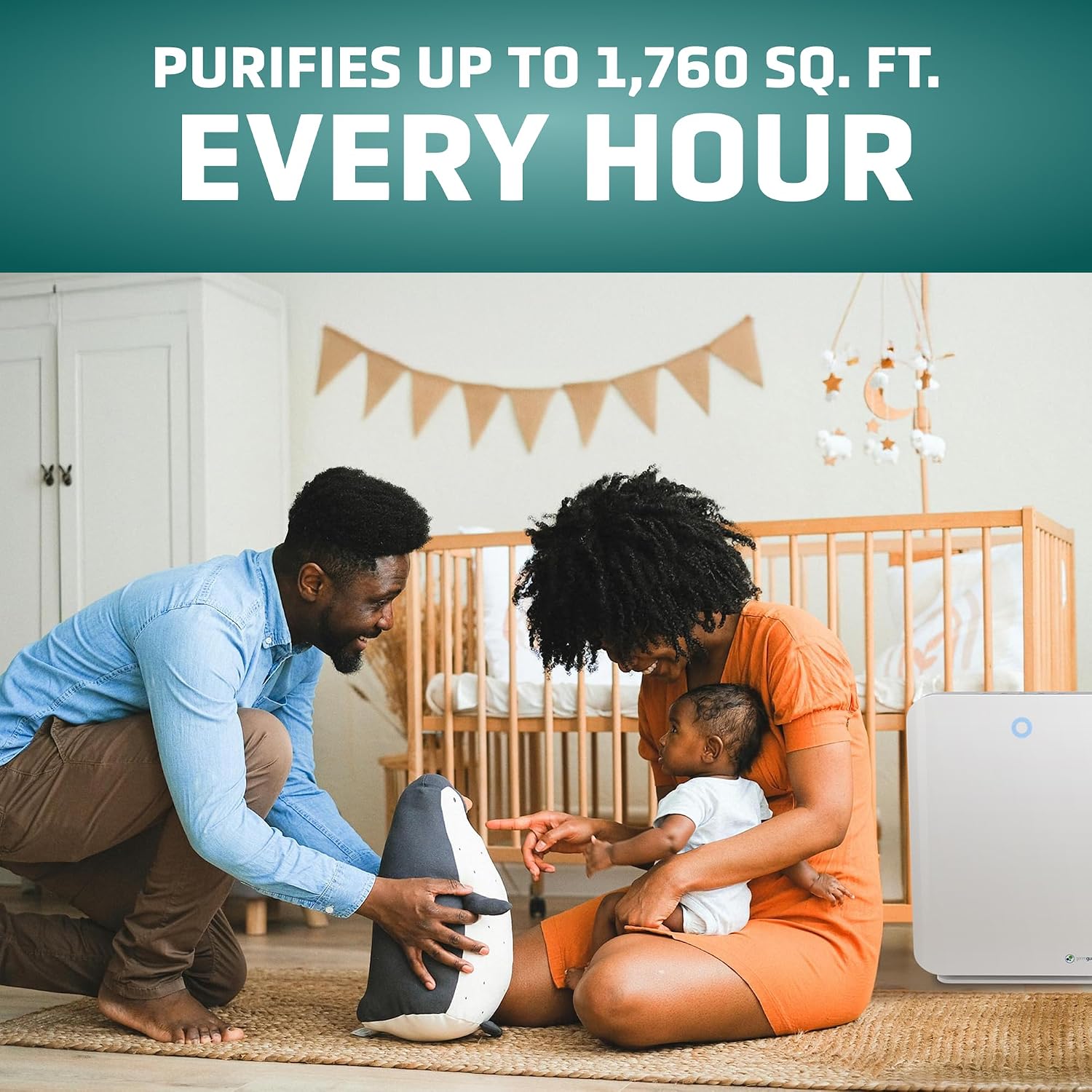
- Coverage: Circulates air in rooms up to 1760 sq. ft. once per hour, or 365 sq. ft. 4.8 times per hour.
- Control Panel: Easy-to-use electronic controls with 3 speed settings, an 8-hour auto-off timer, and a night light.
The GermGuardian AC5900WCA is capable of purifying air in large spaces, circulating air in rooms up to 1760 sq. ft. every hour.
Features such as an 8-hour timer, sleep mode, and three fan speeds contribute to a comfortable environment.
Components
- Air Purifier Unit
- True HEPA Filter (Type J) with Activated Carbon Pre-Filter
- UV-C Bulb
- Power Cord

The control panel features buttons for Night Light/HEPA Reset, UV Mode/UV Reset, Timer, Speed, and On/Off.

The air purifier measures approximately 21 inches in height, 15.95 inches in width, and 9.65 inches in depth.
Setup
- Unpack: Carefully remove the air purifier from its packaging.
- Filter Installation: Open the back cover of the unit. Ensure the True HEPA filter (Type J) and activated carbon pre-filter are correctly installed. Remove any plastic packaging from the filters before use.
- Placement: Place the air purifier on a firm, level surface in the desired room. Ensure there is at least 6 inches of clearance from walls or furniture for optimal airflow.
- Power Connection: Plug the power cord into a 120V AC electrical outlet.
Operating Instructions
The control panel on top of the unit allows you to manage all functions.
The control panel with clearly labeled buttons for various functions.
- Power On/Off: Press the ON/OFF button to turn the unit on or off.
- Fan Speed: Press the SPEED button to cycle through fan speeds (1, 2, 3). Speed 1 is the quietest, suitable for sleep.
- Timer: Press the TIMER button to set the auto-off timer for 2, 4, or 8 hours. The unit will automatically shut off after the selected time.
- UV-C Mode: Press the UV MODE / UV RESET button to turn the UV-C light on or off. The UV-C light helps kill airborne germs.
- Night Light: Press the NIGHT LIGHT / HEPA RESET button to activate or deactivate the night light feature.
Maintenance
Regular maintenance ensures optimal performance and extends the life of your air purifier.
Filter Replacement:
The air purifier uses a combination filter (True HEPA and Activated Carbon) and a UV-C bulb, both requiring periodic replacement.
- Filter Change Indicator: A light on the control panel will illuminate when it's time to replace the HEPA filter.
- Replacing the Combination Filter (Type J, FLT5900):
- Unplug the unit.
- Open the back cover.
- Remove the old filter.
- Insert a new GermGuardian FLT5900 (Type J) filter, ensuring the pre-filter side faces outwards.
- Close the back cover.
- Plug in the unit. Press and hold the NIGHT LIGHT / HEPA RESET button for 5 seconds to reset the filter indicator.
- Replacing the UV-C Bulb:
- Unplug the unit.
- Open the back cover and remove the HEPA filter.
- Carefully remove the old UV-C bulb by twisting and pulling.
- Insert a new GermGuardian UV-C bulb (model LB5000) by aligning the pins and twisting to secure.
- Reinstall the HEPA filter and close the back cover.
- Plug in the unit. Press and hold the UV MODE / UV RESET button for 5 seconds to reset the UV-C indicator.
Ensure to use authentic GermGuardian Filter Type J (FLT5900) for optimal performance.

Replace the UV-C bulb (model LB5000) as indicated by the unit's indicator light.
Cleaning:
- Exterior: Wipe the exterior of the unit with a soft, dry cloth. Do not use abrasive cleaners.
- Pre-Filter: The activated carbon pre-filter can be gently vacuumed to remove larger particles and extend its life. Do not wash the HEPA filter.
Troubleshooting
Refer to this section for common issues and their solutions.
| Problem | Possible Cause | Solution |
|---|---|---|
| Unit does not turn on | No power; Unit not plugged in; Filter cover not closed properly | Check power cord connection; Ensure filter cover is securely closed. |
| Reduced airflow or poor purification | Clogged filter; Blocked air intake/outlet | Clean or replace filters; Ensure no obstructions around the unit. |
| Unusual noise | Loose filter; Foreign object inside; Unit not on a level surface | Check filter installation; Unplug and inspect for foreign objects; Place on a stable surface. |
| Filter change indicator remains on after replacement | Indicator not reset | Press and hold the HEPA RESET button for 5 seconds. |
| UV-C indicator remains on after bulb replacement | Indicator not reset | Press and hold the UV RESET button for 5 seconds. |
Specifications
| Feature | Detail |
|---|---|
| Model Number | AC5900WCA |
| Product Dimensions (D x W x H) | 9.65" x 15.95" x 20.87" |
| Item Weight | 13 pounds |
| Power Source | Corded Electric |
| Control Method | Touch |
| Filter Type | Charcoal Filter, HEPA Filter (Type J, FLT5900) |
| Floor Area Coverage | Up to 1760 sq. ft. (1x/hr), 365 sq. ft. (4.8x/hr) |
| Noise Level | 53 dB (maximum) |
| Particle Retention Size | 0.1 micron |
| Special Features | HEPA Filtration, UV-C Light |
Warranty
This GermGuardian air purifier comes with a 3-Year Limited Warranty. For detailed terms and conditions, please refer to the warranty card included with your product or visit the official GermGuardian website.
Customer Support
If you have any questions, require assistance, or need to order replacement parts, please contact GermGuardian customer support. Refer to the contact information provided in your product packaging or visit the official GermGuardian website for the most up-to-date support details.


