
SureCall SC-CN-06 SMA-Male to FME-Male Connector Instruction Manual
Model: SC-CN-06
1. Introduction
This manual provides instructions for the SureCall SC-CN-06 SMA-Male to FME-Male Connector. This connector is designed to facilitate the connection between devices or cables with SMA-Male and FME-Male interfaces, commonly used in wireless accessory applications. Please read this manual thoroughly before use to ensure proper installation and operation.
2. Product Overview
The SureCall SC-CN-06 is a high-quality adapter designed for reliable signal transmission between different connector types. It ensures compatibility and secure connections in various electronic setups.
2.1 Key Features
- SMA-Male to FME-Male connectivity.
- Durable construction for reliable performance.
- Designed for wireless accessory applications.
2.2 Package Contents
- 1 x SureCall SMA-Male to FME-Male Connector (SC-CN-06)
2.3 Product Image
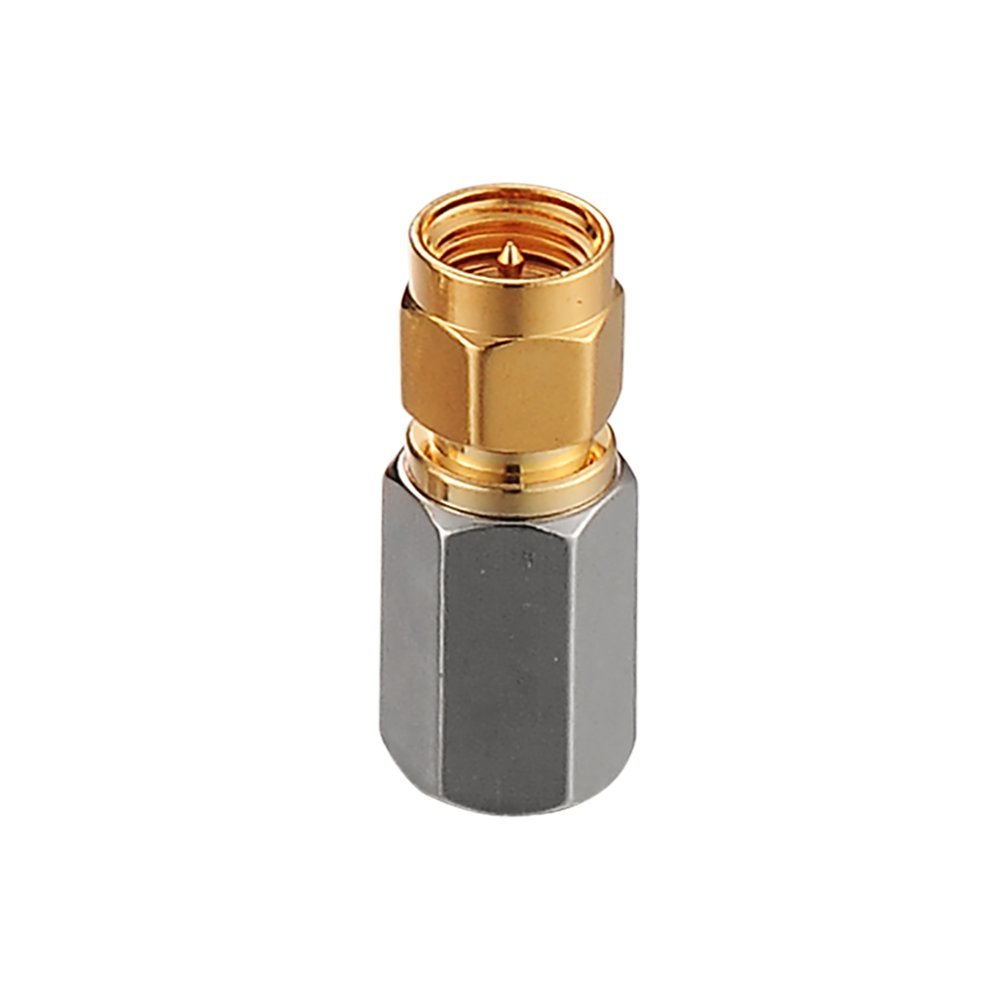
Image of the SureCall SC-CN-06 SMA-Male to FME-Male Connector, showing its silver finish and compact design.
3. Setup
The SC-CN-06 connector is designed for straightforward installation. Follow these steps to ensure a secure and effective connection:
- Identify Connector Types: Ensure that one device or cable has an SMA-Female port and the other has an FME-Female port. The SC-CN-06 connector has an SMA-Male end and an FME-Male end.
- Connect SMA-Male End: Carefully align the SMA-Male end of the SC-CN-06 connector with the SMA-Female port on your device or cable. Gently push and then twist the connector clockwise until it is finger-tight. Avoid over-tightening.
- Connect FME-Male End: Similarly, align the FME-Male end of the SC-CN-06 connector with the FME-Female port on the other device or cable. Gently push and twist clockwise until finger-tight.
- Verify Connection: Ensure both connections are snug and secure to prevent signal loss or intermittent performance.
Note: Always handle connectors by their metal bodies, not by attached cables, to prevent damage.
4. Operating
Once the SureCall SC-CN-06 connector is properly installed, it operates passively as a bridge between the two different connector types. No specific operational steps are required beyond ensuring a secure physical connection. The connector facilitates the transfer of radio frequency (RF) signals between the connected components.
- Ensure all connected devices are powered off before making or breaking connections.
- Confirm that the connector is not subjected to excessive bending or strain, which could damage the internal components or the connected cables.
5. Maintenance
The SureCall SC-CN-06 connector requires minimal maintenance to ensure long-term performance.
- Cleaning: Periodically inspect the connector for dust or debris. If necessary, gently clean the exterior with a soft, dry cloth. Avoid using liquid cleaners or solvents.
- Inspection: Regularly check the connections to ensure they remain tight and secure. Look for any signs of physical damage, such as bends, cracks, or corrosion.
- Storage: When not in use, store the connector in a clean, dry environment away from extreme temperatures and direct sunlight.
6. Troubleshooting
If you experience issues with your connection, consider the following troubleshooting steps:
- No Signal or Intermittent Signal:
- Ensure both the SMA-Male and FME-Male ends of the connector are securely tightened.
- Check the cables connected to the adapter for any damage or loose connections.
- Verify that the devices being connected are compatible and functioning correctly.
- Physical Damage:
- If the connector shows signs of physical damage (e.g., bent pins, cracked housing), it may need to be replaced.
If problems persist after following these steps, contact SureCall customer support for further assistance.
7. Specifications
| Feature | Detail |
|---|---|
| Model Number | SC-CN-06 |
| Brand | SureCall |
| Connector Type | SMA-Male to FME-Male |
| Color | Silver |
| Item Dimensions (L x W x H) | 1.5 x 1 x 1 inches |
| Item Weight | 1.9 Ounces |
| Package Quantity | 1 |
| Country of Origin | China |
| UPC | 896831002388 |
8. Warranty and Support
For information regarding product warranty, please refer to the official SureCall website or the documentation provided with your purchase. SureCall products typically come with a manufacturer's warranty covering defects in materials and workmanship.
If you require technical assistance or have questions about your SureCall SC-CN-06 connector, please contact SureCall customer support:
- Website: www.surecall.com (for support contact information and FAQs)
- Refer to your product packaging or the SureCall website for the most current contact details.