
New bee B41
New bee Bluetooth Earpiece V5.0 Wireless Handsfree Headset B41 User Manual
Model: B41
1. Introduction
Thank you for choosing the New bee Bluetooth Earpiece V5.0 Wireless Handsfree Headset. This manual provides detailed instructions for setting up, operating, and maintaining your device to ensure optimal performance and longevity. Please read this manual carefully before use.

Image 1.1: New bee Bluetooth Earpiece B41 (Gold)
2. Package Contents
Ensure all items are present in the package:
- New bee Bluetooth Earpiece B41
- Wireless Charging Case
- USB Charging Cable
- User Manual
- Multiple Ear Tips (Small, Medium, Large)
- Ear Hooks (various sizes)
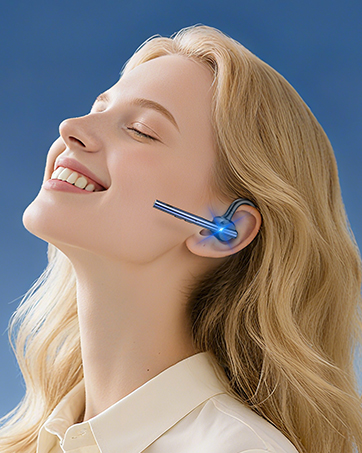
Image 2.1: Package Contents
3. Product Overview
Familiarize yourself with the components of your New bee B41 Bluetooth Earpiece:
- Main Button: Multi-function button for power, calls, and music control.
- Volume Buttons: Adjust volume, skip tracks.
- Microphone: Integrated for clear voice transmission with CVC 6.0 Noise Cancelling.
- Charging Port: For connecting the USB charging cable.
- LED Indicator: Displays status (pairing, charging, low battery).
- Ear Hook: Adjustable for secure and comfortable fit.
- Ear Tip: Interchangeable for personalized comfort.

Image 3.1: Earpiece Components
4. Setup
4.1. Initial Charging
Before first use, fully charge your earpiece.
- Connect the USB charging cable to the earpiece's charging port and a power source (e.g., computer USB port or wall adapter).
- The LED indicator will show charging status. A full charge typically takes 2-3 hours.
- Once fully charged, the LED indicator will change (refer to LED status in specifications).

Image 4.1: Charging the Earpiece
4.2. Pairing with a Bluetooth Device
Follow these steps to pair your earpiece with your smartphone or other Bluetooth-enabled device:
- Power On: Press and hold the Main Button until the LED indicator flashes blue and red alternately, indicating pairing mode.
- Activate Bluetooth: On your device, go to Bluetooth settings and turn on Bluetooth.
- Select Device: Look for "New bee B41" (or similar) in the list of available devices and select it.
- Confirm Pairing: Once connected, the LED indicator on the earpiece will flash blue slowly. You may hear a voice prompt confirming the connection.
The earpiece supports connecting to two devices simultaneously. After pairing with the first device, disable Bluetooth on it, then pair with the second device. Re-enable Bluetooth on the first device, and the earpiece should connect to both.

Image 4.2: Bluetooth Pairing and Features
5. Operating Instructions
5.1. Power On/Off
- Power On: Press and hold the Main Button for approximately 3 seconds until the LED indicator flashes blue.
- Power Off: Press and hold the Main Button for approximately 5 seconds until the LED indicator flashes red and then turns off.
5.2. Call Management
- Answer/End Call: Press the Main Button once.
- Reject Call: Press and hold the Main Button for 2 seconds.
- Redial Last Number: Double-click the Main Button.
- Voice Assistant (Siri/Google Assistant): Press and hold the Main Button for 1 second (when not on a call).

Image 5.1: Call Control Button
5.3. Music Playback
- Play/Pause: Press the Main Button once.
- Next Track: Press and hold the Volume Up button.
- Previous Track: Press and hold the Volume Down button.
5.4. Volume Control
- Increase Volume: Press the Volume Up button.
- Decrease Volume: Press the Volume Down button.
5.5. Wearing the Earpiece
The ear hook is 360-degree adjustable to fit comfortably on either your left or right ear. Choose the ear tip size that provides the best seal and comfort.

Image 5.2: Adjusting and Wearing the Earpiece
6. Maintenance
- Cleaning: Use a soft, dry cloth to clean the earpiece. Do not use harsh chemicals or abrasive materials.
- Storage: Store the earpiece in its charging case or a cool, dry place when not in use. Avoid extreme temperatures.
- Battery Care: To prolong battery life, avoid fully discharging the battery frequently. Charge the earpiece regularly, even if not used for extended periods.
- Water Exposure: The earpiece is not waterproof. Avoid exposure to water or excessive moisture.
7. Troubleshooting
| Problem | Possible Solution |
|---|---|
| Earpiece does not power on. | Ensure the battery is charged. Connect to a power source and try again. |
| Cannot pair with device. |
|
| No sound or low volume. |
|
| Poor call quality. |
|
| Earpiece disconnects frequently. |
|
8. Specifications
| Feature | Detail |
|---|---|
| Model Name | B41 |
| Bluetooth Version | 5.0 |
| Connectivity Technology | Wireless (Bluetooth) |
| Wireless Range | Up to 10 meters (33 feet) |
| Talk Time | Up to 24 hours |
| Music Time | Up to 22 hours |
| Standby Time | Up to 60 days |
| Charging Time | 2-3 hours |
| Noise Control | CVC 6.0 Noise Cancellation |
| Microphone | Included |
| Item Weight | 12 Grams (0.423 ounces) |
| Compatible Devices | Bluetooth-enabled devices (iPhone, Android, Samsung, HTC, LG, SONY, PC, Laptop, etc.) |
| Battery Type | 1 AAA battery (included) |
9. Warranty and Support
9.1. Warranty Information
The New bee Bluetooth Earpiece B41 comes with a 3-year warranty from the date of purchase, covering manufacturing defects. Additionally, a 30-day free return policy is available for eligible purchases.

Image 9.1: Warranty and Return Policy
9.2. Customer Support
For technical assistance, warranty claims, or any questions regarding your New bee product, please contact our customer support team:
- Website: Visit the official New bee website for FAQs and support resources.
- Email: Refer to the contact information provided on the product packaging or official website.
Related documentsB41


Ask a question about this manual
Ask about setup, troubleshooting, compatibility, parts, safety, or missing instructions. Manuals+ will review the question and use this page’s manual context to help answer it.