
Soundstream VRN-65HXB
Soundstream VRN-65HXB User Manual
In-Dash 2-DIN 6.2" Touchscreen LCD DVD Receiver with Bluetooth, GPS Navigation and SiriusXM Ready
Introduction
This manual provides detailed instructions for the installation, operation, and maintenance of your Soundstream VRN-65HXB In-Dash 2-DIN 6.2" Touchscreen LCD DVD Receiver. Please read this manual thoroughly before using the product to ensure proper and safe operation.
Product Overview
The Soundstream VRN-65HXB is a versatile in-dash multimedia receiver designed for vehicle integration. It features a 6.2-inch touchscreen LCD, DVD/CD playback capabilities, Bluetooth connectivity for hands-free calling and audio streaming, and built-in GPS navigation. It is also SiriusXM Ready, allowing for satellite radio integration with an optional tuner.

Image: The Soundstream VRN-65HXB main unit, accompanied by its remote control and GPS antenna.
Key Features
- 6.2" In-Dash Car Navigation GPS Bluetooth DVD/CD Receiver
- Turn-by-Turn GPS Navigation of USA (Powered by iGo Primo 9.0)
- 12 Million Points of Interest Database Included
- SiriusXM Ready (SXV300 Tuner Sold Separately)
- SmartSense Glass Panel Touch Screen Technology
- Bluetooth V3.0 Hands-Free Calling and A2DP Wireless MP3 Audio Playback
- Playback from 64GB USB of MP3, MP4 & Other Video (rear port)
- 2A 5V Adaptive Fast Charge for Mobile Devices (rear port)
- Rear Audio/Video Input for Personal Media Devices
- Front & Rear RCA Pre-Amp Audio Outputs, Subwoofer RCA Audio Pre-Amp Output
- Rear View Camera Input w/ Trigger
- 300W 4-channel MOSFET Speaker Outputs
Package Contents
Upon opening the package, verify that all the following items are included. If any items are missing or damaged, contact your dealer immediately.
- Soundstream VRN-65HXB Head Unit
- Wiring Harness
- GPS Antenna
- Remote Control
- Owner's Manual (this document)
- Mounting Hardware (screws, brackets)
- Removal Keys

Image: All components included in the Soundstream VRN-65HXB package, such as wiring harnesses, the owner's manual, and various accessories.
Setup
Installation Guidelines
Professional installation is recommended for this product. Ensure the vehicle's battery is disconnected before beginning installation. Mount the unit securely in a 2-DIN opening. Refer to your vehicle's specific dashboard disassembly instructions if necessary. Ensure proper ventilation around the unit.
Connecting Components
Connect the main wiring harness to the vehicle's power, ground, and speaker wires. Ensure all connections are secure and insulated to prevent short circuits. The unit supports various external connections:
- GPS Antenna: Connect the GPS antenna to the dedicated port on the rear of the unit. Position the antenna in a location with a clear view of the sky, such as on the dashboard, to ensure optimal satellite signal reception.
- USB Port: The rear USB port supports media playback from USB drives up to 64GB and provides 2A/5V fast charging for mobile devices.
- RCA Outputs: Use the front, rear, and subwoofer RCA pre-amp outputs to connect to external amplifiers.
- Rear View Camera: Connect a compatible rear view camera to the dedicated input. The unit will automatically display the camera feed when the vehicle is in reverse.
- SiriusXM Tuner (Optional): If using SiriusXM, connect the SXV300 tuner (sold separately) to the designated port.

Image: The GPS antenna, which connects to the main unit to provide navigation capabilities.
Operating Instructions
Basic Operation
Power On/Off: Press the power button on the unit or remote control to turn the unit on or off.Volume Control: Adjust the volume using the rotary knob or the volume buttons on the remote control.Source Selection: Press the 'Source' or 'Mode' button to cycle through available audio/video sources such as Radio, DVD, USB, Bluetooth, AUX, and GPS.

Image: The remote control for the Soundstream VRN-65HXB, featuring buttons for power, source selection, volume, navigation, and media playback.
Navigation System
The VRN-65HXB features built-in GPS navigation powered by iGo Primo 9.0. To access navigation, select the 'GPS' source. The system will display a map and prompt for destination input. You can search for addresses, points of interest (POIs), or select from recent destinations. The unit provides turn-by-turn voice guidance.

Image: The Soundstream VRN-65HXB display screen showing a GPS navigation map, indicating a search for a signal.
Bluetooth Connectivity
Pairing a Device: Enable Bluetooth on your mobile device and search for available devices. Select 'VRN-65HXB' from the list. Enter the pairing code (usually '0000' or '1234') if prompted. Once paired, the unit will automatically connect to your device when in range.Hands-Free Calling: Make and receive calls directly through the unit. Use the touchscreen or remote control to dial numbers, answer, or end calls. The built-in front panel microphone ensures clear communication.Audio Streaming (A2DP): Play music wirelessly from your paired device. Control playback (play/pause, skip tracks) from the unit's touchscreen or remote.
DVD/CD Playback
Insert a DVD or CD into the disc slot. The unit will automatically switch to DVD/CD mode and begin playback. Use the on-screen controls or remote control to manage playback functions such as play, pause, stop, fast forward, rewind, and chapter selection. The unit supports MP3, MP4, and other video formats.
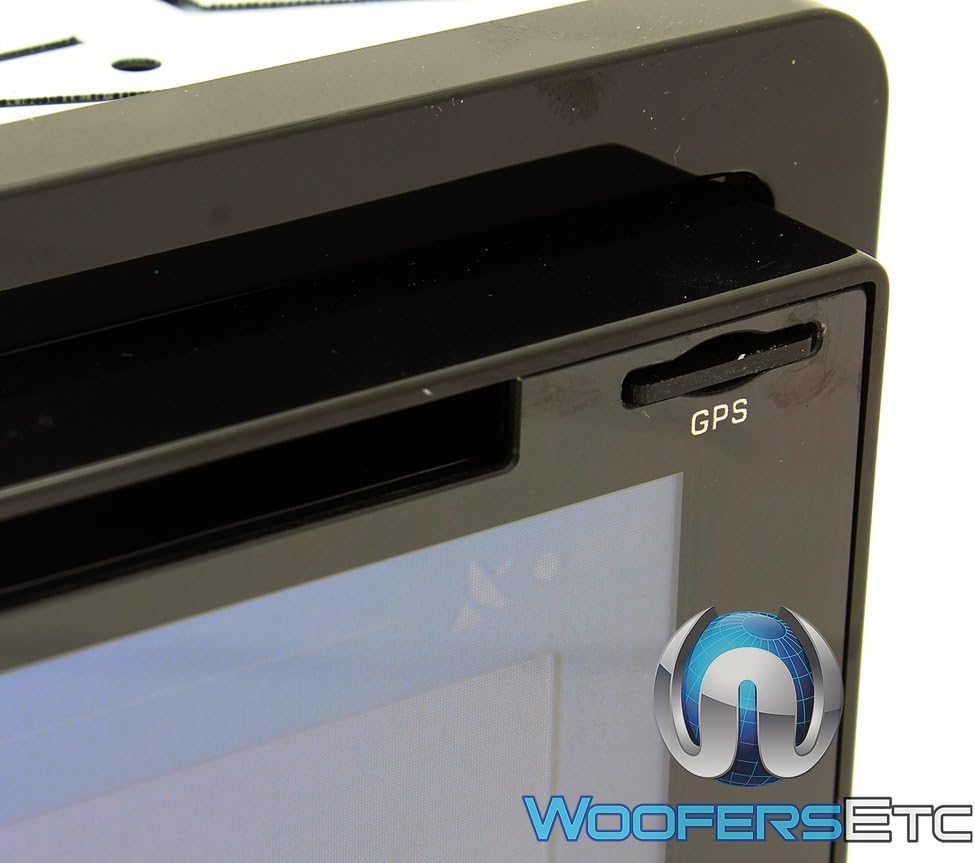
Image: A close-up view of the DVD/CD disc slot on the Soundstream VRN-65HXB unit.
USB and Media Playback
Connect a USB flash drive to the rear USB port. The unit will detect the drive and display its contents. You can browse and play audio (MP3) and video (MP4) files. The unit supports ID3 MP3 tag reading for track and artist information.
SiriusXM Radio (Optional)
If you have installed the optional SiriusXM SXV300 tuner, select the SiriusXM source. You will need to activate your SiriusXM subscription to access channels. Use the touchscreen or remote to browse channels, categories, and presets.
Maintenance
Cleaning the Unit: Use a soft, dry cloth to wipe the unit's surface. For stubborn dirt, dampen the cloth lightly with water. Do not use harsh chemicals, abrasive cleaners, or solvents, as they may damage the finish or screen.Screen Care: The touchscreen is a sensitive component. Avoid pressing it with sharp objects. Use a microfiber cloth specifically designed for electronics screens to clean it gently.Disc Care: Handle discs by their edges. Keep them clean and free of scratches. Store discs in their cases when not in use.
Troubleshooting
If you encounter issues with your VRN-65HXB, refer to the table below for common problems and their solutions. If the problem persists, contact customer support.
| Problem | Solution |
|---|---|
| No power | Check the vehicle's fuse box and the unit's wiring connections. Ensure the ignition wire is properly connected. |
| No sound | Verify volume level is not at minimum or muted. Check speaker wire connections. Ensure correct audio source is selected. |
| GPS signal lost or weak | Ensure the GPS antenna is mounted in a location with a clear view of the sky. Avoid obstructions. |
| Bluetooth pairing failure | Ensure Bluetooth is enabled on your mobile device and the unit is in pairing mode. Try deleting previous pairings and re-pairing. |
| Disc error | Check if the disc is clean and free of scratches. Ensure the disc is inserted correctly. Try a different disc. |
| Touchscreen unresponsive | Perform a soft reset by pressing the reset button (if available) or turning the vehicle ignition off and on. |
Specifications
The following table outlines the technical specifications for the Soundstream VRN-65HXB:
| Feature | Detail |
|---|---|
| Model Number | VRN-65HXB |
| Display Size | 6.2 Inches |
| Display Resolution | 800x480 Widescreen |
| Backlight | 400NIT LED |
| Connectivity Technology | Bluetooth (V3.0), USB, RCA |
| Supported Media | DVD, CD, USB (MP3, MP4, other video) |
| USB Capacity | Up to 64GB |
| USB Charging Output | 2A 5V Adaptive Fast Charge |
| Audio Output Mode | Stereo |
| Surround Sound Channel Configuration | 2.1 |
| MOSFET Speaker Outputs | 300W 4-channel |
| Item Weight | 5.46 pounds |
| Package Dimensions | 9.76 x 9.57 x 7.24 inches |
| Color | 7-Color RGB (Custom Backgrounds) |
Warranty Information
Soundstream products are designed and manufactured to the highest quality standards. This product is covered by a limited warranty against defects in materials and workmanship. The duration and terms of the warranty may vary by region and retailer. Please retain your proof of purchase for warranty claims.
For specific warranty details, refer to the warranty card included with your product or visit the official Soundstream website. Unauthorized repairs or modifications will void the warranty.
Support
If you require further assistance or have questions not covered in this manual, please contact Soundstream customer support. You can typically find contact information, including phone numbers and email addresses, on the official Soundstream website or on the product packaging.
Before contacting support, please have your product model number (VRN-65HXB) and a detailed description of the issue ready. This will help the support team assist you more efficiently.
Related documentsVRN-65HXB


Ask a question about this manual
Ask about setup, troubleshooting, compatibility, parts, safety, or missing instructions. Manuals+ will review the question and use this page’s manual context to help answer it.