
Radio Flyer 481PZ
Radio Flyer 4-in-1 Stroll 'N Trike Instruction Manual
Model: 481PZ | Brand: Radio Flyer
Introduction
The Radio Flyer 4-in-1 Stroll 'N Trike is designed to adapt and grow with your child, offering four distinct modes of use from infancy through early childhood. This versatile trike transitions seamlessly from an infant trike to a steering trike, a learn-to-ride trike, and finally, a classic tricycle. Its robust construction and thoughtful features ensure a safe, comfortable, and enjoyable experience for both child and parent.

Image: The Radio Flyer 4-in-1 Stroll 'N Trike in pink, showcasing its primary configuration with canopy and parent push handle.
Important Safety Information
Please read and understand all safety instructions before assembly and use of the Radio Flyer 4-in-1 Stroll 'N Trike. Failure to follow these instructions could result in serious injury.
- Always supervise children when using the trike.
- Ensure all parts are securely fastened before each use.
- Do not use near stairs, hills, roadways, or swimming pools.
- Always use the 3-point safety harness in infant and steering trike modes.
- A helmet should always be worn when riding the trike, especially in learn-to-ride and classic trike modes.
- The trike is designed for children aged 9 months to 5 years. Do not exceed recommended age or weight limits.
What's Included
Before beginning assembly, ensure all components are present and undamaged. The package should contain:
- Main Frame
- Wheels (3)
- Parent Push Handle
- Adjustable UV Blocking Canopy
- Removable Wrap-Around Tray with Cup Holder
- 3-Point Safety Harness
- Removable Footrest
- XL Rear Storage Bucket
- Assembly Hardware and Tools (if applicable, check packaging)
Setup and Assembly
Assembly is required. Please follow the detailed instructions provided in the separate assembly guide included with your product. A Phillips head screwdriver and pliers may be required. Ensure all connections are secure before first use.
- Attach the front wheel assembly to the main frame.
- Secure the rear wheels to the axle.
- Install the seat and adjust to the desired position.
- Attach the parent push handle to the rear of the trike.
- Install the removable wrap-around tray and canopy as needed for the chosen mode.
- Ensure the 3-point safety harness is correctly installed and adjusted.
- Attach the rear storage bucket.
Operating Modes (4-in-1 Versatility)
The Radio Flyer 4-in-1 Stroll 'N Trike is designed to evolve with your child's development. Here are the four modes:
1. Infant Trike (9-18 Months)
In this mode, the trike functions as a comfortable stroller. The child is secured by the 3-point harness and the wrap-around tray. The parent controls steering and movement using the adjustable push handle. The footrest provides support for small feet.

Image: A parent guides the trike with an infant securely seated, demonstrating the Infant Trike mode.
2. Steering Trike (18-24 Months)
As your child grows, the wrap-around tray can be removed, allowing more freedom while still being secured by the harness. The parent continues to steer with the push handle, and the child can begin to practice placing their feet on the pedals, though the parent still controls direction.
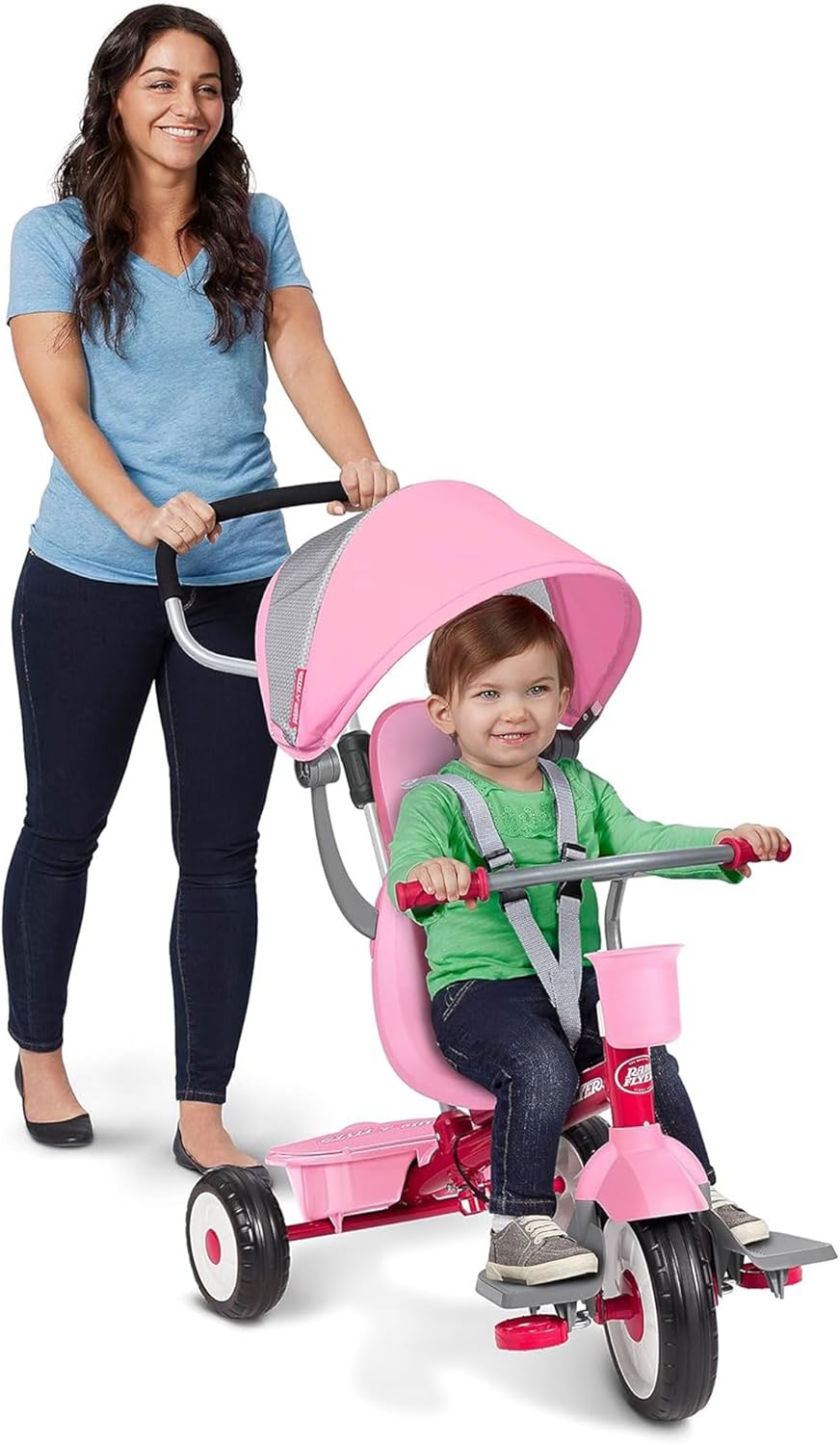
Image: A toddler in the steering trike mode, with the parent push handle engaged.
3. Learn-to-Ride Trike (2-3 Years)
When your child is ready to pedal independently, the footrest can be removed. The parent push handle remains attached for guidance and support, but the child can now actively pedal and begin to learn steering. The 3-point harness can be removed if the child is stable enough.

Image: A child learning to ride the trike, with the parent providing support via the push handle.
4. Classic Trike (3-5 Years)
For independent riders, the parent push handle and canopy can be fully removed. The trike transforms into a classic tricycle, allowing the child to pedal and steer on their own. The sturdy steel frame and adjustable seat ensure continued comfort and durability.

Image: A child confidently riding the trike in its classic tricycle configuration.

Image: Visual representation of the four stages of the Radio Flyer 4-in-1 Stroll 'N Trike, illustrating its adaptability.
Features and Adjustments
- Adjustable UV Blocking Canopy: Provides shade and protection from the sun. Easily adjustable for different angles or removable when not needed.
- 3-Point Safety Harness: Ensures your child is securely fastened in the seat. Always use in infant and steering trike modes.

Image: Detail of the 3-point safety harness buckle.
- Removable Wrap-Around Tray with Cup Holder: Offers a secure barrier and a convenient place for snacks or drinks. Easily detaches for older children.
- Removable Footrest: Supports smaller children's feet until they are ready to pedal.
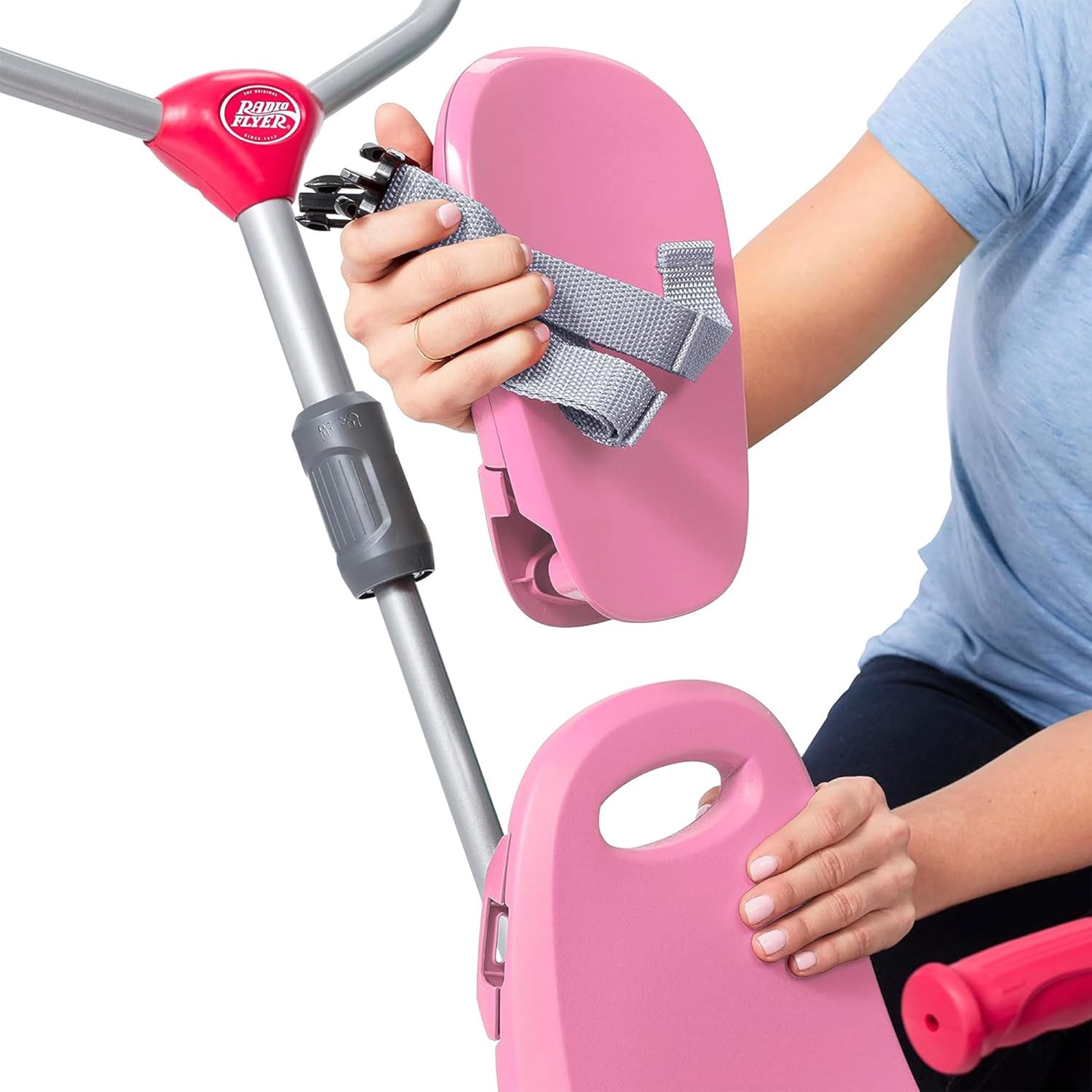
Image: Demonstration of removing the footrest for transitioning modes.
- Parent Steering Push Handle: Allows parents to control the trike's direction and speed. Removable for independent riders.
- Adjustable Seat: The seat can be adjusted to accommodate your child's height and leg length as they grow.
- XL Rear Storage Bucket: Convenient for carrying toys, snacks, or other essentials.
Maintenance
- Cleaning: Wipe down the trike with a damp cloth and mild soap. Do not use abrasive cleaners.
- Lubrication: Periodically check and lubricate moving parts, such as the wheels and pedals, with a light oil to ensure smooth operation.
- Storage: Store the trike in a dry place away from direct sunlight and extreme temperatures to prevent material degradation.
- Inspection: Regularly inspect all nuts, bolts, and fasteners to ensure they are tight. Check for any signs of wear or damage to the frame, wheels, or fabric components. Replace worn parts immediately.
Troubleshooting
| Problem | Possible Cause | Solution |
|---|---|---|
| Trike is difficult to steer or move. | Loose connections, worn wheels, or lack of lubrication. | Check all bolts and connections. Inspect wheels for damage. Apply lubricant to axles and steering mechanism. |
| Pedals are not engaging or spinning freely. | Pedal clutch mechanism disengaged or debris in mechanism. | Ensure the pedal clutch is engaged (refer to assembly guide). Clear any debris from the pedal area. |
| Parent push handle feels loose. | Locking mechanism not fully engaged or worn. | Ensure the push handle is fully inserted and its locking mechanism is secured. If worn, contact customer support for replacement parts. |
| Canopy does not stay in position. | Canopy adjustment mechanism is loose. | Tighten the adjustment knobs or screws on the canopy frame. |
Specifications
- Product Dimensions: 19.88 x 35.04 x 40.75 inches (L x W x H)
- Item Weight: 16 pounds
- Model Number: 481PZ
- Recommended Age: 9 months - 5 years
- Frame Material: Sturdy Steel
- Color: Pink
- Manufacturer: Radio Flyer
Warranty and Support
Radio Flyer products are built with quality and durability in mind. For specific warranty information, please refer to the warranty card included with your purchase or visit the official Radio Flyer website. For customer support, replacement parts, or any inquiries, please contact Radio Flyer customer service directly.
Contact Information:
- Website: www.radioflyer.com
- Phone: Refer to website for regional contact numbers.
Related documents481PZ

Ask a question about this manual
Ask about setup, troubleshooting, compatibility, parts, safety, or missing instructions. Manuals+ will review the question and use this page’s manual context to help answer it.