
1. Important Safety Instructions
Please read and understand all safety instructions before using this appliance.
- The ceramic soleplate becomes hot during use. Exercise caution to prevent burns.
- Always unplug the iron when filling with water, cleaning, or when not in use.
- Do not operate the iron with a damaged cord or plug, or if the iron has been dropped or damaged.
- Keep the iron and its cord out of reach of children.
- Never immerse the iron in water or other liquids.
- Use the iron only for its intended household use.
2. Product Overview
The CHI Steam Iron 13101 is designed for efficient and effective garment care, featuring advanced technology for optimal performance.
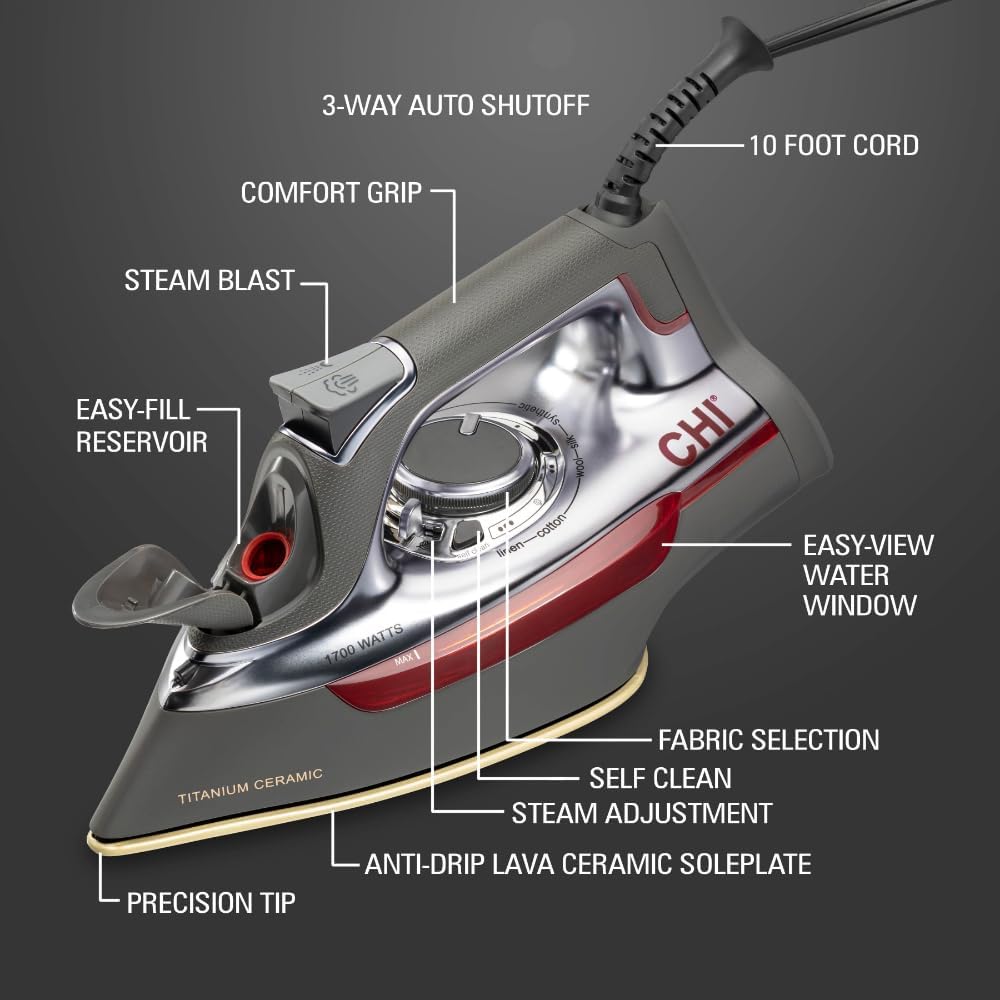
- Titanium-Infused Ceramic Soleplate: Provides exceptional glide and durability, resisting scratches.
- Powerful Steam: Over 300 steam holes deliver strong steam for wrinkle removal.
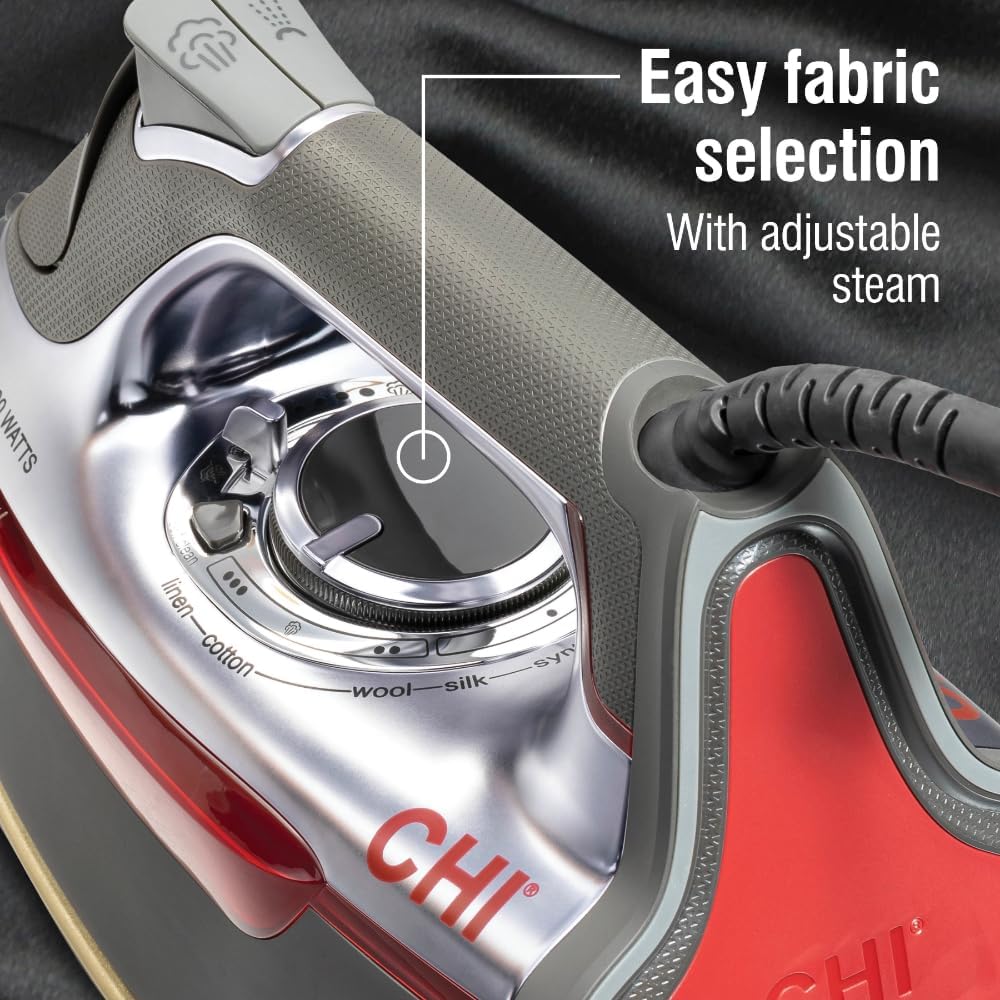
- Temperature Guide Dial: Simplifies fabric selection by automatically setting the correct temperature.
- Adjustable Steam Control: A unique lever allows precise control from no steam to full power.
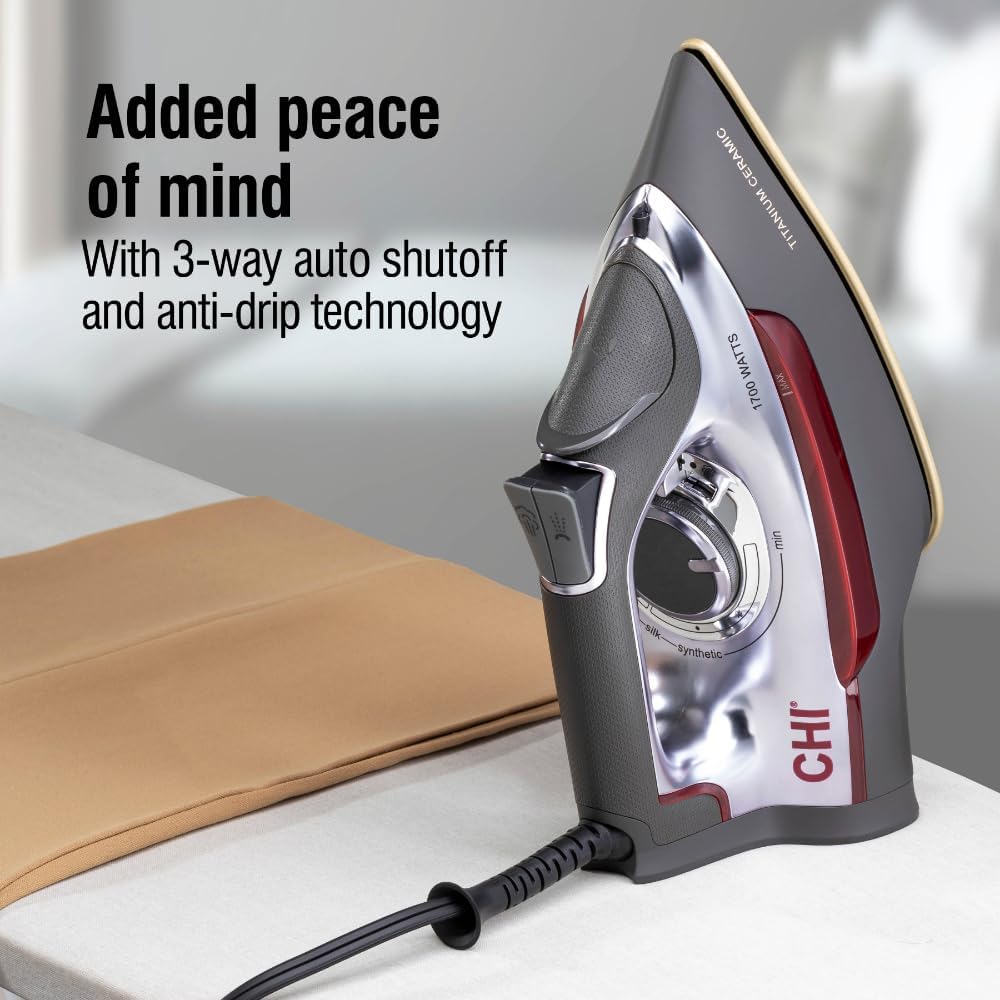
- 3-Way Auto Shutoff: Enhances safety by automatically turning off the iron when left unattended.
- Anti-Drip Technology: Prevents water leaks and stains on garments.
- XL 10-foot Cord: Offers extended reach and convenience.

Product Videos
Video 1: Product Overview of the CHI Steam Iron, demonstrating its features and design.
Video 2: Demonstration of the iron's quick heating and wrinkle removal capabilities.
3. Setup
Filling the Water Tank
- Ensure the iron is unplugged from the power outlet.
- Open the easy-fill reservoir cap located on the top of the iron.
- Using a measuring cup (preferably with a narrow spout), carefully pour distilled or purified water into the reservoir. Do not exceed the 'MAX' fill line.
- Close the reservoir cap securely.
Initial Power-Up
- Place the iron in an upright position on a stable, heat-resistant surface.
- Plug the iron's 10-foot cord into a standard electrical outlet.
- Turn the temperature guide dial to the desired fabric setting. The iron will begin to heat up.
4. Operating Instructions
Temperature Selection
Use the temperature guide dial to select the appropriate fabric type. The iron will automatically adjust to the correct temperature for optimal results and to prevent damage to your garments.
Steam Control
The iron features an adjustable steam lever. Slide the lever to control the amount of steam, from no steam for dry ironing to full power for stubborn wrinkles.
Steam Burst and Spray Mist
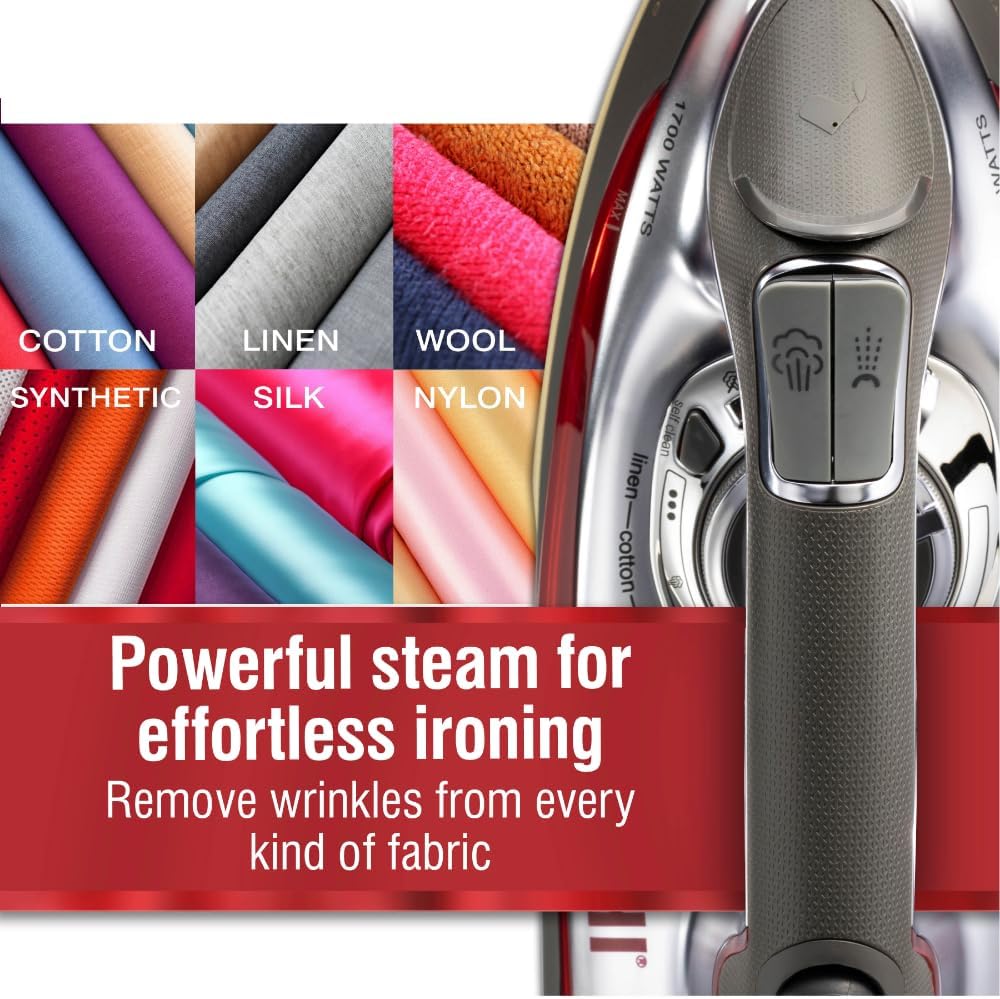
- Press the steam blast button for an extra surge of steam to tackle deep creases.
- Use the spray mist button to lightly dampen fabrics for easier ironing.
Vertical Steaming
The iron can be used in a vertical position to steam hanging garments, drapes, or upholstery. Hold the iron upright and press the steam blast button as needed.
3-Way Auto Shutoff
For safety, the iron will automatically shut off if left motionless:
- After 30 seconds if left horizontally or tipped over.
- After 8 minutes if left vertically on its heel rest.
5. Maintenance
Self-Cleaning Function
To maintain optimal performance and prevent mineral buildup, regularly use the self-cleaning function. Fill the water tank, set the iron to its highest temperature, and once hot, hold it over a sink. Press and hold the self-clean button to flush out mineral deposits.
Water Usage
Always use distilled or purified water in your iron to prevent mineral buildup and ensure longevity. Tap water, especially hard water, can lead to calcification and affect steam performance.
6. Troubleshooting
- Iron not heating: Ensure the iron is securely plugged into a working outlet and the temperature dial is set to a fabric type (not 'OFF'). Check the auto shutoff status.
- No steam or low steam: Check if the water tank is filled and the steam lever is set to the desired steam level. Ensure the iron has reached the correct temperature. Mineral buildup can also reduce steam output; perform a self-cleaning cycle.
- Water leaking/dripping: Ensure the water tank is not overfilled and the steam lever is not set to maximum when the iron is not hot enough. Anti-drip technology minimizes this, but extreme conditions can cause minor drips.
- Stains on fabric: Ensure the soleplate is clean. If using tap water, mineral deposits can cause stains; switch to distilled water and perform a self-cleaning cycle.
7. Specifications
| Feature | Detail |
|---|---|
| Brand | CHI Steam |
| Model Name | CHI Steam Iron for Clothes with 300+ Holes for Powerful |
| Item Model Number | 13101 |
| Power | 1700 Watts |
| Soleplate Material | Titanium Infused Ceramic |
| Color | Silver |
| Product Dimensions | 11.5"L x 4.6"W |
| Item Weight | 2.9 pounds |
| Cable Length | 10 Feet |
| Special Features | Auto Shutoff, Spray & Steam Burst Setting, Temperature Control, Variable Steam Function, Vertical Steaming |
| UPC | 040094131013 |
8. Warranty and Support
The product's warranty information is generally provided at the time of purchase or within the product packaging. For specific details regarding your warranty, please refer to the documentation included with your CHI Steam Iron 13101.
For customer support, please visit the official CHI Steam website or contact their customer service department. Keep your purchase receipt and model number handy for faster service.


