
1. Introduction
This manual provides detailed instructions for the safe and effective use of your Stabila 29459 36-59In Extendable Level Series 80T. Please read this manual thoroughly before operating the tool to ensure optimal performance and longevity. This extendable level is designed for precision measurement and marking in various construction and carpentry applications.
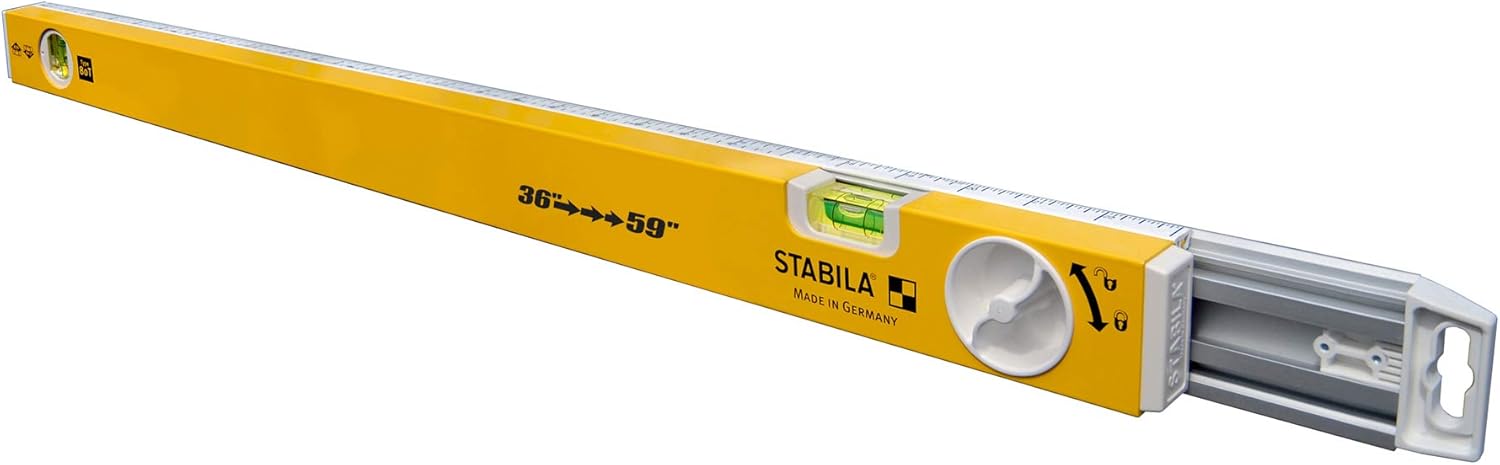
Image 1: The Stabila 29459 36-59In Extendable Level Series 80T in its compact form.
2. Product Overview and Features
The Stabila Series 80T Extendable Level is engineered to adapt to various measurement requirements, eliminating the need for multiple fixed-length levels. Its robust design and precise components ensure reliable performance.
Key Features:
- Extendable Length: Adjusts from 36 inches to 59 inches to suit diverse tasks.
- Continuous Marking and Cutting Edge: Ensures uninterrupted measurement and marking along the entire extended length.
- Milled Measuring Surface: Provides a precision-machined surface for accurate readings.
- Printed Scale: Features a scale along the top frame for precise layout and quick adjustments.
- Length Lock System: A manual lock system securely fastens the level at the desired length.
- End Caps with Anti-slip Wall Grips: Enhances stability and prevents slipping during use.
- Accurate Vials: Equipped with high-quality vials for reliable level and plumb indications.
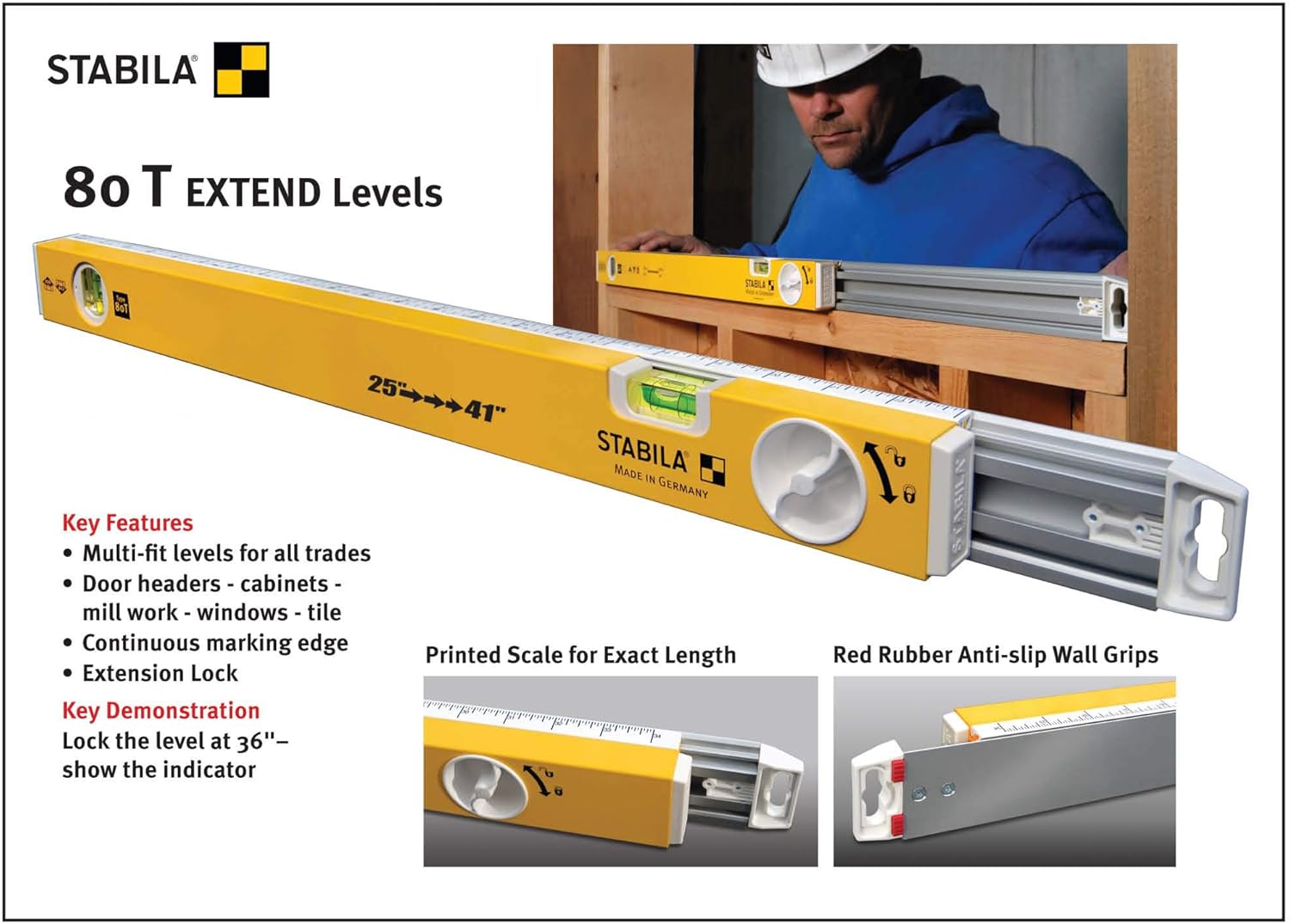
Image 2: Illustration of the Stabila 80 T Extendable Level highlighting key features like the extension lock and printed scale. Note: This image shows a 25-41 inch model, but the instructions apply to the 36-59 inch model.
3. Setup
Before using your Stabila extendable level, ensure it is clean and free from debris. Follow these steps to prepare the level for your task:
- Unpack the Level: Carefully remove the level from its packaging. Inspect for any visible damage.
- Extend the Level: Hold the main body of the level firmly. Grasp the movable section and gently pull it outwards to extend the level to your desired length.
- Lock the Length: Once the desired length is achieved, locate the manual lock system (typically a rotating knob or lever). Rotate or engage the lock to firmly secure the extended section in place. Ensure the level is rigid and does not slide freely.
- Check Vials: Before each use, quickly verify the accuracy of the vials by placing the level on a known level surface. The bubble should be centered between the indicator lines.
4. Operating Instructions
The Stabila 80T Extendable Level is designed for precise horizontal and vertical leveling, as well as marking. Always ensure the level is securely locked at the desired length before use.
4.1. Horizontal Leveling
- Place the milled measuring surface of the level onto the surface you wish to check for levelness.
- Observe the horizontal vial. The bubble should be precisely centered between the two indicator lines.
- Adjust the workpiece or the level's position until the bubble is centered, indicating a perfectly level surface.
4.2. Vertical Leveling (Plumb)
- Position the side of the level against the vertical surface you wish to check for plumb.
- Observe the vertical vial. The bubble should be precisely centered between the two indicator lines.
- Adjust the workpiece or the level's position until the bubble is centered, indicating a perfectly plumb surface.
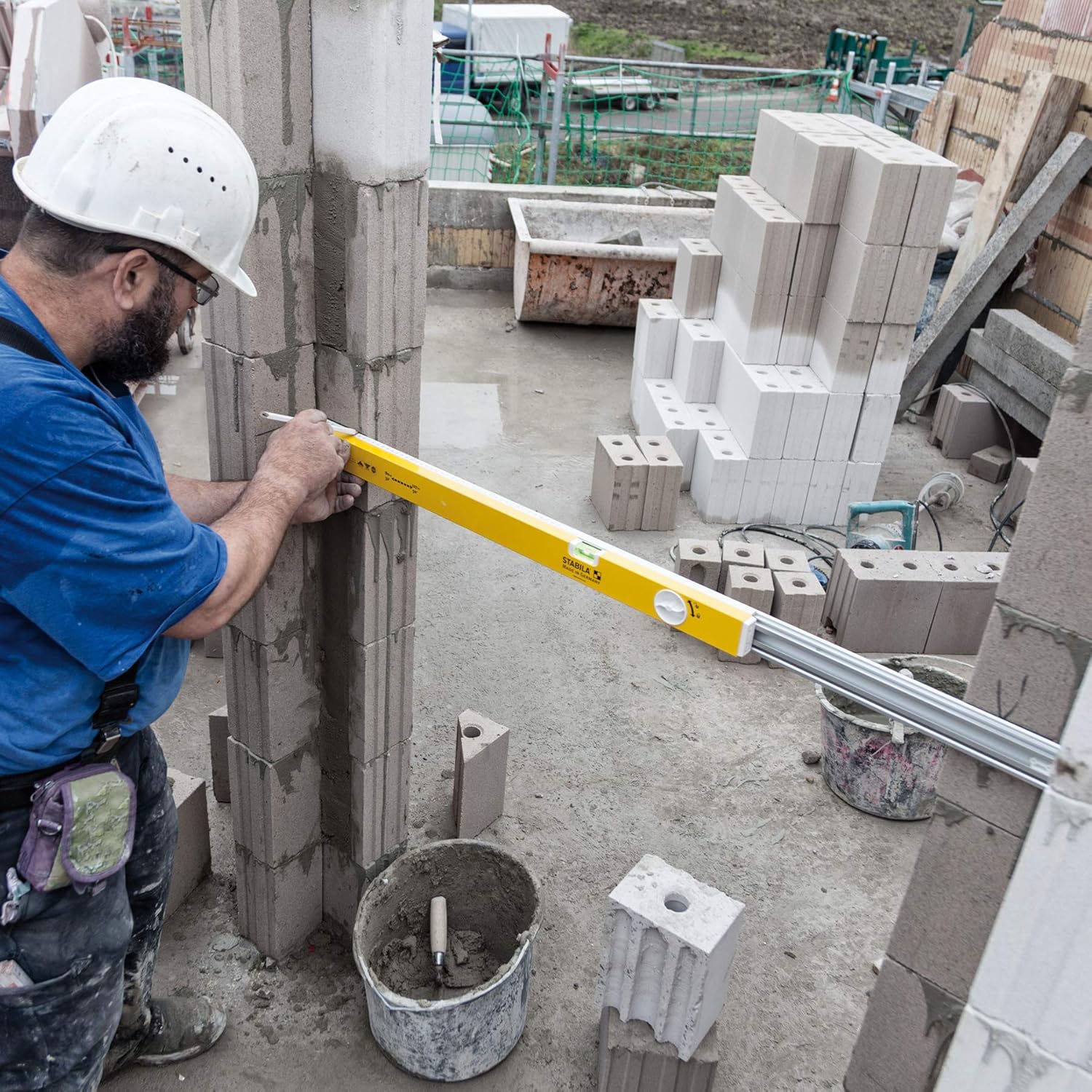
Image 3: A construction worker using the Stabila extendable level to verify the vertical alignment of a concrete block wall.
4.3. Marking and Layout
The continuous marking and cutting edge, along with the printed scale, allows for accurate marking and layout tasks.
- Use the printed scale on the top frame for quick measurements and setting out specific lengths.
- The continuous edge ensures a straight line for marking or guiding cutting tools, even when the level is extended.
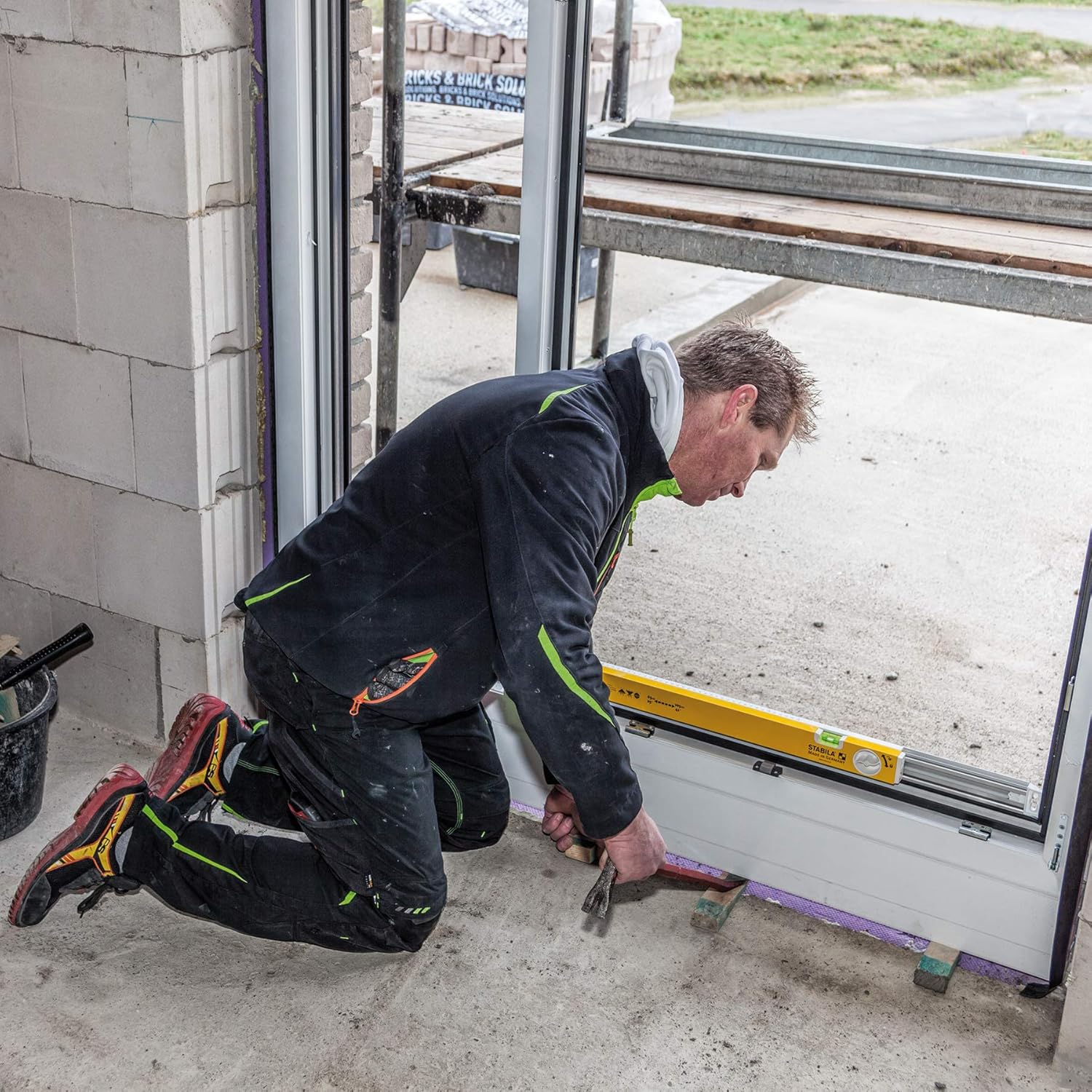
Image 4: A worker using the Stabila extendable level to check the horizontal alignment of a window frame during installation.

Image 5: A worker using the Stabila extendable level to verify the vertical alignment of a door frame, demonstrating its utility for tall structures.
5. Maintenance
Proper maintenance ensures the accuracy and extends the lifespan of your Stabila level.
- Cleaning: After each use, wipe down the level with a clean, damp cloth to remove dust, dirt, and construction debris. Avoid abrasive cleaners or solvents that could damage the finish or vials.
- Storage: Store the level in a dry place, preferably in its original packaging or a protective case, to prevent damage from impacts or extreme temperatures.
- Inspection: Regularly inspect the vials for clarity and ensure they are securely seated. Check the end caps and anti-slip grips for wear or damage.
- Accuracy Check: Periodically check the level's accuracy against a known true level or plumb surface. If the level appears inaccurate, it may require professional calibration or replacement.
6. Troubleshooting
If you encounter issues with your Stabila extendable level, consider the following common problems and solutions:
- Bubble Not Centered:
- Ensure the surface you are measuring is truly level or plumb.
- Check if the level is placed firmly and evenly on the surface.
- Verify that the extension lock is fully engaged and the level is not flexing.
- If the issue persists, the level may have been subjected to impact and its accuracy compromised.
- Extension Mechanism Sticking:
- Clean the sliding mechanism thoroughly to remove any accumulated dirt or debris.
- Apply a small amount of dry lubricant (e.g., silicone spray) to the sliding surfaces, avoiding contact with the vials.
- End Caps Loose or Damaged:
- Ensure end caps are securely fitted. If damaged, contact Stabila customer support for replacement parts.
7. Specifications
| Feature | Detail |
|---|---|
| Model Number | 29459 |
| Brand | Stabila |
| Material | Metal |
| Color | Yellow |
| Extendable Length | 36 inches to 59 inches |
| Product Dimensions (Compact) | Approximately 16"L x 2.5"W (initial compact length) |
| Item Weight | 1 Pound |
| Operation Mode | Manual |
| Power Source | Hand-powered |
| UPC | 089634294597 |
8. Warranty and Support
Warranty: Stabila guarantees the accuracy of their vials for the life of the level. This warranty may be voided by a bent frame or evidence of abuse. Please retain your proof of purchase for warranty claims.
Customer Support: For technical assistance, warranty inquiries, or to purchase replacement parts, please contact Stabila customer service through their official website or authorized distributors. Refer to the Stabila website for the most current contact information.