1. Introduction
Thank you for choosing the EGLO Mouna Outdoor Wall Light with Motion Sensor. This manual provides essential information for the safe installation, operation, and maintenance of your new lighting fixture. Please read these instructions carefully before installation and retain them for future reference.

Image 1.1: EGLO Mouna Outdoor Wall Light, showcasing its modern lantern design and stainless steel finish.
2. Safety Instructions
WARNING: Electrical installations must only be carried out by a qualified electrician. Incorrect installation can lead to electric shock, fire, or damage to the product.
- Always disconnect the power supply before installation, maintenance, or bulb replacement.
- Ensure the voltage supply matches the product specifications (240 Volts).
- This product is rated IP44, meaning it is protected against solid objects larger than 1mm and splashing water from any direction. It is suitable for outdoor use in gardens, terraces, garages, balconies, and pathways.
- Do not exceed the maximum bulb wattage of 60W for the E27 socket.
- Use only E27 base bulbs. The bulb is not included.
- Do not modify the product in any way. Any modifications will void the warranty.
- Keep packaging materials out of reach of children.
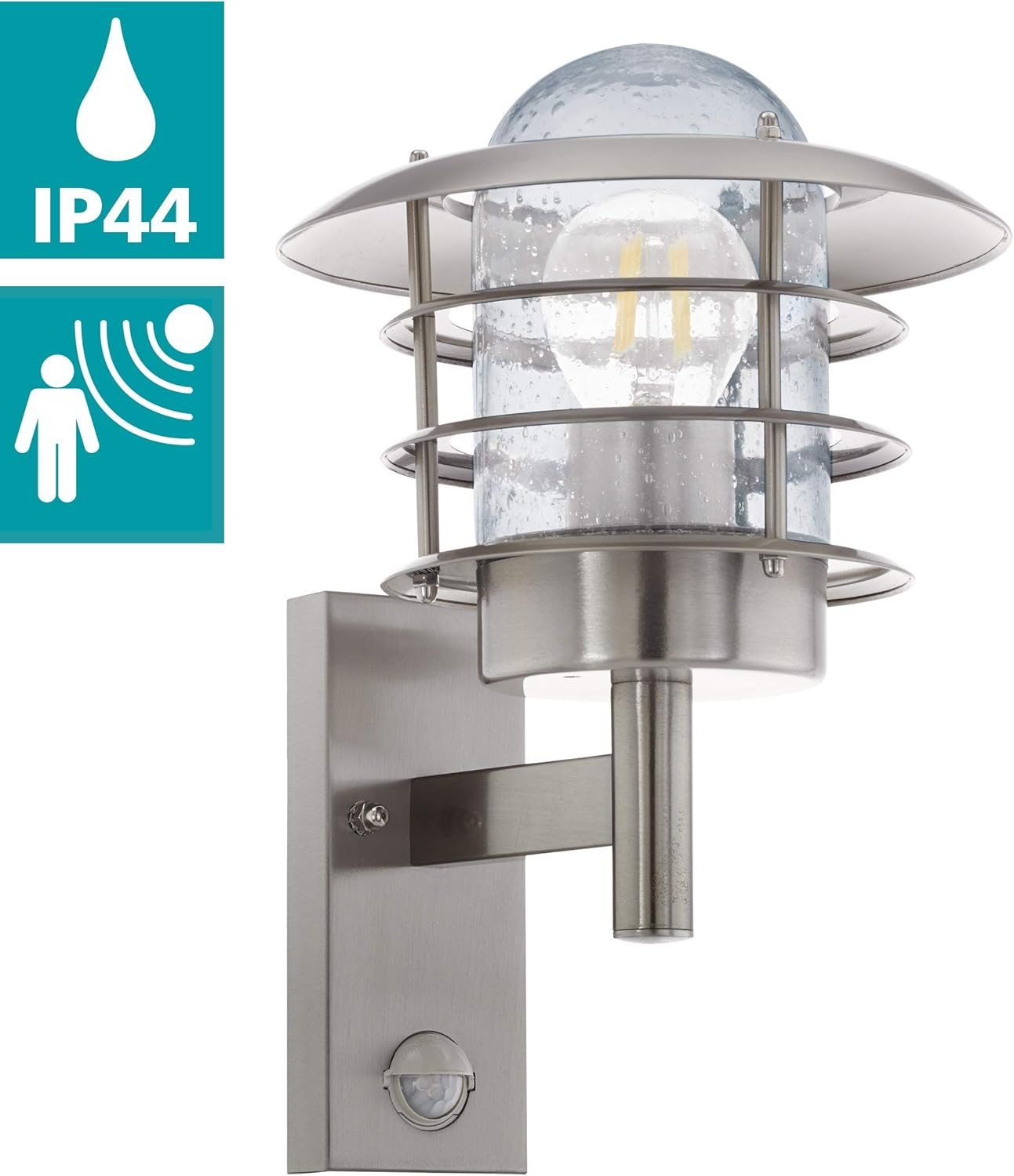
Image 2.1: Product highlighting its IP44 weather protection and integrated motion sensor functionality.
3. Package Contents
Verify that all components are present before beginning installation:
- 1 x EGLO Mouna Outdoor Wall Light fixture
- Mounting instructions
- Mounting hardware (screws, wall plugs) - may vary by package
Note: The E27 light bulb is not included and must be purchased separately.
4. Specifications
| Feature | Specification |
|---|---|
| Brand | EGLO |
| Model Number | 96402 |
| Dimensions (L x W x H) | 22 x 22 x 26.5 cm |
| Weight | 1.08 kg |
| Material | Stainless Steel, Glass |
| Color | Transparent Stainless Steel |
| Protection Rating | IP44 |
| Socket Type | E27 |
| Max. Wattage per Socket | 60 W |
| Voltage | 240 Volts |
| Special Feature | Motion Sensor |
| Motion Sensor Detection Angle | 110° |
| Motion Sensor Range | Up to 8 meters |
| Power Source | AC/DC |
| Dimmable | Yes (bulb dependent) |

Image 4.1: Detailed dimensions of the EGLO Mouna wall light (Height: 26.5 cm, Diameter: 22 cm, Depth: 24 cm).
5. Installation Guide (Setup)
Before starting, ensure the power supply to the installation area is switched off at the main circuit breaker.
5.1. Mounting Location
- Choose a suitable outdoor location, such as a wall near an entrance, patio, or pathway.
- Consider the motion sensor's detection angle (110°) and range (up to 8m) when positioning the light to ensure optimal coverage.
- Mount the light at a height that allows the motion sensor to function effectively, typically around 2.0 meters from the ground.
5.2. Wiring and Mounting
- Prepare the Wall: Mark the drilling points on the wall using the light fixture's mounting plate as a template. Drill holes and insert appropriate wall plugs.
- Connect Wiring: Carefully connect the electrical wires from your household supply to the terminal block inside the light fixture. Ensure correct polarity (Live, Neutral, Earth) according to local electrical codes.
- Secure the Fixture: Attach the light fixture to the wall using the provided screws, ensuring it is securely fastened.
- Insert Bulb: Screw an E27 bulb (max 60W) into the lamp holder.
- Assemble Glass and Cover: Carefully place the transparent glass and the top cover onto the fixture, securing them as per the diagram.

Image 5.1: Exploded view of the light fixture components and a diagram illustrating the mounting process and wiring connections.
6. Operation
The EGLO Mouna wall light features an integrated motion sensor with adjustable settings for optimal performance.
6.1. Motion Sensor Settings
The motion sensor typically has three adjustable controls:
- TIME (Duration): Adjusts how long the light stays on after motion is detected. Typically ranges from 5 seconds to 5 minutes.
- SENS (Sensitivity): Controls the detection range of the motion sensor, usually from 1 to 8 meters. Adjust this based on your desired coverage area.
- LUX (Light Sensitivity): Determines the ambient light level at which the sensor becomes active. For example, setting it to a low LUX value means the light will only activate in very dark conditions, while a high LUX value means it will activate even in brighter conditions. Ranges from 10 to 20,000 LUX.
Refer to the diagram below for the location of these adjustment dials, usually found on the underside or side of the sensor unit.

Image 6.1: Diagram illustrating the motion sensor adjustment dials (TIME, SENS, LUX) and the detection area (Max 8m, 110°).
6.2. Initial Test
After installation and power restoration, test the motion sensor by walking into its detection zone. Adjust the TIME, SENS, and LUX settings as needed to achieve your desired operation.
7. Maintenance
7.1. Cleaning
- Ensure the power is off before cleaning.
- Clean the fixture regularly with a soft, damp cloth. Do not use abrasive cleaners or solvents, as these can damage the stainless steel finish or glass.
- Periodically wipe the motion sensor lens to ensure optimal detection.
7.2. Bulb Replacement
- Disconnect power to the fixture at the main circuit breaker.
- Carefully remove the glass cover to access the E27 bulb.
- Unscrew the old bulb and screw in a new E27 bulb (max 60W).
- Reattach the glass cover securely.
- Restore power and test the light.
8. Troubleshooting
| Problem | Possible Cause | Solution |
|---|---|---|
| Light does not turn on | No power supply Faulty bulb Incorrect wiring LUX setting too high (daylight) | Check circuit breaker Replace bulb Verify wiring connections Adjust LUX setting to a lower value |
| Light stays on continuously | Constant motion in detection zone TIME setting too long Faulty sensor | Clear detection zone Adjust TIME setting to a shorter duration Contact support if sensor is faulty |
| Light turns on unexpectedly | Sensor too sensitive (SENS) Movement from trees/animals LUX setting too low (activates in light) | Reduce SENS setting Adjust sensor angle or SENS Increase LUX setting |
| Motion sensor not detecting | SENS setting too low Obstruction on sensor lens Incorrect mounting height/angle | Increase SENS setting Clean sensor lens Adjust mounting or sensor angle |
If the problem persists after attempting these solutions, please contact customer support.
9. Warranty and Support
9.1. Warranty Information
Specific warranty details for the EGLO Mouna Outdoor Wall Light (Model 96402) may vary by region and retailer. Please refer to your purchase documentation or contact your point of sale for comprehensive warranty information. Information regarding spare parts availability is not provided in this manual.
9.2. Customer Support
For technical assistance, troubleshooting beyond this manual, or inquiries about spare parts, please contact the retailer where you purchased the product or visit the official EGLO website for customer service contact details.
10. Product Videos
No official product videos from the seller are available for embedding in this manual.


