
1. Product Overview
The ECOVACS DEEBOT N79 is a robotic vacuum cleaner designed for efficient cleaning of low-pile carpets and hard floors. It features strong suction power and Wi-Fi connectivity for convenient control via a smartphone application.
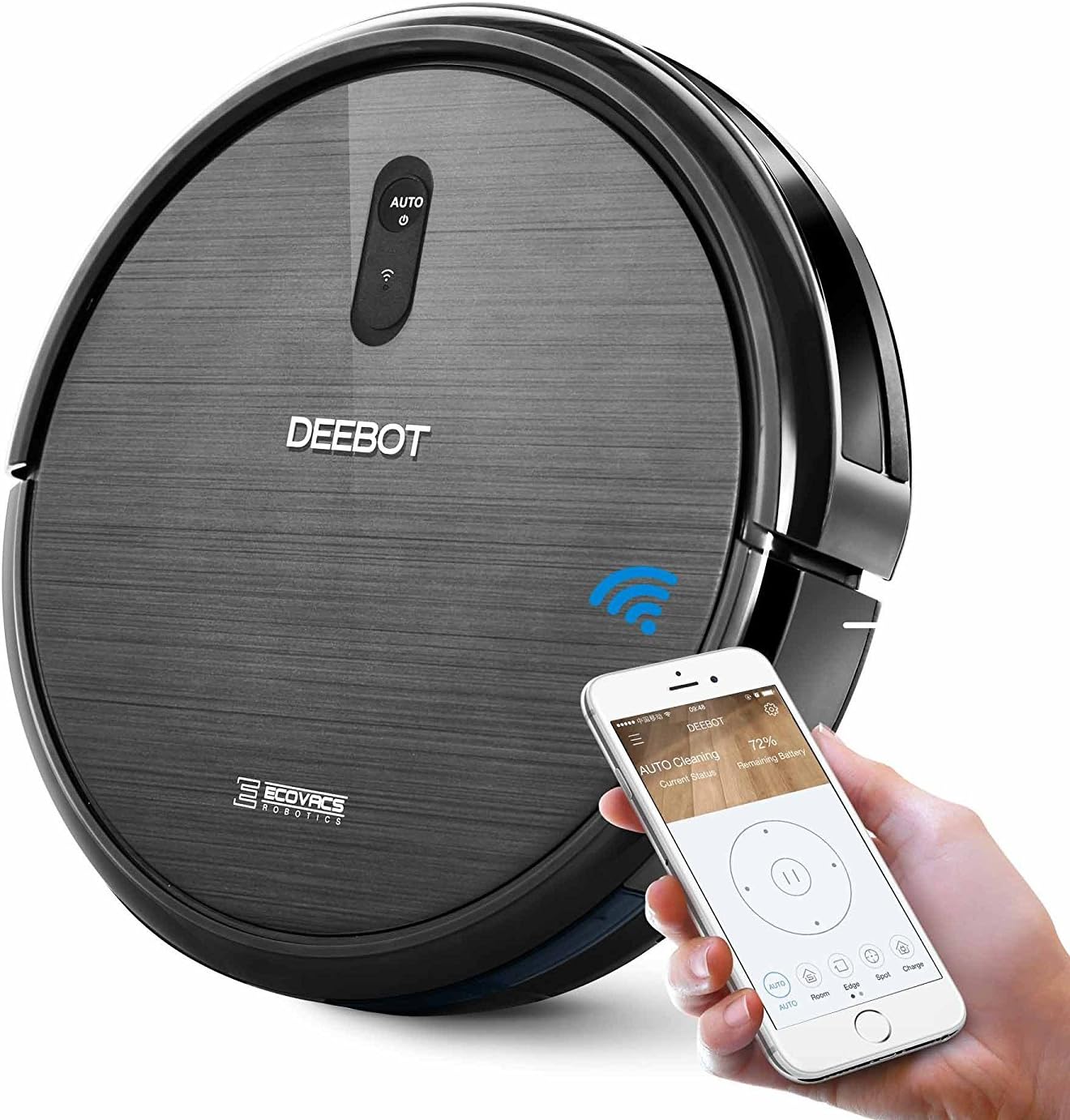
Image: The ECOVACS DEEBOT N79 robotic vacuum cleaner shown with a smartphone displaying its control application, highlighting its Wi-Fi connectivity and smart features.
2. Package Contents
Before beginning, please verify that all items are present in the package:
- 1 x DEEBOT N79 Floor Cleaning Robot
- 1 x Power Adapter
- 1 x Charging Dock
- 4 x Side Brushes (2 for immediate use, 2 spare)
- 1 x High Efficiency Filter
- 1 x Remote Control (with battery)
- 1 x Instruction Manual (this document)

Image: A visual representation of all components included in the ECOVACS DEEBOT N79 package, including the robot, charging dock, power adapter, side brushes, filter, and remote control.
3. Setup
- Charging Dock Placement: Place the charging dock against a wall in an open, uncluttered area. Ensure there is at least 0.5 meters (1.6 feet) of clear space on both sides of the dock and 1.5 meters (4.9 feet) in front of it. Plug the power adapter into the wall outlet and connect it to the charging dock.
- Install Side Brushes: Press the side brushes onto the square posts at the bottom of the DEEBOT until they click into place.
- Initial Charge: Place the DEEBOT onto the charging dock. Ensure the charging pins on the DEEBOT align with those on the dock. The indicator light on the DEEBOT will pulse during charging. Allow the DEEBOT to fully charge before first use (approximately 4 hours).
- Download ECOVACS App: For Wi-Fi connectivity and advanced features, download the ECOVACS App from your smartphone's app store. Follow the in-app instructions to connect your DEEBOT to your home Wi-Fi network.

Image: A screenshot of the ECOVACS App interface, showing options for scheduling, cleaning, status, and alerts, demonstrating smartphone control capabilities.
4. Operating Instructions
Starting a Clean Cycle:
- Manual Start: Press the AUTO button on the DEEBOT or the AUTO button on the remote control.
- App Control: Use the ECOVACS App to start, pause, or stop cleaning, and to select cleaning modes.
Cleaning Modes:
The DEEBOT N79 offers multiple cleaning modes to suit different needs:
- Auto Mode: Default mode for general cleaning. The DEEBOT cleans in a systematic pattern.
- Spot Mode: For concentrated cleaning of a specific dirty area. The DEEBOT cleans in a spiral pattern.
- Edge Mode: For cleaning along walls and corners. The DEEBOT follows the perimeter of the room.
- Single Room Mode: Designed for cleaning a single room. The DEEBOT will clean the room and return to its starting point.

Image: Icons representing the different cleaning modes available on the ECOVACS DEEBOT N79: Auto, Spot, Edge, and Single Room, illustrating the versatility of the robot.
Smart Features:
- Anti-Drop Sensors: The DEEBOT is equipped with sensors to detect stairs and avoid falling.
- Anti-Collision Sensors: Sensors help the DEEBOT detect obstacles and navigate around furniture.
- Automatic Charging: When battery power is low, the DEEBOT automatically returns to its charging dock.

Image: The ECOVACS DEEBOT N79 navigating near furniture, with an overlay indicating "Smart Sensor Protection," demonstrating its ability to detect and avoid obstacles.

Image: The ECOVACS DEEBOT N79 operating under a low cabinet, with an overlay stating "100+ Minute Battery Life," indicating its extended cleaning duration.
5. Maintenance
Regular maintenance ensures optimal performance of your DEEBOT N79.
Dust Bin and Filters:
- Empty Dust Bin: The dust bin capacity is 300 ml. Empty the dust bin after each cleaning cycle or when full.
- Clean Filters: Tap the High Efficiency Filter to remove dust. Brush off any remaining debris. Filters should be replaced periodically (refer to replacement schedule in the full user manual).
Brushes:
- Main Brush: Remove the main brush and clean any hair or debris tangled around it using the cleaning tool provided.
- Side Brushes: Remove and clean the side brushes. If they are worn or damaged, replace them with new ones.

Image: An illustration of the underside of the ECOVACS DEEBOT N79, highlighting the Dual Wide Reach Nylon Brushes and the Deep-Reach Helix Brush-Roll, which are key components for cleaning.
Sensors and Charging Contacts:
- Wipe the anti-drop sensors, anti-collision sensors, and charging contacts on both the DEEBOT and the charging dock with a clean, dry cloth.
6. Troubleshooting
| Problem | Possible Cause | Solution |
|---|---|---|
| DEEBOT does not start. | Low battery; Power switch off; Main brush or side brushes tangled. | Charge the DEEBOT; Turn on the power switch; Clean main brush and side brushes. |
| DEEBOT gets stuck frequently. | Too many obstacles; Cliff sensors dirty. | Clear the cleaning area; Clean cliff sensors. |
| Poor cleaning performance. | Dust bin full; Filters clogged; Brushes worn or dirty. | Empty dust bin; Clean/replace filters; Clean/replace brushes. |
| DEEBOT does not return to charging dock. | Charging dock not powered; Obstacles near dock; DEEBOT too far from dock. | Ensure dock is plugged in; Clear area around dock; Manually place DEEBOT on dock. |
For more detailed troubleshooting, please refer to the full user manual or contact customer support.
7. Specifications
| Feature | Detail |
|---|---|
| Brand | ECOVACS |
| Model Name | DEEBOT N79 |
| Item Model Number | FBA_DN622-DN79 |
| Product Dimensions | 13 x 13 x 3.1 inches |
| Item Weight | 8.25 pounds |
| Dust Bin Capacity | 0.3 Liters (300 ml) |
| Battery Life | 100 minutes |
| Power Source | Battery Powered |
| Control Method | App, Remote Control |
| Filter Type | Cartridge, High Efficiency Filter |
| Compatible Surfaces | Low-pile carpet, Hard floor |
8. Warranty and Support
The ECOVACS DEEBOT N79 comes with a 1-year limited warranty from the date of purchase. Please retain your proof of purchase for warranty claims.
For technical support, warranty service, or to purchase replacement parts, please visit the official ECOVACS website or contact their customer service department. Refer to the full user manual for detailed contact information.
You can also find the full User Manual in PDF format here.


