
1. Introduction
This instruction manual provides comprehensive guidance for the safe and effective use of your BTECH UV-25X2 (Second Gen.) Mini Mobile 25 Watt Dual Band Base/Mobile Radio. Please read this manual thoroughly before operating the device to ensure optimal performance and longevity.
The BTECH UV-25X2 is a versatile dual-band amateur radio designed for both mobile and base station use, offering VHF and UHF capabilities. It features advanced functionalities such as multi-band operation, customizable display, and enhanced audio input/output.
2. Safety Information
Always observe the following safety precautions to prevent injury or damage to the radio:
- Do not operate the radio in explosive atmospheres (e.g., near flammable gas, dust particles, or metallic powders).
- Ensure proper ventilation when operating the radio for extended periods, especially at high power, to prevent overheating.
- Use only the specified power supply (13.8 Volts DC) and accessories. Incorrect voltage can damage the radio.
- Do not expose the radio to extreme temperatures, direct sunlight, or excessive moisture. While the product is listed as waterproof, prolonged exposure to water should be avoided.
- Keep the radio out of reach of children.
- Avoid transmitting without an antenna connected, as this can damage the radio's final amplifier.
- Do not attempt to disassemble or modify the radio. Repairs should only be performed by qualified technicians.
3. Package Contents
Upon opening the package, verify that all items listed below are present and in good condition:
- BTECH UV-25X2 Radio Unit
- RJ45 to K1 Audio Adapter
- Speaker Microphone
- DC Power Cable
- Radio Mounting Bracket
- Microphone Mounting Bracket
- Mounting Hardware (screws, fuse)
- User Guide (this manual)
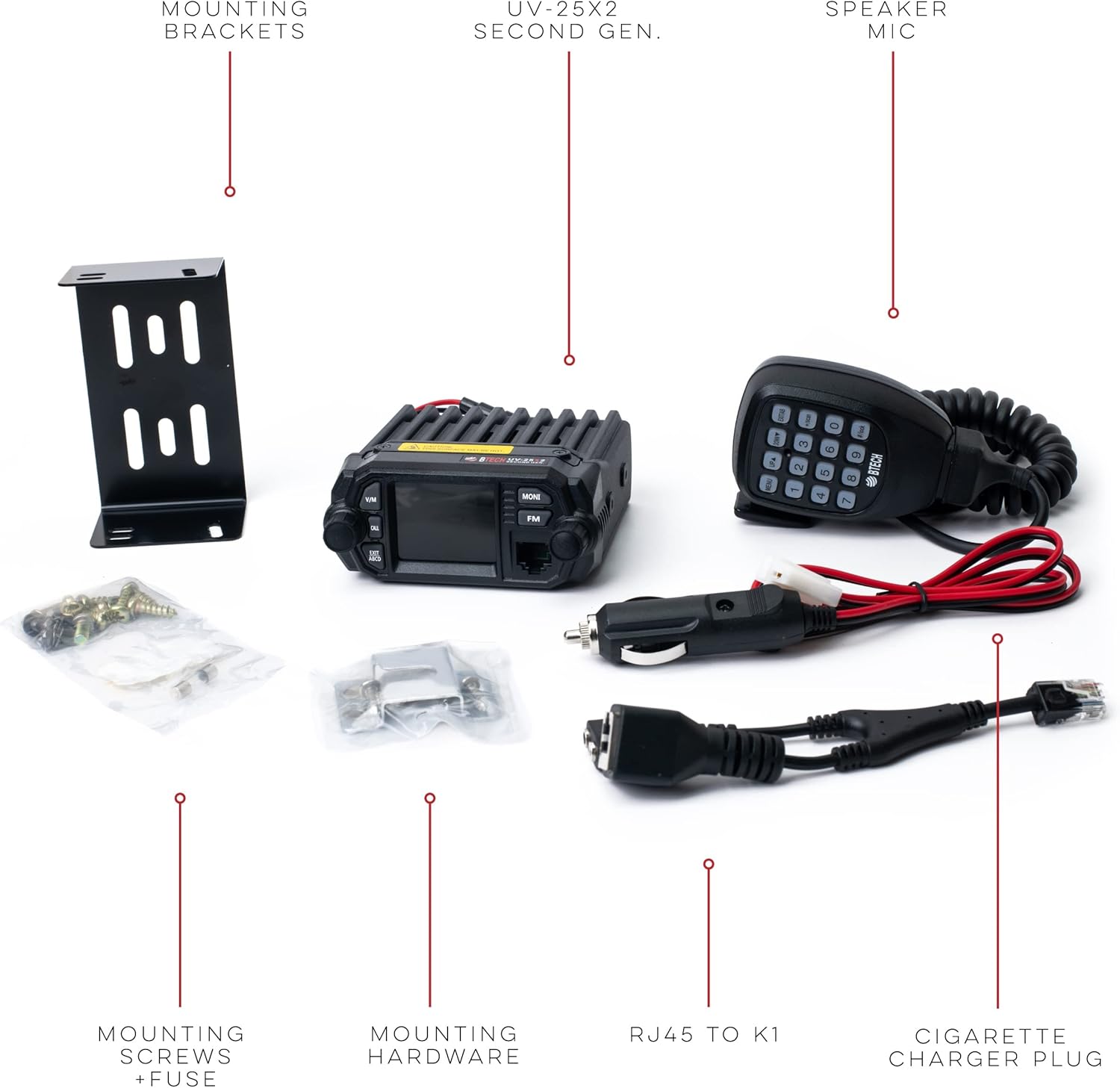
Figure 3.1: Included components of the BTECH UV-25X2 radio kit.
4. Product Overview
Familiarize yourself with the main components and controls of your BTECH UV-25X2 radio.

Figure 4.1: Front panel controls and connections of the UV-25X2.
- Display Screen: Shows frequency, channel, and various status indicators.
- V/M Mode Switch: Toggles between VFO (Frequency) mode and Memory (Channel) mode.
- Call Key: Initiates a call or accesses specific functions.
- Exit/ABCD Key: Exits menus or selects A/B/C/D bands.
- MONI Key: Momentarily opens the squelch to listen for weak signals.
- FM Key: Activates the FM broadcast radio receiver.
- Microphone Connector (RJ45): Connects the speaker microphone and provides audio I/O.
- Power Knob: Turns the radio on/off and adjusts volume.
- Menu/Confirm Knob: Navigates menus and confirms selections.
5. Setup
5.1 Initial Connection
- Power Connection: Connect the supplied DC power cable to the radio's power input. Ensure the cable is connected to a stable 13.8V DC power source (e.g., vehicle battery or regulated power supply like the optional RPS-30M). Observe correct polarity.
- Antenna Connection: Connect a suitable VHF/UHF antenna (e.g., Nagoya UT-72 Magnetic Mount Antenna) to the antenna connector on the rear of the radio. Ensure the connection is secure. Never transmit without an antenna connected.
- Speaker Microphone: Plug the speaker microphone into the RJ45 port on the front of the radio.
5.2 Mounting the Radio
The UV-25X2 comes with mounting hardware for installation in a vehicle or as a fixed base station.
- Select a secure and accessible location for the radio, ensuring adequate ventilation.
- Use the radio mounting bracket as a template to mark drilling locations.
- Securely attach the bracket using the provided mounting screws.
- Slide the radio into the bracket and secure it with the side screws.
- Attach the microphone mounting bracket in a convenient location for easy access to the speaker microphone.
5.3 Software Programming
While the radio can be programmed manually, using software like CHIRP with a PC04 FTDI Cable is highly recommended for efficient setup of channels, frequencies, and advanced settings.

Figure 5.1: Connecting the UV-25X2 to a computer for programming.
- Obtain the PC04 FTDI Programming Cable (sold separately).
- Download the latest version of CHIRP software from chirp.danplanet.com.
- Install the necessary drivers for the programming cable.
- Connect the radio to your computer using the programming cable.
- Follow the instructions within the CHIRP software to read/write radio data.
6. Operation
6.1 Basic Operation
- Power On/Off: Rotate the Power knob clockwise to turn the radio on. Continue rotating to adjust the volume. Rotate counter-clockwise until it clicks to turn off.
- Frequency/Channel Selection:
- In VFO mode (Frequency Mode), use the Menu/Confirm knob or the UP/DOWN buttons on the microphone to change frequencies.
- In Memory mode (Channel Mode), use the Menu/Confirm knob or UP/DOWN buttons to select stored channels. Press the V/M button to switch between modes.
- Transmitting: Press and hold the PTT (Push-To-Talk) button on the speaker microphone to transmit. Release to receive.
6.2 Advanced Features
6.2.1 Multi-Band Functionality & Quad Watch
The UV-25X2 can operate as multiple radios in one, allowing you to set either 144 MHz (VHF) or 430 MHz (UHF) as the primary transmit/receive band, while simultaneously monitoring up to 3 other frequencies or channels. This is known as Quad Watch.

Figure 6.1: Quad Watch feature displaying four monitored frequencies.
To configure Quad Watch, navigate through the radio's menu system. Refer to the detailed menu guide in the full user manual (available online) for specific steps.
6.2.2 Customizable Display
The radio allows full customization of background and text colors on the display screen, enhancing readability and personal preference.
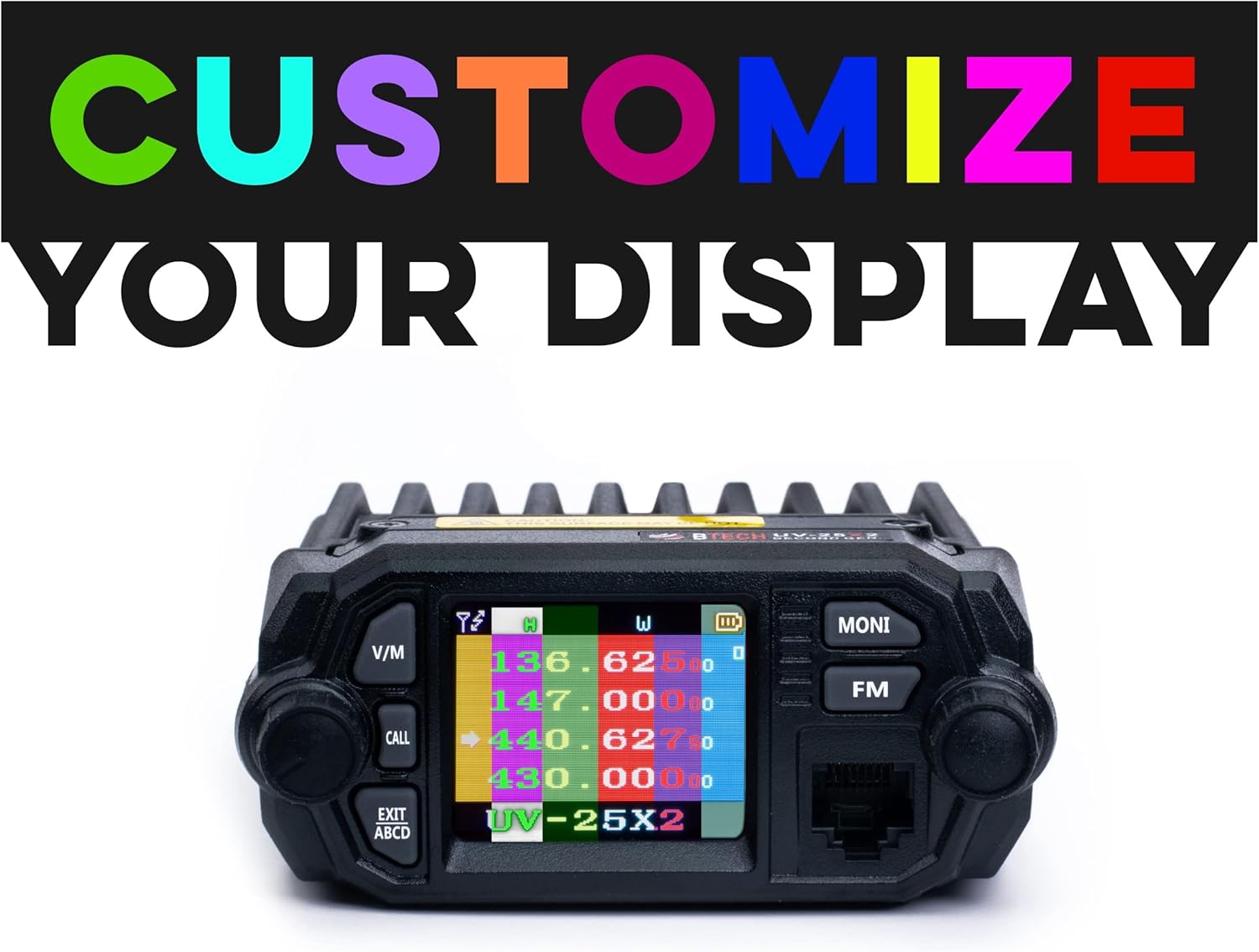
Figure 6.2: Example of a customized display with multiple colors.
Access the display settings through the radio's menu to adjust colors for different elements.
6.2.3 Upgraded Audio I/O Support
The UV-25X2 features audio input/output capabilities via its RJ45 microphone port, and includes a K1 audio adapter. This allows for connection of various aftermarket audio accessories.

Figure 6.3: Audio I/O capabilities via the RJ45 port.
The K1 adapter expands compatibility with a wide range of standard K1-type accessories.
6.2.4 VOX (Voice Operated Transmit)
The VOX function allows for hands-free transmission by detecting your voice. This is particularly useful in mobile environments.

Figure 6.4: Hands-free operation with VOX.
To enable VOX, access the VOX setting in the radio's menu and adjust the sensitivity level to suit your environment.
6.2.5 Scanning Modes
The UV-25X2 supports various scanning modes, including Auto Scan (scan with a power reboot), Scanning Resume, and Variable Frequency Scanning. These modes allow you to monitor active channels or frequencies efficiently.
Consult the full user guide for detailed instructions on configuring and activating different scanning modes.
7. Maintenance
- Cleaning: Use a soft, damp cloth to clean the radio's exterior. Do not use harsh chemicals or abrasive cleaners.
- Antenna Care: Regularly check the antenna connection for tightness and ensure the antenna is not damaged.
- Storage: When not in use for extended periods, store the radio in a dry, cool place away from direct sunlight.
- Fuse Replacement: If the radio does not power on, check the fuse in the DC power cable. Replace it with a fuse of the same rating if blown.
8. Troubleshooting
| Problem | Possible Cause | Solution |
|---|---|---|
| Radio does not power on. | No power, loose connection, blown fuse. | Check power cable connection. Verify power source. Replace fuse if necessary. |
| Cannot transmit or receive. | Incorrect frequency/channel, squelch too high, antenna issue, power level too low. | Verify frequency/channel. Adjust squelch. Check antenna connection. Increase transmit power. |
| Poor audio quality. | Microphone issue, low signal strength, incorrect audio gain settings. | Check microphone connection. Improve signal strength. Adjust microphone audio gain settings. |
| Display is dim or unreadable. | Brightness setting, power saving mode. | Adjust display brightness in menu. Disable power saving mode if active. |
For more complex issues, refer to the online resources or contact BTECH support.
9. Specifications
| Feature | Detail |
|---|---|
| Model Number | UV-25X2 |
| Product Dimensions | 6.3 x 5.5 x 1.6 inches |
| Item Weight | 2.27 pounds |
| Frequency Range | VHF (144 MHz), UHF (430 MHz) |
| Number of Channels | 4 (for simultaneous monitoring) |
| Talking Range Maximum | 100 Mile (under ideal conditions) |
| Voltage | 13.8 Volts DC |
| Water Resistance Level | Waterproof |
| Manufacturer | BTECH |
| Date First Available | March 17, 2017 |
10. Warranty Information
BTECH products are designed and manufactured to high-quality standards. For specific warranty terms and conditions, please refer to the official BTECH website or contact their customer support directly. Keep your proof of purchase for warranty claims.
11. Support & Resources
For additional support, software, and tutorials, please visit the following resources:
- Official BTECH Website: baofengtech.com/uv-25x2
- YouTube Tutorials: youtube.com/c/Baofengtechradio
- CHIRP Programming Software: chirp.danplanet.com
BTECH offers full US-based support for their products.


